
1. Introduction
The AIOMEST AI-9000F is a professional handheld hot-wire anemometer designed for precise measurement of wind speed, air temperature, and air volume (CFM/CMM). Its high-sensitivity hot-wire sensor and compact probe make it suitable for various applications, including HVAC system calibration, laboratory fume hood testing, and environmental assessments. This manual provides essential information for the safe and effective use of the device.

Image 1.1: The AIOMEST AI-9000F Hot Wire Anemometer in operation, demonstrating its use for airflow measurement.
2. Safety Information
Please read and understand all safety warnings and operating instructions before using this instrument. Failure to do so may result in injury or damage to the device.
- Do not attempt to disassemble or modify the device.
- Keep the device dry and away from extreme temperatures.
- Handle the hot-wire probe with care to prevent damage.
- Ensure the device is fully charged before critical measurements to avoid interruptions.
- Dispose of the battery and device according to local regulations.
3. Package Contents
Upon unpacking, verify that all items listed below are present and undamaged:
- AIOMEST AI-9000F Hot Wire Anemometer
- Retractable Hot-Wire Probe
- USB Charging Cable
- User Manual

Image 3.1: The complete packing list for the AIOMEST AI-9000F Thermal Anemometer.
4. Device Overview
The AI-9000F features a robust design with a clear display and intuitive controls.
4.1 Key Features
- High-Sensitivity Hot-Wire Sensor: Detects air movements from 0.1 m/s (0.2 mph) with ±5% accuracy.
- Temperature Measurement: Measures air temperature from 0.1°C to 45°C (32°F to 113°F) with ±1.0°C accuracy.
- Air Volume Calculation: Directly calculates and displays Air Volume (CFM/CMM) after inputting duct area.
- Compact Retractable Probe: A 10mm probe allows access into tight spaces like ducts and pipes.
- Multiple Measurement Modes: Supports Max, Min, and Real-time wind measurement modes.
- Data Hold Function: Freezes current readings for easy recording.
- Versatile Units: Switchable between 5 wind speed units (m/s, km/h, ft/min, knots, MPH) and 2 air volume units (CFM, CMM).
- Rechargeable Battery: 1000mAh built-in lithium battery provides up to 10 hours of continuous operation.
- 3-inch Backlit LCD: Ensures clear readability in various lighting conditions.
- Ergonomic Design: Features 7 responsive silicone buttons and a built-in metal belt clip for portability.
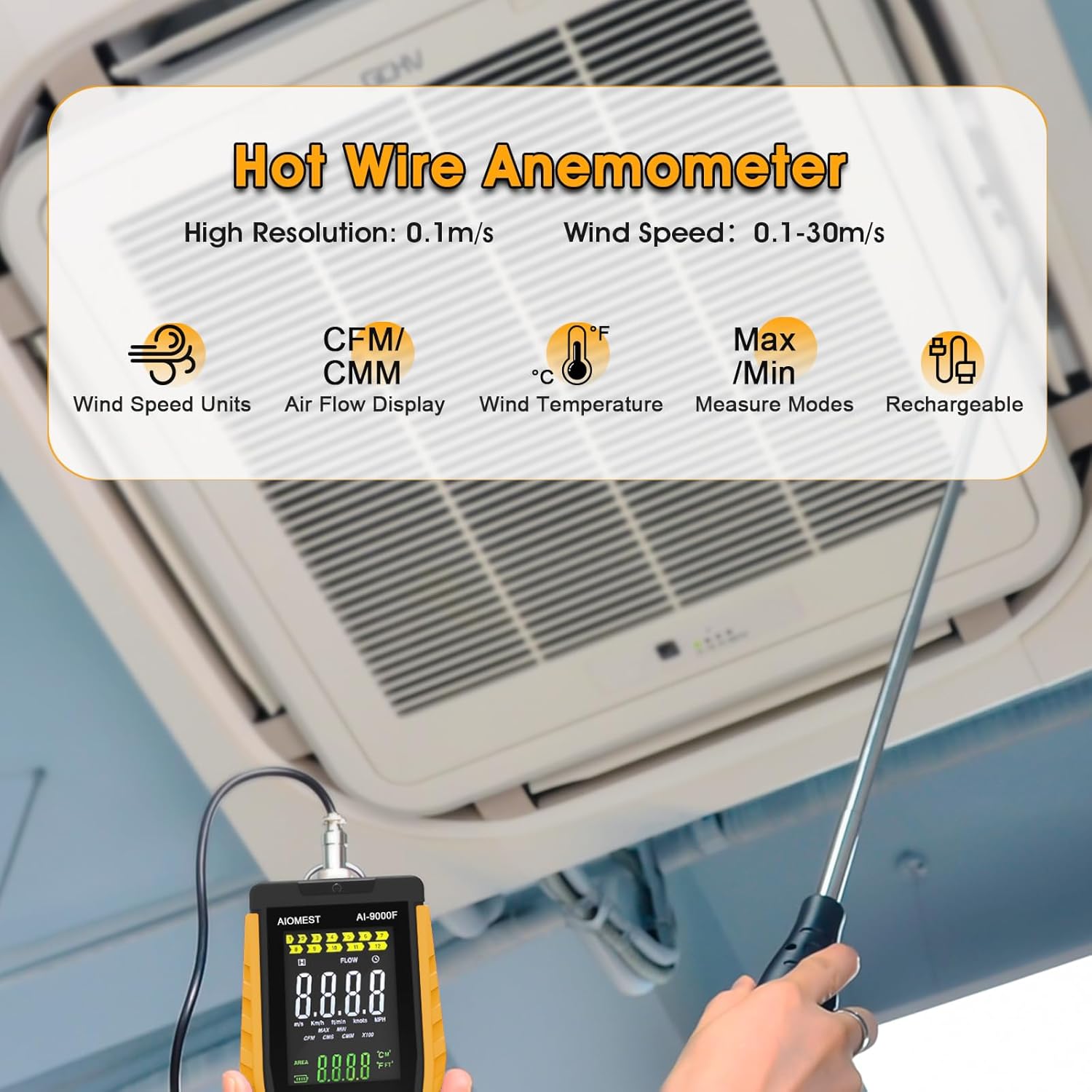
Image 4.1: The AIOMEST AI-9000F Anemometer showing its display and probe.
4.2 Probe Design
The AI-9000F features a flexible, retractable hot-wire probe designed for durability and access to confined areas. The probe can be bent and extended to reach measurement points within ducts or behind machinery.

Image 4.2: The bendable and retractable hot-wire probe for versatile measurements.
4.3 Display and Controls
The device is equipped with a 3-inch backlit LCD for clear data presentation and 7 silicone buttons for easy operation.

Image 4.3: The 3-inch backlit LCD display for clear readings.

Image 4.4: The control buttons and belt clip for convenient use.
5. Setup and Charging
5.1 Charging the Device
The AI-9000F is powered by a built-in 1000mAh rechargeable lithium battery. Before first use, or when the battery indicator is low, charge the device using the provided USB cable.
- Connect the small end of the USB charging cable to the USB port on the anemometer.
- Connect the other end of the USB cable to a standard USB power adapter (not included) or a computer USB port.
- The charging indicator on the device will show charging status. A full charge provides up to 10 hours of continuous operation.

Image 5.1: Charging the AI-9000F anemometer using the USB cable.
5.2 Attaching the Probe
The retractable hot-wire probe connects to the main unit via a secure connector.
- Align the connector on the probe with the port on the top of the anemometer.
- Gently push and twist the connector until it is securely fastened.
- Extend the telescopic probe to the desired length for measurement.
6. Operating Instructions
6.1 Power On/Off
- Press the POWER button to turn the device on.
- Press and hold the POWER button to turn the device off.
6.2 Basic Wind Speed and Temperature Measurement
Once powered on, the device will automatically begin measuring wind speed and air temperature.
- Position the hot-wire probe in the airflow path. Ensure the sensor head is fully exposed to the air stream.
- Read the wind speed and temperature values displayed on the LCD.
6.3 Selecting Units
To change the units for wind speed or air volume:
- Press the UNIT button to cycle through available wind speed units (m/s, km/h, ft/min, knots, MPH).
- For temperature units, press the °C/°F button to switch between Celsius and Fahrenheit.
- For air volume units (CFM/CMM), ensure you are in air volume mode and press UNIT.
6.4 Air Volume (CFM/CMM) Measurement
To measure air volume, you must first input the duct area.
- Press the MODE button until the display indicates Air Volume measurement (CFM or CMM).
- Press the SET button to enter the duct area input mode.
- Use the MAX/MIN and HOLD buttons (often labeled with up/down arrows) to adjust the area value.
- Press SET again to confirm the area.
- Position the probe in the duct. The device will now display the calculated air volume.

Image 6.1: Measuring air volume (CFM/CMM) in a duct.
6.5 Measurement Modes (MAX/MIN/Real-time)
The AI-9000F supports different measurement modes for data analysis.
- Press the MAX/MIN button to cycle through:
- MAX: Displays the maximum recorded value since entering this mode.
- MIN: Displays the minimum recorded value since entering this mode.
- Real-time: Displays the current live measurement.
6.6 Data Hold Function
To freeze the current reading on the display:
- Press the HOLD button. The display will show 'HOLD' and the current values will be frozen.
- Press HOLD again to release the data hold and resume live measurements.
7. Maintenance
7.1 Cleaning
- Wipe the device casing with a soft, damp cloth. Do not use abrasive cleaners or solvents.
- Keep the hot-wire sensor clean and free from dust or debris. Use a soft brush or compressed air if necessary, being careful not to damage the delicate wire.
7.2 Battery Care
- Recharge the battery regularly, especially if the device will not be used for an extended period.
- Avoid fully discharging the battery frequently to prolong its lifespan.
7.3 Storage
When not in use, store the anemometer in a cool, dry place, away from direct sunlight and extreme temperatures. Retract the probe fully before storage to protect the sensor.
8. Troubleshooting
| Problem | Possible Cause | Solution |
|---|---|---|
| Device does not power on | Low battery; Device fault | Charge the battery; If problem persists, contact support. |
| Inaccurate readings | Dirty sensor; Incorrect unit selection; Probe not fully in airflow | Clean the sensor; Verify selected units; Ensure probe is correctly positioned. |
| Display is blank or unreadable | Low battery; Display fault | Charge the battery; If problem persists, contact support. |
| Cannot change units | Incorrect mode selected | Ensure you are in the correct measurement mode before attempting to change units. |
9. Specifications
| Parameter | Value |
|---|---|
| Model Number | AI-9000F |
| Wind Speed Range | 0.1 - 30 m/s (0.2 - 67 MPH) |
| Wind Speed Accuracy | ±5% |
| Air Temperature Range | 0.1 - 45°C (32 - 113°F) |
| Air Temperature Accuracy | ±1.0°C (±1.8°F) |
| Air Volume Range (CFM/CMM) | 0 - 999900 |
| Probe Diameter | 10mm |
| Battery | 1000mAh Rechargeable Lithium |
| Continuous Run Time | Up to 10 hours |
| Item Weight | 1.32 pounds (approx. 599g) |
| Package Dimensions | 12.36 x 7.13 x 2.2 inches |

Image 9.1: Detailed specifications for wind speed and air temperature measurements.
10. Warranty and Support
For warranty information or technical support, please refer to the contact details provided with your purchase documentation or visit the official AIOMEST website. Keep your purchase receipt as proof of purchase.