
1. Product Overview
The Titorion TE001 is a semi-mechanical gaming keyboard designed for an enhanced typing and gaming experience. It features a durable construction, vibrant RGB lighting, and anti-ghosting capabilities for optimal performance.

Figure 1.1: Titorion TE001 Semi-Mechanical Gaming Keyboard, showcasing its full layout and RGB illumination.
Key Features:
- Semi-Mechanical Design: Offers a tactile click experience similar to mechanical keyboards.
- RGB Rainbow Lighting: Customizable illumination for an immersive gaming atmosphere.
- Anti-Ghosting: Ensures simultaneous key presses are registered accurately, crucial for gaming.
- Durable Construction: Robust build quality with special resin on keys to prevent wear.
- ABNT2 Layout: Standard Brazilian layout, including the 'Ç' key.
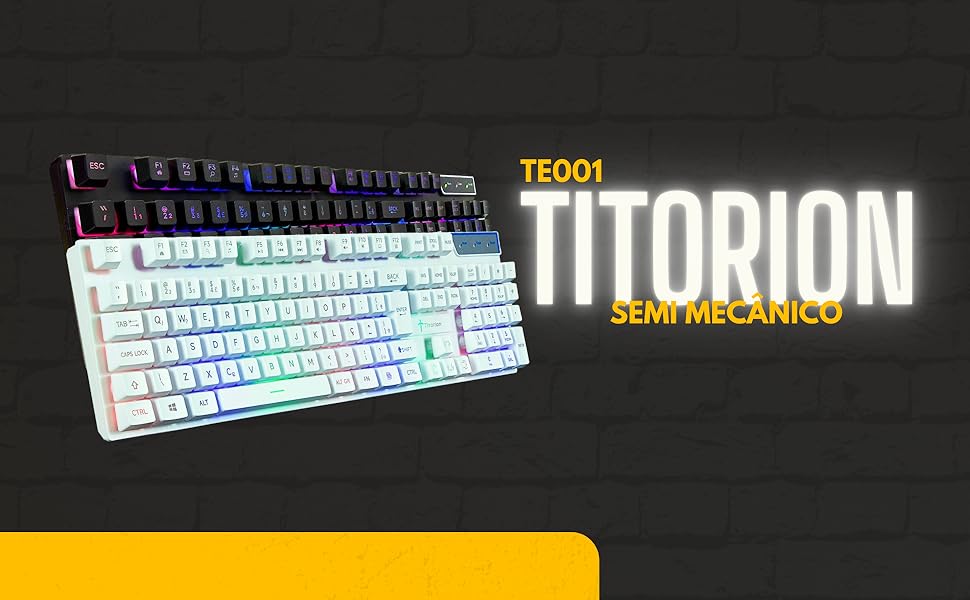
Figure 1.2: Highlighted features including semi-mechanical switches, 1.5-meter USB cable, anti-ghosting, and ABNT2 layout.
2. Setup Instructions
2.1 Connecting the Keyboard
- Locate an available USB port on your computer, laptop, or gaming console.
- Plug the USB connector of the Titorion TE001 keyboard into the USB port.
- The operating system will automatically detect and install the necessary drivers. No additional software installation is required.
- The RGB lighting will illuminate upon successful connection.
2.2 Compatibility
The Titorion TE001 keyboard is compatible with a wide range of devices, including:
- Personal Computers (PC)
- Notebooks
- PlayStation 4 (PS4)
- PlayStation 5 (PS5)
- Xbox 360
- Xbox One
3. Operating Instructions
3.1 Basic Key Functions
The keyboard features a standard ABNT2 layout with 107 keys, including a numeric keypad and function keys (F1-F12). All keys function as standard keyboard inputs unless specified for special functions.
3.2 RGB Lighting Control
The Titorion TE001 keyboard features a vibrant RGB Rainbow illumination. You can easily control the lighting without any software:
- To turn the RGB lighting ON or OFF, press the SCROLL LOCK key.
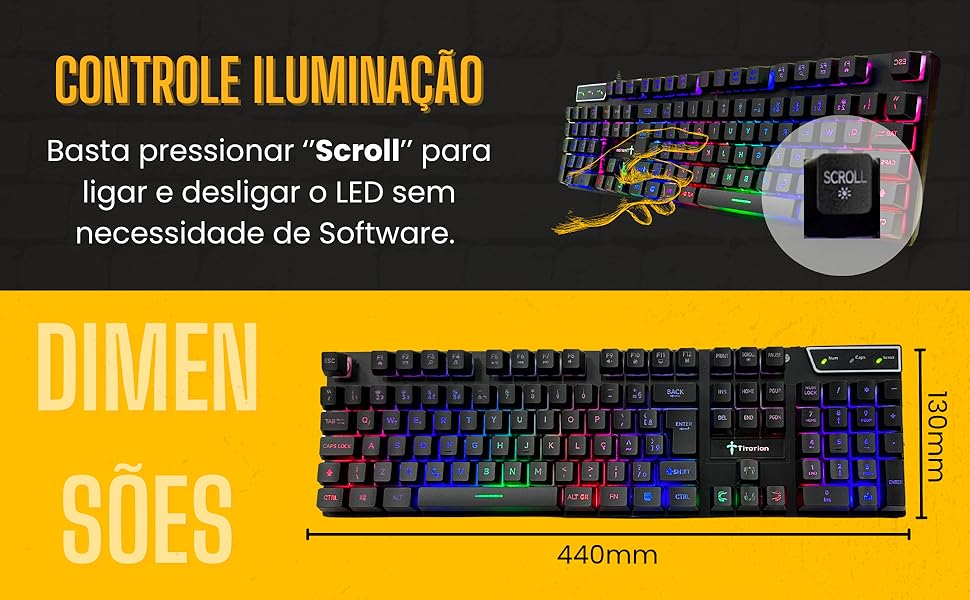
Figure 3.1: Illustration of the Scroll Lock key used to toggle the RGB lighting.
3.3 Anti-Ghosting Feature
The keyboard is equipped with anti-ghosting technology on primary gaming keys (A, W, S, D, and SPACE). This feature ensures that multiple key presses in these areas are registered simultaneously and accurately, preventing input loss during intense gaming sessions.
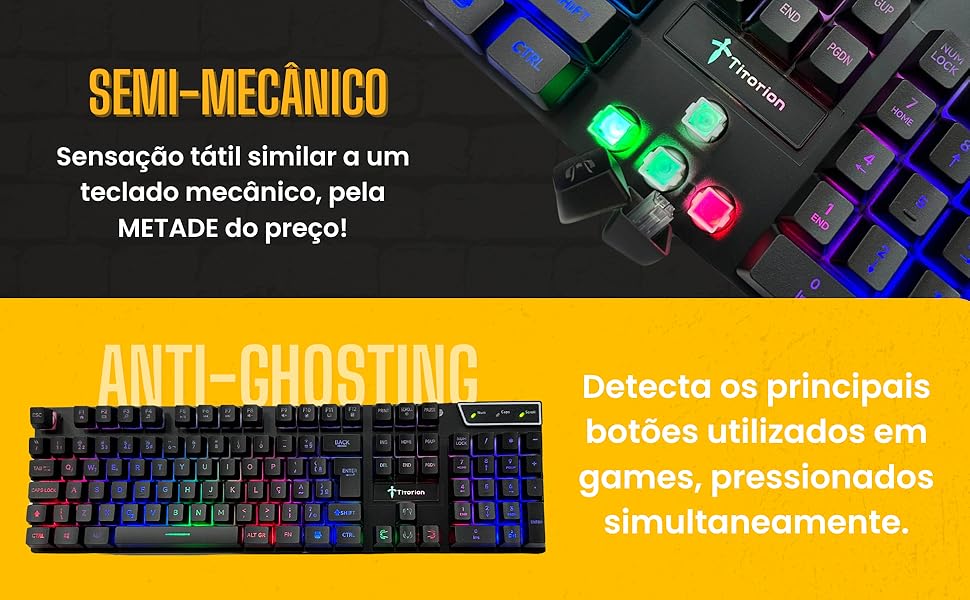
Figure 3.2: Visual representation of the semi-mechanical tactile feel and the anti-ghosting capability.
4. Maintenance and Care
4.1 Cleaning the Keyboard
- Disconnect the keyboard from your device before cleaning.
- Use a soft, dry cloth to wipe down the surface of the keyboard.
- For stubborn dirt or grime, lightly dampen the cloth with water or a mild cleaning solution (avoid harsh chemicals).
- Use compressed air to remove dust and debris from between the keys.
- Do not immerse the keyboard in water or any other liquid.
4.2 Durability
The Titorion TE001 is constructed with a robust design and features a special resin coating on its keys. This resin helps prevent the letters and symbols from wearing off over time, ensuring long-lasting legibility and durability.
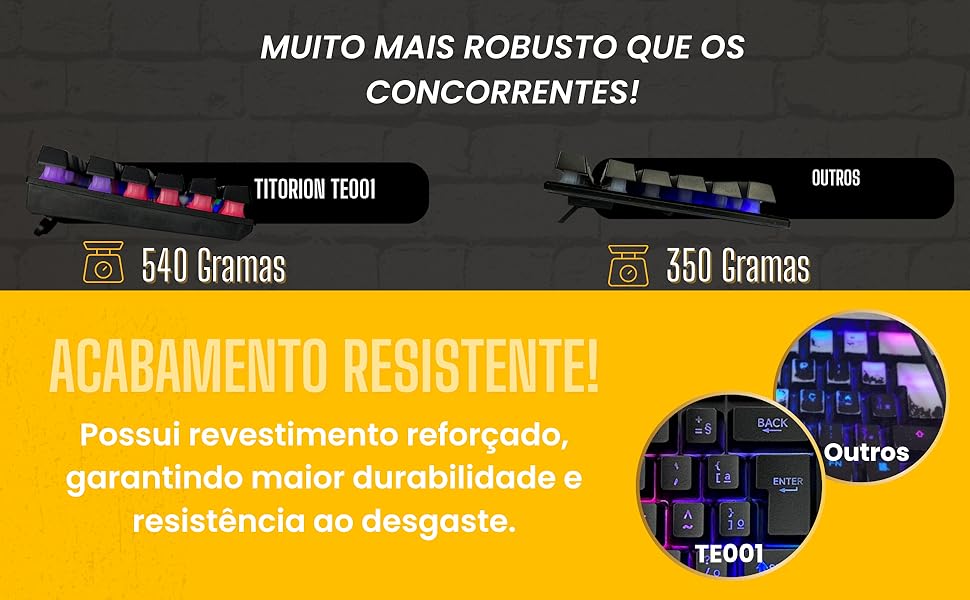
Figure 4.1: Comparison highlighting the robust construction and resistant finish of the TE001 model.
5. Troubleshooting
5.1 Keyboard Not Responding
- Check USB Connection: Ensure the USB cable is securely plugged into both the keyboard and the device. Try a different USB port.
- Restart Device: Sometimes, a simple restart of your computer or console can resolve connectivity issues.
- Test on Another Device: Connect the keyboard to another computer or console to determine if the issue is with the keyboard or the original device.
5.2 RGB Lighting Not Working
- Check Scroll Lock Key: Press the SCROLL LOCK key to toggle the RGB lighting on/off.
- Reconnect Keyboard: Disconnect and reconnect the USB cable.
5.3 Keys Not Registering or Ghosting Issues
- Clean Keys: Ensure no debris is lodged under the affected keys. Refer to Section 4.1 for cleaning instructions.
- Test Anti-Ghosting Keys: The anti-ghosting feature is specific to A, W, S, D, and SPACE. If other keys are experiencing ghosting, it may be a limitation of the keyboard's design outside these specific keys.
- Test on Another Device: If the issue persists, test the keyboard on a different device.
6. Specifications
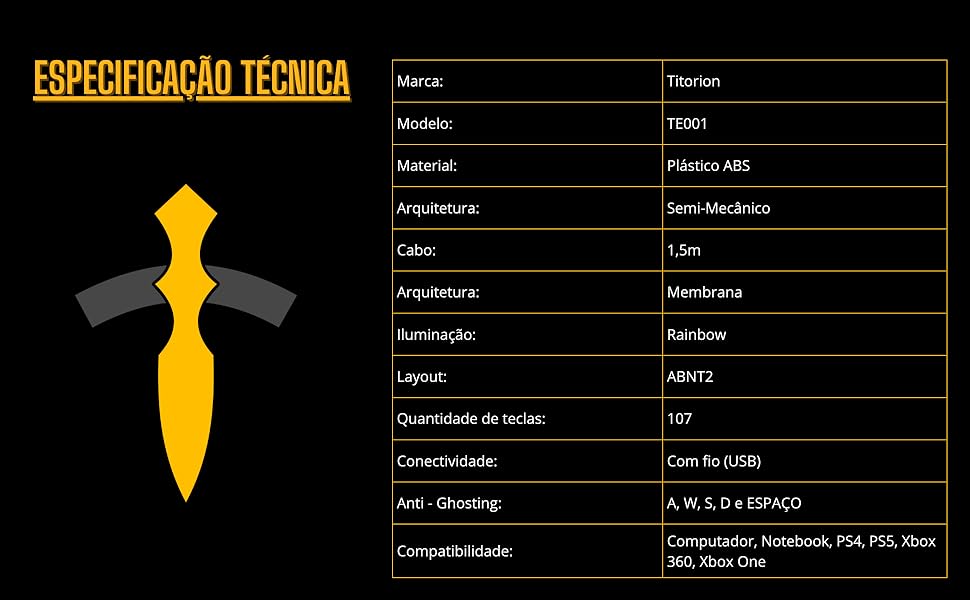
Figure 6.1: Detailed technical specifications of the Titorion TE001 keyboard.
| Feature | Detail |
|---|---|
| Brand | Titorion |
| Model | TE001 |
| Material | Polybutylene Terephthalate (PBT) |
| Architecture | Semi-Mechanical / Membrane |
| Cable Length | 1.5 meters |
| Illumination | RGB Rainbow |
| Layout | ABNT2 (Brazilian Standard) |
| Number of Keys | 107 |
| Connectivity | Wired USB |
| Anti-Ghosting | A, W, S, D, and SPACE keys |
| Compatibility | PC, Notebook, PS4, PS5, Xbox 360, Xbox One |
| Product Dimensions | 40 cm (Length) x 15 cm (Width) x 4 cm (Height) |
| Product Weight | 660 grams |

Figure 6.2: Physical dimensions of the Titorion TE001 keyboard.
7. Warranty and Support
7.1 Product Warranty
The Titorion TE001 keyboard comes with a standard manufacturer's warranty against defects in materials and workmanship. Please refer to your purchase documentation or contact your retailer for specific warranty terms and duration. Keep your proof of purchase for warranty claims.
7.2 Customer Support
For technical assistance, troubleshooting not covered in this manual, or warranty inquiries, please contact the retailer where you purchased the product or visit the official Titorion website for support information.