
1. Important Safety Information
Please read all safety instructions carefully before using the device. Failure to follow these instructions may result in injury or damage to the product.
- Always keep the massager away from water. Do not use it in wet environments.
- Do not use the device while sleeping to prevent overheating or burns.
- Charge the device on a flat, non-flammable surface.
- Do not overcharge the device. Unplug the adapter once charging is complete.
- Allow the device to cool completely before storing it.
- Keep the device out of reach of children and pets.
- The device features an automatic shut-off function for safety if no action is detected, preventing prolonged use and potential overheating.
- Do not use if you have sensitive skin, open wounds, or any medical conditions that may be aggravated by heat or vibration. Consult a physician if unsure.
2. Product Overview
The McbeAn Hot Compress Fat Removal Machine is an electric abdominal massage device designed for multi-part use, including the belly, legs, and neck. It integrates graphene hot compress technology with multiple vibration modes and adjustable intensity settings to provide a comfortable and effective massage experience.

Image: Front view of the McbeAn Hot Compress Fat Removal Machine, showcasing its sleek design and central control panel.
3. Package Contents
Verify that all items are present in the package:
- 1 x McbeAn Hot Compress Fat Removal Machine
- 1 x Power Adapter
- 1 x Instruction Manual (this document)
4. Product Components and Controls

Image: Detailed view of the massager, highlighting the ABS material casing, the graphene hot compress surface, and the adjustable hook & loop belt.

Image: Close-up of the control panel, showing the power indicator light, power switch, three-speed temperature control key, vibration mode switch, and vibration intensity adjustment buttons.
Key Components:
- Main Unit: Houses the motor, heating elements, and control circuitry. Made from durable ABS material.
- Graphene Hot Compress Surface: Provides rapid and even heating for therapeutic warmth.
- Adjustable Hook & Loop Belt: A lengthened, adjustable waistband (up to 1.2 meters) designed to fit various body types securely.
Control Panel:
- Power Indicator Light: Illuminates to show the device's power status.
- Power Switch: Turns the device on or off.
- Temperature Control Key: Adjusts the heat level through three settings.
- Vibration Mode Switch: Cycles through different vibration patterns.
- Vibration Intensity Adjustment: Increases or decreases the strength of the vibration.
5. Setup
Charging the Device:
- Connect the power adapter to the charging port on the device.
- Plug the adapter into a standard electrical outlet.
- The power indicator light will show the charging status (refer to the indicator light section in the operating instructions for details).
- Charge until the battery is full. Do not overcharge.
Wearing the Device:
- Place the massager unit against the desired body part (e.g., abdomen, thigh, neck).
- Wrap the adjustable hook & loop belt around your body and secure it firmly but comfortably. Ensure the device is snug against your skin for optimal contact.
6. Operating Instructions
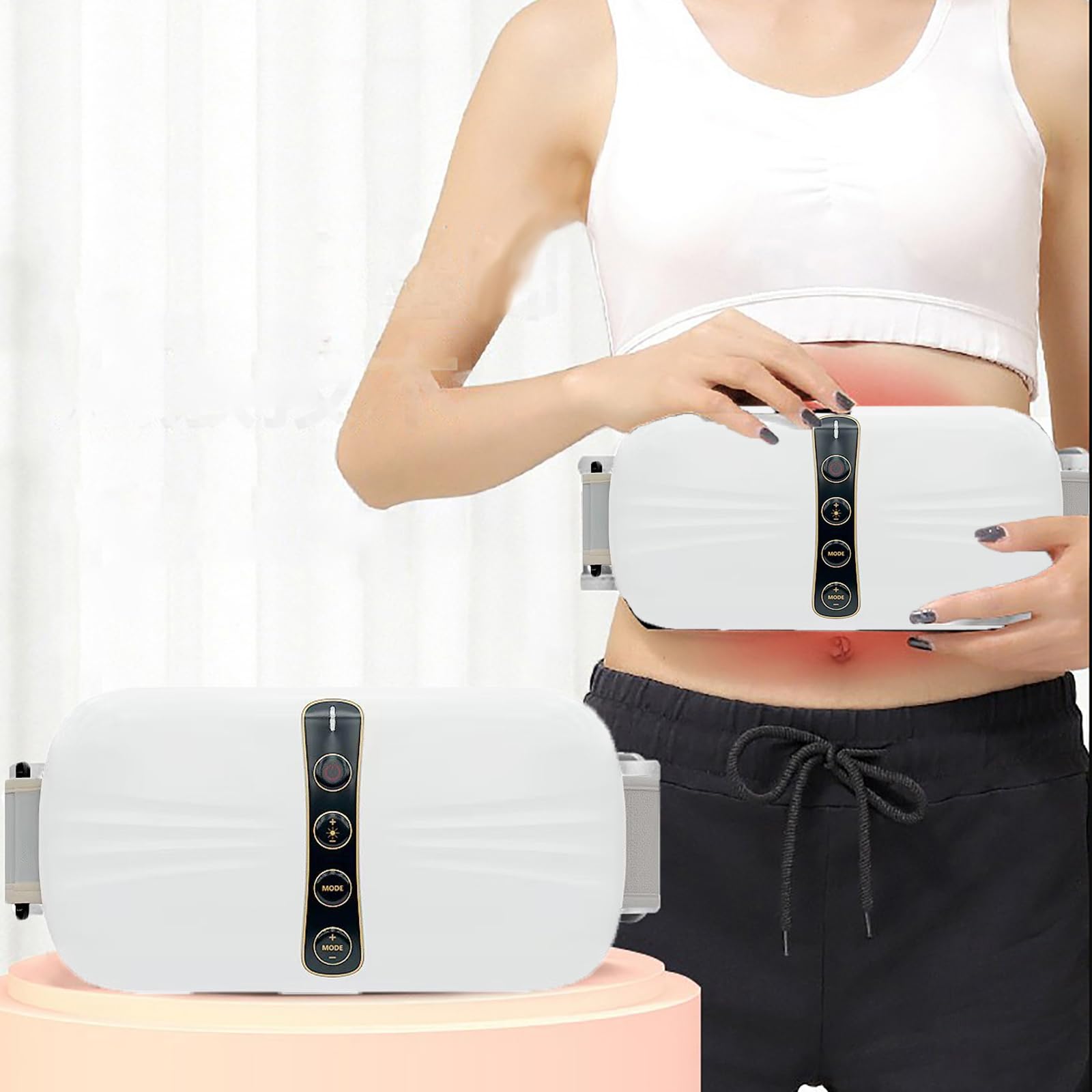
Image: The massager displaying its multi-frequency vibration capabilities and adjustable temperature settings (35°C, 45°C, 55°C).
Power On/Off:
- Press and hold the Power Switch button on the control panel to turn the device on. The power indicator light will illuminate.
- Press and hold the Power Switch button again to turn the device off.
Adjusting Temperature:
- Press the Temperature Control Key to cycle through the three available heat settings: 35°C, 45°C, and 55°C.
- Select the temperature that provides the most comfortable and effective hot compress.
Selecting Vibration Mode:
- Press the Vibration Mode Switch button to cycle through the four different vibration patterns.
- Choose the mode that best suits your preference for massage.
Adjusting Vibration Intensity:
- Use the Vibration Intensity Adjustment buttons (+/-) to increase or decrease the strength of the chosen vibration mode. There are four intensity levels.
Automatic Timing:
The device is equipped with an intelligent timing function, automatically shutting off after a set period to prevent overuse and ensure safety. Refer to the product specifications for the exact duration.
7. Multi-Part Use
The McbeAn Hot Compress Fat Removal Machine is versatile and can be applied to various body parts for targeted massage and hot compress benefits.
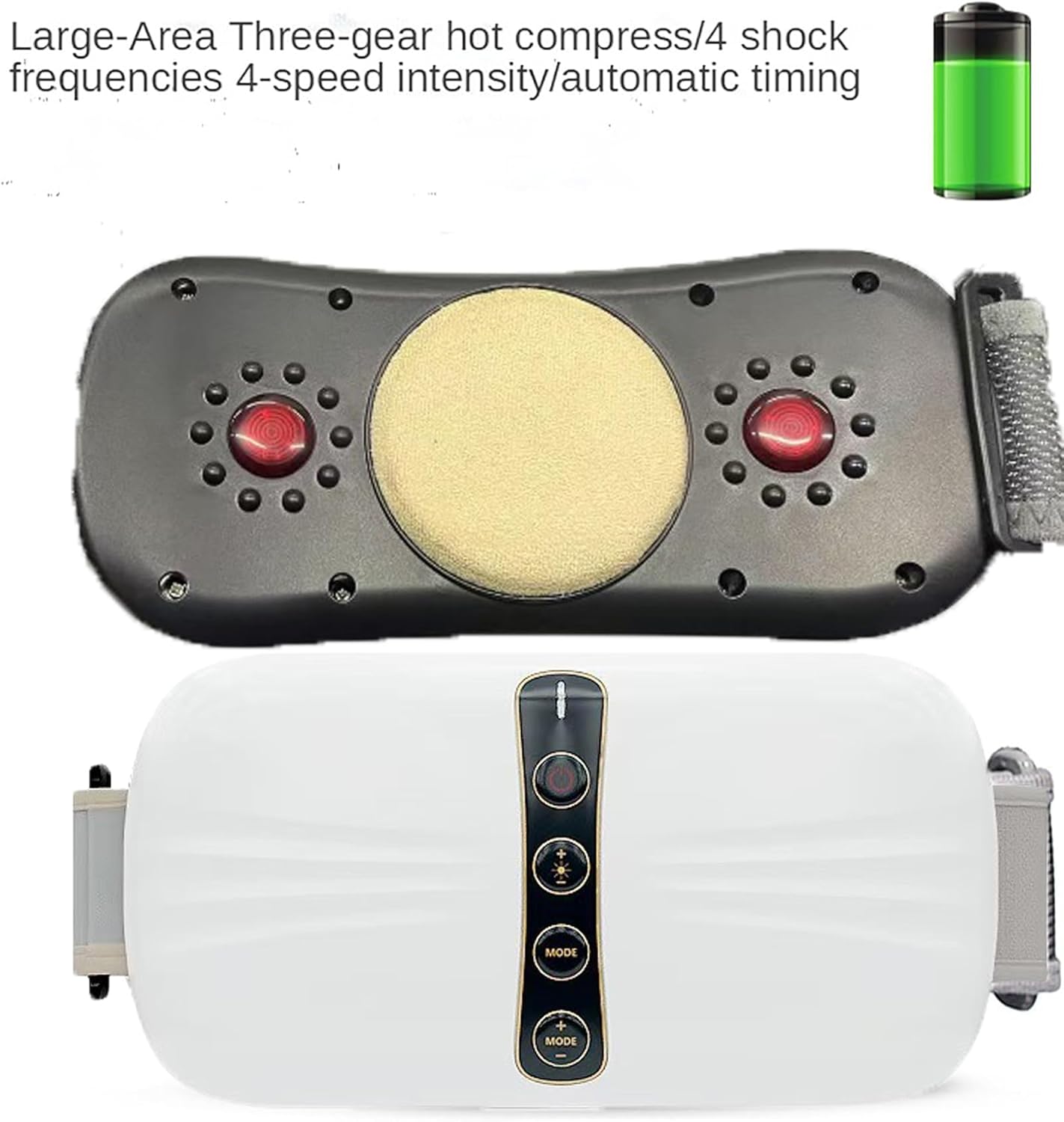
Image: A woman demonstrating the use of the massager on her waist, highlighting its ergonomic design for abdominal application.
Recommended Application Areas:
- Belly/Abdomen: Position the device over your abdominal area for a soothing hot compress and vibration massage.
- Legs: Wrap the device around your thighs or calves to target muscle tension.
- Neck: Carefully position the device on the back of your neck for relaxation. Ensure it is comfortable and does not restrict breathing.
Always ensure the device is securely fastened and comfortable for the chosen application area.
8. Maintenance
Cleaning:
- Ensure the device is turned off and unplugged from the power adapter before cleaning.
- Wipe the surface of the massager with a soft, slightly damp cloth.
- Do not use abrasive cleaners, solvents, or immerse the device in water.
- Allow the device to air dry completely before storing or next use.
Storage:
- Store the device in a cool, dry place, away from direct sunlight and moisture.
- Ensure the device is fully cooled down before storing.
- Keep the device and its accessories in their original packaging or a protective case to prevent damage.
9. Troubleshooting
If you encounter any issues with your McbeAn Hot Compress Fat Removal Machine, please refer to the following common problems and solutions:
| Problem | Possible Cause | Solution |
|---|---|---|
| Device does not turn on. | Low battery or no power. | Charge the device fully. Ensure the power adapter is properly connected to both the device and the power outlet. |
| No heat or insufficient heat. | Temperature setting is too low or device is not making proper contact. | Increase the temperature setting. Ensure the device is snug against the skin. Allow a few minutes for the graphene heating element to reach full temperature. |
| No vibration or weak vibration. | Vibration mode or intensity is set too low. | Adjust the vibration mode and increase the intensity using the control buttons. |
| Device automatically shuts off too quickly. | Automatic timing feature activated. | This is a safety feature. If you wish to continue, restart the device. Ensure you are actively using the device to prevent the safety shut-off. |
| Skin irritation or discomfort. | Heat or vibration intensity is too high, or prolonged use. | Reduce heat and/or vibration intensity. Limit usage time. Discontinue use if discomfort persists and consult a physician. |
10. Specifications
| Feature | Specification |
|---|---|
| Model Number | c3a63207-465d-48dc-a84c-915b0a1ed004 |
| Brand | McbeAn |
| Rated Power | 20W |
| Rated Voltage | 12V |
| Product Weight | 0.8 KG |
| Power Source | Battery Powered (Rechargeable) |
| Massager Form | Massage Belt |
| Specific Uses | Belly, Legs, Neck |
| Massage Technique | Vibration, Hot Compress (Graphene) |
| Temperature Settings | 35°C, 45°C, 55°C (3 levels) |
| Vibration Modes | 4 modes |
| Vibration Intensity | 4 levels |
| Automatic Timing | Yes |
| Material | Silicone, ABS |
| Color | White |
| Water Resistance Level | Not Water Resistant |
| Adjustable Belt Length | Up to 1.2 meters |
11. Warranty and Support
Warranty Information:
This product comes with a standard manufacturer's warranty. Please refer to the warranty card included in your package or contact the retailer for specific details regarding warranty coverage and duration.
Customer Support:
For any questions, technical assistance, or support inquiries not covered in this manual, please contact McbeAn customer service through the retailer where the product was purchased. Please have your model number (c3a63207-465d-48dc-a84c-915b0a1ed004) and purchase information ready when contacting support.