
1. Introduction
Thank you for purchasing the VVHUDA 22-inch Ceiling Fan with Light. This modern, round, invisible LED fan chandelier is designed to provide both illumination and air circulation for your living spaces. It features remote control and smart app capabilities, offering dimmable lighting with three color temperatures and three fan speeds. Please read this manual thoroughly before installation and operation to ensure safe and efficient use.
Important Safety Information
- Always disconnect power at the circuit breaker before installation, cleaning, or maintenance.
- Installation should be performed by a qualified electrician to ensure proper wiring and safety.
- Ensure the mounting structure can support the weight of the fan.
- Do not bend fan blades during installation or cleaning.
- Keep children away from the fan during operation.

Figure 1: Front view of the VVHUDA 22-inch Ceiling Fan with Light.
2. Package Contents
Verify that all components are present and undamaged before proceeding with installation:
- 1 x Fan Light Unit
- 1 x Remote Control
- Installation Hardware (screws, wire nuts, etc. - typically included)
- Instruction Manual (this document)
3. Specifications
| Feature | Specification |
|---|---|
| Model Number | Umpb2CqXD51xfXJt |
| Diameter | 54 cm (22 inches) |
| Height | 18 cm (7 inches) |
| Weight | 6 kg |
| LED Power | 36W |
| Lumen Output | 2880LM |
| Dimmable Range | 3000K (Warm White) - 4500K (Neutral White) - 6000K (Cool White) |
| Fan Speeds | 3 (Low, Mid, High) |
| Timer Settings | 1, 2, 4 hours |
| Lamp Body Material | Iron & Acrylic |
| Maple Leaf Material | Plastic |
| Control Method | Remote Control, Smart APP Control |

Figure 2: Dimensions of the ceiling fan, showing 58.5cm width and 18cm height.
4. Setup (Installation)
Warning: To avoid possible electrical shock, ensure electricity is turned off at the circuit breaker before beginning installation.
- Unpack Components: Carefully remove all parts from the packaging. Keep packaging materials until installation is complete to prevent loss of small parts.
- Prepare Mounting Location: Ensure the ceiling junction box is securely fastened and capable of supporting the fan's weight (6 kg).
- Mount Bracket: Attach the mounting bracket to the ceiling junction box using the provided screws.
- Wiring: Connect the fan's electrical wires to the household wiring according to local electrical codes. Typically, this involves connecting live, neutral, and ground wires. If you are unsure, consult a qualified electrician.
- Attach Fan Body: Carefully lift the fan unit and attach it to the mounting bracket. Secure it with the designated screws.
- Final Checks: Ensure all connections are secure and the fan is firmly mounted. Restore power at the circuit breaker.

Figure 3: Example of the ceiling fan installed in a room setting.
5. Operating Instructions
The VVHUDA ceiling fan can be controlled using the included remote control or a compatible smart application.
Remote Control Functions
- Power ON/OFF: Press the power button to turn the fan and light on or off.
- Light Color Adjustment: Cycle through 3 color temperatures: Warm White (3000K), Neutral White (4500K), and Cool White (6000K).
- Light Dimming: Adjust the brightness of the light.
- Fan Speed Control: Select from 3 fan speeds: Low, Mid, or High.
- Timer Setting: Set the fan to automatically turn off after 1, 2, or 4 hours.

Figure 4: The three adjustable light color temperatures: Warm White, Neutral White, and Cool White.
Smart APP Control
For advanced control and convenience, download the designated smart app (refer to the packaging or product listing for app name and QR code). The app typically allows for all remote control functions, plus additional features like scheduling and integration with smart home systems.

Figure 5: The fan provides 360-degree air circulation for effective cooling.
6. Maintenance
Regular maintenance ensures the longevity and optimal performance of your ceiling fan.
- Cleaning: Before cleaning, ensure the power is turned off at the circuit breaker. Use a soft, damp cloth to wipe down the fan body and blades. Do not use abrasive cleaners or solvents, as these can damage the finish.
- Blade Cleaning: The fan blades are designed for easy cleaning. Gently remove the outer cover if necessary to access the inner blades for thorough cleaning.
- Tighten Fasteners: Periodically check all screws and fasteners on the fan and mounting bracket to ensure they are secure.
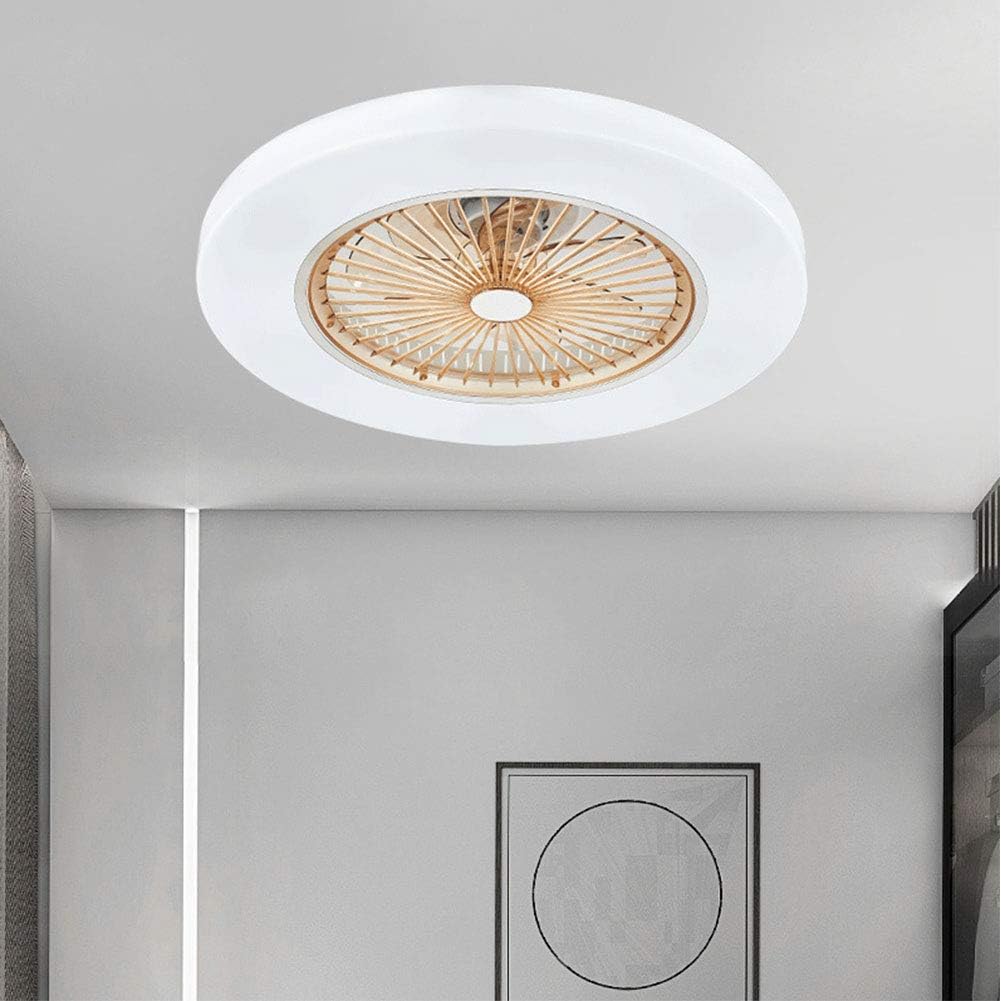
Figure 6: Demonstrating how to clean the fan blades for optimal airflow and hygiene.
7. Troubleshooting
If you encounter issues with your ceiling fan, refer to the following common problems and solutions:
| Problem | Possible Cause | Solution |
|---|---|---|
| Fan does not operate | No power supply Loose wiring connection Remote control battery low | Check circuit breaker and wall switch Verify all wiring connections are secure (power off first) Replace remote control batteries |
| Light does not turn on | No power supply Loose wiring connection LED driver issue | Check circuit breaker and wall switch Verify all wiring connections are secure (power off first) Contact customer support if LED driver is suspected |
| Remote control not working | Batteries are dead or incorrectly inserted Obstruction between remote and receiver Remote not paired (if applicable) | Replace batteries, ensure correct polarity Remove any obstructions Refer to remote pairing instructions (if provided separately) |
| Fan makes unusual noise | Loose screws Improper installation | Check and tighten all mounting screws Ensure fan is securely mounted and balanced |
8. Warranty and Support
Specific warranty information for the VVHUDA 22-inch Ceiling Fan with Light is not provided within this manual. Please refer to the product packaging, the original purchase documentation, or contact VVHUDA customer support directly for details regarding warranty coverage and technical assistance.
For support, please visit the manufacturer's website or contact their customer service department using the contact information provided at the point of purchase.