
Introduction
This manual provides detailed instructions for setting up and operating your Iaret Smart Watch for Women. Designed for seamless integration with both iOS and Android phones, this smartwatch features a 1.85-inch HD touch screen, comprehensive health monitoring, and a variety of fitness modes to support your daily activities and well-being.
Official product overview video for the Iaret Smart Watch for Women. This video demonstrates key features and functionalities of the smartwatch.
What's in the Box
- 1 Silver Smart Watch
- 1 Silver Stainless Steel Band
- 1 White Silicone Band
- 1 Pink Silicone Band
- Charging Cable
- User Manual
Setup Guide
1. Charging the Smart Watch
Before first use, fully charge your smartwatch. Connect the provided charging cable to the charging port on the back of the watch and to a USB power source. A full charge typically takes approximately 2.5 hours. The watch has a 270 mAh battery capacity, providing 3-5 days of normal use.

Image showing the smartwatch display during charging, indicating battery status.
2. App Download and Pairing
Download the official companion app to your iOS or Android smartphone. The app is essential for full functionality, including data synchronization, watch face customization, and advanced settings. Follow the in-app instructions to pair your smartwatch via Bluetooth.
3. Changing Watch Bands
Your smartwatch comes with three interchangeable bands: one silver stainless steel band, one white silicone band, and one pink silicone band. To change a band, locate the quick-release pins on the underside of the watch where the band connects to the watch body. Slide the pin to detach the current band and attach the new band by aligning the pins and releasing them into the watch lugs.

Images showing the Iaret Smart Watch with different band options: silver stainless steel, lavender silicone, and white silicone.
Operating Instructions
1. Display and Customization
The 1.85-inch HD touchscreen provides clear visuals. You can choose from over 200 watch faces available in the app or create your own using the DIY face option. The watch supports a smart split-screen feature for efficient navigation, a 'raise to wake' function, and adjustable menu styles.

Image illustrating the vibrant 1.85-inch HD display and various customizable watch faces available for the Iaret Smart Watch.
2. Smart Connectivity and Communication
Stay connected with Bluetooth calling, allowing you to answer or make calls directly from your wrist. The watch also provides message notifications from your smartphone and supports voice assistant control for hands-free operation.
- Bluetooth Calling: Dial numbers, access contacts, and view call records directly on the watch.
- Message Notifications: Receive alerts for incoming messages from various apps.
- Voice Assistant: Control your smartphone's voice assistant (e.g., Siri, Google Assistant) through your watch.
- Find Phone: Use the watch to locate your paired smartphone.

Image demonstrating the smartwatch's capabilities for handling calls, displaying messages, and interacting with voice assistants.
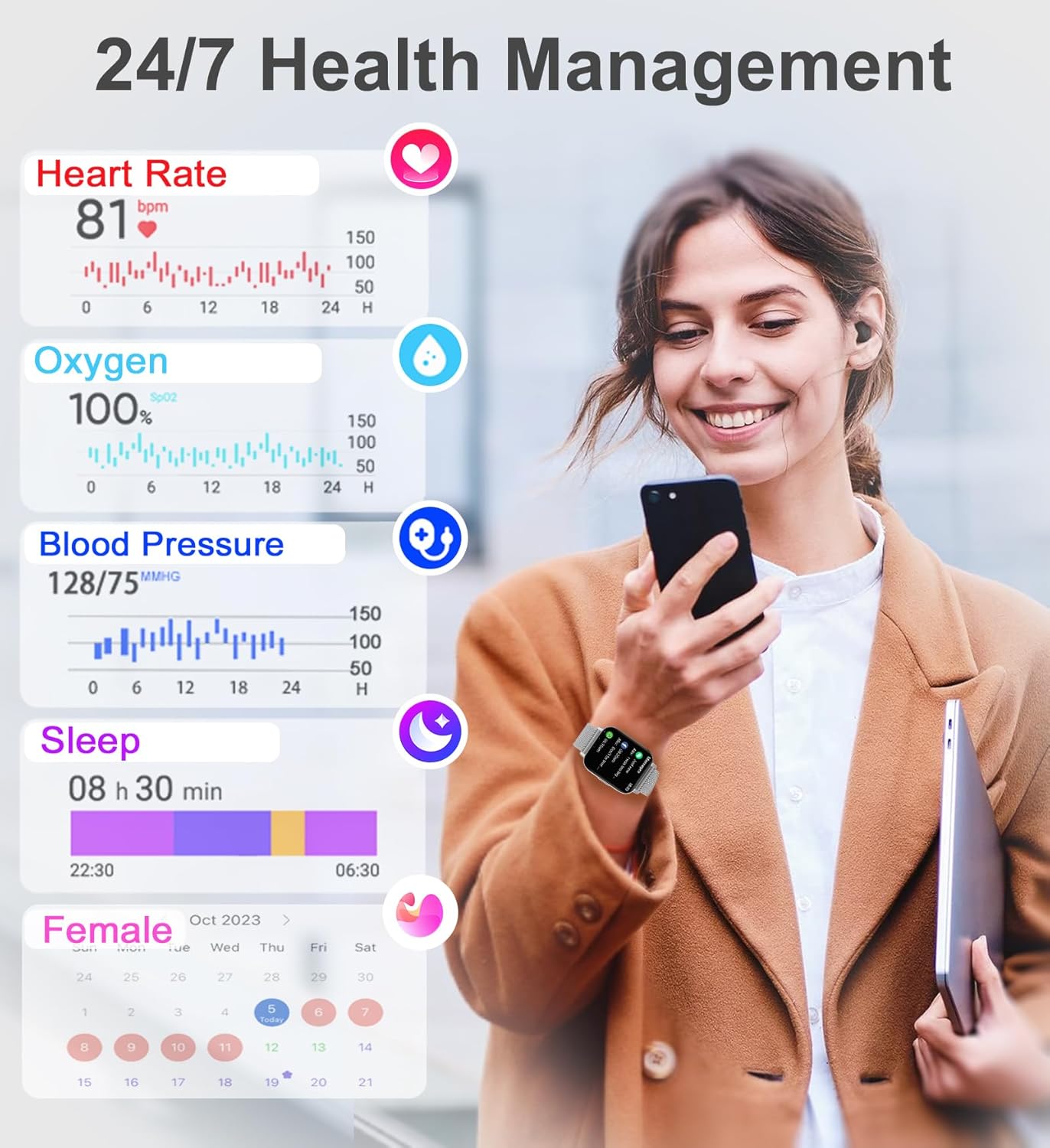
3. Health Monitoring
The Iaret Smart Watch is equipped with sensors to track various health metrics, providing a comprehensive overview of your well-being.
- Heart Rate Monitor: Continuously tracks your heart rate.
- Blood Oxygen (SpO2) Monitor: Measures your blood oxygen levels.
- Blood Pressure Monitor: Provides blood pressure readings.
- Sleep Monitor: Tracks your sleep stages (deep, light, awake) to help you understand your sleep patterns.
- Menstrual Cycle Tracking: Offers insights into menstrual cycles, safe periods, and ovulation.
- Hydration Reminders: Alerts you to drink water at regular intervals.
- Sedentary Reminders: Prompts you to move after periods of inactivity.
- Breathing Exercises: Guides you through breathing exercises for relaxation.

Image showing the smartwatch interface displaying various health metrics such as heart rate, blood oxygen, blood pressure, and sleep data.
4. Fitness Tracking and Sports Modes
With over 100 sports modes, the smartwatch tracks your daily activity, including steps, calories burned, distance covered, and active time. It serves as a comprehensive activity tracker for various exercises from jogging to yoga.
- 100+ Sports Modes: Select the appropriate mode for accurate tracking of your workouts.
- Pedometer: Counts your daily steps.
- Calorie Tracker: Estimates calories burned based on your activity.
- Distance Tracker: Records the distance you travel.

Image showing the smartwatch interface displaying fitness data such as time, calories, steps, and distance, alongside icons for various sports modes.
5. Other Functions and Tools
The smartwatch includes several practical tools to enhance your daily efficiency and convenience.
- Alarm Clock: Set alarms for reminders.
- Calendar: View your schedule.
- Weather Forecast: Get real-time weather updates.
- Calculator: Perform basic calculations.
- Music Player Control: Manage music playback on your phone.
- Camera Control: Remotely control your phone's camera.
- Password Protection: Secure your device with a password.

Image showing multiple Iaret Smart Watches, each displaying a different utility function such as drink water reminder, calculator, weather, and music control.
Maintenance
- Cleaning: Regularly wipe the watch screen and bands with a soft, dry cloth. For silicone bands, a mild soap solution can be used, followed by thorough rinsing and drying.
- Water Resistance: The watch has an IP67 waterproof rating, meaning it is resistant to splashes and brief immersion. Avoid prolonged exposure to water, hot water, or steam, and do not press buttons underwater.
- Charging: Use only the provided charging cable. Ensure the charging contacts are clean and dry before charging.
- Storage: Store the watch in a cool, dry place when not in use.
Troubleshooting
| Problem | Possible Cause | Solution |
|---|---|---|
| Watch not turning on | Low battery | Charge the watch for at least 30 minutes. |
| Cannot pair with phone | Bluetooth off, app not running, watch not in pairing mode | Ensure Bluetooth is enabled on your phone, the app is open, and the watch is discoverable. Restart both devices if necessary. |
| Inaccurate health data | Improper fit, movement during measurement | Ensure the watch is snug on your wrist. Remain still during measurements. Note that this device is not a medical device. |
| Charging issues | Loose connection, dirty contacts, faulty cable | Check the connection of the charging cable. Clean the charging contacts on the watch and cable. Try a different USB power source. If issues persist, contact support. |
Specifications
- Product Dimensions: 1.73 x 1.93 x 0.47 inches
- Item Weight: 8.4 ounces
- Item Model Number: Iaret Smart Watch
- Batteries: 1 LR44 battery required (included)
- Standing Screen Display Size: 1.85 Inches
- Memory Storage Capacity: 128 MB
- Operating System: Android, iOS
- Battery Capacity: 270 Milliamp Hours
- Connectivity Technology: Bluetooth
- Wireless Communication Standard: Bluetooth
- Battery Cell Composition: Lithium Ion
- GPS: GPS Via Smartphone
- Shape: Rectangular
- Screen Size: 1.85 Inches
- Manufacturer: Iaret
- Date First Available: September 9, 2023

Image detailing the product parameters including battery capacity, charging time, typical usage duration, and physical dimensions of the watch and bands.
Warranty and Support
For warranty information, technical support, or further assistance, please refer to the official Iaret website or contact their customer service. Details can typically be found on the product packaging or the brand's online support portal.
The product is compatible with Android and iOS devices and supports 25 languages.