
1. Product Overview
This manual provides detailed instructions for the installation, operation, and maintenance of your Tennoz 8MP 4K IP PoE Turret Camera. This camera is designed for outdoor surveillance, offering high-resolution video and advanced features for reliable security monitoring.
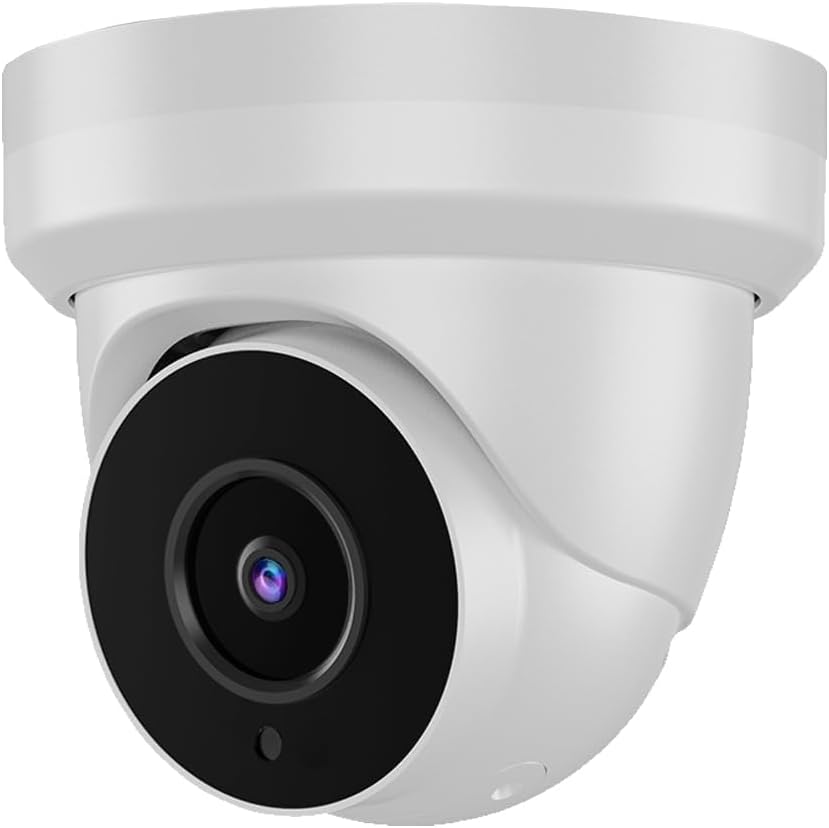
Image 1.1: Tennoz 8MP 4K IP PoE Turret Camera. This image displays the front view of the white turret-style security camera.
Key Features:
- 4K 8MP Ultra HD Resolution: Provides clear and detailed video at 3840 x 2160 pixels.
- Power over Ethernet (PoE): Simplifies installation by transmitting power and data through a single Ethernet cable.
- 2.8mm Fixed Lens: Offers a wide 105° viewing angle.
- 80ft Night Vision: Equipped with 6pcs Matrix IR LEDs for clear visibility in low-light conditions.
- Built-in Microphone: Enables one-way audio recording.
- H.265/H.264 Compression: Efficient video compression for reduced storage and bandwidth usage.
- Human/Vehicle Detection: Advanced detection capabilities to minimize false alarms.
- IP66 Weatherproof: Durable metal housing suitable for outdoor environments.
- Wide Dynamic Range (WDR): Improves image quality in challenging lighting conditions.
- NVR Compatibility: Compatible with various 4K H.265/H.264 PoE NVRs, including Hikvision, LTS, EZVIZ, Dahua, Uniview, TVT, and Raysharp.
2. Product Components
The Tennoz 8MP 4K IP PoE Turret Camera package typically includes the camera unit and necessary mounting hardware. A PoE switch/injector and NVR are required for operation and are sold separately.

Image 2.1: Camera Dimensions and Connection Ports. This diagram illustrates the camera's dimensions (4.33 inches diameter, 3.74 inches height) and highlights the built-in microphone, 2.8mm fixed lens, 6 IR LEDs, DC 12V power port, and LAN (PoE) port.
Camera Parts:
- Metal Housing: Provides IP66 waterproof protection.
- Built-in Microphone: For audio capture.
- 2.8mm Fixed Lens: Captures video.
- IR LEDs: Six infrared LEDs for night vision.
- LAN Port (PoE): For network connection and power supply.
- DC 12V Power Port: Optional power input if PoE is not used.
3. Installation
Follow these steps to properly install your Tennoz IP PoE Turret Camera.
3.1 Mounting the Camera
- Choose a Location: Select a suitable outdoor location, preferably under an overhang or eave, for optimal coverage and protection. The camera is designed for ceiling mount.
- Mark Drilling Holes: Use the camera's base as a template to mark the positions for drilling mounting holes.
- Drill Holes: Drill pilot holes at the marked positions. Insert wall anchors if mounting on drywall or masonry.
- Secure the Camera: Attach the camera base to the mounting surface using the provided screws. Adjust the camera angle as needed.
3.2 Connecting the Camera
The camera supports Power over Ethernet (PoE), allowing a single Ethernet cable to provide both power and data connection.
- PoE Connection: Connect one end of an Ethernet cable to the camera's LAN (PoE) port. Connect the other end to a PoE switch or PoE injector.
- NVR Connection: Connect the PoE switch/injector to your Network Video Recorder (NVR) or router.
- Optional DC Power: If not using PoE, connect a 12V DC power adapter (not included) to the camera's DC 12V power port and connect an Ethernet cable to the LAN port for data.
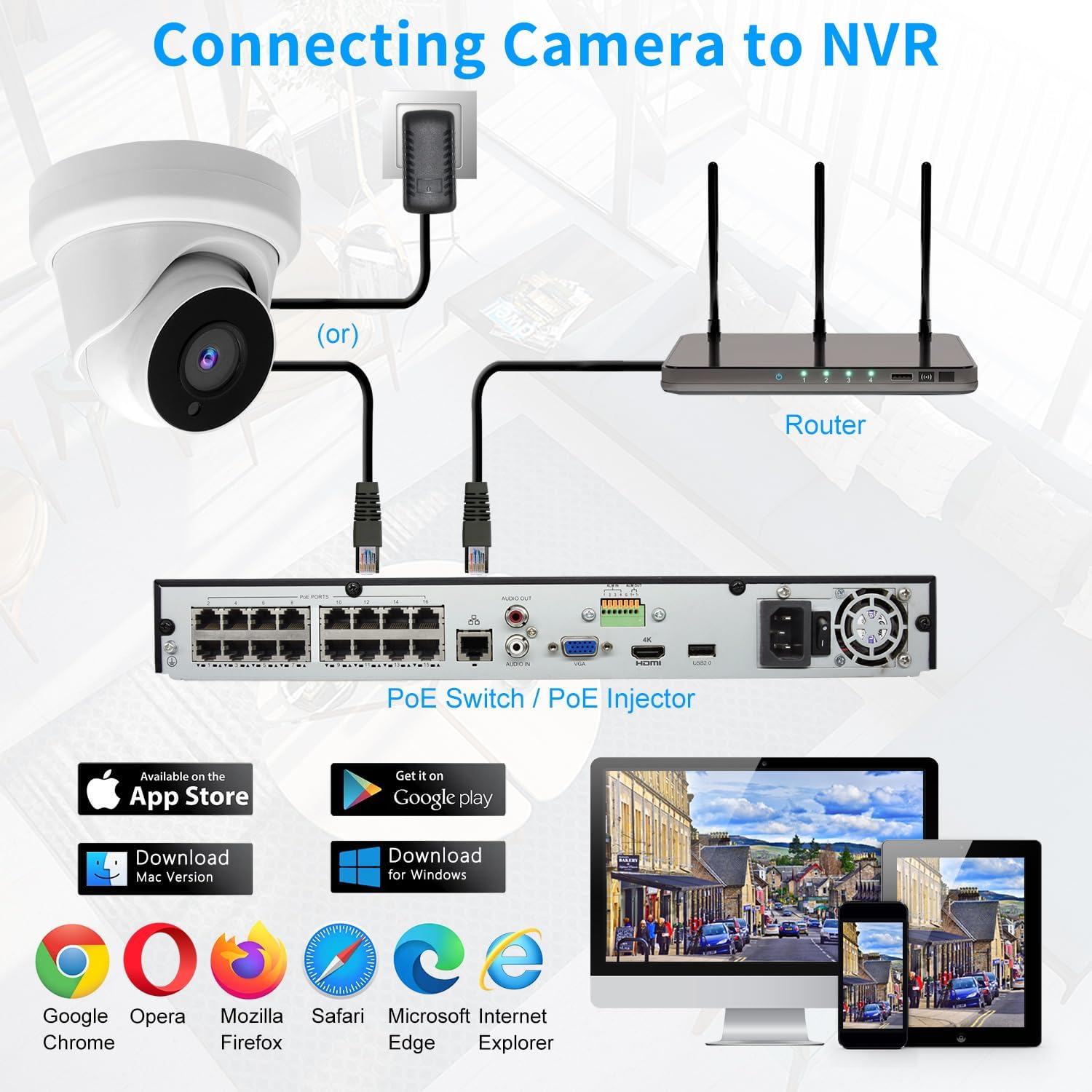
Image 3.1: Connecting the Camera to an NVR. This diagram illustrates how to connect the camera to an NVR system using either a PoE switch/injector or a router with an optional power adapter.
4. Setup and Configuration
After physical installation, configure your camera for optimal performance.
4.1 Initial Network Setup
- The camera's DHCP is enabled by default, allowing it to obtain an IP address automatically from your network.
- For advanced network settings or static IP configuration, refer to your NVR's manual or the camera's web interface.
4.2 NVR and Software Compatibility
This camera is compatible with a range of NVRs and software:
- NVRs: Plug & play with Hikvision, LTS, EZVIZ, Dahua, Uniview, TVT, and Raysharp NVRs (after DHCP enable).
- Software: Compatible with QNAP, NAS, FTP, Blue Iris, and iSpy.
- Web Browsers: Access the camera's web interface using IE, Microsoft Edge, Firefox, Google Chrome, or Safari.
5. Operation
Understand the various operational features of your Tennoz IP PoE Turret Camera.
5.1 Video Quality and Viewing Angle
- The camera delivers 8 Megapixel (3840 x 2160) Ultra HD video, providing superior clarity compared to lower resolution cameras.
- The 2.8mm lens offers a wide 105° viewing angle, covering a broad area.

Image 5.1: Video Resolution Comparison. This image demonstrates the enhanced clarity of 8MP resolution compared to 5MP and 4MP, showing more detail when zoomed in.
5.2 Night Vision
The camera features advanced night vision capabilities:
- Equipped with 6pcs Matrix IR LEDs, providing clear night vision up to 80 feet (24 meters).
- Infrared illumination automatically activates in low-light conditions.

Image 5.2: Day and Night Vision. This image shows the camera's view during the day (IR LEDs off) and at night (IR LEDs on), illustrating the automatic activation of infrared for clear nighttime surveillance.
5.3 Audio Functionality
The built-in microphone allows for one-way audio recording.
- The integrated microphone captures sound from the camera's vicinity.
- Audio can be accessed through your NVR or compatible viewing software.

Image 5.3: One-Way Audio. This image depicts the camera's built-in microphone capturing sound, allowing users to hear audio from the monitored area.
5.4 Detection Features
The camera incorporates advanced detection capabilities:
- 3D Noise Reduction (3D NR): Enhances image clarity by reducing digital noise.
- Motion Detection: Triggers recording or alerts upon detecting movement.
- Human Body/Vehicle Detection: Differentiates between human and vehicle movement, reducing false alarms from other sources.
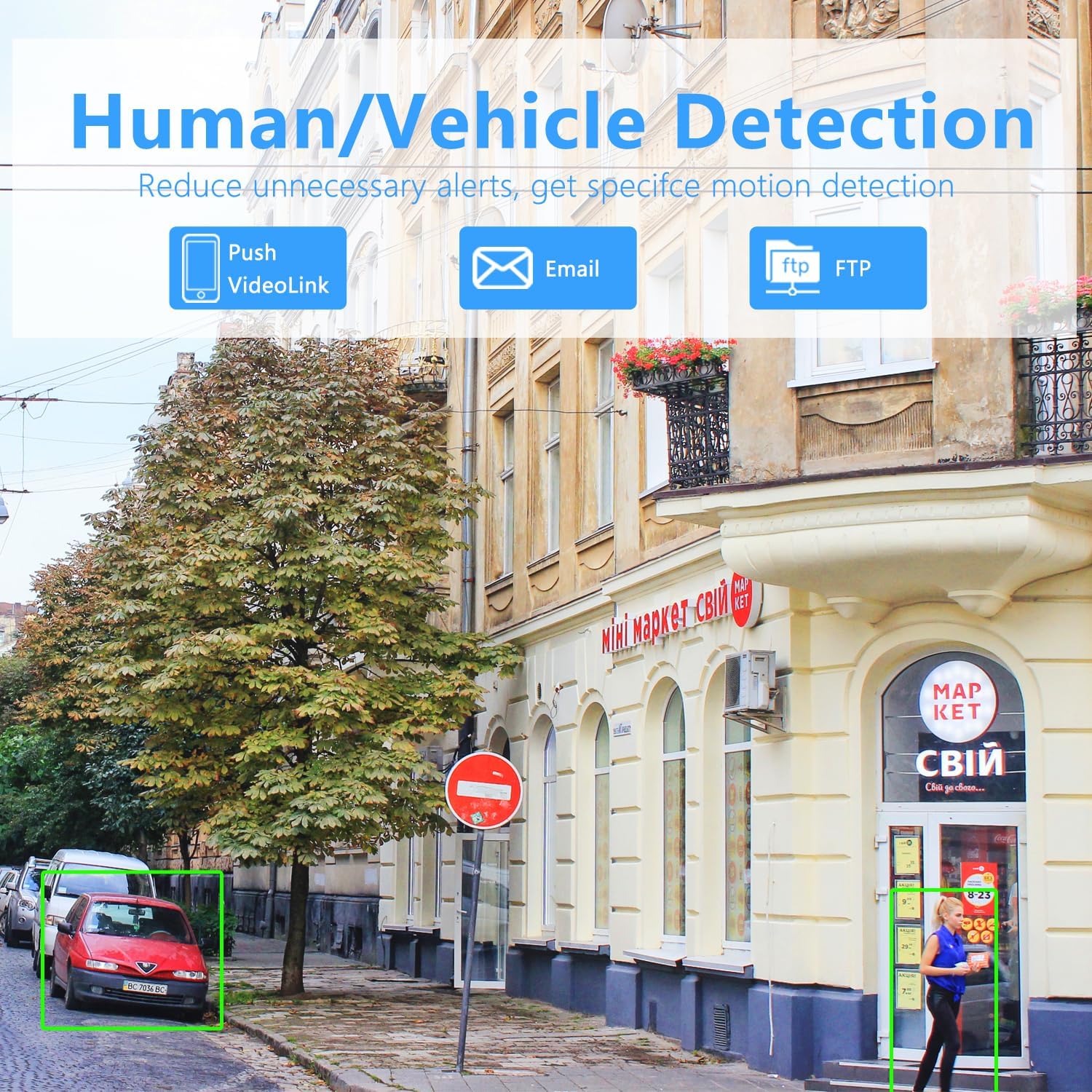
Image 5.4: Human/Vehicle Detection. This image shows the camera's ability to identify and highlight human figures and vehicles within its field of view, reducing irrelevant alerts.
6. Maintenance
Proper maintenance ensures the longevity and optimal performance of your camera.
6.1 Cleaning
- Regularly clean the camera lens and housing with a soft, damp cloth to remove dust, dirt, or smudges.
- Avoid using harsh chemicals or abrasive materials that could damage the lens or finish.
6.2 Weather Protection
- The camera has an IP66 waterproof rating, indicating it is protected against dust and powerful water jets.
- While designed for outdoor use, ensure all cable connections are properly sealed to prevent water ingress.

Image 6.1: Weatherproof Design. This image illustrates the camera's robust construction, capable of withstanding various weather conditions like sun, rain, and snow.
7. Troubleshooting
Refer to this section for solutions to common issues.
7.1 No Video Feed
- Check Power: Ensure the camera is receiving power via PoE or a 12V DC adapter. Verify the PoE switch/injector is functioning.
- Check Network Connection: Confirm the Ethernet cable is securely connected to both the camera and the network device (PoE switch/router/NVR).
- Verify IP Address: Ensure the camera has a valid IP address on your network. If using an NVR, check its device management settings.
- NVR Compatibility: Confirm your NVR is compatible with 4K H.265/H.264 IP cameras.
7.2 Poor Night Vision
- Obstructions: Ensure there are no nearby objects (e.g., walls, eaves) reflecting the IR light back into the lens, which can cause dark or washed-out night vision. Adjust the camera angle if necessary.
- Clean Lens: A dirty lens can significantly impair night vision. Clean the lens as described in the Maintenance section.
7.3 Connectivity Issues with NVR
- DHCP Setting: Ensure DHCP is enabled on the camera (default setting). If your NVR requires static IPs, configure the camera accordingly.
- NVR Channel Configuration: Verify the camera is correctly added and configured on your NVR's channels.
- Network Load: High network traffic can sometimes cause intermittent connections. Ensure your network infrastructure can handle 4K video streams.
7.4 No Audio Recording
- Enable Audio: Check your NVR or viewing software settings to ensure audio recording is enabled for the camera.
- Microphone Obstruction: Ensure the microphone port is not blocked or covered.
8. Specifications
Detailed technical specifications for the Tennoz 8MP 4K IP PoE Turret Camera.
| Feature | Specification |
|---|---|
| Video Capture Resolution | 4K (3840 x 2160) |
| Effective Still Resolution | 8 MP |
| Lens | 2.8mm Fixed Lens |
| Viewing Angle | 105 Degrees |
| Night Vision Range | 80 Feet (6pcs Matrix IR LEDs) |
| Connectivity Technology | Wired (PoE) |
| Connectivity Protocol | Ethernet |
| Compression | H.265/H.264 |
| Audio | Built-in Microphone (One-way) |
| Detection Features | 3D NR, Motion Detection, Human Body/Vehicle Detection |
| Weatherproof Rating | IP66 |
| Mounting Type | Ceiling Mount |
| Power Source | Corded Electric (PoE or 12V DC) |
| Dimensions (L x W x H) | 4.21 x 4.21 x 4.33 inches |
| Item Weight | 15.8 ounces |
| Color | White |
| Manufacturer | Tennoz |
9. Warranty and Support
Tennoz provides a 1-year warranty for this 8MP 4K IP PoE Turret Camera.
- For warranty claims or technical assistance, please contact Tennoz customer support.
- Refer to the product packaging or the official Tennoz website for the most current contact information.