
1. Introduction
Thank you for choosing the Cinkeda 29-inch Tall Table Lamp. This manual provides essential information for the safe and efficient use of your new lamp. Designed with a vintage rustic aesthetic, this lamp features convenient USB-A, USB-C, and AC charging ports, along with a 3-way dimmable touch control function. Please read these instructions thoroughly before assembly and operation.

Image: The Cinkeda 29-inch Tall Table Lamp in beige, showcasing its elegant design and the three distinct brightness levels (Low, Medium, High) it offers.
2. Safety Instructions
- Ensure the lamp is unplugged before assembly, cleaning, or changing the light bulb.
- This lamp is designed for indoor use only. Do not expose to water or high humidity.
- Use only the specified bulb type (E26 base) and wattage (max 9W LED) to prevent overheating or damage.
- Keep the lamp away from flammable materials.
- Do not attempt to modify or repair the lamp yourself. Contact qualified service personnel for assistance.
- Keep out of reach of children and pets.
3. Package Contents
Carefully unpack all components and check against the list below. If any parts are missing or damaged, please contact customer support.
- Lamp Base (x2)
- Lampshade (x2)
- Harp (x2)
- Finial (x2)
- LED Bulb (x2)

Image: An exploded view showing all individual components of the Cinkeda table lamp, including the lampshade, LED bulb, lamp holder, harp, and lampshade rings, ready for assembly.
4. Setup and Assembly
Follow these steps to assemble your Cinkeda table lamp:
- Assemble the Lampshade: The lampshade arrives rolled. Unroll it and attach the two metal rings to the top and bottom edges using the clips provided. Secure the vertical seam with the Velcro strip.
- Attach the Harp: Squeeze the two ends of the harp together and insert them into the saddle on the lamp holder. Release to secure.
- Install the Bulb: Carefully screw the provided LED bulb into the lamp socket (E26 base) until snug.
- Place the Lampshade: Position the assembled lampshade onto the harp, ensuring the top ring rests on the harp's saddle.
- Secure with Finial: Screw the finial onto the threaded rod at the top of the harp to hold the lampshade in place.
- Connect to Power: Plug the lamp's power cord into a standard 120V AC outlet.
Video: A demonstration of the assembly process for the Cinkeda table lamp, including lampshade construction, harp attachment, and bulb installation.
5. Operating Instructions
Your Cinkeda table lamp features intuitive touch control and integrated charging options.
5.1. 3-Way Dimmable Touch Control
The lamp is equipped with a sensitive touch sensor on its base. Simply tap the touch control switch on the base to cycle through the three brightness levels:
- First Touch: Low brightness (ideal for nightlight or soft ambient lighting).
- Second Touch: Medium brightness (suitable for daily use).
- Third Touch: High brightness (excellent for reading, studying, or working).
- Fourth Touch: Turns the lamp off.
5.2. USB Charging Ports & AC Outlet
The lamp base includes built-in USB-A (5V/2.1A), USB-C (5V/2.1A) charging ports, and a 2-prong AC outlet. These ports are functional whether the lamp is on or off, allowing you to conveniently charge your electronic devices.
- Connect your device's USB cable to the appropriate USB-A or USB-C port.
- Plug any standard 2-prong electrical device into the AC outlet.
Video: A demonstration highlighting the functionality of the integrated USB-A, USB-C, and AC charging ports on the Cinkeda table lamp base.
6. Maintenance
To ensure the longevity and optimal performance of your lamp, follow these maintenance guidelines:
- Cleaning: Disconnect the power before cleaning. Wipe the lamp base with a soft, dry cloth. For the lampshade, use a lint roller or a soft brush to remove dust. Do not use liquid cleaners or abrasive materials.
- Bulb Replacement: Ensure the lamp is unplugged and the bulb has cooled completely. Unscrew the old bulb and replace it with a new E26 base LED bulb (max 9W).
7. Troubleshooting
If you encounter any issues with your lamp, refer to the following troubleshooting tips:
| Problem | Possible Cause | Solution |
|---|---|---|
| Lamp does not turn on. | Not plugged in; loose bulb; power outage. | Check power connection; tighten bulb; check household circuit breaker. |
| Dimming function not working. | Non-dimmable bulb installed. | Ensure a dimmable LED bulb is used. |
| USB ports or AC outlet not charging. | Device not properly connected; power issue. | Ensure device is securely plugged in; check lamp's power connection. |
8. Specifications
| Feature | Detail |
|---|---|
| Model Number | TD-CKD-206 |
| Dimensions (D x W x H) | 12.5" x 12.5" x 29" |
| Base Material | Resin |
| Shade Material | Linen |
| Color | Beige |
| Light Source Type | LED |
| Bulb Base | E26 |
| Wattage | Max 9W (LED) |
| Switch Type | Touch Control (3-Way Dimmable) |
| Charging Ports | USB-A (5V/2.1A), USB-C (5V/2.1A), AC Outlet (2-Prong) |
| Voltage | 120 Volts |
| Indoor/Outdoor Usage | Indoor |
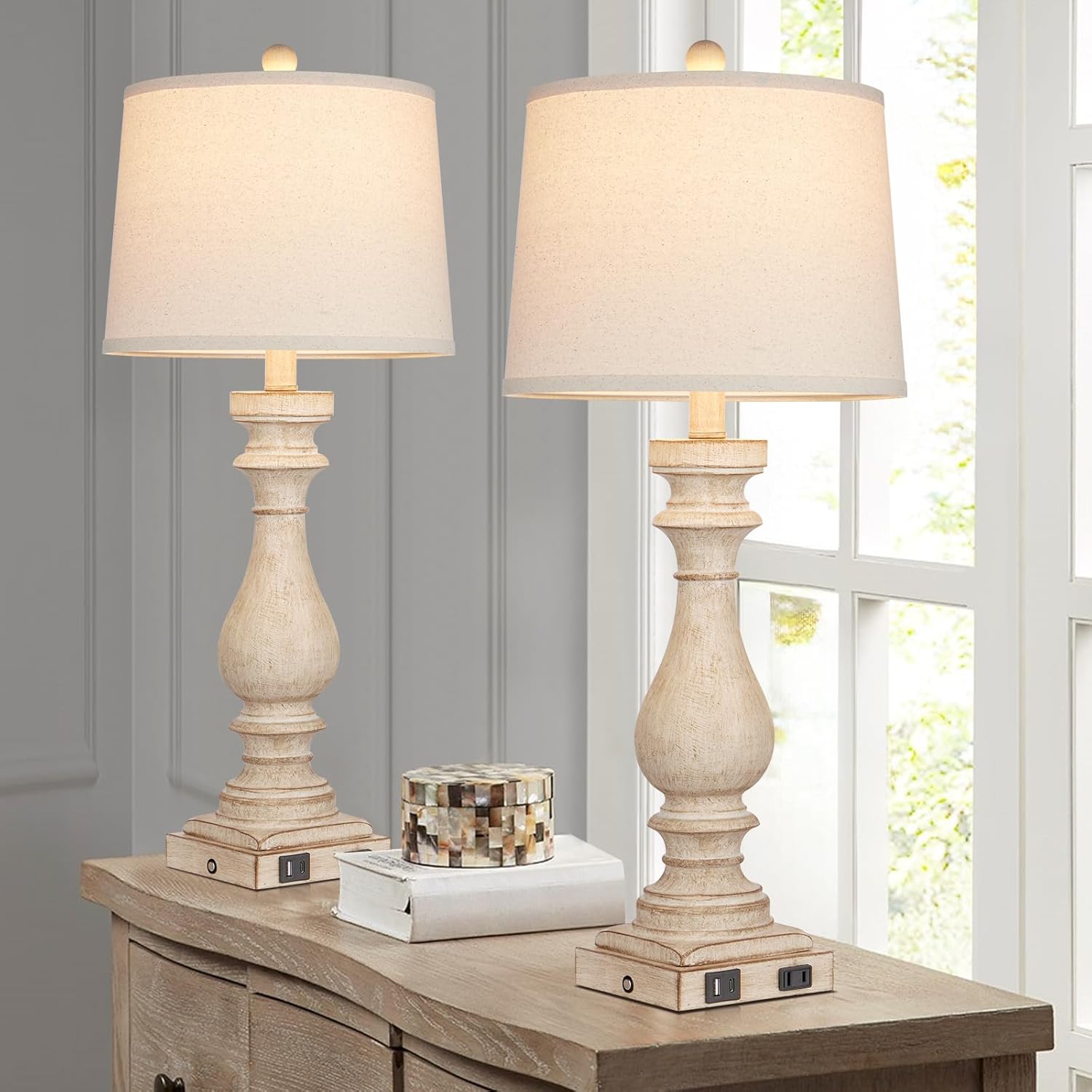
Image: The Cinkeda table lamp with key dimensions (29 inches tall, 12.5 inches wide) and features (USB A+C Charging, Touch Control, 3-Way Dimmable, 2 LED Bulbs) clearly labeled.
9. Warranty and Support
For warranty information or technical support, please refer to the product packaging or contact Cinkeda customer service directly. Keep your purchase receipt for any warranty claims.