
1. Introduction and Overview
This manual provides essential instructions for the safe and efficient operation, maintenance, and troubleshooting of your Hoover Commercial Task Vac Upright Vacuum, model CH54100V. This vacuum is designed for daily commercial cleaning tasks, offering a lightweight design for improved maneuverability and reduced user fatigue.
Key features include:
- Lightweight Low-Profile Design: Facilitates easy transport and access to hard-to-reach areas.
- Clean Drop™ HEPA Bags: Ensures fast, easy, and mess-free cleanup with HEPA filtration.
- Easy Change Brushroll & Belt: Designed for quick maintenance and reduced downtime.
- 35' High-Visibility Cord: Provides extended reach and enhanced safety in commercial environments.
2. Important Safety Instructions
When using an electrical appliance, basic precautions should always be followed to avoid fire, electric shock, or injury. Read all instructions before using this vacuum cleaner.
General Safety Warnings:
- Always unplug the vacuum cleaner from the electrical outlet before servicing or cleaning.
- Do not leave the vacuum cleaner unattended when plugged in. Unplug from outlet when not in use and before servicing.
- Do not use outdoors or on wet surfaces.
- Do not allow to be used as a toy. Close attention is necessary when used by or near children.
- Use only as described in this manual. Use only manufacturer’s recommended attachments.
- Do not use with damaged cord or plug. If the vacuum cleaner is not working as it should, has been dropped, damaged, left outdoors, or dropped into water, return it to a service center.
- Do not pull or carry by cord, use cord as a handle, close a door on cord, or pull cord around sharp edges or corners. Do not run vacuum cleaner over cord. Keep cord away from heated surfaces.
- Do not unplug by pulling on cord. To unplug, grasp the plug, not the cord.
- Do not handle plug or vacuum cleaner with wet hands.
- Do not put any object into openings. Do not use with any opening blocked; keep free of dust, lint, hair, and anything that may reduce airflow.
- Keep hair, loose clothing, fingers, and all parts of body away from openings and moving parts.
- Do not pick up anything that is burning or smoking, such as cigarettes, matches, or hot ashes.
- Do not use to pick up flammable or combustible liquids, such as gasoline, or use in areas where they may be present.
- Do not use without dust bag and/or filters in place.
- Turn off all controls before unplugging.
- Use extra care when cleaning on stairs.
3. Setup and Assembly
Your Hoover Commercial Task Vac is designed for straightforward assembly. Follow these steps to prepare your vacuum for use.
Handle Assembly:
- Insert the upper handle into the main body of the vacuum until it clicks securely into place.
- Ensure all connections are firm before proceeding.
Bag Installation:
- Open the front cover of the vacuum.
- Align the cardboard collar of a new Clean Drop™ HEPA bag with the bag holder inside the vacuum.
- Push firmly until the bag is seated correctly. Close the front cover securely.
Cord Management:
Wrap the 35-foot high-visibility power cord around the cord hooks on the back of the vacuum for neat storage and easy access.

Image: Wrapping the power cord for storage. The 35-foot high-visibility cord ensures extended reach and safety.
4. Operating Instructions
Follow these steps for effective and safe operation of your vacuum cleaner.
Powering On/Off:
- Plug the 3-prong power cord into a suitable grounded electrical outlet.
- Press the red 'POWER' button located on the main body of the vacuum to turn the unit on or off. An indicator light will illuminate when the vacuum is powered on.

Image: The power button and indicator light on the vacuum's main body.
Vacuuming Surfaces:
The Hoover Commercial Task Vac is primarily recommended for carpet cleaning, but can also be used on hard floors.
- For Carpets: Ensure the brushroll is engaged. The vacuum effectively cleans various carpet types.
- For Hard Floors: The vacuum can be used on hard floors. If the brushroll is too aggressive, some models allow for brushroll disengagement. Refer to your specific model's controls.

Image: The vacuum in operation on a carpeted surface, demonstrating its cleaning capability.

Image: The vacuum being used on a hard floor, showcasing its versatility.
Using Attachments:
The vacuum includes a hose and various attachments for detailed cleaning.
- To use attachments, ensure the vacuum is in the upright position.
- Remove the hose from its storage port.
- Attach the desired tool (e.g., crevice tool, upholstery tool) to the end of the hose.
- After use, remove the tool and re-secure the hose in its storage port.

Image: Using the crevice tool to clean tight spaces, such as between chair cushions.
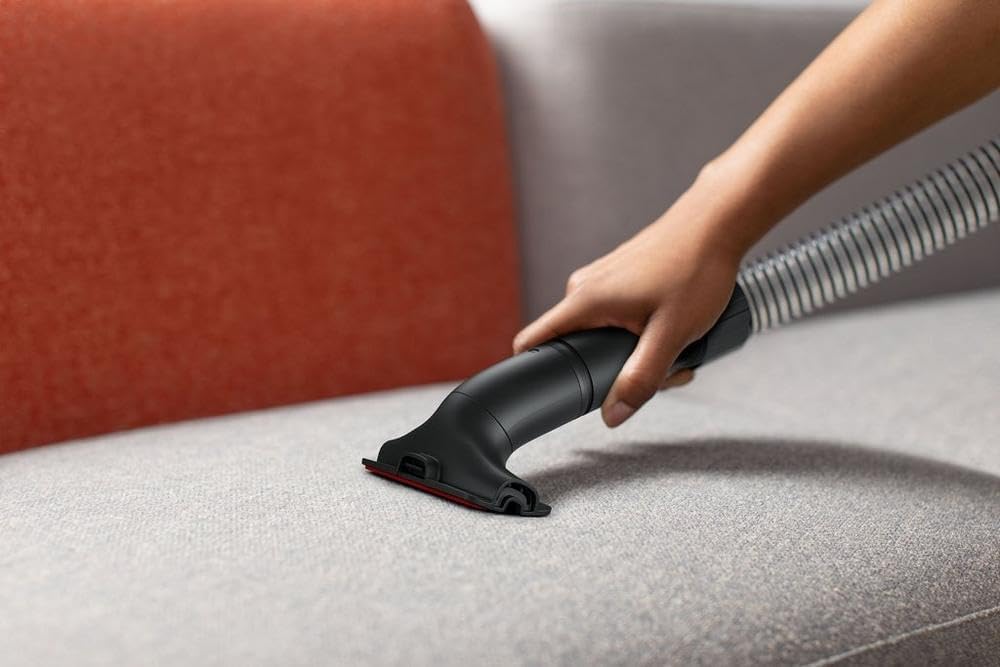
Image: The upholstery tool being used to clean fabric surfaces like a sofa.
Portability:
The lightweight design allows for easy transport between cleaning areas.

Image: A person carrying the vacuum, highlighting its lightweight and portable design.
5. Maintenance
Regular maintenance ensures optimal performance and extends the life of your vacuum cleaner. Always unplug the vacuum before performing any maintenance.
Replacing Clean Drop™ HEPA Bags:
The Clean Drop™ HEPA bags are designed for easy and mess-free disposal. Replace the bag when the 'Bag Full' indicator is visible or when suction power decreases.
- Unplug the vacuum cleaner.
- Open the front cover.
- Press the release button to drop the full bag into a waste receptacle without touching the dirt.
- Insert a new Clean Drop™ HEPA bag, ensuring it is properly seated.
- Close the front cover securely.
Brushroll and Belt Maintenance:
The vacuum features an easy-change brushroll and belt system for simplified maintenance.
- Unplug the vacuum cleaner.
- Turn the vacuum over to access the brushroll area.
- Remove the bottom plate (usually with screws) to access the brushroll and belt.
- Clear any tangled hair, strings, or debris from the brushroll. Inspect the belt for wear or damage.
- Replace the brushroll or belt if necessary, following the instructions provided with replacement parts.
- Reattach the bottom plate securely.
Filter Maintenance:
The vacuum uses a HEPA filter. Check the filter regularly and replace it as needed to maintain optimal filtration and suction.
- Unplug the vacuum cleaner.
- Locate the HEPA filter compartment (refer to your vacuum's specific design, often near the bag compartment or motor).
- Remove the old filter and dispose of it.
- Insert a new HEPA filter, ensuring it fits snugly.
- Close the filter compartment cover.
6. Troubleshooting
Before contacting customer support, review these common issues and solutions.
| Problem | Possible Cause | Solution |
|---|---|---|
| Vacuum will not turn on | 1. Power cord not firmly plugged in. 2. No power at outlet. 3. Thermal protector activated. | 1. Plug unit in firmly. 2. Check fuse or breaker. Test outlet with another appliance. 3. Turn off vacuum, unplug, and allow to cool for 30 minutes. Check for clogs or full bag. |
| Loss of suction | 1. Dust bag is full. 2. Hose or nozzle is clogged. 3. Filter is dirty. 4. Brushroll is jammed. | 1. Replace the Clean Drop™ HEPA bag. 2. Remove hose and check for obstructions. Clear any blockages. 3. Check and replace the HEPA filter. 4. Unplug vacuum and clear debris from brushroll. |
| Brushroll not spinning | 1. Belt is broken or stretched. 2. Brushroll is jammed with debris. | 1. Unplug vacuum and replace the belt. 2. Unplug vacuum and clear debris from brushroll. |
7. Specifications
Detailed technical specifications for the Hoover Commercial Task Vac Upright Vacuum CH54100V.
| Feature | Specification |
|---|---|
| Brand | Hoover |
| Model Name | Commercial Task Vac |
| Model Number | CH54100V |
| Color | Black |
| Form Factor | Upright |
| Special Feature | Bagged |
| Filter Type | HEPA Filter |
| Surface Recommendation | Carpet |
| Power Source | Corded Electric |
| Voltage | 120 Volts |
| Wattage | 1492 watts |
| Motor Horsepower | 2 Horsepower |
| Hose Length | 35 Feet |
| Item Dimensions (L x W x H) | 16.31"L x 13.06"W x 33.56"H |
| Number of Power Levels | 4 |
| Included Components | Brush |
| Manufacturer | Hoover Commercial |
| GTIN/UPC | 073502048122 |
8. Warranty and Support
For warranty information and customer support, please refer to the documentation included with your purchase or visit the official Hoover Commercial website. Keep your purchase receipt as proof of purchase for any warranty claims.
Online Support: For additional resources, FAQs, and to locate authorized service centers, please visit the Hoover Commercial website.