
Introduction
This manual provides instructions for the proper installation, operation, and maintenance of your Mxfdegf 360 Degree Rotating Stand and Magnetic Closure Case. This case is designed to protect your tablet while offering versatile viewing options.
Compatibility: This case is universally designed for 9 to 10.5 inch tablets, including the ALLDOCUBE iPlay 50 (Model:T1030) / iPlay 50 Pro 10.36" Tablet, Samsung Galaxy Tab E 9.6", Tab A 10.1" (2016/2019), Tab A7 10.4", Tab A8 10.5", Tab S5e 10.5", Tab S7 11", and Amazon Kindle Fire HD 10 (various generations). Please verify your tablet's dimensions before installation.
Safety Information
- Keep the case away from extreme temperatures and direct sunlight.
- Avoid contact with sharp objects to prevent damage to the case material.
- Do not use harsh chemicals or abrasive cleaners on the case.
- Ensure the tablet is securely fastened within the clasps to prevent accidental drops.
Package Contents
- 1 x Mxfdegf PU Leather Card Slots Protective Case (Tablet not included)
Setup and Installation
Follow these steps to properly install your tablet into the case:
- Verify Tablet Dimensions: Before attempting installation, confirm that your tablet's dimensions are within the compatible range of 9 to 10.5 inches. The case is designed to accommodate tablets with a maximum width of 9 inches and a maximum height of 10.5 inches.
- Position the Tablet: Open the case and place your tablet onto the interior surface. Align the corners of your tablet with the four elastic clasps located at each corner of the case.
- Secure the Clasps: Gently stretch each elastic clasp over the corresponding corner of your tablet. Ensure all four corners are firmly held by the clasps. The clasps are designed to provide a secure fit.
- Check Fit: Once all clasps are in place, gently shake the case to ensure the tablet is securely held and does not shift excessively.
Important Notes: This case does not feature a back camera opening and does not support automatic sleep/wake functions for any tablets.
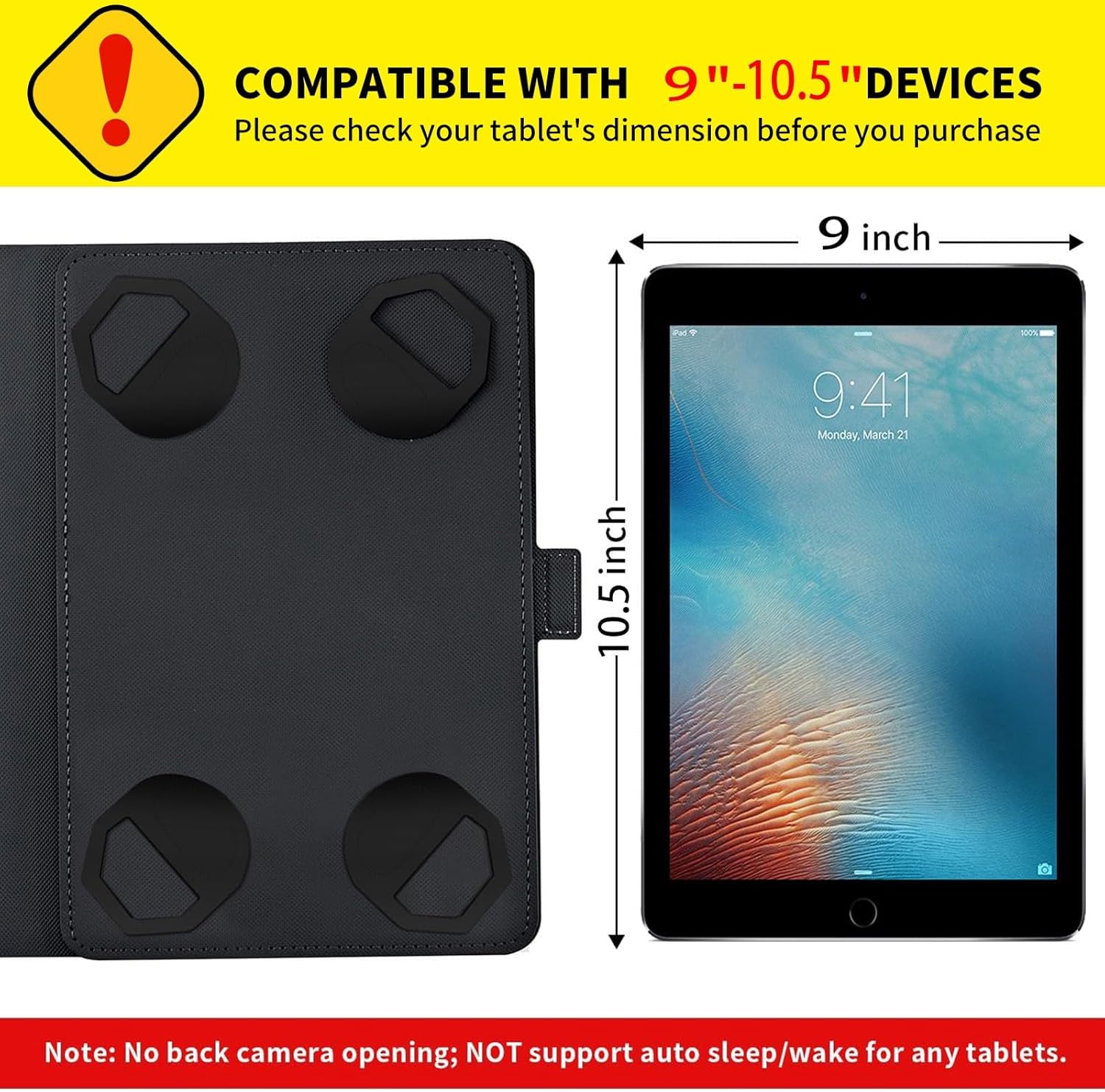
Image: This illustration demonstrates the compatible dimensions for tablets (9 to 10.5 inches) and highlights the four corner clasps used for securing the device. It also notes the absence of a back camera opening and auto sleep/wake support.

Image: This image sequence illustrates the easy installation process. It shows how to position the tablet, stretch the elastic corner clasps, and secure the device within the case.
Operating Instructions
Your Mxfdegf tablet case offers several features to enhance your tablet experience:
- 360 Degree Rotating Stand: The built-in swivel mechanism allows you to rotate your tablet 360 degrees while it is in the case. This enables seamless switching between landscape and portrait viewing orientations without removing the tablet.
- Adjustable Viewing Angles: The case features multiple grooves on the interior cover that act as a stand. You can adjust your tablet to three stable landscape angles and two stable portrait angles for comfortable viewing, typing, or video calls. The anti-slip grooves ensure the tablet remains steady in your chosen position.
- Magnetic Closure: The case is equipped with a magnetic button closure. This ensures the cover remains securely closed when not in use, protecting your tablet from dust and scratches during transport.
- Elastic Band: An additional elastic band is integrated into the design, providing an extra layer of security to keep the case closed when desired.

Image: This visual guide illustrates the 360-degree rotation capability of the stand, allowing for both landscape and portrait orientations. It also shows the three available landscape angles and two portrait angles for versatile viewing.
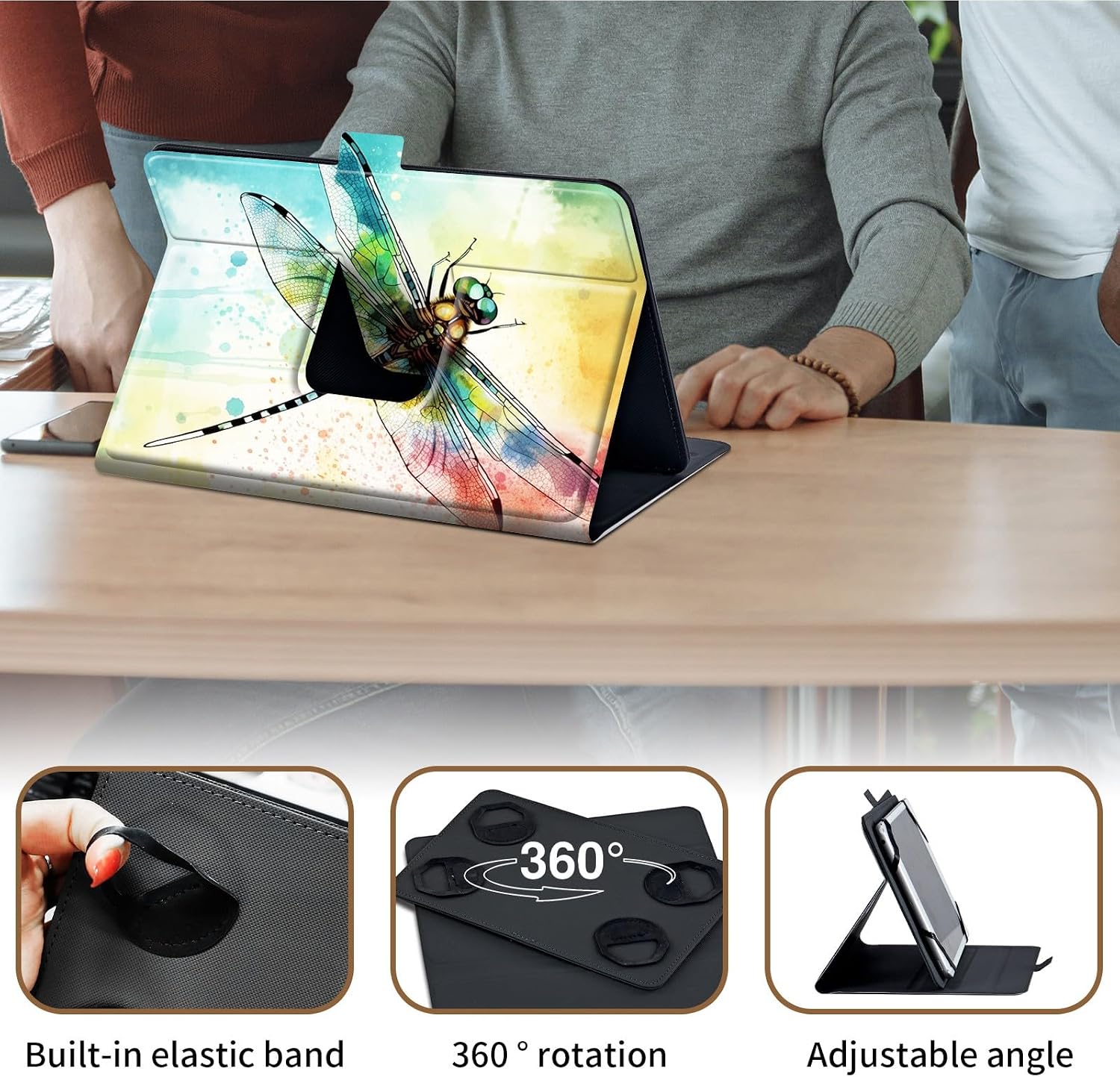
Image: This image provides a close-up of key features: the built-in elastic band for secure closure, the 360-degree rotation mechanism, and the adjustable stand angle for customized viewing.

Image: This image focuses on the interior of the case, specifically highlighting the two anti-slip grooves designed to provide a stable and steady base when the tablet is propped up in stand mode.
Maintenance
To ensure the longevity and appearance of your tablet case, follow these maintenance guidelines:
- Cleaning: Wipe the exterior and interior surfaces with a soft, slightly damp cloth. For stubborn spots, a mild soap solution can be used, but ensure to wipe it off thoroughly with a clean, damp cloth.
- Drying: Allow the case to air dry completely before reinserting your tablet. Do not use direct heat sources like hair dryers.
- Avoid Chemicals: Do not use alcohol, ammonia-based cleaners, or abrasive materials, as these can damage the faux leather and printed design.
- Storage: When not in use, store the case in a cool, dry place away from direct sunlight.
Troubleshooting
| Problem | Possible Cause | Solution |
|---|---|---|
| Tablet does not fit or is too loose. | Incorrect tablet size. | Verify your tablet's dimensions against the case's compatibility (9-10.5 inches). Ensure all four elastic clasps are properly stretched over the tablet corners. |
| Stand is unstable or collapses. | Tablet not properly seated in grooves. | Ensure the edge of your tablet is firmly placed within one of the anti-slip grooves on the case cover. Adjust the angle if necessary. |
| Magnetic closure is not holding. | Obstruction or misalignment. | Check for any debris or objects preventing the magnetic flap from fully closing. Ensure the flap is aligned correctly with the magnetic button. |
Specifications
| Feature | Detail |
|---|---|
| Brand | Mxfdegf |
| Model Number | TYPB9-ALLDOCUBE iplay 50-15 |
| Compatible Devices | Universal for 9-10.5 inch tablets (e.g., ALLDOCUBE iPlay 50/50 Pro, Samsung Galaxy Tab series, Amazon Kindle Fire HD 10) |
| Material | Faux Leather (Shell Type: Leather) |
| Form Factor | Flip Case |
| Additional Features | Heavy Duty Protection, Kickstand (360 Degree Rotating, Multi-Angle), Magnetic Closure |
| Water Resistance Level | Not Water Resistant |
| Item Dimensions | 7 x 5 x 0.6 inches |
| Item Weight | 6.8 Ounces |
Warranty and Support
For any questions, concerns, or warranty inquiries regarding your Mxfdegf tablet case, please contact the manufacturer directly through the retailer's platform where the product was purchased. Please refer to your purchase documentation for specific warranty terms and conditions, as these may vary.