
Introduction
This manual provides instructions for the Mxfdegf 360-Degree Rotating Tablet Case. This case is designed to protect and enhance the usability of your 10.5 to 11.5-inch tablet, offering versatile viewing angles and secure protection. Please read these instructions carefully before use.
Compatibility
The Mxfdegf tablet case is universally compatible with most 10.5 to 11.5-inch tablets. This includes, but is not limited to:
- Walmart Onn 11 Inch Pro (Model: 100110027) 2023 Tablet
- iPad Air 3 (10.5-inch, 2019)
- iPad Air 4 (10.9-inch, 2020)
- iPad Pro 11-inch (2018, 2020, 2021, 2022)
- iPad 10 (10.9-inch, 2022)
- Samsung Galaxy Tab S8, S7, P11 Plus, S9 (X710/X716B/718U)
- Amazon Fire Max 11 tablet
Important Note: This case does not support auto sleep/wake functions for any tablet and does not feature a back camera opening. Please verify your tablet's dimensions before purchase.
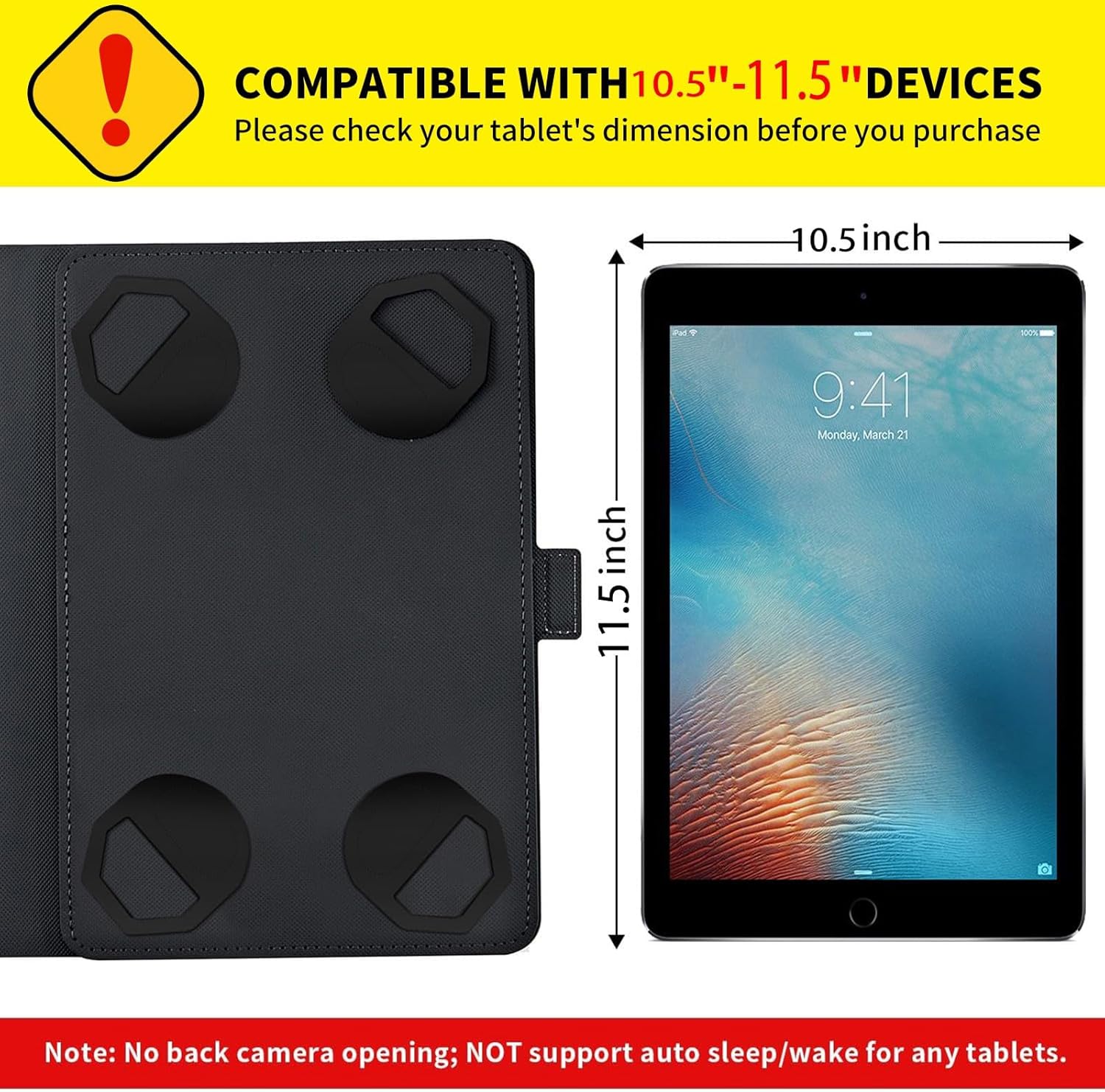
Figure 1: Tablet dimension compatibility guide. Ensure your tablet fits within 10.5 to 11.5 inches.
Setup: Installing Your Tablet
- Open the Case: Lay the case flat on a clean surface.
- Position the Tablet: Carefully place your tablet onto the interior surface of the case, aligning it with the four corner clasps.
- Secure the Tablet: Gently stretch each of the four elastic clasps over the corners of your tablet to secure it firmly in place. Ensure all four corners are properly held by the clasps.
- Close the Case: Fold the front cover over your tablet. The magnetic closure will help keep the case securely closed.

Figure 2: Easy installation with adjustable corner clasps.
Operating Instructions
Using the 360-Degree Rotating Stand
The case features a built-in 360-degree rotating swivel stand, allowing for both landscape and portrait viewing orientations.
- Rotate the Tablet: Gently rotate the tablet within the case to switch between landscape and portrait modes. The central swivel mechanism allows for smooth rotation.
- Adjust Viewing Angle: Once in the desired orientation, use the anti-slip grooves on the inner cover to prop up your tablet. The case offers multiple stable angles for comfortable viewing or typing.

Figure 3: Demonstration of 360-degree rotation and adjustable viewing angles.

Figure 4: Close-up of the two anti-slip grooves for stable propping.
Magnetic Closure
The case is equipped with a magnetic closure to keep the cover securely shut when not in use, protecting your tablet screen from scratches and dust.
Elastic Hand Strap (if applicable)
Some variants of this case may include a built-in elastic hand strap for a more secure grip while holding your tablet. If present, slide your hand through the strap for added security.

Figure 5: Overview of features including elastic band, rotation, and stand.
Maintenance and Care
- Cleaning: Wipe the exterior of the case with a soft, damp cloth. Avoid using harsh chemicals or abrasive cleaners, as these may damage the synthetic leather material.
- Storage: Store the case in a cool, dry place away from direct sunlight and extreme temperatures when not in use.
- Avoid Overstretching: Do not excessively stretch the elastic corner clasps or the hand strap to prevent damage.
Troubleshooting
| Problem | Possible Cause | Solution |
|---|---|---|
| Tablet does not fit securely. | Tablet size is outside the 10.5-11.5 inch range. | Verify your tablet's dimensions. This case is designed for tablets within the specified range. |
| Tablet slips when propped up. | Tablet not properly seated in the anti-slip grooves. | Ensure the edge of your tablet is firmly placed within one of the anti-slip grooves. |
| Case does not close properly. | Obstruction or misalignment of the magnetic closure. | Check for any debris or objects preventing the magnetic flap from closing. Ensure the case is aligned correctly. |
Specifications
- Brand: Mxfdegf
- Model: Universal 10.5-11.5 inch Tablet Case
- Compatible Devices: 10.5-11.5 inch tablets (e.g., Onn 11" Pro, various iPads, Samsung Galaxy Tab, Amazon Fire Max 11)
- Material: Durable Synthetic Leather, Plastic
- Features: 360-Degree Rotating Stand, Multi-Angle Viewing, Magnetic Closure, 4 Corner Clasps, Heavy Duty Protection, Kickstand
- Product Dimensions: 7 x 5 x 0.6 inches (approximate, when closed)
- Item Weight: 6.8 ounces
- Special Notes: No auto sleep/wake support, No back camera opening.
Warranty Information
Please refer to the product packaging or the retailer's website for specific warranty details. Mxfdegf products typically come with a standard manufacturer's warranty covering defects in materials and workmanship. Keep your proof of purchase for any warranty claims.
Customer Support
For further assistance, questions, or support regarding your Mxfdegf tablet case, please contact the retailer where you purchased the product or visit the official Mxfdegf website for contact information.