
De Fockety Store AL-130
De Fockety Store AL-130 Counterfeit Bill Detector User Manual
Brand: De Fockety Store
Model: AL-130
1. Safety Information
Please read all safety instructions carefully before operating the AL-130 Counterfeit Bill Detector. Retain this manual for future reference.
- Do not expose the device to water or excessive moisture.
- Avoid placing the device in direct sunlight or near heat sources.
- Use only the provided power adapter. Using an incorrect adapter may damage the device and void the warranty.
- Do not attempt to open or repair the device yourself. Refer all servicing to qualified personnel.
- Keep the device out of reach of children.
- Ensure proper ventilation around the device during operation.
2. Product Overview
The AL-130 is an automatic counterfeit bill detector designed for quick and accurate verification of banknotes. It utilizes multiple detection technologies including UV (Ultraviolet), MG (Magnetic), IR (Infrared), image, paper quality, size, and thickness analysis to ensure the authenticity of currency.
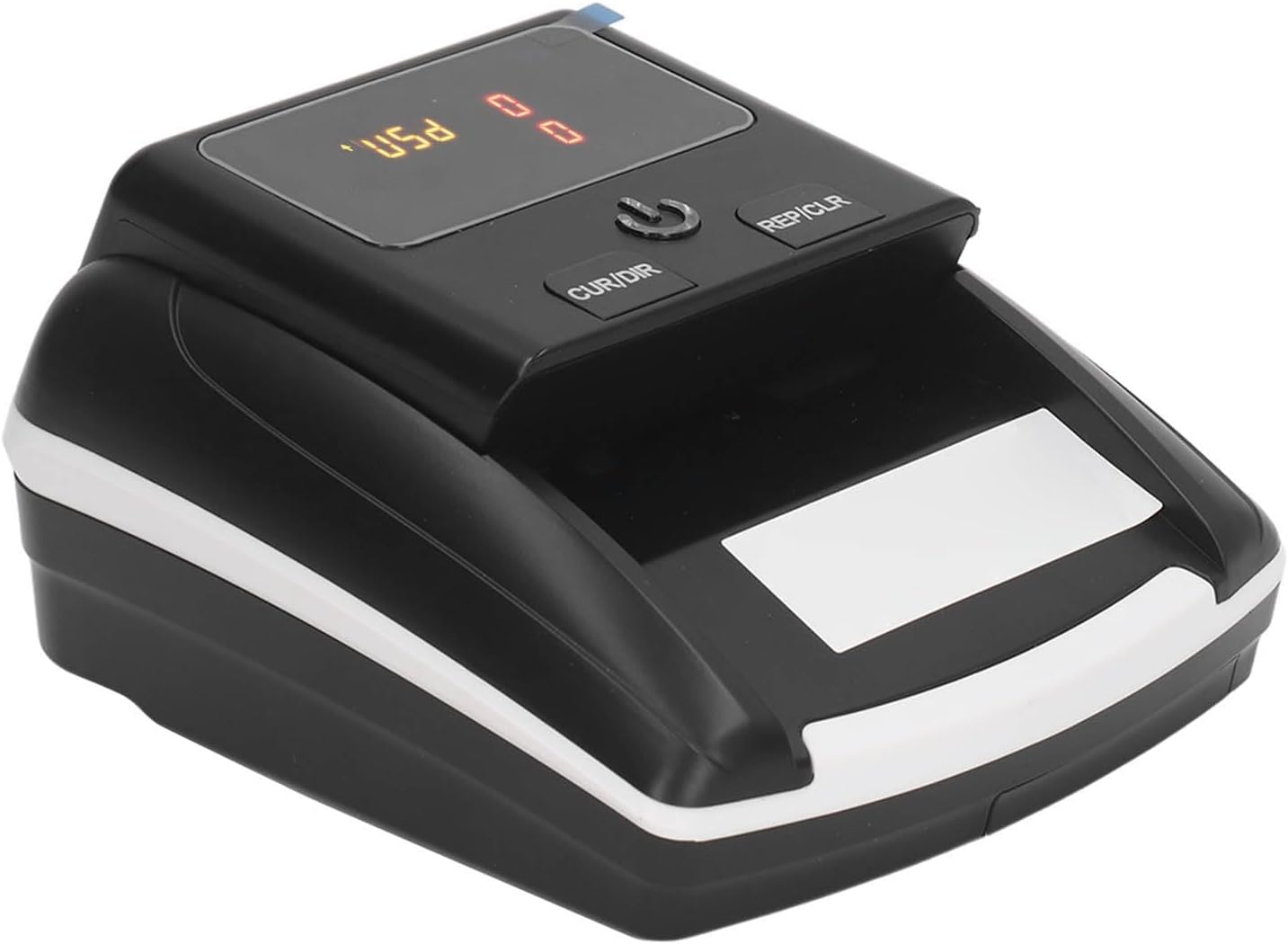
Figure 2.1: Front view of the AL-130 Counterfeit Bill Detector, showing the bill entry slot and control panel.
2.1 Components
- Bill Entry Slot: Where banknotes are inserted for detection.
- LCD Display: Shows detection results, currency type, total quantity, and total amount.
- Control Buttons: For power, currency selection, and clearing data.
- DC Input Jack: For connecting the power adapter.
- USB Port: For potential future software updates or connectivity.

Figure 2.2: Rear view of the AL-130, highlighting the DC Input Jack and USB Port.

Figure 2.3: Dimensions of the AL-130 device, approximately 137mm x 155mm x 82mm.
3. Setup
3.1 Unpacking
Carefully remove the AL-130 device and all accessories from the packaging. Verify that all components are present:
- AL-130 Bill Detector Unit
- Power Adapter (100-240V)
- User Manual (this document)
3.2 Power Connection
- Connect the provided power adapter to the DC Input Jack on the rear of the AL-130.
- Plug the power adapter into a standard electrical outlet (AC100-240V, 50/60Hz).

Figure 3.1: The AL-130 device connected to its power adapter.
3.3 Initial Charge (for Battery Operation)
The AL-130 includes a built-in 500mAh lithium-polymer battery, providing 3-4 hours of operation on a full charge. For optimal performance, fully charge the device before its first use. The charging indicator (if present) will typically change or turn off when charging is complete.
4. Operating Instructions
4.1 Powering On/Off
Press the power button (usually marked with a universal power symbol) located on the control panel to turn the device on or off.
4.2 Bill Detection Process
- Ensure the device is powered on.
- Gently insert a banknote into the bill entry slot on the right side of the device. The AL-130 features an automatic paper feeding system.
- The device will automatically scan and identify the authenticity of the banknote within 0.5 seconds.
- The detection result, including the currency type, quantity, and total value, will be displayed on the LCD screen.
- The device supports USD and EUR currencies.

Figure 4.1: Demonstrating the insertion of a banknote into the AL-130 for automatic detection.
4.3 Reading the Display
The LCD display provides critical information about the detected banknotes:

Figure 4.2: Explanation of the AL-130's display, indicating Currency Type, Total Quantity, and Total Amount.
- Currency Type: Indicates the detected currency (e.g., USD, EUR).
- Total Quantity: The number of banknotes detected.
- Total Amount: The cumulative value of all detected banknotes.
4.4 Currency Selection (CUR/DIR Button)
The 'CUR/DIR' button allows you to select the desired currency for detection or change the exit direction of the banknotes. Press this button to cycle through available currency options (USD, EUR) or to adjust the bill exit path if applicable.
4.5 Clearing Data (REP/CLR Button)
The 'REP/CLR' button is used to clear the current counting data on the display. After counting a batch of bills, press this button to reset the quantity and total amount to zero before starting a new count.

Figure 4.3: The AL-130 is suitable for various applications, including retail stores, restaurants, and hotels.
5. Maintenance
5.1 Cleaning
Regular cleaning ensures optimal performance and longevity of your AL-130 detector.
- Exterior: Wipe the exterior surfaces with a soft, dry cloth. Do not use abrasive cleaners or solvents.
- Sensors: Periodically clean the bill path and sensors with a soft brush or compressed air to remove dust and paper residue. Ensure the device is powered off and unplugged before cleaning.
5.2 Storage
When not in use, store the AL-130 in a cool, dry place away from direct sunlight and extreme temperatures. If storing for an extended period, ensure the battery is partially charged (around 50%) to prolong its lifespan.
6. Troubleshooting
If you encounter issues with your AL-130, refer to the following common problems and solutions:
- Device does not power on:
- Check if the power adapter is securely connected to both the device and the power outlet.
- Ensure the power outlet is functional.
- If operating on battery, ensure the battery is charged.
- Banknotes are not detected or fed properly:
- Ensure banknotes are inserted correctly and smoothly into the entry slot.
- Check for any obstructions or debris in the bill path. Clean the sensors if necessary.
- Ensure banknotes are not excessively wrinkled or damaged.
- Incorrect detection results:
- Verify that the correct currency type is selected on the device.
- Clean the sensors to ensure accurate readings.
- Ensure the banknotes are genuine and in good condition.
- Display is blank or flickering:
- Power off the device, wait a few seconds, and power it back on.
- Ensure stable power supply.
If the problem persists after attempting these solutions, please contact customer support.
7. Specifications
| Model Number | AL-130 (Focketynwpf5rxdga-12) |
| Material | ABS |
| Input Voltage | AC100-240V 50/60Hz |
| Output Voltage | 12V±5% |
| Supported Currencies | USD, EUR |
| Counterfeit Detection Technology | Ultraviolet (UV), Magnetic (MG), Infrared (IR), Image, Paper, Size, Thickness |
| Applicable Bill Thickness | 0.07-0.15 mm |
| Battery | 1 x 11.1V 503035 500mAh Lithium-Polymer Battery (built-in) |
| Battery Life | 3-4 hours (after full charge) |
| Dimensions | Approx. 137 x 155 x 82 mm (5.4 x 6.1 x 3.2 inches) |
| Weight | Approx. 820g |
8. Warranty and Support
For warranty information and customer support, please refer to the documentation provided at the time of purchase or contact the seller directly. Keep your proof of purchase for any warranty claims.
Ask a question about this manual
Ask about setup, troubleshooting, compatibility, parts, safety, or missing instructions. Manuals+ will review the question and use this page’s manual context to help answer it.