
Introduction
This manual provides instructions for the proper use and maintenance of your Fitcent USB Charger Cable. This cable is designed as a replacement charging solution for various heart rate monitor armbands, including specific models from FITCENT, Powrlab, Coospo, MooFit, and LIVLOV.
Ensure you read this manual thoroughly before using the product to guarantee optimal performance and longevity.
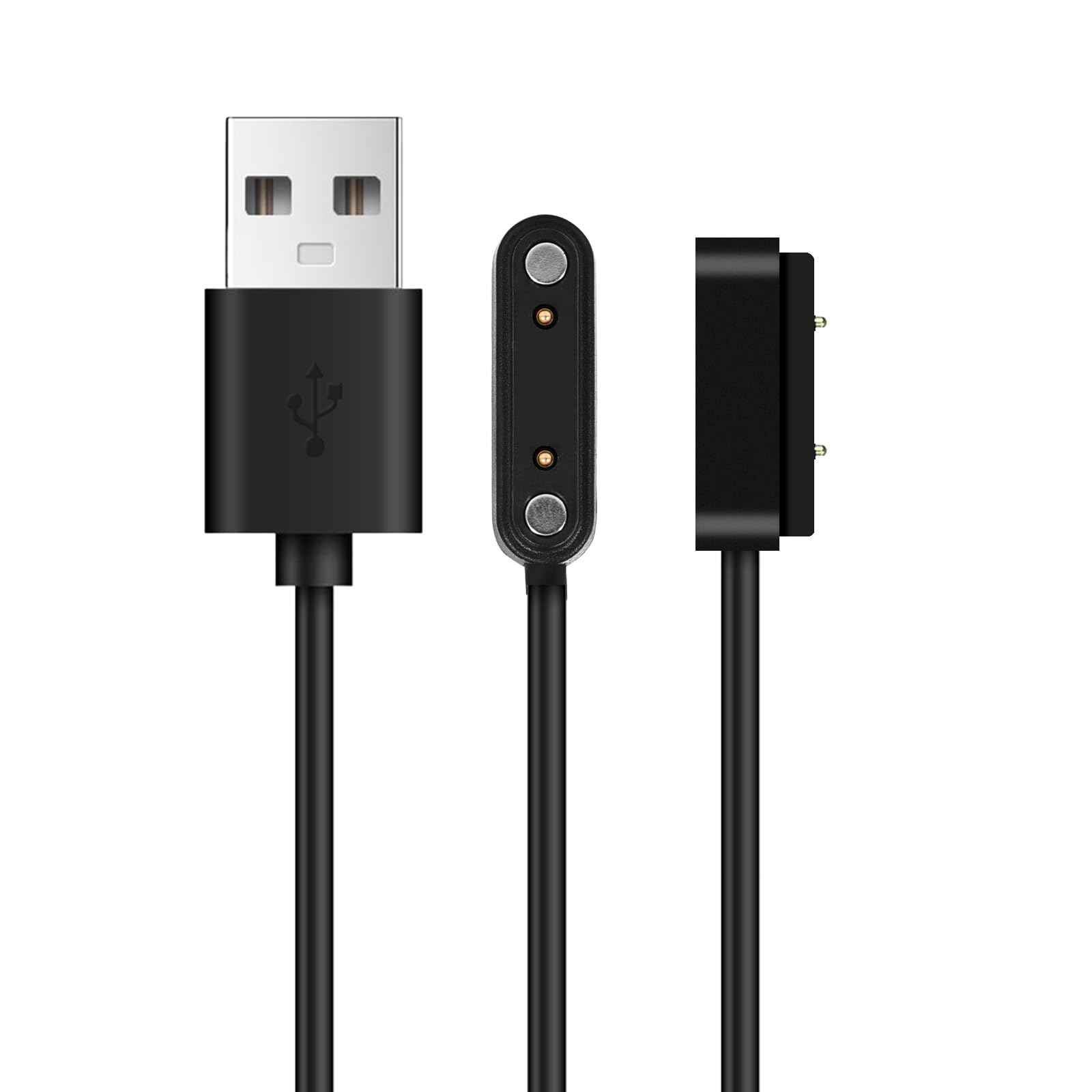
Image: The Fitcent USB Charger Cable, featuring a magnetic charging interface on one end and a standard USB-A connector on the other.
Setup
- Inspect the Cable: Before first use, visually inspect the USB charger cable for any signs of damage or wear. Do not use if damaged.
- Identify Charging Port: Locate the charging contacts on your compatible heart rate monitor armband. These are typically small metallic pins or pads.
- Connect to Power Source: Insert the standard USB-A end of the charging cable into a compatible USB power source. This can be a computer's USB port, a USB wall adapter (5V/1A recommended), or a power bank.
- Attach to Device: Align the magnetic charging end of the cable with the charging contacts on your heart rate monitor armband. The magnetic connection should snap into place securely. Ensure the pins on the charger align correctly with the contacts on the device.
Operating
Once the cable is properly connected to both a power source and your heart rate monitor armband, the device should indicate that it is charging. This is typically shown by an LED indicator on the armband or a display on the device itself.
- Charging Time: Charging times may vary depending on the battery level of your device and the power output of your USB source. Refer to your heart rate monitor's manual for specific charging duration recommendations.
- Overcharge Protection: The cable is designed to work with devices that typically have built-in overcharge protection. However, it is generally recommended to disconnect the device once fully charged to conserve energy and prolong battery life.
- Safe Disconnection: To disconnect, gently pull the magnetic charging end away from your heart rate monitor. Then, remove the USB-A end from the power source.
Maintenance
- Cleaning: Keep the charging contacts on both the cable and your device clean and free of dust or debris. Use a dry, soft cloth to wipe them gently. Avoid using liquids or abrasive cleaners.
- Storage: When not in use, store the cable in a cool, dry place, away from direct sunlight and extreme temperatures. Avoid tightly coiling or bending the cable sharply to prevent internal wire damage.
- Handling: Always grasp the connectors when plugging or unplugging the cable. Avoid pulling on the cable itself, as this can damage the internal wiring or the connectors.
Troubleshooting
| Problem | Possible Cause | Solution |
|---|---|---|
| Device not charging |
|
|
| Slow charging |
|
|
Specifications
- Model Name: USB charger cable
- Brand: Fitcent
- Connector Type: USB (Male-to-Male)
- Cable Type: USB
- Special Feature: Fast Charging
- Compatible Devices: Heart Rate Monitor Armbands (FITCENT CL830, CL838, Powrlab, Coospo, MooFit, LIVLOV V9)
- Color: Black
- Number of Pins: 4
- Shape: Round
- Maximum Voltage: 525 Millivolts
- Item Weight: 0.317 ounces
- Package Dimensions: 2.99 x 2.32 x 0.51 inches
- Indoor/Outdoor Usage: Indoor, Outdoor
- Specification Met: UL
Warranty Information
For specific warranty details regarding your Fitcent USB Charger Cable, please refer to the official Fitcent website or contact their customer support directly. Warranty terms typically cover manufacturing defects for a specified period from the date of purchase.
Please retain your proof of purchase for any warranty claims.
Support
If you encounter any issues not covered in this manual or require further assistance, please contact Fitcent customer support.
- Online Support: Visit the official Fitcent website for FAQs, product registration, and contact forms.
- Email Support: Refer to your product packaging or the Fitcent website for the appropriate customer service email address.
When contacting support, please have your product model name (USB charger cable) and purchase information ready.