
Wurkkos TD04
Wurkkos TD04 Tactical Flashlight User Manual
Model: TD04
Product Overview
The Wurkkos TD04 is a high-performance tactical LED flashlight designed for various applications including camping, hiking, emergency situations, and general outdoor activities. It features a powerful 3000 lumens output, a long beam distance, and a durable, waterproof construction.
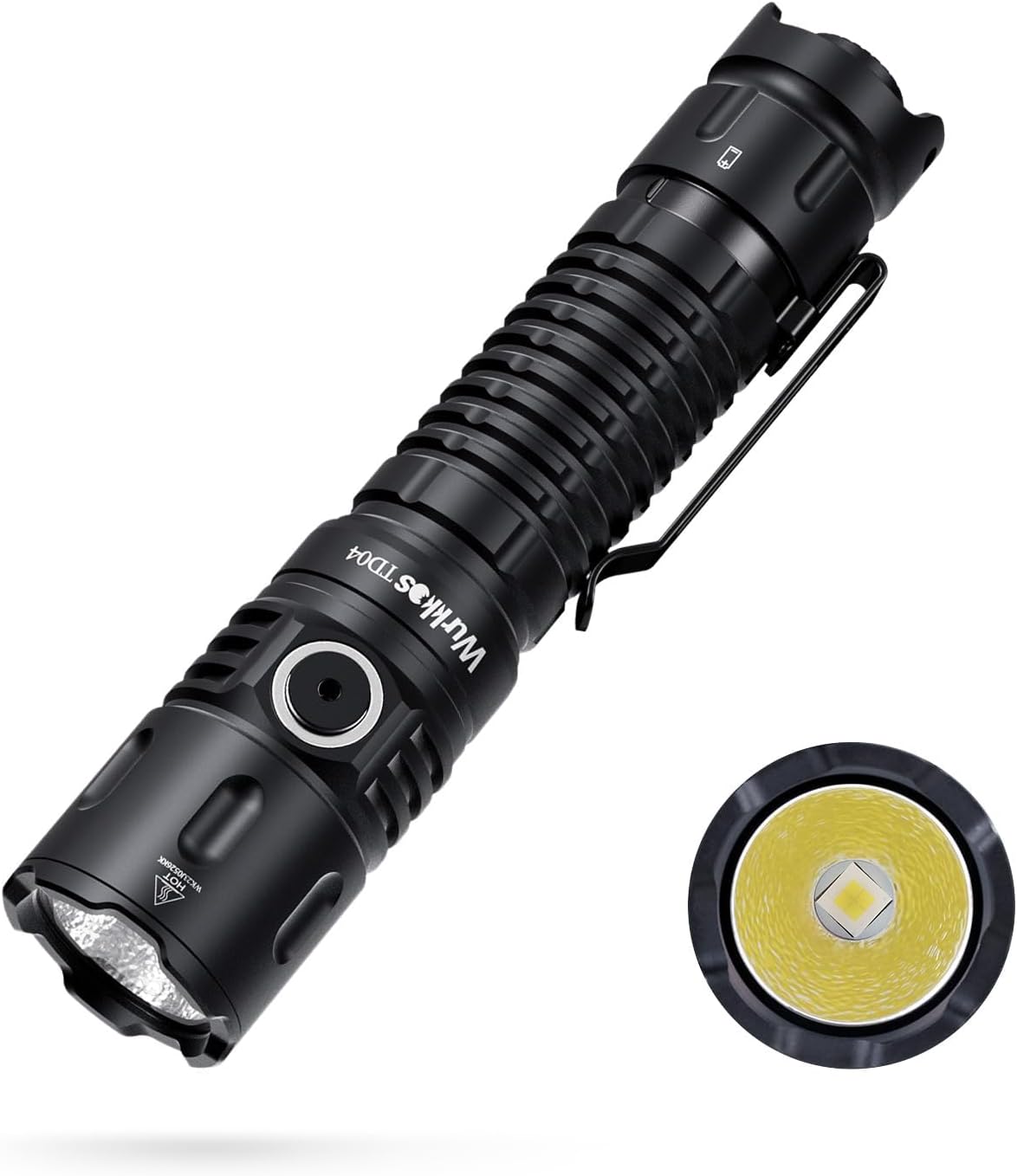
Figure 1: Wurkkos TD04 Tactical Flashlight. This image shows the overall design of the flashlight, highlighting its robust build and the main LED emitter.
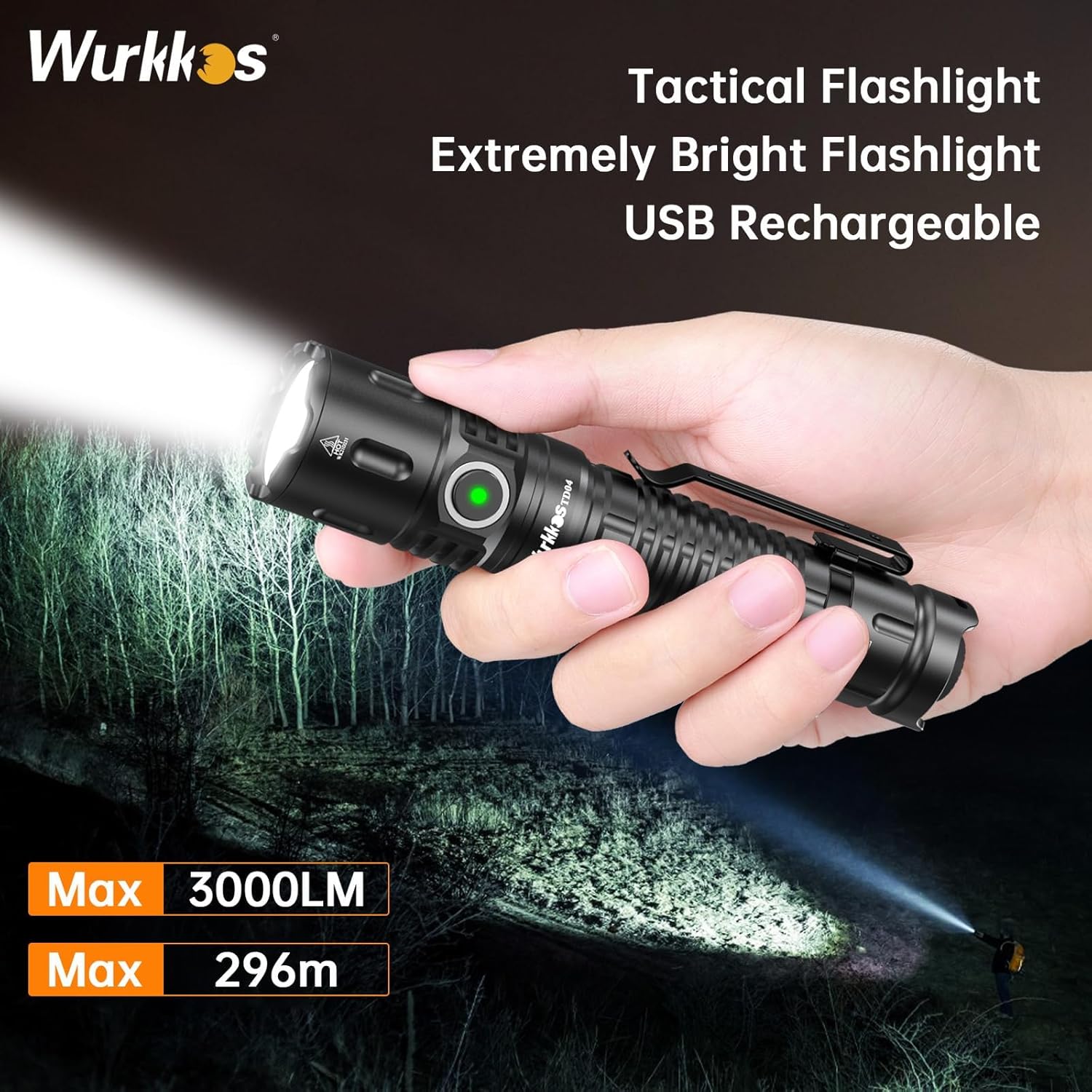
Figure 2: The Wurkkos TD04 in use, demonstrating its powerful 3000 lumens output illuminating a wide area.
Package Contents
Upon opening the package, please ensure all items are present:
- 1x Wurkkos TD04 Tactical Flashlight (with 5000mAh rechargeable battery inserted)
- 1x USB-C Charging Cable
- 2x Spare O-rings
- 1x User Manual (this document)
Note: Before first use, unscrew the tail cap and remove the insulating paper from the battery.

Figure 3: Exploded view of the Wurkkos TD04, showing its internal components including the battery, O-rings, and switches.
Setup
- Battery Installation: The 5000mAh rechargeable battery is pre-installed. Before initial use, unscrew the tail cap and remove the yellow insulating paper located between the battery and the contact point. Re-tighten the tail cap securely.
- Initial Charging: Connect the provided USB-C charging cable to the flashlight's charging port and to a compatible USB power source (e.g., wall adapter, computer USB port). The indicator light on the side switch will turn red during charging and green when fully charged.

Figure 4: Close-up of the side switch, showing the red indicator light for charging and green for full charge. This image also highlights the USB-C charging port.

Figure 5: Visual representation of the battery level indicator: Red light (25%-50%), Green light (75%-100%), Orange light (50%-75%).
Operating Instructions
The TD04 features a dual-switch design for versatile operation: a tactical tail switch and a side switch.
Tail Switch Operation (Tactical Mode)
- Momentary On: Half-press and hold the tail switch for momentary illumination. Release to turn off.
- Constant On/Off: Fully press the tail switch to turn the flashlight on or off.
- Turbo Mode (from Off): Double-click the tail switch quickly for instant Turbo mode.
- Strobe Mode (from Off): Triple-click the tail switch quickly for instant Strobe mode.

Figure 6: Diagram illustrating the tactical mode operations using the tail switch, including momentary on, constant on/off, and quick access to Turbo/Strobe.

Figure 7: Close-up view of the textured tail switch and how the flashlight is held for tactical operation.
Side Switch Operation (General Lighting Mode)
- Turn On/Off: Single-click the side switch to turn the flashlight on or off. The flashlight will remember the last used brightness level (except Turbo, Strobe, SOS, Beacon).
- Change Brightness: While on, press and hold the side switch to cycle through brightness levels: Moonlight (1lm) -> Eco (20lm) -> Low (150lm) -> Medium (400lm) -> High (1200lm). Release the button at the desired level.
- Turbo Mode: Double-click the side switch from any mode to activate Turbo (3000lm). Double-click again to return to the previous mode.
- Strobe/SOS/Beacon: Triple-click the side switch from any mode to activate Strobe. From Strobe, double-click to cycle through SOS and Beacon modes. Single-click to return to the previous general lighting mode.

Figure 8: The side button, used for cycling through brightness levels and accessing special modes.

Figure 9: Visual representation of the 8 brightness adjustment modes, from Moonlight to Turbo, Strobe, SOS, and Beacon.
Maintenance
- Cleaning: Clean the flashlight body with a soft, damp cloth. Do not use harsh chemicals or abrasives.
- Lubrication: Periodically lubricate the O-rings and screw threads with silicone grease to maintain waterproof integrity and smooth operation.
- Battery Care:
- Charge the battery fully before long-term storage.
- Recharge the battery every 3-6 months during storage to prevent over-discharge.
- Avoid exposing the battery to extreme temperatures.
- Waterproof Seal: Ensure the tail cap and head are tightly screwed on to maintain the IP68 waterproof rating. Replace O-rings if they appear damaged or worn.

Figure 10: The Wurkkos TD04 demonstrating its IP68 waterproof rating and resistance to extreme temperatures.

Figure 11: The flashlight operating effectively in rainy conditions, showcasing its robust waterproof design.
Troubleshooting
| Problem | Possible Cause | Solution |
|---|---|---|
| Flashlight does not turn on. |
|
|
| Light output is dim or flickers. |
|
|
| Flashlight gets hot quickly. |
|
|

Figure 12: Graph illustrating the Automatic Temperature Regulation (ATR) feature, which adjusts brightness to maintain optimal operating temperature and prolong flashlight life.
Specifications
| Feature | Detail |
|---|---|
| Model | TD04 |
| Light Source | LED (XHP50D HI) |
| Max Output | 3000 Lumens |
| Max Beam Distance | 295 Meters (968 feet) |
| Material | 6061 Aluminum Alloy |
| Battery Type | 1x 5000mAh Rechargeable Lithium-Ion (included) |
| Charging Port | USB-C |
| Water Resistance | IP68 (Waterproof, underwater 1m) |
| Impact Resistance | 1.5 meters / 3.28 feet |
| Dimensions | Approx. 5.4 x 1.16 inches (137mm x 29.5mm) |
| Weight | Approx. 7.4 ounces (without battery) |
| Color Temperature | 5700K~6000K |

Figure 13: Detailed performance table for the Wurkkos TD04, outlining luminous flux, runtime, and beam distance for each mode.
Figure 14: Diagram showing the compact dimensions and weight of the Wurkkos TD04 flashlight.
Warranty and Support
Wurkkos is committed to providing high-quality products and helpful customer service. For any inquiries or assistance, please refer to the contact information provided with your purchase or visit the official Wurkkos website.
Please retain your purchase receipt for any warranty claims.
Related Documents - TD04
 |
Wurkkos TS26 High-Performance LED Flashlight User Manual Comprehensive user manual for the Wurkkos TS26 flashlight, detailing specifications, charging, operation modes (simple and advanced), safety warnings, and maintenance instructions. Features include multiple brightness levels, stepless dimming, and advanced UI options. |
 |
Wurkkos TS22 User Manual: Features, Specifications, and Operation Comprehensive user manual for the Wurkkos TS22 flashlight, detailing its features, ANSI/NEMA FL1 performance charts, specifications, battery installation, charging, operation modes (stepped and ramping), electronic lockout, and important cautions. Includes contact information for Wurkkos Limited. |
 |
Wurkkos HD05 User Manual: Features, Specifications, and Operation Guide Comprehensive user manual for the Wurkkos HD05 flashlight. Learn about its features, specifications, multiple lighting modes (Spotlight, Floodlight, UV, Red Light), charging, operation, and safety precautions. |
 |
Wurkkos HD17 Flashlight User Manual User manual for the Wurkkos HD17 flashlight, providing detailed information on specifications, features, operation, charging, safety precautions, and maintenance. |
 |
WURKKOS TS26 Flashlight User Manual Comprehensive user guide for the WURKKOS TS26 flashlight, detailing its features, specifications, charging, operation modes (Simple and Advanced UI), and essential safety warnings. Learn how to control brightness, access special modes, and maintain your flashlight. |
 |
Wurkkos TD11 Flashlight User Manual Comprehensive user manual for the Wurkkos TD11 flashlight, detailing specifications, operation modes, charging, and safety precautions. |
Ask a question about this manual
Ask about setup, troubleshooting, compatibility, parts, safety, or missing instructions. Manuals+ will review the question and use this page’s manual context to help answer it.