
1. Introduction
This manual provides comprehensive instructions for the safe and effective use of your Wurkkos HD50 Headlamp. Please read this manual thoroughly before operating the device and retain it for future reference. The Wurkkos HD50 is a versatile, high-performance headlamp designed for various outdoor activities and work environments, featuring multiple lighting modes, a magnetic tailcap, and USB-C recharging.

Image 1.1: Wurkkos HD50 Headlamp with adjustable headband.
2. Product Overview
2.1. Components
The Wurkkos HD50 Headlamp package includes the following items:
- Wurkkos HD50 Headlamp
- Rechargeable Lithium-Ion Battery (5000mAh)
- USB-C Charging Cable
- Spare O-rings
- User Manual

Image 2.1: Contents of the Wurkkos HD50 Headlamp package.
2.2. Key Features
- Multiple Lighting Modes: Features floodlight, spotlight, and red light modes for diverse applications. The floodlight offers 4000 lumens with 90 CRI for excellent color rendering, while the spotlight provides a beam distance of up to 239 meters.
- Magnetic Tailcap: Allows the headlamp to be securely attached to metallic surfaces for hands-free operation.
- 180° Adjustable Angle: The lamp head can be rotated 180 degrees to direct light precisely where needed.
- USB-C Rechargeable: Convenient and fast charging via a USB-C port.
- Power Indicator & Low Battery Vibration: An integrated indicator displays battery status, and the device vibrates to alert you when the battery is low.
- IP67 Waterproof & Durable: Constructed from 6061 aerospace-grade aluminum alloy with an IP67 rating, ensuring resistance to water and dust.
- Electronic Lockout Function: Prevents accidental activation during transport or storage.

Image 2.2: Overview of Wurkkos HD50 Headlamp's main features including 4000 lumens output, 40 days max runtime, 239 meters max throw, IP67 waterproof rating, 1.5 meters drop test resistance, and 5000 mAh battery capacity.

Image 2.3: The HD50 offers triple-colored light options: cool white spotlight, neutral white floodlight, and red light.
3. Setup
3.1. Battery Installation
- Unscrew the tailcap of the headlamp.
- Insert the included 21700 Lithium-Ion battery with the positive (+) end facing towards the head of the lamp.
- Screw the tailcap back on securely.
3.2. Charging the Headlamp
The Wurkkos HD50 features a built-in USB-C charging port.
- Locate the USB-C port cover on the side of the headlamp and open it.
- Connect the provided USB-C cable to the headlamp and plug the other end into a compatible USB power source (e.g., power bank, wall adapter, computer, car charger).
- The indicator light will show charging status:
- Green light: 75%-100% charged
- Green light flashing: 50%-75% charged
- Red light: 25%-50% charged
- Red light flashing: 1%-25% charged
- Once fully charged, disconnect the cable and close the USB-C port cover to maintain water resistance.

Image 3.1: USB-C charging port and battery indicator on the Wurkkos HD50 Headlamp.
3.3. Headband Adjustment
The elastic headband is adjustable to fit various head sizes. Slide the buckles on the strap to achieve a comfortable and secure fit. The headlamp unit can be detached from the headband for standalone use or to utilize its magnetic base.
4. Operating Instructions
4.1. Basic Operation (Power On/Off)
- Turn On: Press and hold the On/Off button for 0.5 seconds.
- Turn Off: Press and hold the On/Off button for 0.5 seconds.
4.2. Switching Lighting Modes and Brightness Levels
The HD50 features two buttons: an On/Off button and a Mode button. The headlamp offers Spotlight, Floodlight, Combined (Spotlight + Floodlight), and Red Light modes, each with multiple brightness levels (Eco, Low, Medium, High, Turbo).

Image 4.1: The four primary light modes available on the Wurkkos HD50 Headlamp.
- Change Mode: With the light on, short press the Mode button to cycle through Spotlight → Floodlight → Combined → Red Light.
- Adjust Brightness: With the light on in any mode, short press the On/Off button to cycle through Eco → Low → Medium → High.
- Turbo Mode: Double-click the On/Off button from any mode to activate Turbo. Double-click again to return to the previous mode.
4.3. Electronic Lockout Function
To prevent accidental activation, especially during transport, use the electronic lockout function.
- Lock: With the light off, press both the On/Off and Mode buttons simultaneously for 1 second. The light will flash red twice to indicate it is locked.
- Unlock: Press both the On/Off and Mode buttons simultaneously for 1 second. The light will flash red twice, then turn on in the last used mode.

Image 4.2: Instructions for locking and unlocking the Wurkkos HD50 Headlamp to prevent accidental activation.
4.4. SOS Mode
The SOS mode is available for emergency signaling.
- Activate SOS: From any mode, triple-click the On/Off button.
- Exit SOS: Short press the On/Off button to return to the previous mode.

Image 4.3: The HD50 Headlamp's SOS mode can be used for emergency signaling in outdoor environments.
4.5. Magnetic Base Usage
The magnetic tailcap allows the headlamp to be attached to ferrous metal surfaces, providing hands-free illumination without wearing it on your head. This is useful for tasks like vehicle maintenance or working in confined spaces.
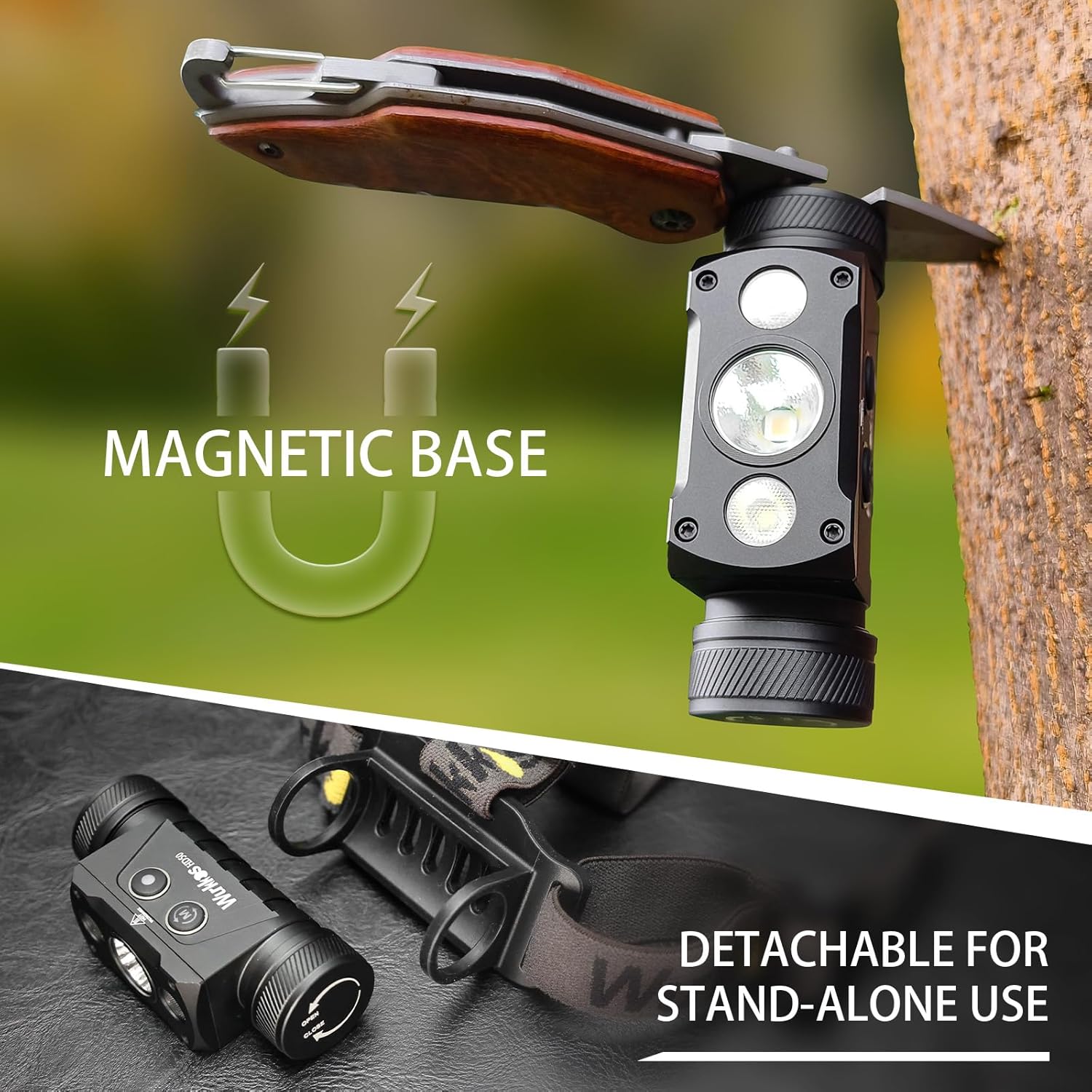
Image 4.4: The magnetic base allows the headlamp to be mounted on metal surfaces, and it is detachable for standalone use.
4.6. 180° Angle Adjustment
The headlamp unit can be tilted up or down by 180 degrees within its bracket, allowing you to adjust the beam angle to suit your activity or viewing area.

Image 4.5: The headlamp can be adjusted 180 degrees to direct light as needed.
5. Maintenance
5.1. Cleaning
- Wipe the headlamp with a clean, soft cloth.
- For stubborn dirt, use a slightly damp cloth. Avoid harsh chemicals or abrasive cleaners.
- Ensure the USB-C port cover is clean and properly sealed to maintain water resistance.
5.2. Battery Care and Storage
- Recharge the battery regularly, even if not in frequent use, to prolong its lifespan.
- Store the headlamp and battery in a cool, dry place away from direct sunlight and extreme temperatures.
- If storing for extended periods, remove the battery from the headlamp to prevent potential leakage or damage.
- Replace O-rings periodically to maintain the IP67 waterproof rating.
6. Troubleshooting
- Headlamp does not turn on:
- Ensure the battery is correctly inserted with the positive end facing the head of the lamp.
- Check if the battery is charged. Recharge if necessary.
- Verify that the electronic lockout function is not active. Unlock if needed. - Headlamp does not charge:
- Ensure the USB-C cable is securely connected to both the headlamp and the power source.
- Try a different USB-C cable or power adapter.
- Check the battery for any visible damage. - Light output is dim or flickers:
- The battery may be low. Recharge the headlamp.
- Ensure the battery is fully seated and the tailcap is tightened.
- Clean the lens if it is dirty. - Headlamp vibrates:
- This is a feature indicating a low battery level. Recharge the headlamp promptly.
7. Technical Specifications
| Feature | Specification |
|---|---|
| Brand | Wurkkos |
| Model | HD50 |
| Light Source Type | LED |
| Brightness (White Light) | Up to 4000 Lumens |
| Beam Distance | Up to 239 meters (Spotlight) |
| Material | 6061 Aerospace-grade Aluminum Alloy |
| Power Source | Battery Powered |
| Battery Type | 1 x 21700 Lithium Ion (included) |
| Battery Capacity | 5000 mAh |
| Charging Port | USB-C (5V, 2A) |
| Water Resistance Level | IP67 |
| Impact Resistance | 1.5 meters |
| Product Dimensions | 1.27"D x 0.45"W x 0.45"H (approx.) |
| Item Weight | 12 ounces (approx.) |
| Special Features | Adjustable Light Modes, Dustproof, Long Range, Rechargeable, Weatherproof, Magnetic Tailcap |

Image 7.1: Detailed performance specifications for the Wurkkos HD50 Headlamp across various modes.
8. Warranty and Customer Support
Wurkkos provides a limited warranty for the HD50 Headlamp. The product is backed by a 100% satisfaction guarantee and a 90-day hassle-free return or exchange guarantee. For any issues, questions, or support needs, please contact Wurkkos customer service. Contact information can typically be found on the product packaging or through the retailer where the product was purchased.
Manufacturer: Shenzhen City Wokesida Technology Co., Ltd.


