
Introduction
Thank you for choosing the SYMYNELEC 5GHz/2.4GHz Light Bulb Security Camera. This device offers advanced home security features, including 2.5K 4MP resolution, dual-band Wi-Fi connectivity, AI human motion detection, color night vision, and two-way audio. Designed for both indoor and outdoor use, it provides comprehensive surveillance and peace of mind. This manual will guide you through the installation, operation, and maintenance of your new security camera system.

The SYMYNELEC Light Bulb Security Camera system, featuring two cameras and smartphone integration for remote monitoring.
What's in the Box
Please verify that all components are present in your package:
- 2x 5GHz/2.4GHz Light Bulb Camera (Outdoor/Indoor)
- 2x Light Bulb Socket Extender
- 1x E26/E27 Socket Adapter (For WiFi Setup ONLY)
- 1x User Manual
- Lifetime Technical Support information
Setup & Installation
The SYMYNELEC Light Bulb Security Camera is designed for quick and easy installation, requiring no complex wiring or drilling.
1. Physical Installation
Installation is as simple as replacing a standard light bulb. Ensure the power to the light socket is turned off before installation.
- Locate a standard E26 or E27 light bulb socket (100V~240V) where you wish to install the camera.
- Carefully screw the SYMYNELEC Light Bulb Camera into the socket. If needed, use the provided light bulb socket extender to adjust positioning.
- Turn on the power to the light socket. The camera will power on and begin its startup sequence.

The camera installs directly into a standard light bulb socket, simplifying setup.
2. App Download and Wi-Fi Connection
To control and view your camera, you need to download the official SYMYNELEC app.
- Download the "Symynelec" app from the App Store (for iOS devices) or Google Play Store (for Android devices).
- Open the app and follow the on-screen instructions to create an account or log in.
- Add your new camera by selecting the "Add Device" option and scanning the QR code located on the camera or in the manual.
- Connect the camera to your Wi-Fi network. The camera supports both 5GHz and 2.4GHz dual-band Wi-Fi routers, providing a stronger and more stable signal. Ensure the camera is within range of your router for optimal performance.

The camera supports both 5GHz and 2.4GHz Wi-Fi bands for flexible and stable connectivity.
Operating Instructions
Once installed and connected, your SYMYNELEC camera offers a range of features accessible via the Symynelec App.
1. Live View and Pan/Tilt/Zoom (PTZ)
Access the live feed from your camera anytime, anywhere through the Symynelec App. The camera features a wide field of view with 350° horizontal rotation and 90° vertical rotation, allowing you to remotely adjust the viewing angle to cover all areas of interest. Digital zoom is also available for closer inspection.
Control the camera's pan, tilt, and zoom functions directly from the app for comprehensive coverage.
2. AI Human Motion Detection & Auto Tracking
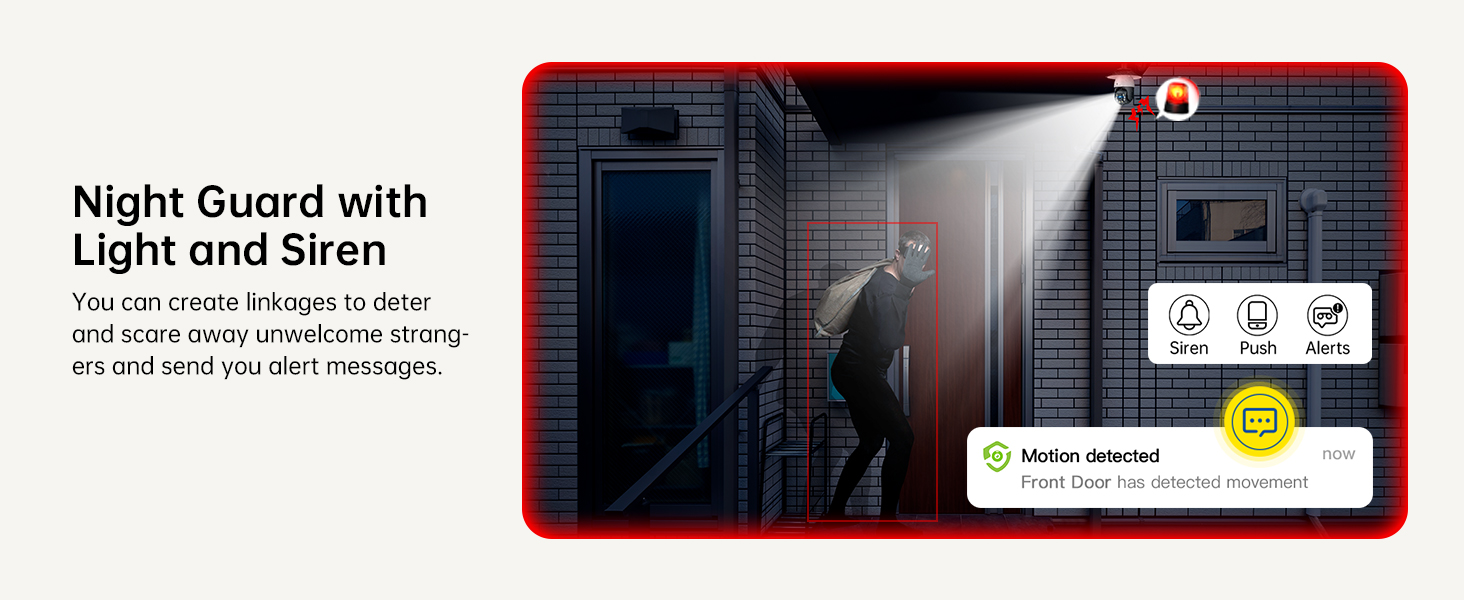
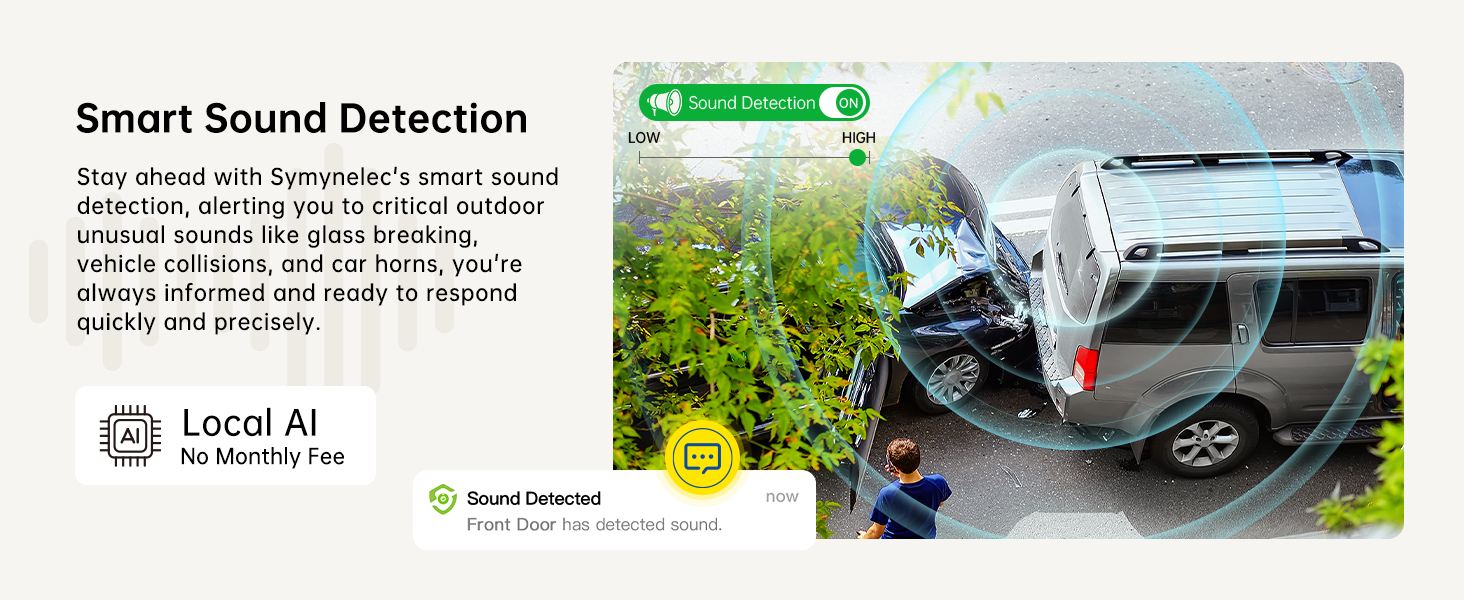
The camera is equipped with advanced AI human recognition, which accurately detects human movement and reduces false alerts from pets or swaying trees. When motion is detected, the camera can automatically track the subject within its 350° horizontal range. You will receive instant notifications on your smartphone.

AI-powered human motion detection and auto-tracking ensure you are alerted to relevant activity.
3. 4MP Color Night Vision
Experience crystal clear 2.5K 4MP Full HD video quality both day and night. The camera's quality infrared LEDs and sensor extend night vision reach up to 66ft (20 meters), providing clear, full-color images even in low-light conditions.

Enjoy superior image clarity with 4MP resolution and enhanced color night vision.
4. Two-Way Talk
Communicate directly with visitors or deter intruders using the built-in microphone and speaker. This feature allows for real-time two-way audio communication through the Symynelec App.

Engage in two-way conversations with anyone near your camera using the Symynelec App.
5. Recording and Storage
The camera supports 24/7 continuous recording. Footage can be stored locally on a Micro SD card (up to 128GB, not included) or via optional AWS Cloud Storage, which includes a 7-day free trial. This ensures you can view footage anytime without missing important details.

Choose between local SD card storage or cloud storage for continuous recording and event playback.
6. Smart Home Integration
The SYMYNELEC camera is compatible with Alexa and Google Assistant, allowing for hands-free control and integration into your smart home ecosystem. Simply use voice commands to view your camera feed on compatible smart displays.

Seamlessly integrate your camera with Alexa and Google Assistant for convenient voice control.
7. Multi-Device Access and Sharing
You can view up to 16 cameras simultaneously and allow up to 20 users to have live view access. Easily share camera access with family and friends, enabling multiple users to monitor your property from different devices.
Share camera access with multiple family members and view multiple cameras simultaneously.
Maintenance
To ensure optimal performance and longevity of your SYMYNELEC Light Bulb Security Camera, follow these maintenance guidelines:
- Cleaning: Periodically wipe the camera lens and body with a soft, damp cloth to remove dust and dirt. Avoid using harsh chemicals or abrasive materials that could scratch the lens or damage the casing.
- Firmware Updates: Regularly check the Symynelec App for available firmware updates. Updates often include performance improvements, new features, and security enhancements. Follow the in-app instructions for updating.
- Power Supply: Ensure the camera receives a stable power supply from the light bulb socket. Avoid connecting it to motion-activated sockets or light fixtures that may interrupt continuous power.
- Weather Protection: While the camera is IP65-rated weatherproof, extreme weather conditions can still impact performance. Ensure it is securely installed and consider additional shelter in areas prone to severe storms.
The camera's IP65 rating ensures reliable operation in various weather conditions.
Troubleshooting
If you encounter issues with your SYMYNELEC Light Bulb Security Camera, please refer to the following common solutions:
Camera Not Connecting to Wi-Fi:
- Check Wi-Fi Band: Ensure your router supports both 5GHz and 2.4GHz. While the camera supports both, some users have reported better stability with 2.4GHz, especially over longer distances or through walls. Try connecting to the 2.4GHz network if you experience issues with 5GHz.
- Router Proximity: Move the camera closer to your Wi-Fi router during setup, or consider using a Wi-Fi extender if the installation location is far from the router.
- Password Accuracy: Double-check that you are entering the correct Wi-Fi password.
- Reset Camera: If connection fails, reset the camera (refer to the app or quick start guide for reset instructions) and attempt the setup process again.
Poor Video Quality:
- Network Speed: Ensure your internet connection has sufficient upload and download speeds for streaming 2.5K video.
- Wi-Fi Signal Strength: A weak Wi-Fi signal can lead to degraded video quality. Improve signal strength by moving the camera closer to the router or using a Wi-Fi extender.
- Lens Cleanliness: Clean the camera lens regularly to remove any smudges or dirt that might obscure the view.
Motion Detection Issues:
- Sensitivity Settings: Adjust the motion detection sensitivity in the Symynelec App. High sensitivity may lead to false alerts.
- Detection Zones: Configure specific detection zones within the app to focus on critical areas and ignore irrelevant movements.
- Lighting: Ensure adequate lighting in the detection area, especially for optimal night vision performance.
For further assistance, please contact SYMYNELEC customer support. Our team is happy to provide step-by-step assistance and offers lifelong technical support.
Specifications
| Feature | Detail |
|---|---|
| Model Name | PTC-03-5G-2PCS |
| Item Model Number | P4-W-5G-2PCS |
| Connectivity Technology | E26/E27 Bulb Socket, Wireless (5GHz/2.4GHz Wi-Fi) |
| Video Capture Resolution | 2.5K (1440p) |
| Effective Video Resolution | 4 MP |
| Night Vision Range | 15 Meters (approx. 49 feet) |
| Viewing Angle | 360 Degrees (350° horizontal, 90° vertical PTZ) |
| Storage Support | Max 128 GB Flash Memory (Micro SD Card), AWS Cloud Storage (Optional) |
| Power Source | Light Bulb Socket E27 E26 (100V~240V) |
| Indoor/Outdoor Usage | Indoor, Outdoor (IP65 Waterproof) |
| Dimensions (L x W x H) | 4.33 x 4.33 x 8.07 inches |
| Item Weight | 14.4 ounces |
| Material | Acrylonitrile Butadiene Styrene (ABS) |
| Special Features | HD Resolution, Motion Sensor, Night Vision, PTZ Technology, Two-Way Talk, AI Human Detection, Alexa/Google Assistant Compatible |
Warranty & Support
SYMYNELEC is committed to providing high-quality products and excellent customer service.
- Technical Support: We offer lifelong technical support for your SYMYNELEC Light Bulb Security Camera. If you have any questions regarding connection, installation, functions, or any other aspect of your device, please do not hesitate to contact our professional live chat service.
- Contact Information: Please refer to the contact details provided in the packaging or on the official SYMYNELEC website for support.