
YZ 19x10inch
YZ LED Baseball/Softball Scoreboard Instruction Manual
Model: 19x10inch
1. Introduction
This manual provides detailed instructions for the setup, operation, and maintenance of your YZ LED Baseball/Softball Scoreboard. This high-brightness digital scoreboard is designed for outdoor use, displaying scores, innings, balls, strikes, and outs, and is controlled wirelessly via a remote.

Image: Front view of the YZ LED Baseball/Softball Scoreboard.
2. Product Features
- Versatile Display: Shows Score, Innings, Balls, Strikes, and Outs.
- High Brightness LED: Features 4-inch and 3-inch LED lights for clear visibility up to 100 feet, suitable for outdoor environments.
- Wireless Remote Control: Easy operation with a 100-foot control range.
- Multiple Installation Options: Can be placed on a table, wall-mounted, or used with a tripod (tripod not included).
- Rechargeable Battery Support: Designed for use with rechargeable batteries (not included) for extended operation.
- Adjustable Brightness: Offers 5 levels of brightness to suit various lighting conditions.
- Audible Feedback: Produces a beep sound when scores change, which can be disabled.

Image: The scoreboard demonstrating its 5 levels of brightness adjustment.
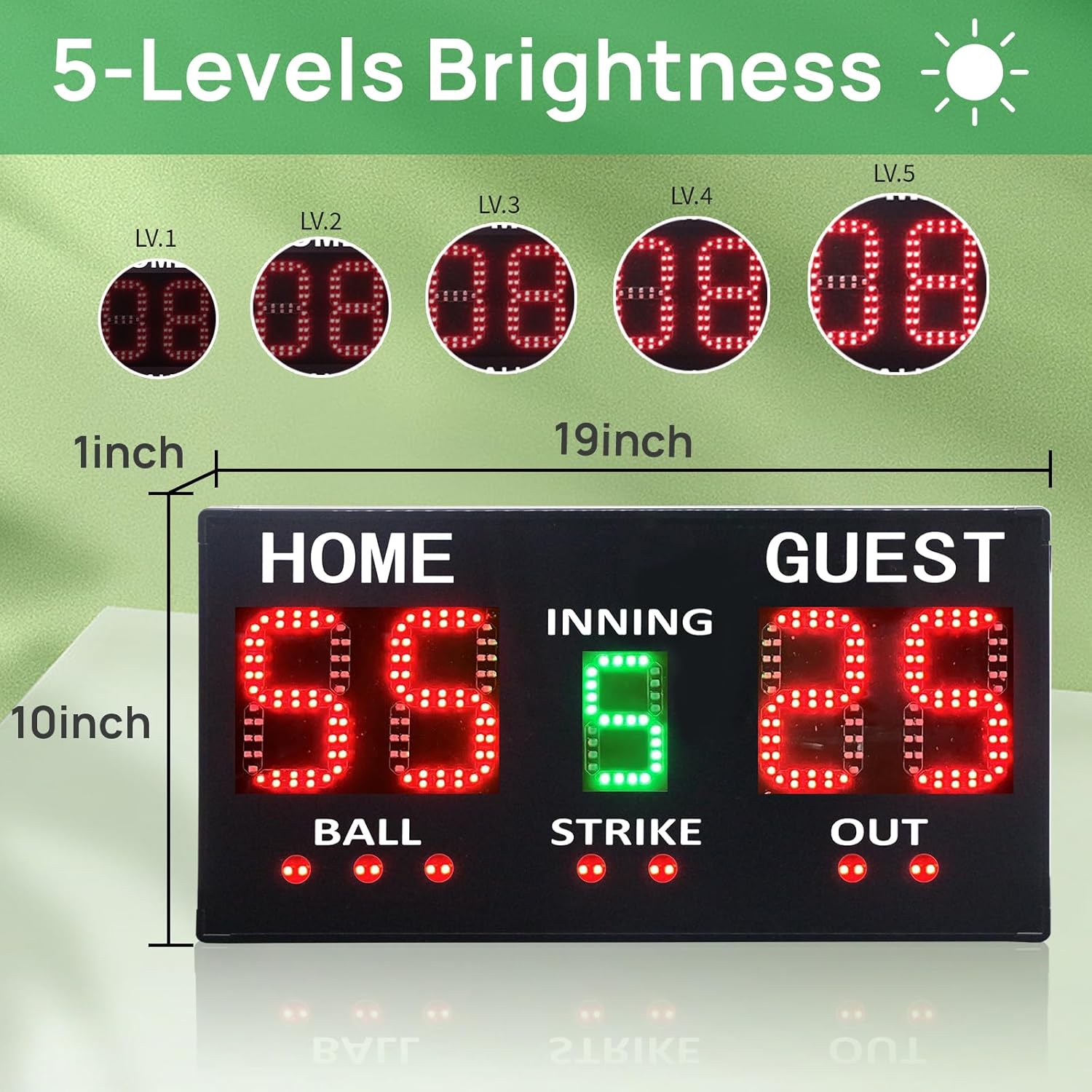
Image: The scoreboard's portability highlighted by its light weight, comparable to two basketballs.
3. What's in the Box
Your YZ LED Baseball/Softball Scoreboard package includes the following items:

Image: A visual representation of all items included in the product package.
- 1 x YZ LED Baseball/Softball Scoreboard
- 1 x Wireless Remote Control
- 1 x USB-C Cable
- 1 x Power Adapter (Charger)
- 1 x Table Stand
- 1 x Set of Mounting Accessories (screws and anchors)
- 1 x User Manual
Note: Rechargeable batteries for the scoreboard are not included and must be purchased separately.
Video: An unboxing video demonstrating the contents of the YZ LED Baseball Scoreboard package.
4. Setup and Installation
The scoreboard offers flexible installation options to suit your needs. Before installation, ensure the scoreboard is powered by connecting the USB-C cable to the power adapter and plugging it into an outlet, or by inserting charged rechargeable batteries (not included) into the battery compartment on the back.
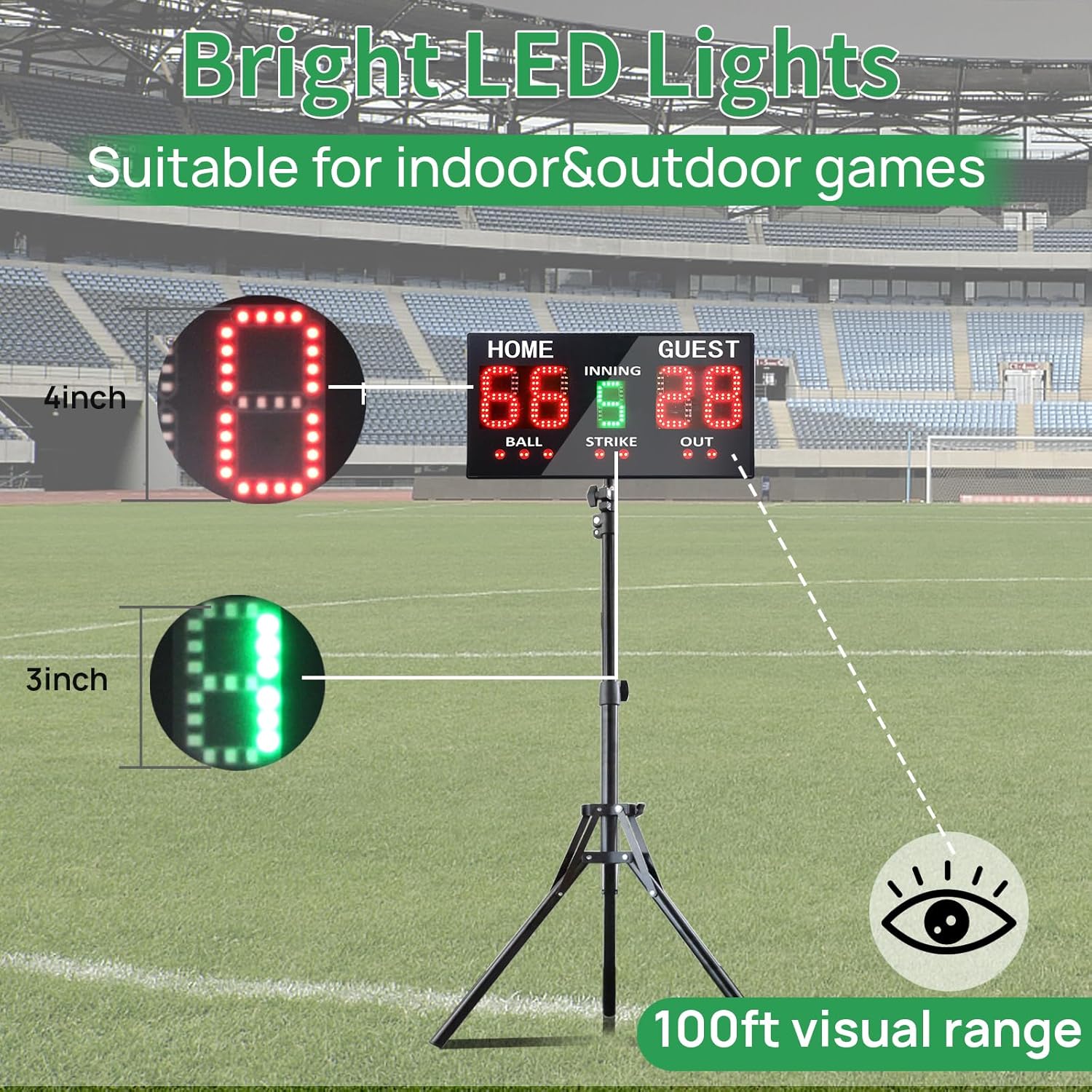
Image: Rear view of the scoreboard, highlighting the battery compartment and mounting holes.
- Tabletop Placement: Attach the provided table stand to the bottom of the scoreboard for stable placement on any flat surface.
- Wall Mounting: Use the included screws and anchors to securely mount the scoreboard to a wall. Ensure the mounting surface is strong enough to support the scoreboard's weight.
- Tripod Mounting: The scoreboard can be mounted on a standard tripod (not included). This option provides portability and adjustable height for optimal viewing.
- Fence/Net Hanging: Utilize the integrated hanging points on the back of the scoreboard to hang it securely on a fence or net using appropriate hooks (not included).

Image: Visual guide illustrating various installation methods for the scoreboard.
5. Operating Instructions
The scoreboard is operated using the included wireless remote control. Ensure the scoreboard is powered on and the remote has working batteries.
5.1 Remote Control Overview

Image: Diagram of the remote control with labels for each button's function.
5.2 Basic Operation
- Power On/Off: Press the red power button on the remote to turn the scoreboard on or off.
- Adjust Home/Guest Score: Use the HOME and GUEST arrow buttons (up/down) to increase or decrease scores by 1. For quicker adjustments, use the +2 or +3 buttons below the score reset buttons.
- Adjust Innings: Use the PERIOD arrow buttons (up/down) to change the inning number.
- Adjust Balls, Strikes, Outs: Use the dedicated BALL, STRIKE, and OUT buttons to increment these counts.
- Score Reset: Press the Score Reset button to clear all scores and counts to zero. Individual score resets for Home (H-Reset) and Guest (G-Reset) are also available.
- Score Exchange: Press the Exchange button to swap the Home and Guest scores.
- Brightness Adjustment: Use the Brightness button (often represented by a sun icon) to cycle through the 5 brightness levels.
- Sound On/Off: Press the Sound button (speaker icon) to enable or disable the beep sound when scores change.
Video: A demonstration of the scoreboard's digital functions and remote control operation, including score adjustments and game end conditions.
6. Maintenance
Proper maintenance ensures the longevity and optimal performance of your scoreboard.
- Cleaning: Use a soft, dry cloth to clean the scoreboard display and casing. Avoid abrasive cleaners or solvents that could damage the surface.
- Battery Care: If using rechargeable batteries, ensure they are charged regularly. Remove batteries if the scoreboard will not be used for an extended period to prevent leakage.
- Storage: Store the scoreboard in a dry, cool place away from direct sunlight and extreme temperatures when not in use.
7. Troubleshooting
If you encounter any issues with your scoreboard, please refer to the following troubleshooting guide:
| Problem | Possible Cause | Solution |
|---|---|---|
| Scoreboard does not turn on. | No power, dead batteries, or power cable not connected. | Ensure the power adapter is securely connected. If using batteries, check if they are correctly inserted and charged. Replace with fresh batteries if necessary. |
| Remote control not working. | Remote batteries are dead or incorrectly inserted, or remote is out of range. | Replace remote batteries. Ensure remote is pointed towards the scoreboard and within the 100ft operating range. Remove any obstructions between the remote and scoreboard. |
| Display is dim or hard to see. | Brightness setting is too low, or excessive ambient light. | Use the brightness adjustment button on the remote to increase the display brightness. |
| Scoreboard beeps constantly. | Beep sound feature is enabled. | Press the sound on/off button on the remote to disable the beep sound. |
8. Specifications
- Model: 19x10inch
- Dimensions (L x W x H): 19.5 x 11.5 x 3.1 inches (Item Package Dimensions)
- Weight: Approximately 2.7 lbs
- Material: ABS
- Display Type: LED (4-inch and 3-inch digits)
- Visual Range: Up to 100 feet
- Remote Control Range: Up to 100 feet
- Power Source: USB-C (charger included), supports rechargeable batteries (not included)
- Brightness Levels: 5
- Manufacturer: HANGZHOU YIZHI TECHNOLOGY CO.,LTD.
9. Warranty and Support
For warranty information or technical support, please refer to the contact details provided with your purchase documentation or visit the official YZ website. Keep your purchase receipt as proof of purchase for warranty claims.
Ask a question about this manual
Ask about setup, troubleshooting, compatibility, parts, safety, or missing instructions. Manuals+ will review the question and use this page’s manual context to help answer it.