1. Product Overview
The AOSU Solar Camera Security Outdoor is a 100% wire-free security solution designed for home surveillance. It features a fixed solar panel for continuous power, a 360-degree panoramic view with PTZ (Pan-Tilt-Zoom) capabilities, human auto tracking, and 2K color night vision. This camera is built for outdoor use, offering robust performance and easy installation.

Figure 1: AOSU Solar Camera Security Outdoor
2. Setup and Installation
2.1 Simple Installation
The camera is designed for simple, wire-free installation. No complex wiring is required. Once installed, the fixed solar panel ensures continuous power, eliminating the need for regular battery changes.
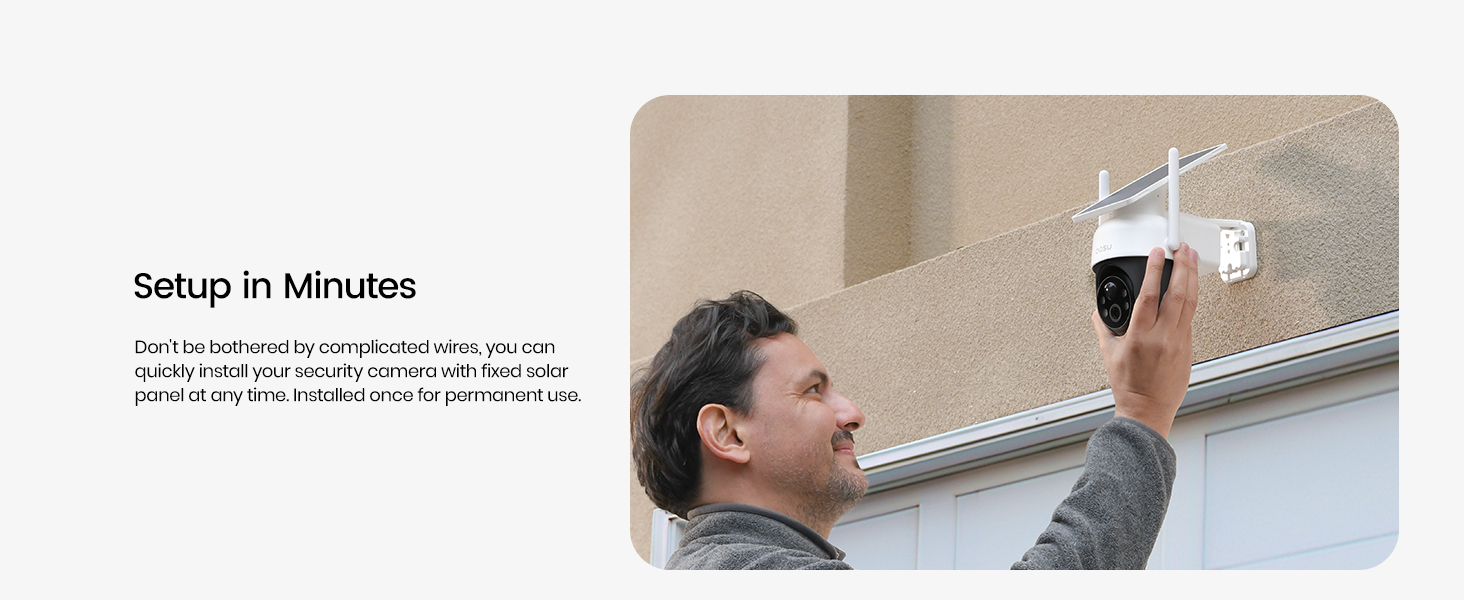
Figure 2: Simple Installation Process
2.2 App Connection and Fast Networking
To connect the camera, download the AOSU app. The app provides voice guidance to assist with the connection process. Ensure your mobile phone's Bluetooth is enabled for fast networking and direct matching with the camera.

Figure 3: Fast Networking via App
3. Operating Guide
3.1 360-Degree Panoramic View
The camera features a panoramic PTZ function, allowing you to remotely rotate the camera to cover a full 360-degree view. Tap on the desired area in the app's panorama view to quickly adjust the camera's perspective and ensure comprehensive coverage.

Figure 4: 360-Degree Panoramic View
3.2 2K Crisp Image Quality
The camera captures video in upgraded real 2K resolution, providing clear and detailed images both day and night. This high resolution ensures that important details are visible in your surveillance footage.

Figure 5: 2K Image Clarity
3.3 Automatic Human Tracking
When human motion is detected, the camera automatically focuses on and tracks the moving person. This feature ensures that the event is recorded in detail, providing enhanced surveillance capabilities.

Figure 6: Automatic Human Tracking
3.4 Color Night Vision
Equipped with built-in spotlights, the camera provides color night vision, allowing for clear and detailed footage even in low-light conditions. This enhances visibility and identification at night.

Figure 7: Color Night Vision Capability
3.5 Two-Way Audio
The integrated two-way audio feature allows you to communicate with visitors or deter unwanted individuals directly through the camera via the app. You can hear and speak through the camera's built-in speaker and microphone.

Figure 8: Two-Way Audio in Use
3.6 Smart Alerts and Notifications
The camera features an integrated alarm system with spotlights and sound alarms to deter intruders. You will receive instant message notifications on your phone with a quick preview image directly on your lock screen when motion is detected.
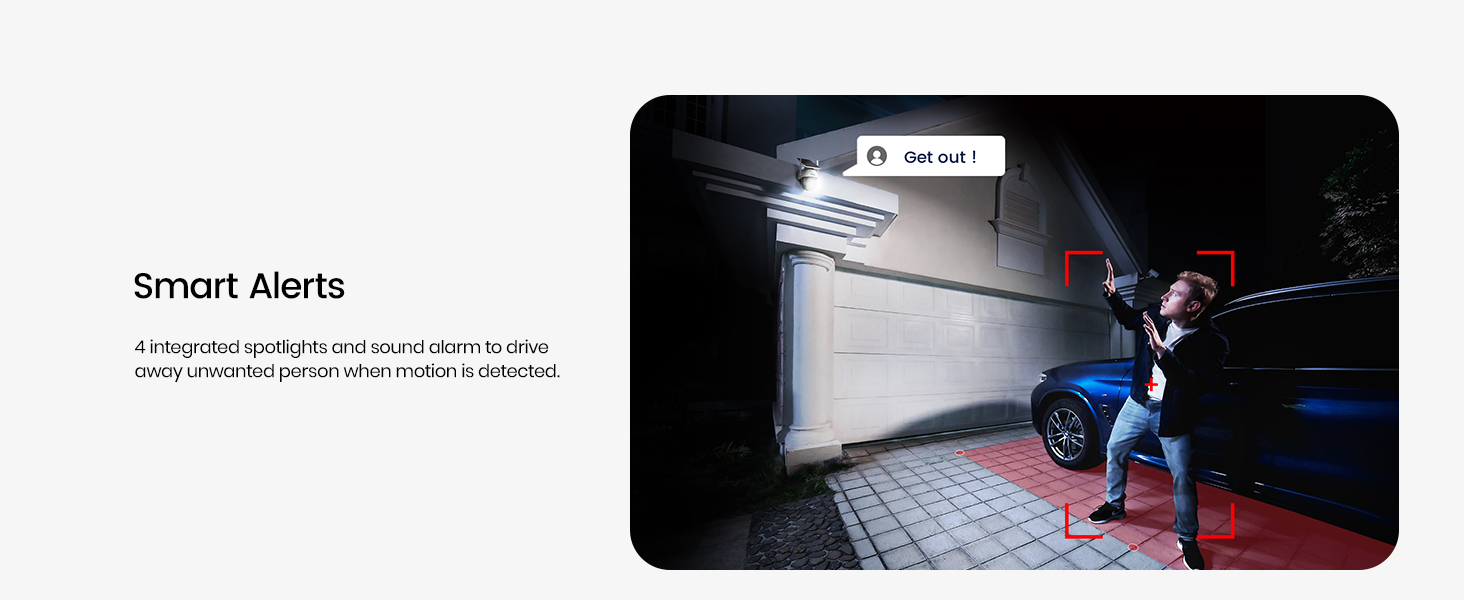
Figure 9: Smart Alerts in Action

Figure 10: Message Notification Example
3.7 Storage Options
The camera supports local recording via a Micro SD card (up to 128GB, not included). Additionally, a free 7-day cloud service is available for convenient storage and access to your recordings.

Micro SD Card Support

Free 7-Day Cloud Service
3.8 Voice Assistant Compatibility
The AOSU Solar Camera is compatible with popular voice assistants such as Amazon Alexa and Google Assistant, allowing for convenient voice control and integration into your smart home ecosystem.

Figure 11: Voice Assistant Integration
3.9 Playback and Record Management
Easily access and playback recorded events through the AOSU app. The intuitive interface allows you to quickly find and review important footage.

Figure 12: Quick Find Records
4. Power Management
4.1 Forever Power with Solar Panel
The camera is 100% wire-free and powered by a fixed solar panel. Daily direct sunlight is sufficient to continuously power the camera, eliminating the need for manual battery changes. This design promotes an environmentally friendly and energy-saving approach to surveillance.

Figure 13: Solar Power Efficiency
5. Maintenance
5.1 IP65 Weatherproof Rating
The camera boasts an IP65 weatherproof rating, ensuring its durability and reliable operation in various outdoor conditions, including rain and dust.

Figure 14: IP65 Weatherproof
5.2 General Care
To ensure optimal performance, periodically clean the solar panel and camera lens to remove any dust or debris that may obstruct sunlight or vision. Avoid using harsh chemicals for cleaning.
6. Troubleshooting
6.1 Connectivity Issues
- Ensure the camera is within range of a 2.4GHz Wi-Fi network. This camera does not support 5GHz Wi-Fi.
- Verify your Wi-Fi password is correct during setup.
- If connection fails, try resetting the camera by pressing the reset button (refer to the camera's physical layout for location).
6.2 Motion Detection Not Working
- Check the motion detection sensitivity settings in the AOSU app.
- Ensure there are no obstructions in the camera's field of view.
- Verify the camera's angle and position are suitable for detecting motion in the desired area.
6.3 Power Issues / Battery Not Charging
- Ensure the solar panel is receiving adequate direct sunlight daily (at least 2 hours recommended for all-day power).
- Clean the solar panel surface to remove any dirt or debris that might hinder charging efficiency.
- Check the battery level indicator in the AOSU app.
7. Specifications
| Feature | Detail |
|---|---|
| Model Number | C9C2CA11 |
| Video Capture Resolution | 2K |
| Field of View | 360 Degrees (Panoramic PTZ) |
| Power Source | Solar Powered |
| Connectivity Technology | Wireless (2.4GHz Wi-Fi) |
| Storage | Micro SD (up to 128GB), Cloud Service |
| Night Vision Range | 10 Meters |
| Water Resistance Level | IP65 Weatherproof |
| Special Features | Local Recording, 2-Way Audio, Night Vision, Motion Sensor, Human Auto Tracking, Smart Alerts |
| Compatible Devices | Smartphone, Amazon Alexa, Google Assistant |
| Dimensions (L x W x H) | 8.66 x 6.3 x 5.31 inches |
| Item Weight | 1.76 pounds |
8. Official Product Video
Video: AOSU Solar Camera Outdoor Wireless - This video provides an overview of the camera's features and capabilities.
9. Warranty and Support
AOSU is dedicated to providing high-quality outdoor solar cameras with the latest technology. We offer lifetime technical support with local phone service and a 1-year replacement warranty.
For further assistance or inquiries, please refer to the contact information provided with your product packaging or visit the official AOSU website.

Figure 15: Remote Monitoring and Support

Figure 16: Customer Interaction via Camera


