Bose SoundLink Flex SE Bluetooth Speaker User Manual
Model: 865983-0110
Introduction
The Bose SoundLink Flex SE Bluetooth Speaker is designed to deliver clear, deep sound with powerful bass. Its rugged, portable design is waterproof and dustproof (IP67 rated), making it suitable for various environments. Enjoy up to 12 hours of battery life per charge and seamless Bluetooth connectivity.
Getting Started
Package Contents
Upon unboxing your Bose SoundLink Flex SE, ensure all components are present:
- Bose SoundLink Flex SE Bluetooth Speaker
- USB-C to USB-A Charging Cable
- Quick Start Guide and Safety Information

Image: The Bose SoundLink Flex SE Bluetooth Speaker, still wrapped in protective plastic, resting inside its white product box. The box also contains a small instruction booklet and a charging cable.
Charging the Speaker
Before initial use, fully charge your speaker. The speaker uses a USB Type-C charging port.
- Connect the smaller end of the USB-C charging cable to the USB-C port on the speaker.
- Connect the larger end of the USB-A charging cable to a USB wall charger (not provided) or a computer.
- The battery indicator light will show charging status. A full charge typically takes approximately 4 hours.

Image: A detailed view of the Bose SoundLink Flex SE, highlighting the USB-C charging port located on the side of the speaker, ready for connection.
Connecting via Bose Connect App
For optimal setup and control, download the Bose Connect app on your mobile device. The app allows you to set up your speaker, manage Bluetooth devices, and receive updates.
- Download the Bose Connect app from the App Store (iOS) or Google Play Store (Android).
- Turn on your speaker by pressing the Power button.
- Open the Bose Connect app and follow the on-screen instructions to connect your speaker.
- The Bluetooth indicator light will blink blue when ready to connect, solid white when connecting, and solid blue when connected.
Operating the Speaker
Basic Controls
The speaker features intuitive button controls on its top surface:
- Power Button: Press to turn on/off.
- Volume Up (+): Increase volume.
- Volume Down (-): Decrease volume.
- Multi-function Button (center):
- Press once to play/pause audio.
- Press twice to skip to the next track.
- Press three times to skip to the previous track.
- Press once to answer/end a call.
- Press and hold to access your device's voice assistant.
- Bluetooth Button: Press to enter Bluetooth pairing mode.

Image: A top-down view of the Bose SoundLink Flex SE, clearly displaying the power, volume, multi-function, and Bluetooth buttons on its surface.
Party Mode
Enhance your listening experience by connecting two Bose Bluetooth speakers for Party Mode. This allows for synchronized audio playback across multiple speakers.
- Ensure both speakers are powered on and within range.
- Use the Bose Connect app to initiate Party Mode and follow the instructions to connect a second compatible Bose speaker.
Waterproof and Dustproof Features
The SoundLink Flex SE is rated IP67, meaning it is fully waterproof and dustproof. It can withstand submersion in water up to 1 meter for 30 minutes and is protected against dust ingress. Its rugged construction ensures durability in various outdoor conditions.

Image: The Bose SoundLink Flex SE speaker resting on a paddleboard, illustrating its waterproof and rugged design suitable for outdoor and water-related activities.
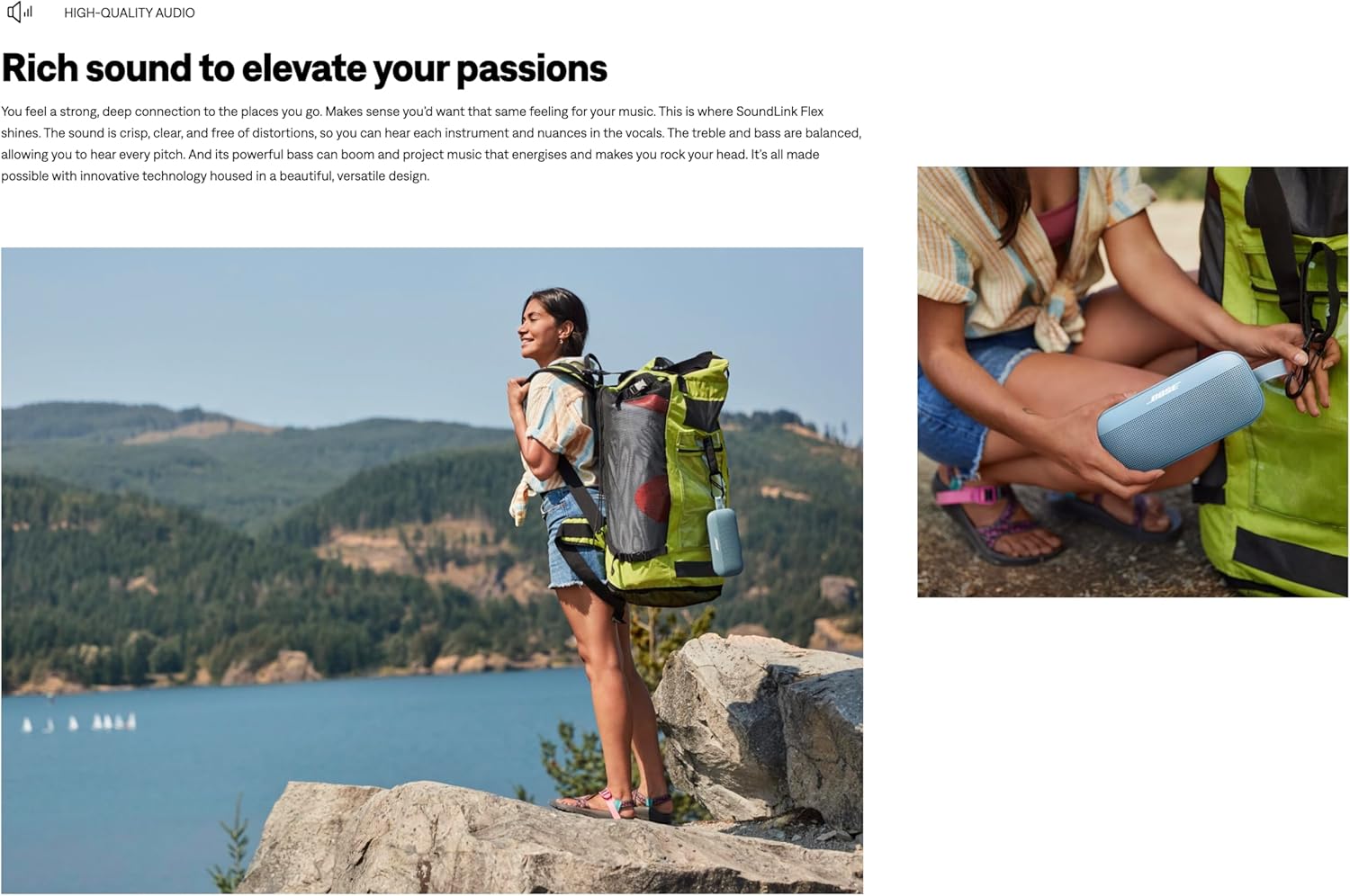
Image: The Bose SoundLink Flex SE speaker clipped to a backpack, showcasing its portable design and readiness for adventures.

Image: The Bose SoundLink Flex SE speaker placed in a workshop setting, demonstrating its robust build quality designed to withstand challenging environments.
Maintenance
To ensure the longevity and optimal performance of your Bose SoundLink Flex SE speaker, follow these maintenance guidelines:
- Cleaning: Use a soft, damp cloth to clean the speaker's exterior. Avoid using harsh chemicals or abrasive cleaners.
- Drying: After exposure to water, ensure the speaker is completely dry before charging or using it again.
- Storage: Store the speaker in a cool, dry place away from extreme temperatures and direct sunlight.
- Charging: Use only the provided USB-C cable or a certified equivalent for charging.
Troubleshooting
If you encounter issues with your Bose SoundLink Flex SE, try the following steps:
- No Power: Ensure the speaker is charged. Connect it to a power source and allow it to charge for at least 30 minutes before attempting to power it on.
- Bluetooth Connection Issues:
- Make sure the speaker is in pairing mode (Bluetooth indicator blinking blue).
- Ensure Bluetooth is enabled on your device.
- Forget the speaker from your device's Bluetooth settings and try pairing again.
- Move the speaker closer to your device and away from potential interference sources.
- No Sound:
- Check the volume levels on both the speaker and your connected device.
- Ensure the speaker is properly connected via Bluetooth.
- Poor Sound Quality:
- Move the speaker closer to your device.
- Ensure there are no obstructions between the speaker and your device.
- Try playing audio from a different source or device.
Specifications
| Feature | Detail |
|---|
| Brand | Bose |
| Model Number | 865983-0110 |
| Connectivity Technology | Bluetooth |
| Bluetooth Range | 30 Feet |
| Maximum Range | 200 Feet |
| Battery Average Life | 12 Hours |
| Battery Charge Time | 4 Hours |
| Water Resistance Level | Waterproof (IP67) |
| Item Weight | 780 Grams |
| Item Dimensions (D x W x H) | 12"D x 15"W x 9"H |
| Enclosure Material | Aluminum, Fabric, Nylon, Plastic, Silicone, Steel |
| Speaker Type | Outdoor |
| Audio Output Mode | Stereo |
| Speaker Maximum Output Power | 5 Watts |
| Frequency Response | 20000 Hz |
| Compatible Devices | Smartphone, Tablet, Laptop, Desktop, Television, Projector |
| Control Method | Touch, Button |
| Specific Uses For Product | Indoor, Outdoor, Everyday Use, Parties |
Warranty and Support
The Bose SoundLink Flex SE Bluetooth Speaker comes with a 2 Year Manufacturer Warranty. For product support, additional information, or to register your product, please visit the official Bose website or contact Bose customer service.
You can find more information and support resources at worldwide.bose.com/support/flex.


