
Introduction
Thank you for choosing the MAEZOE Biometric Pistol Safe, Model M1. This safe is designed to provide secure storage for your handgun while allowing quick access via fingerprint, PIN code, or backup key. Please read this manual thoroughly before operating the safe to ensure proper setup, function, and safety.
Important Safety Information:
- Always keep the safe locked and secured when not in use.
- Store backup keys in a secure location away from the safe and out of reach of children.
- Do not store loaded firearms in this unit. Ensure firearms are unloaded before placing them in the safe.
- Keep fingerprints and PIN codes confidential.
- This safe is not fireproof or waterproof.
Package Contents
Verify that all items listed below are included in your package:
- MAEZOE Biometric Pistol Safe (Model M1)
- Mounting Bracket
- Backup Keys (2)
- Mounting Hardware (screws, anchors)
- User Manual
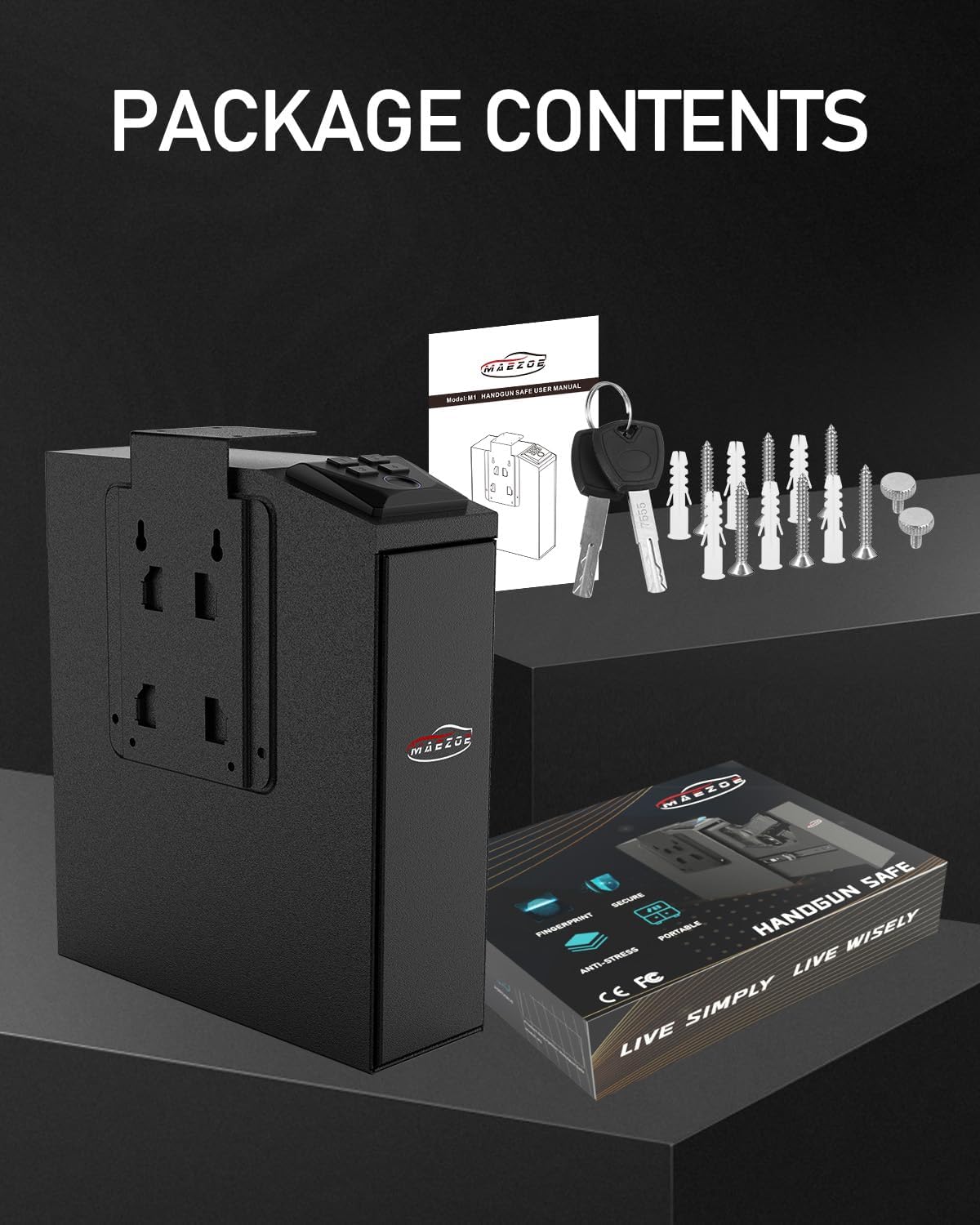
Image: Contents of the MAEZOE Biometric Pistol Safe package, including the safe, keys, mounting hardware, and user manual.
Setup
1. Battery Installation
The safe requires 4 AA batteries (not included) for operation. The battery compartment is located externally for easy access.
- Locate the external battery compartment.
- Open the compartment cover.
- Insert 4 AA batteries, ensuring correct polarity (+/-).
- Close the compartment cover securely.

Image: Overview of safe components, highlighting the battery compartment.
2. Mounting the Safe
The safe can be mounted in various positions (left side, top side, right side) using the provided bracket and hardware. Choose a secure location such as under a desk, nightstand, or on a wall stud.
- Determine the desired mounting location and orientation.
- Attach the mounting bracket to the chosen surface using the appropriate screws and anchors. Ensure it is firmly secured.
- Slide the safe onto the mounted bracket.
- Secure the safe to the bracket from within using the provided thumbscrew.

Image: Various mounting configurations for the safe.

Image: Examples of the safe mounted under a nightstand and a desk.
Operating Instructions
1. Initial Access and Programming
Upon first use, open the safe using one of the backup keys. The keyhole is typically discreetly located. Once open, you can begin programming your access methods.
2. Setting a PIN Code
- With the safe door open, locate the programming button (often inside the battery compartment or on the inner door panel).
- Press the programming button. The indicator light will illuminate.
- Enter your desired 4-digit PIN code on the keypad.
- Press the '#' or 'confirm' button.
- Re-enter the 4-digit PIN code.
- Press the '#' or 'confirm' button again. A confirmation sound or light will indicate successful programming.
3. Registering Fingerprints
The safe can store up to 30 unique fingerprints.
- With the safe door open, press the programming button.
- Place your finger on the fingerprint scanner. The indicator light will flash.
- Lift and place your finger on the scanner multiple times (typically 4-5 times) from different angles until a confirmation sound or light indicates successful registration.
- Repeat for additional fingerprints if desired.
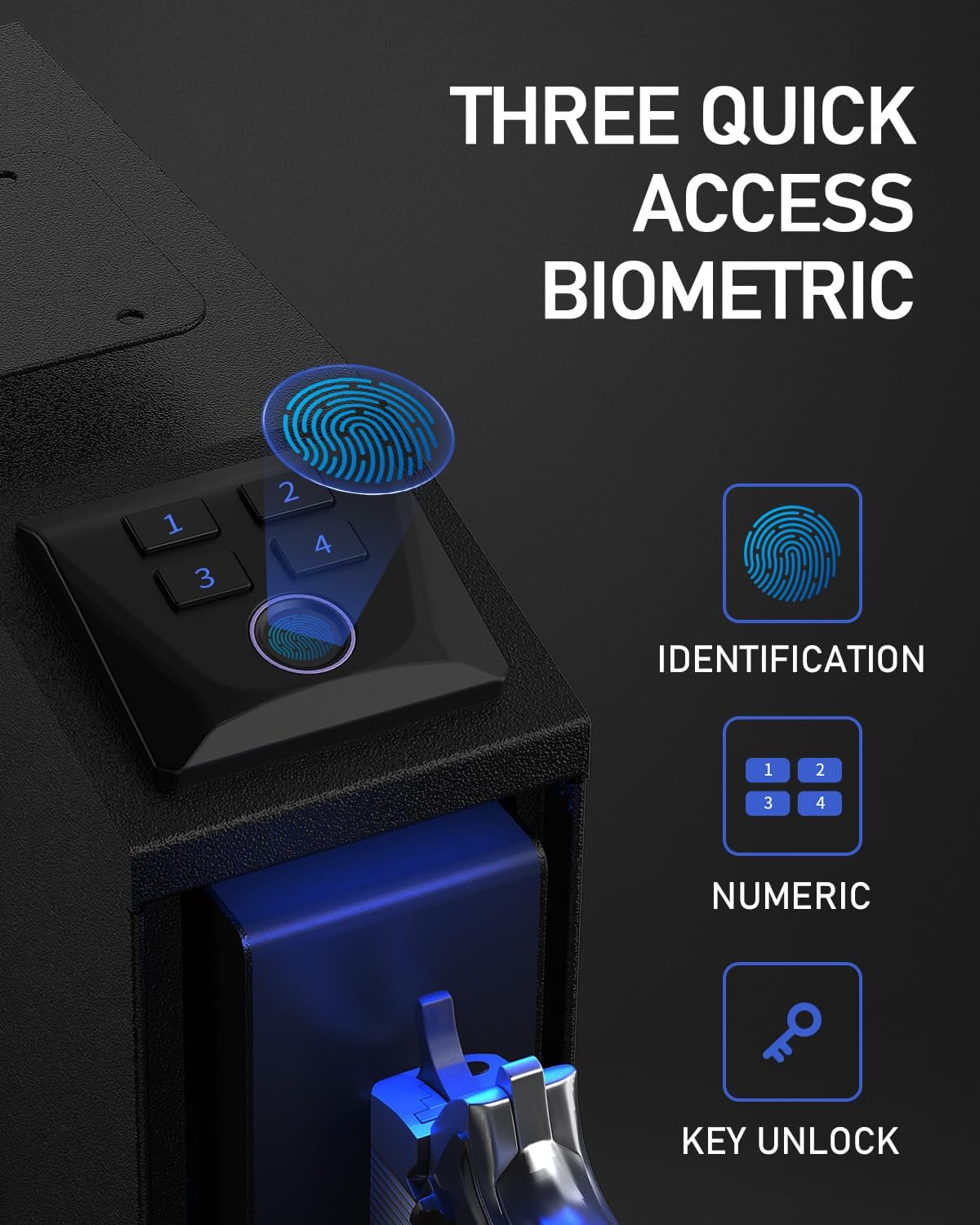
Image: Three quick access methods: fingerprint, PIN, and key.
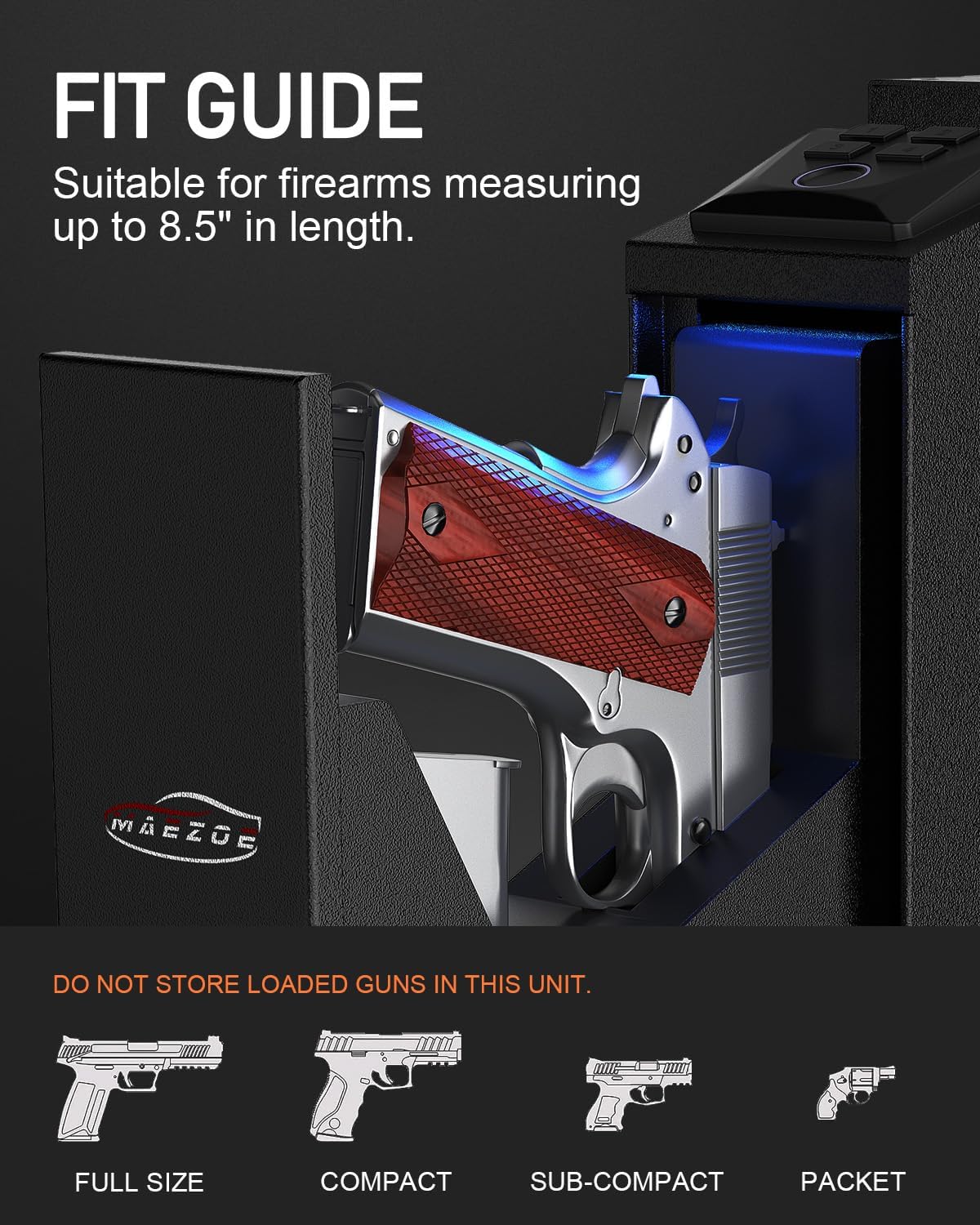
Image: Features of the high-resolution fingerprint scanner.
4. Opening the Safe
The safe offers three ways to open:
- Fingerprint: Place a registered finger on the scanner. The safe will open automatically if the fingerprint is recognized.
- PIN Code: Enter your 4-digit PIN code on the keypad, then press '#'. The safe will open automatically.
- Backup Key: Insert the backup key into the keyhole and turn it to unlock the safe.
Video: Demonstration of quick access using the MAEZOE Biometric Pistol Safe.
Video: Quick response and easy mounting of the MAEZOE Biometric Pistol Safe.
5. Silent Mode
To enable or disable silent mode, long press 'key 4' for 4 seconds while the safe is in standby mode. This will mute or unmute the operational sounds.
6. Storing Your Firearm
The safe is designed to fit handguns up to 8.5 inches in length and includes space for a spare magazine. The interior is lined with EVA sponge to prevent scratches.
- Ensure the firearm is unloaded before placing it in the safe.
- Place the handgun securely in the designated rack.
- A spare magazine can be stored in the additional slot.
- Close the safe door firmly until it locks.

Image: Fit guide for firearms up to 8.5 inches, with a safety warning.
Maintenance
- Cleaning: Wipe the exterior of the safe with a soft, dry cloth. Avoid abrasive cleaners or solvents.
- Battery Replacement: Replace batteries when the low battery alarm activates. Use high-quality AA alkaline batteries.
- Keypad and Scanner: Keep the keypad and fingerprint scanner clean and free of debris to ensure optimal performance.
Troubleshooting
| Problem | Possible Cause | Solution |
|---|---|---|
| Safe does not open with fingerprint. | Unregistered fingerprint, dirty scanner, incorrect finger placement. | Ensure finger is registered. Clean the scanner. Try different angles or re-register fingerprint. |
| Safe does not open with PIN code. | Incorrect PIN entered, low battery. | Verify PIN code. Replace batteries. |
| No power/safe unresponsive. | Dead or incorrectly installed batteries. | Replace all 4 AA batteries, ensuring correct polarity. |
| Alarm sounds after multiple failed attempts. | Security alert activated (3 wrong PINs or 5 wrong fingerprints). | Wait 30 seconds for the system to reset. Use a correct access method. |
| Safe makes noise in silent mode. | Silent mode not properly activated. | Long press 'key 4' for 4 seconds in standby mode to toggle silent mode. Note that the sliding mechanism itself may produce some mechanical sound. |
Specifications
- Model: M1
- Brand: MAEZOE
- Lock Type: Biometric Fingerprint, PIN Code, Key
- Material: Carbon Steel (2mm thick)
- Color: Black
- Fingerprint Capacity: Up to 30
- Response Time: < 0.5 seconds (fingerprint)
- Power: 4 x AA Batteries (external compartment)
- Internal Lighting: Blue LED
- Max Firearm Length: 8.5 inches
- Special Features: Alarm System, Anti-Theft, Silent Mode, Low Battery Alarm
- Mounting Type: Side-mount (under desk, nightstand, wall)
- Water Resistance: Not Water Resistant

Image: Dimensions and key features of the safe.
Warranty and Support
MAEZOE offers a 30-day hassle-free return guarantee and a one-year warranty for this product. For any questions, concerns, or technical support, please contact MAEZOE customer service. Refer to the contact information provided with your purchase or on the official MAEZOE website.