
1. Introduction
Thank you for choosing the August MB330 Portable DAB+/DAB/FM Radio with Bluetooth Speaker. This manual provides essential information for setting up, operating, and maintaining your device. Please read it carefully to ensure proper use and to maximize the product's performance.
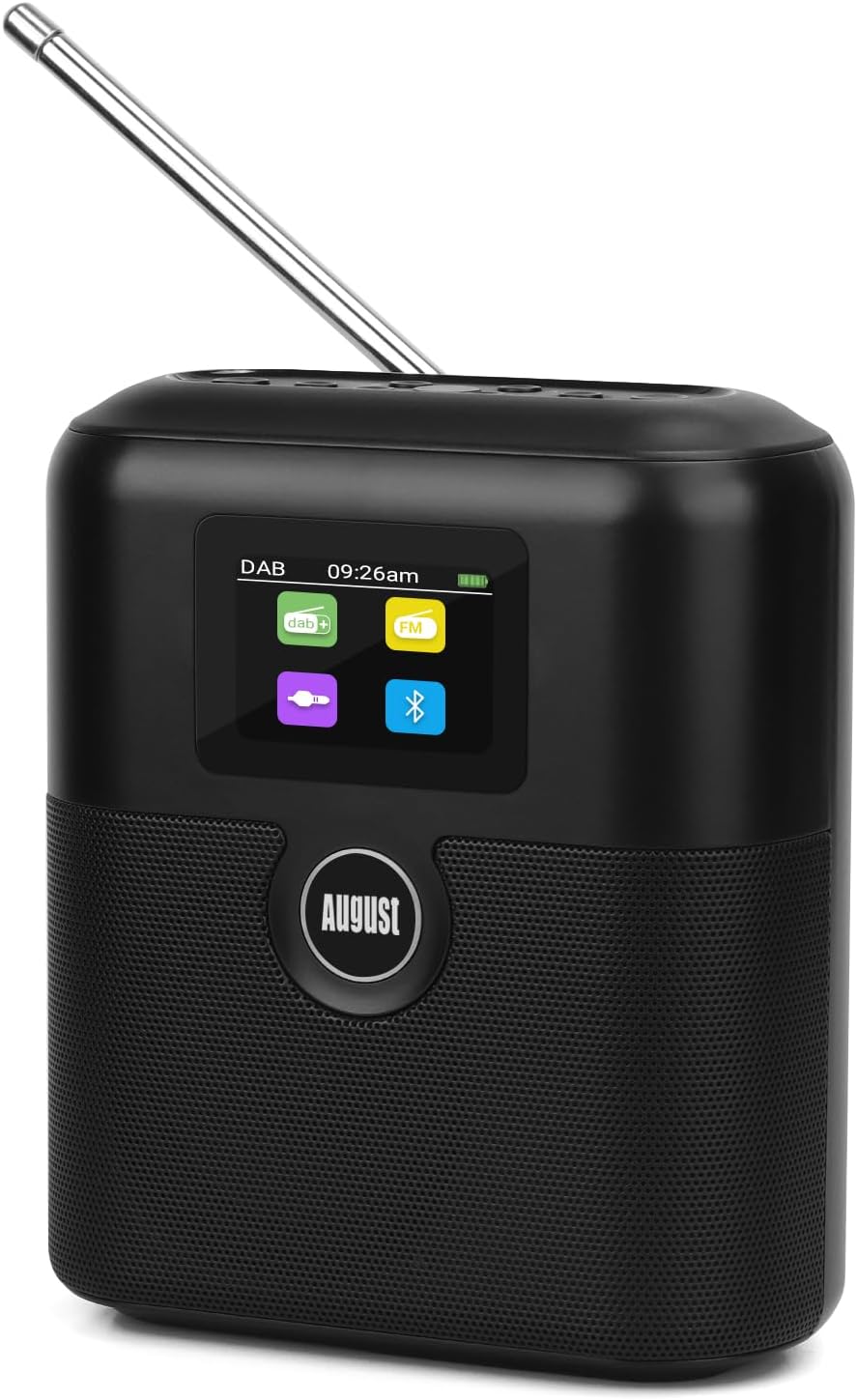
Figure 1: Front view of the August MB330 Portable Radio, highlighting its compact design and digital display.
2. Safety Information
- Do not expose the device to rain, moisture, or extreme temperatures.
- Avoid dropping or subjecting the device to strong impacts.
- Do not attempt to disassemble or repair the unit yourself. Refer all servicing to qualified personnel.
- Keep the device away from heat sources and direct sunlight.
- Ensure proper ventilation when operating the device.
- Dispose of batteries responsibly according to local regulations.
3. Package Contents
Please check that all items listed below are present in your package:
- August MB330 Portable Radio Unit
- USB-C Charging Cable
- 3.5mm AUX Audio Cable
- User Manual (this document)
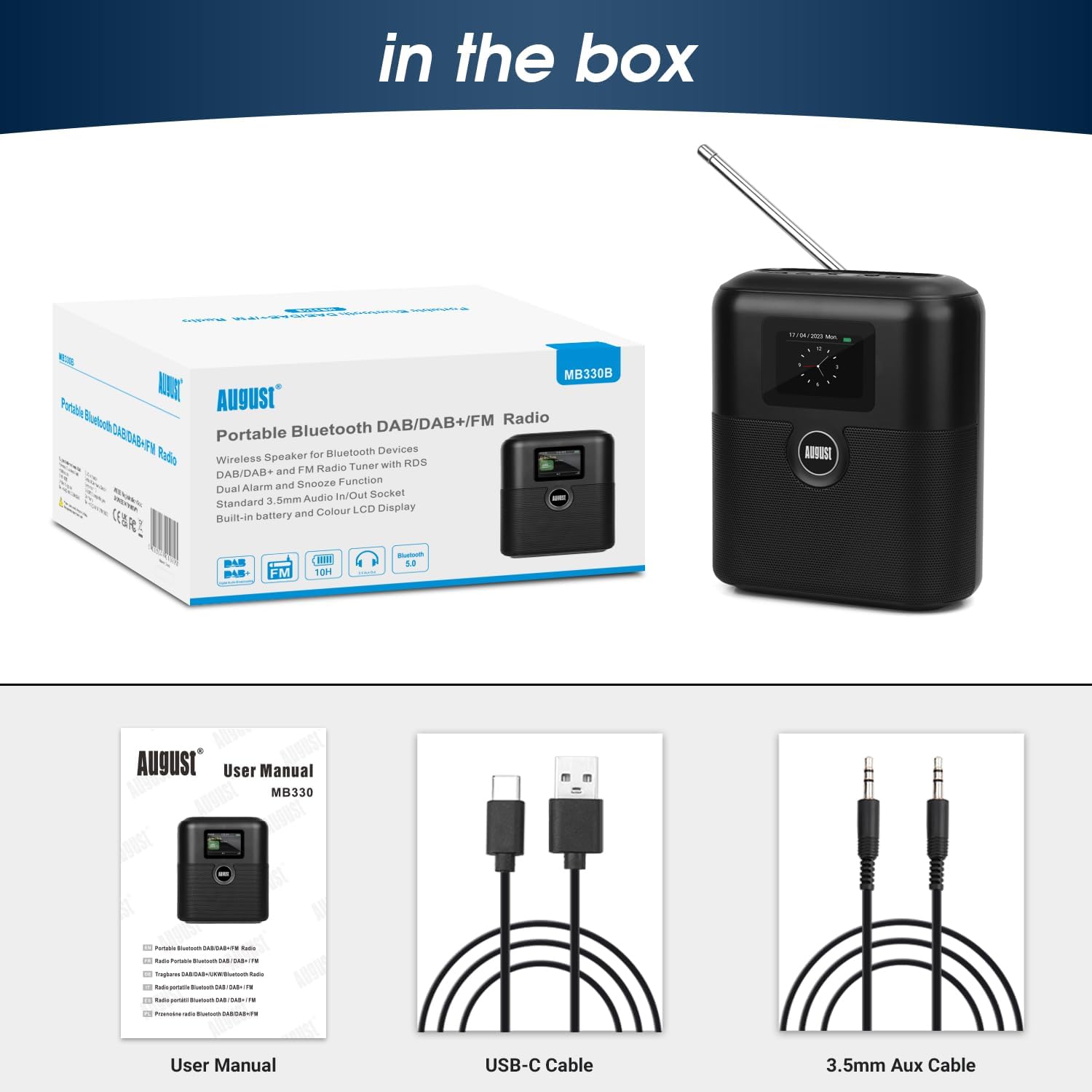
Figure 2: Included accessories with the August MB330 Portable Radio.
4. Controls and Display
The August MB330 features an intuitive control panel and a clear LCD display for easy navigation and information viewing.
4.1 Top Panel Controls

Figure 3: Top panel controls for the August MB330.
- Power/OK Button: Press and hold to power on/off. Press to confirm selections.
- Volume +/- Buttons: Adjust the audio volume.
- Scan Button: Initiates a scan for radio stations.
- i-Menu Button: Accesses the menu options.
- Mode Button: Switches between DAB, FM, Bluetooth, and AUX modes.
- Navigation Buttons (Up/Down/Left/Right): Navigate through menus and station lists.
- Star Button: Used for setting presets.
4.2 LCD Display
The color LCD display shows various information depending on the current mode, including station name, song title, signal strength, battery level, time, date, and menu options.

Figure 4: LCD display showing menu options for backlight settings.
5. Setup
5.1 Charging the Device
Before first use, fully charge the MB330. Connect the supplied USB-C cable to the USB-C port on the back of the radio and the other end to a USB power adapter (not supplied) or a computer's USB port. The battery indicator on the LCD will show charging status.

Figure 5: The August MB330 features a 2600mAh battery for portable use.
5.2 Initial Power On and Antenna Positioning
- Press and hold the Power button to turn on the radio.
- Extend the telescopic antenna fully for optimal signal reception for DAB/DAB+ and FM radio.
- The device may prompt you to set the time and date upon first use. Follow the on-screen instructions using the navigation buttons.
6. Operating Instructions
6.1 DAB/DAB+ Radio Mode
- Press the Mode button until 'DAB' is displayed.
- Press the Scan button to perform a full scan for available DAB/DAB+ stations. The radio will automatically store all found stations.
- Use the Up/Down navigation buttons to browse through the list of stations. Press OK to select a station.
- To save a preset: While listening to a station, press and hold the Star button. Use navigation buttons to select a preset number (1-30) and press OK to confirm.

Figure 6: The MB330 supports DAB+, DAB, and FM radio reception.
6.2 FM Radio Mode
- Press the Mode button until 'FM' is displayed.
- Press the Scan button to automatically scan and store FM stations.
- Alternatively, use the Left/Right navigation buttons for manual tuning.
- Use the Up/Down navigation buttons to select a stored station.
- To save a preset: While listening to a station, press and hold the Star button. Use navigation buttons to select a preset number (1-30) and press OK to confirm.
6.3 Bluetooth Speaker Mode
- Press the Mode button until 'Bluetooth' is displayed. The radio will enter pairing mode automatically.
- On your mobile device (smartphone, tablet, computer), enable Bluetooth and search for 'MB330'.
- Select 'MB330' to pair. Once connected, you will hear a confirmation tone.
- You can now play audio from your device through the MB330 speaker.

Figure 7: The MB330 functions as a Bluetooth 5.0 speaker for wireless audio streaming.
6.4 AUX Input Mode
- Connect one end of the supplied 3.5mm AUX cable to the 'AUX in' port on the back of the MB330.
- Connect the other end to the headphone jack or audio output of your external audio device.
- Press the Mode button until 'AUX' is displayed.
- Play audio from your external device.

Figure 8: AUX In and Out connections for wired audio playback or headphone use.
6.5 Alarm Clock Function
The MB330 features a dual alarm clock. You can set two independent alarms.
- Press the i-Menu button to access the main menu.
- Navigate to 'Alarm' and press OK.
- Select 'Alarm 1' or 'Alarm 2' and press OK.
- Set the alarm time, source (DAB/FM/Buzzer), frequency (Once, Daily, Weekdays, Weekends), and volume using the navigation buttons and OK.
- To activate the snooze function when an alarm sounds, press any button other than the Power button.

Figure 9: Setting dual alarms on the August MB330.
6.6 Sleep Timer
The sleep timer allows the radio to automatically turn off after a set period.
- Press the i-Menu button.
- Navigate to 'Sleep Timer' and press OK.
- Select the desired duration (e.g., 15, 30, 60, 90, 120 minutes) and press OK.

Figure 10: The sleep timer function and product dimensions.
6.7 Equalizer (EQ) Settings
The MB330 includes an equalizer to customize the audio output.
- Press the i-Menu button.
- Navigate to 'Equalizer' or 'EQ' and press OK.
- Select from preset options such as Normal, Classic, Pop, Jazz, Rock, Flat, Movie, or News.

Figure 11: Rear connections and available Equalizer presets.
7. Maintenance
- Cleaning: Use a soft, dry cloth to clean the surface of the radio. Do not use abrasive cleaners or solvents.
- Battery Care: To prolong battery life, avoid fully discharging the battery frequently. Recharge the device regularly, even if not in use for extended periods.
- Storage: Store the radio in a cool, dry place when not in use.
8. Troubleshooting
| Problem | Possible Cause | Solution |
|---|---|---|
| No power/Device won't turn on | Low battery; Power button not pressed correctly | Charge the device fully. Press and hold the Power button for a few seconds. |
| Poor radio reception (DAB/FM) | Antenna not extended; Weak signal area; Interference | Fully extend the telescopic antenna. Reposition the radio. Perform a new station scan. |
| Bluetooth pairing fails | MB330 not in pairing mode; Device already connected; Bluetooth disabled on source device | Ensure MB330 is in Bluetooth mode and 'pairing' is displayed. Disconnect from other devices. Enable Bluetooth on your source device. |
| No sound in AUX mode | Incorrect mode; Cable not connected properly; Volume too low | Switch to AUX mode. Check cable connections. Increase volume on both MB330 and source device. |
9. Specifications
- Model: August MB330
- Radio Bands: DAB+, DAB, FM
- Bluetooth Version: 5.0
- Connectivity: Bluetooth, 3.5mm AUX In/Out
- Display: Color LCD
- Power Source: Rechargeable Lithium-polymer battery (2600mAh)
- Battery Life: Up to 7 hours (at 60% volume)
- Charging Port: USB-C (DC 5V)
- Speaker Output: 6W
- Dimensions: 13L x 7.5W x 15.2H cm
- Special Features: Dual Alarm Clock, Snooze, Sleep Timer, RDS, 60 Presets (30 DAB, 30 FM), Custom EQ
10. Warranty and Support
The August MB330 Portable Radio comes with a 2-year manufacturer's warranty from the date of purchase. This warranty covers defects in materials and workmanship under normal use.
For technical support, warranty claims, or further assistance, please refer to the contact information provided on the August website or your purchase documentation. Do not attempt to repair the device yourself, as this may void the warranty.


