Introduction
This manual provides instructions for the proper installation and use of your Generic IPRO Y300 Phone Case and Tempered Glass Screen Protector. Please read these instructions carefully before use to ensure optimal protection and functionality for your device.
What's in the Box
- 1 x Phone Case (Hard PC + Soft Silicone with Ring Support)
- 1 x Tempered Glass Screen Protector
Note: The adhesive metal finger ring support is pre-attached to the case.
Setup and Installation
1. Installing the Tempered Glass Screen Protector
- Clean the Screen: Use a microfiber cloth to thoroughly clean your IPRO Y300 phone screen. Ensure there are no dust particles, smudges, or fingerprints.
- Align the Protector: Carefully align the tempered glass screen protector with your phone's screen. Pay attention to the cutouts for the camera and sensors.
- Apply: Once aligned, gently place the protector onto the screen. It will adhere automatically.
- Remove Bubbles: If any bubbles appear, gently push them towards the edges of the screen using a soft cloth or your finger.

Image: Tempered Glass Screen Protector features. This protector offers 9H hardness, shatterproof design, 99.9% transparency, perfect adhesion, case compatibility, and anti-fingerprint properties.

Image: Scratch-proof demonstration. The screen protector is designed to effectively resist scratches and abrasion from sharp objects.
2. Installing the Phone Case
- Insert Phone: Gently insert your IPRO Y300 phone into the soft silicone frame of the case.
- Secure Fit: Ensure all edges of the phone are securely seated within the case. The case is designed with four-corner shock airbags for enhanced protection.

Image: Shockproof design. The case features a 2-in-1 hard PC and soft silicone construction with four-corner thickening and shock airbags for impact protection.
Operating Instructions
Using the Ring Support
The integrated metal finger ring support provides multiple functionalities:
- Secure Grip: Insert your finger through the ring for a more secure hold on your phone, reducing the risk of accidental drops.
- Kickstand Function: Rotate the ring 180 degrees to use it as a kickstand for hands-free viewing in landscape mode.
- One-Hand Operation: The ring allows for easier reach across the screen, improving one-hand operation.
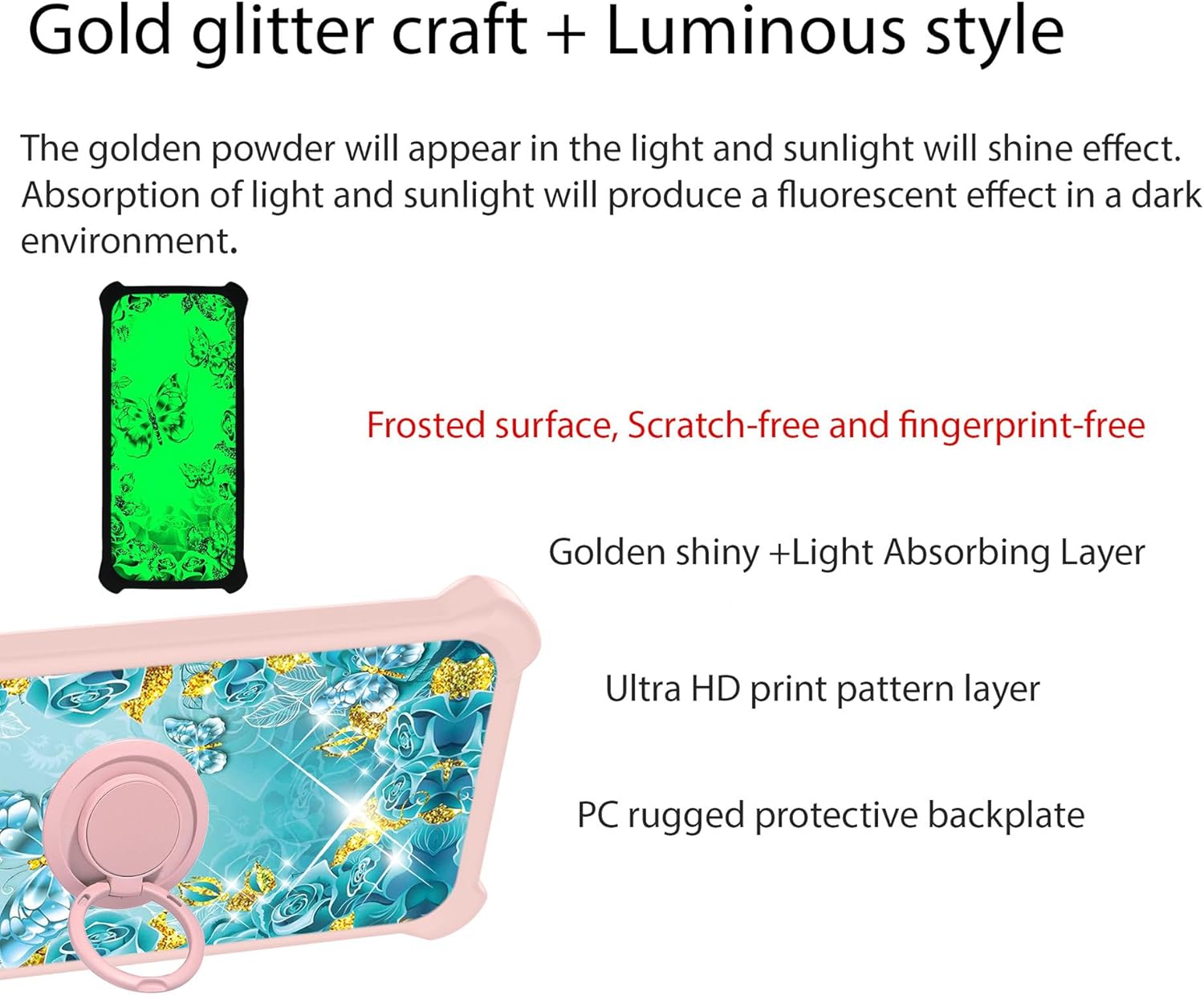
Image: Case construction and luminous effect. The case features a gold glitter craft and luminous style, with a multi-layered back including a frosted surface, light-absorbing layer, Ultra HD print, and a rugged PC backplate. The golden powder appears shiny in light and produces a fluorescent effect in the dark.
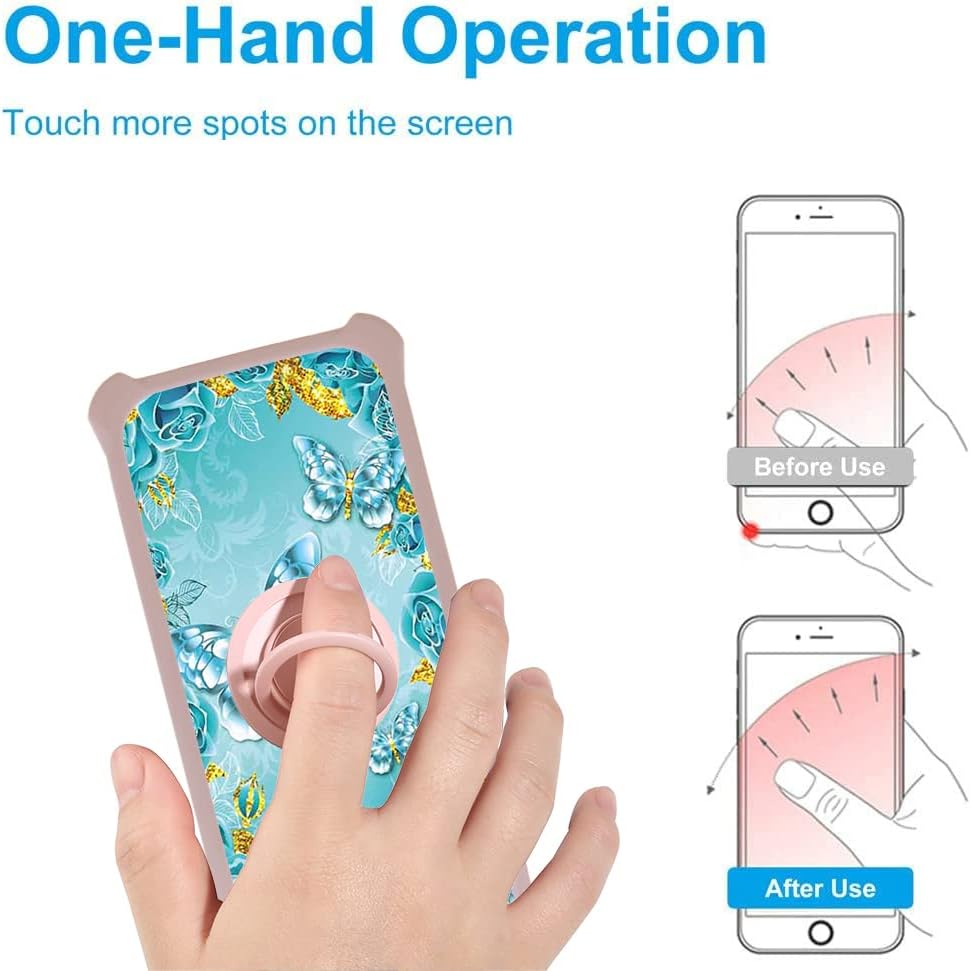
Image: One-Hand Operation. The ring support facilitates easier one-hand operation by allowing the user to reach more areas of the phone screen.
Magnetic Car Mount Compatibility
The metal ring support is compatible with magnetic car mounts, allowing you to securely attach your phone in your vehicle.
- Attachment: Simply place the back of the phone case onto a magnetic car mount (not included). The metal ring will adhere to the magnet.
- Rotation: The ring allows for 360-degree rotation, enabling you to adjust your phone's viewing angle.
Important Note: This case does not support wireless charging due to the metal ring. Please remove the case for wireless charging or use a wired charger.

Image: Support Magnetic Car Mount. The ring support rotates 180 and 360 degrees and is designed for use with magnetic car mounts. A magnetic car mount is not included, and wireless charging is not supported with the case on.
Maintenance and Care
- Cleaning the Case: Wipe the phone case with a soft, damp cloth to remove dust and smudges. Avoid harsh chemicals or abrasive cleaners.
- Cleaning the Screen Protector: Use a screen cleaner specifically designed for electronics and a microfiber cloth to clean the tempered glass.
- Avoid Extreme Temperatures: Do not expose the case or screen protector to extreme heat or cold, as this may affect their material integrity.
- Handle with Care: While the case offers robust protection, avoid unnecessary drops or impacts to prolong its lifespan.
Troubleshooting
Screen Protector Bubbles
If bubbles persist after installation, gently lift the nearest edge of the protector and re-apply, pushing out air as you go. Ensure the screen is completely clean before re-application.
Ring Stand Stiffness
The ring stand is designed to be firm to provide stable support. If it feels too stiff, gently rotate it a few times to loosen the mechanism slightly. Avoid excessive force.
Wireless Charging Issues
As noted, the metal ring on the case interferes with wireless charging. To use wireless charging, the case must be removed from the phone.
Specifications
| Feature | Detail |
|---|---|
| Compatible Phone Model | IPRO Y300 |
| Material | PC hard back panel + soft silicone frame + metal support finger ring |
| Special Features | 360 Rotating Ring, Car Magnetic Fixing, Finger ring + support + car bracket magnetic suction, Shock Airbags, Luminous effect |
| Product Dimensions | 0.39 x 0.39 x 0.39 inches (approximate, for case) |
| Item Weight | 2.46 ounces |
| Screen Protector Hardness | 9H |
| Wireless Charging | Not supported with case on |
Warranty Information
This product is covered by a standard manufacturer's warranty against defects in materials and workmanship. Please retain your proof of purchase for any warranty claims. For specific warranty terms and conditions, please refer to the retailer's policy or contact the manufacturer directly.
Support
For further assistance, technical support, or inquiries regarding your product, please contact the retailer where you purchased this item. You may also visit the manufacturer's website for additional resources.


