
UGREEN PB561
UGREEN 10000mAh Magnetic Wireless Power Bank User Manual
Model: PB561 | Brand: UGREEN
1. Introduction
Thank you for choosing the UGREEN 10000mAh Magnetic Wireless Power Bank. This portable power bank is designed to provide convenient and efficient charging for your mobile devices, featuring both magnetic wireless charging and wired fast charging capabilities. Its compact design and multiple safety protections make it an ideal companion for daily use and travel. Please read this manual carefully before use to ensure proper operation and maximize the product's lifespan.
2. Package Contents
- UGREEN 10000mAh Magnetic Wireless Power Bank (Model: PB561)
- USB-C to USB-C Charging Cable
- User Manual
3. Product Overview
Familiarize yourself with the components of your UGREEN Power Bank:

Figure 3.1: Front view of the UGREEN 10000mAh Magnetic Wireless Power Bank, highlighting the magnetic charging pad and LED indicators.
- A. Magnetic Wireless Charging Area: For Qi-compatible devices.
- B. Power Button: Activates/deactivates the power bank.
- C. USB-C Input/Output Port: For charging the power bank and wired charging of devices.
- D. LED Indicators: Show battery level and charging status.

Figure 3.2: The power bank demonstrating simultaneous wired (20W Max) and wireless (7.5W Max) charging capabilities.
4. Setup and Initial Use
4.1 Charging the Power Bank
Before first use, fully charge your UGREEN Power Bank. Use the provided USB-C to USB-C cable and a compatible wall charger (not included) to connect the power bank's USB-C port to a power source.
- Connect one end of the USB-C cable to the power bank's USB-C port.
- Connect the other end to a USB-C wall charger.
- The LED indicators will light up to show the charging progress. All four LEDs will be solid when fully charged.
The power bank supports 20W fast input charging.
5. Operating Instructions
5.1 Power On/Off
- To Power On: Briefly press the Power Button. The LED indicators will light up.
- To Power Off: Double-click the Power Button. The LEDs will turn off.

Figure 5.1: Power Button and LED Indicator functions.
5.2 Wireless Charging (Magnetic)
The power bank features a strong magnetic connection for compatible devices (e.g., iPhone 12-16 series, Qi-compatible Android smartphones).
- Ensure the power bank is turned on.
- Align your compatible smartphone with the magnetic wireless charging area on the power bank. The magnets will securely attach the phone.
- Wireless charging will begin automatically. The power bank provides up to 15W for Qi-compatible Android devices and 7.5W for iPhone 12-16 series.
Note: For optimal magnetic attachment and charging efficiency, it is recommended to use a magnetic phone case or no case. Non-magnetic cases may hinder the connection.
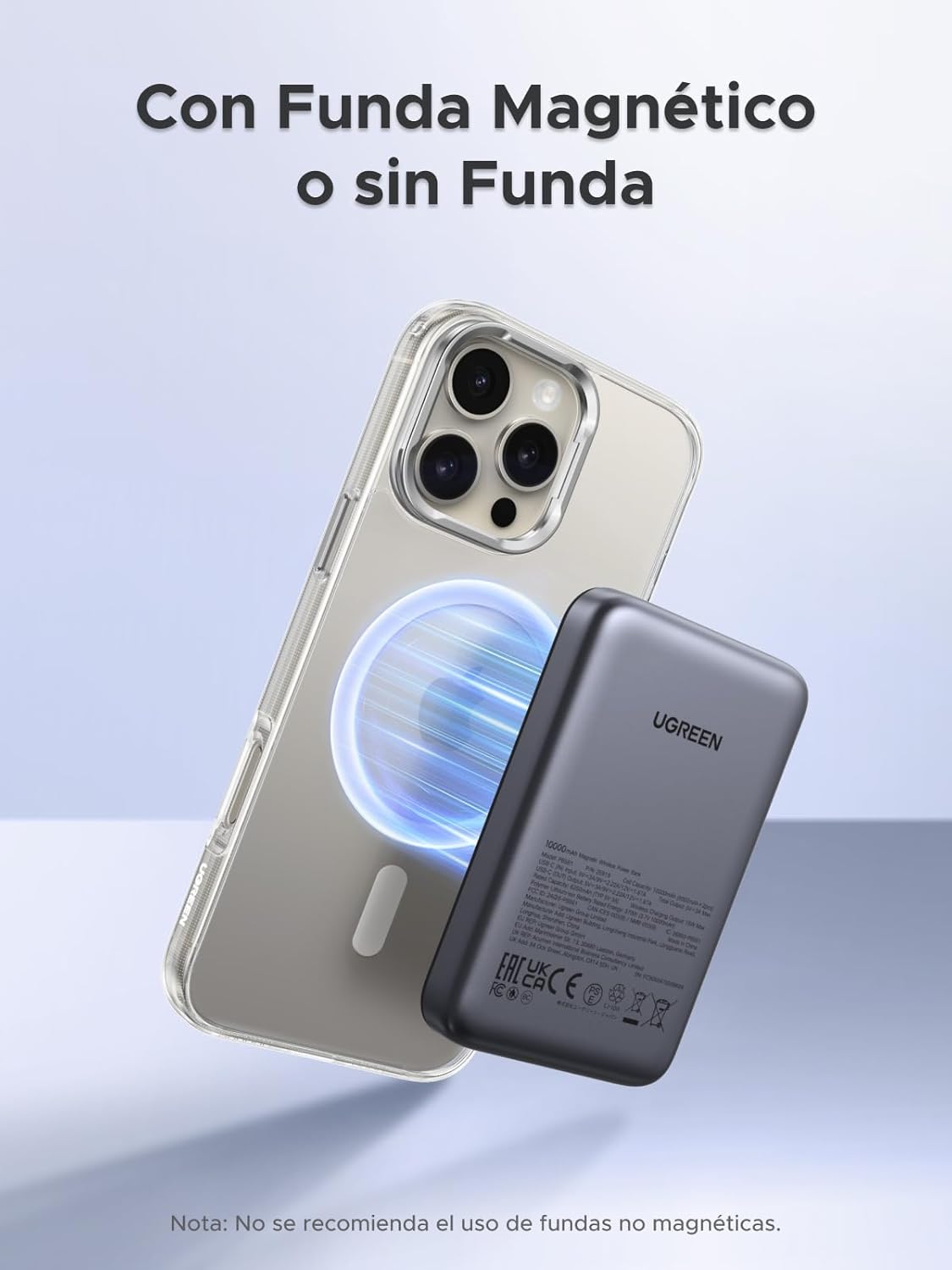
Figure 5.2: Magnetic attachment to a smartphone, compatible with magnetic cases or directly to the phone.
5.3 Wired Charging (USB-C)
Use the USB-C port for fast wired charging of various devices.
- Connect one end of a USB-C cable (provided or your own) to the power bank's USB-C port.
- Connect the other end to your device's charging port.
- Charging will begin automatically. The USB-C port supports 20W Power Delivery (PD) fast charging.
The power bank supports charging two devices simultaneously (one wirelessly, one via USB-C).
Figure 5.3: Simultaneous charging of two devices: one via USB-C cable and another wirelessly.
5.4 Low Current Mode
This mode is ideal for charging low-power devices such as wireless earbuds, smartwatches, or fitness trackers.
- To Activate: Press and hold the Power Button for 3 seconds. The first LED indicator will blink slowly to indicate low current mode is active.
- To Deactivate: Press and hold the Power Button for 3 seconds again, or wait for 3 hours, and the power bank will automatically exit low current mode.

Figure 5.4: Activating and deactivating the low current charging mode.
5.5 Pass-Through Charging
The power bank supports pass-through charging, allowing you to charge both the power bank itself and a connected device simultaneously.
- Connect the power bank to a wall charger.
- Connect your device to the power bank (either wirelessly or via USB-C cable).
- Both the power bank and your device will charge.
6. Maintenance and Care
- Keep the power bank away from extreme temperatures, direct sunlight, and humid environments.
- Do not expose the power bank to water or other liquids.
- Clean the surface with a soft, dry cloth. Do not use harsh chemicals or abrasive materials.
- Store the power bank in a cool, dry place when not in use.
- Avoid dropping or subjecting the power bank to strong impacts.
- For optimal battery life, fully charge and discharge the power bank at least once every three months if not used regularly.

Figure 6.1: The power bank features a soft-touch silicone surface for comfortable handling.
7. Troubleshooting
| Problem | Possible Cause | Solution |
|---|---|---|
| Power bank not charging. | Cable or charger issue; power bank depleted. | Ensure cable is securely connected. Try a different USB-C cable or wall charger. |
| Device not charging wirelessly. | Misalignment; non-magnetic case; device not Qi-compatible. | Ensure proper alignment. Remove non-magnetic case. Verify device supports Qi wireless charging. |
| Device not charging via USB-C. | Cable issue; power bank off; device not compatible. | Try a different USB-C cable. Ensure power bank is on. |
| Slow charging. | Using a non-fast charging cable/charger; low current mode active. | Use a PD-compatible cable and charger. Deactivate low current mode if charging a standard device. |
| Power bank gets warm during charging. | Normal operation. | Slight warming is normal during charging. If it becomes excessively hot, discontinue use and contact support. |
8. Specifications
| Model | PB561 |
| Battery Capacity | 10000mAh (3.7V, 37Wh) |
| USB-C Input/Output | 5V/3A, 9V/2.22A, 12V/1.67A (20W Max) |
| Wireless Output | 7.5W (iPhone), 15W (Qi-compatible Android) |
| Total Output | 20W Max |
| Dimensions | 10.58 x 6.78 x 1.31 cm |
| Weight | 222g |
| Battery Type | Lithium Polymer |
| Safety Protections | Over-voltage, Over-current, Overcharge, Overheat, Short-circuit |

Figure 8.1: Built-in multiple protection systems for safe charging.
9. Product Video Overview
Video 9.1: An official UGREEN product video showcasing the features and usage of the 10000mAh Magnetic Wireless Power Bank, including its portability, magnetic attachment, and charging capabilities. This video provides a visual guide to the product's functionality in various scenarios.
10. Warranty and Support
UGREEN products come with a standard warranty. For detailed warranty information, product support, or technical assistance, please visit the official UGREEN website or contact their customer service directly. You can find contact information on the UGREEN official website or through your purchase platform.
UGREEN Official Store: Visit UGREEN Store on Amazon
Ask a question about this manual
Ask about setup, troubleshooting, compatibility, parts, safety, or missing instructions. Manuals+ will review the question and use this page’s manual context to help answer it.