
Btuty LQL6036499483731KW
Btuty 15-Band Graphic Equalizer EQ-215 User Manual
Model: LQL6036499483731KW | Brand: Btuty
1. Introduction
This manual provides detailed instructions for the installation, operation, and maintenance of your Btuty EQ-215 Dual Channel 15-Band Graphic Equalizer. This professional audio device is designed to provide precise frequency control for various audio applications, ensuring high-quality sound reproduction.

Figure 1: Front view of the Btuty EQ-215 Graphic Equalizer.
2. Key Features
- Professional Dual Channel Stereo Graphic Equalizer: Provides high-quality audio experience with two independent channels.
- 15-Band Design: Each channel features 15 adjustable frequency bands, with a range of ±12dB per band for precise sound shaping.
- Effective Low Frequency Noise Elimination: Equipped with a LOW-CUT switch to reduce unwanted low-frequency noise, enhancing sound clarity.
- Convenient Machine Debugging: Includes a BYPASS switch for easy comparison of processed and unprocessed audio signals during setup or troubleshooting.
- Standard 1U Rack-Mount Design: Facilitates simple and convenient installation into standard audio equipment racks.
- Various Input and Output Methods: Supports XLR balanced and 1/4" TRS unbalanced inputs and outputs for versatile connectivity.
3. Package Contents
Please verify that all items listed below are included in your package:
- Btuty EQ-215 Graphic Equalizer Unit
- Owner's Manual
- Power Cable

Figure 2: Contents included in the product package.
4. Setup and Connections
4.1 Physical Installation
The EQ-215 is designed for standard 1U rack mounting. Secure the unit into an available rack space using appropriate rack screws (not included). Ensure adequate ventilation around the unit.
4.2 Audio Connections
The equalizer features both XLR balanced and 1/4" TRS unbalanced input and output connectors for each channel. Connect your audio source (e.g., mixer output) to the INPUT jacks and your audio destination (e.g., amplifier input) to the OUTPUT jacks.

Figure 3: Front and rear panel connections.

Figure 4: Detailed view of input and output options.
4.3 Power Connection
Connect the provided power cable to the AC inlet on the rear panel of the equalizer and then to a suitable power outlet (100V-240V, 50Hz/60Hz).
4.4 Setup Demonstration Video
Video 1: This video demonstrates the unboxing, physical connections, and initial power-up of the Btuty EQ-215 Graphic Equalizer.
5. Operation
5.1 Power On/Off
Locate the POWER switch on the front panel. Press the switch to the 'ON' position to power on the unit. The indicator lights will illuminate. Press again to power off.
5.2 Adjusting Frequency Bands
Each channel features 15 slider controls, corresponding to specific frequency bands (e.g., 25Hz, 40Hz, 63Hz, ..., 16KHz). Move the sliders up to boost the frequency or down to cut the frequency. The adjustable range is ±12dB for each band.
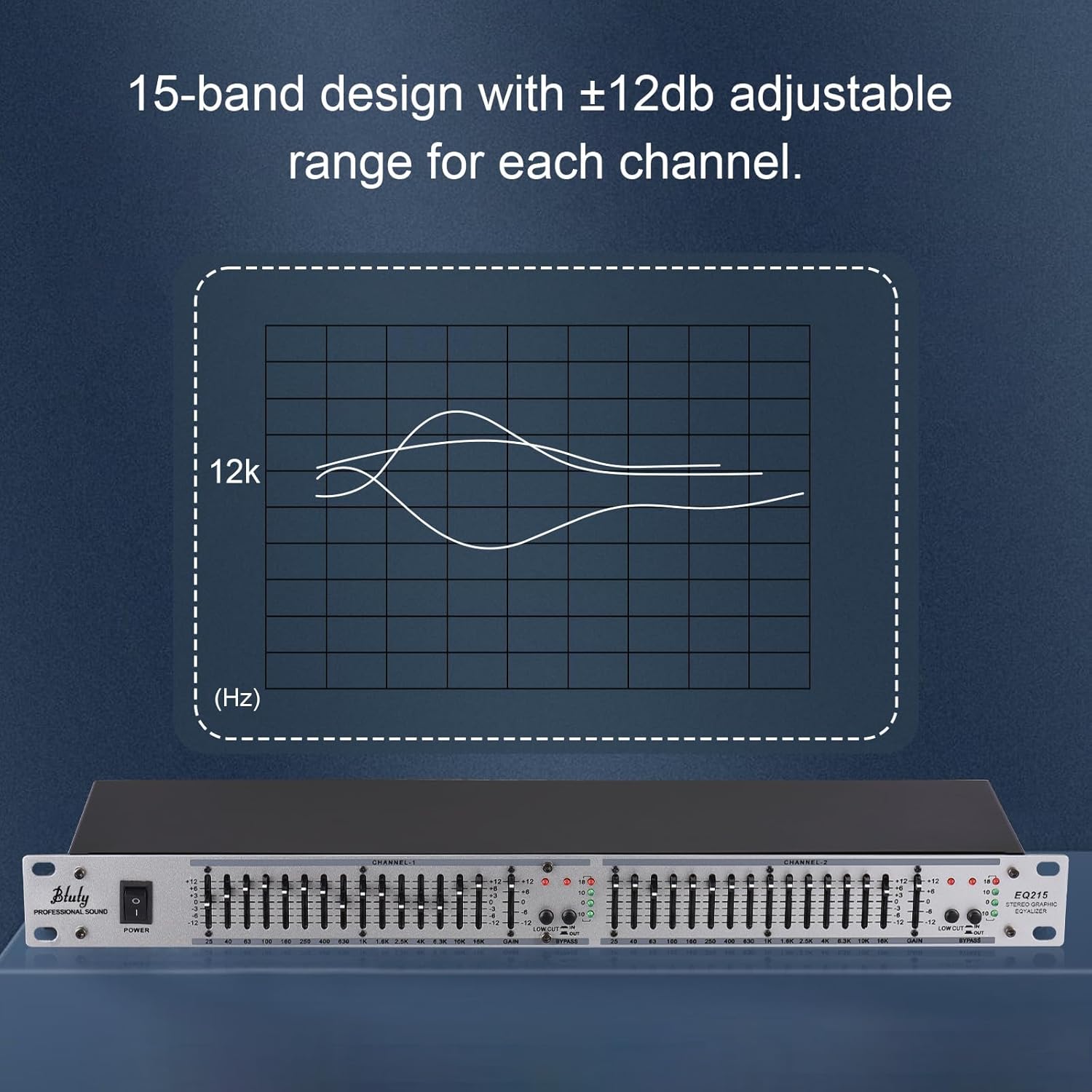
Figure 5: Illustration of 15-band frequency adjustment.
5.3 LOW-CUT Switch
The LOW-CUT switch, located near the gain control, activates a high-pass filter. Engaging this switch will attenuate frequencies below a certain point, effectively reducing unwanted low-frequency noise or rumble in your audio signal.

Figure 6: Visual representation of the LOW-CUT function.
5.4 BYPASS Switch
The BYPASS switch allows you to quickly compare the audio signal with and without equalization. When engaged, the signal bypasses the equalizer's processing, providing a direct comparison for fine-tuning your sound or for troubleshooting purposes.
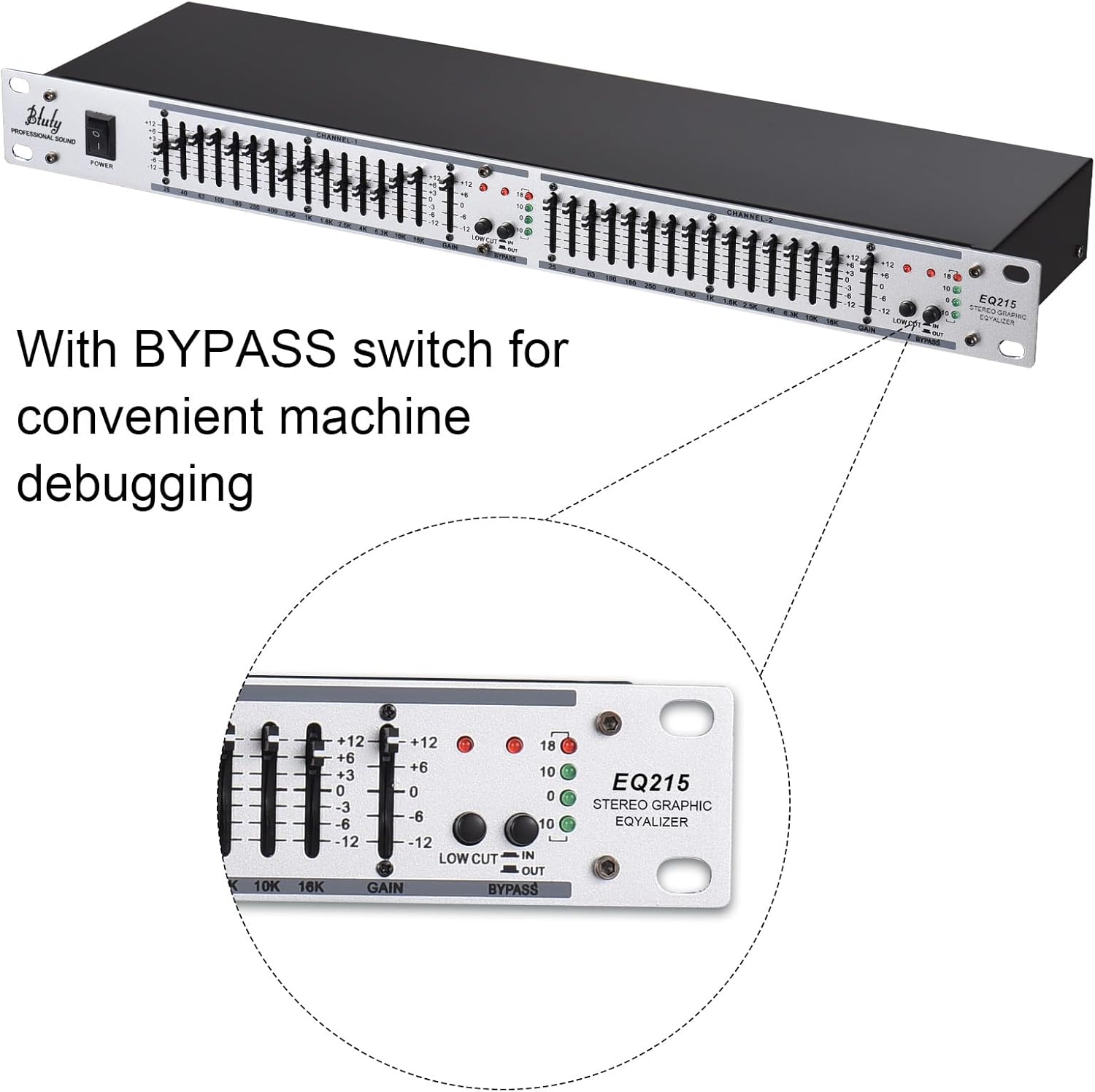
Figure 7: Detail of the BYPASS switch.
5.5 Gain Control
The GAIN knob adjusts the overall output level of each channel. Use this to match the output level of the equalizer to the input sensitivity of the next device in your audio chain, preventing clipping or signal loss.
6. Specifications
| Feature | Specification |
|---|---|
| Model | EQ-215 |
| Channels | Dual Channel |
| Bands per Channel | 15 |
| Adjustable Range | ±12dB per band |
| Input Impedance | 22KΩ |
| Output Impedance | 200Ω |
| Working Voltage | 110-240V |
| Plug Type | US |
| Frequency Response | 20Hz~20KHz |
| Total Harmonic Distortion | 0.05% (1KHz) |
| Signal to Noise Ratio | >90dB |
| Item Weight | 3.36 pounds (1.52 kg) |
| Package Dimensions | 20.75 x 8.5 x 2.99 inches (52.7 x 21.6 x 7.6 cm) |

Figure 8: Product dimensions and technical specifications overview.
7. Troubleshooting
| Problem | Possible Cause | Solution |
|---|---|---|
| No Power | Power cable not connected; Power switch off; Power outlet faulty. | Ensure power cable is securely connected. Turn the POWER switch to 'ON'. Test the power outlet with another device. |
| No Sound Output | Incorrect audio connections; Gain knob set too low; BYPASS switch engaged. | Check all input and output cables for correct and secure connections. Increase the GAIN knob. Disengage the BYPASS switch. |
| Distorted Sound | Input signal too high; Output signal too high; Faulty cables. | Reduce the input level from your source device. Lower the GAIN knob on the equalizer. Check and replace any damaged audio cables. |
| Excessive Hiss/Noise | Ground loop issue; Improper gain staging; Faulty cables; External interference. | Ensure all equipment is properly grounded. Adjust gain levels to optimal settings (avoiding excessively high gain). Use shielded cables. Try isolating the unit from other electronic devices. Engage the LOW-CUT switch if low-frequency rumble is present. |
8. Maintenance
To ensure the longevity and optimal performance of your Btuty EQ-215, follow these maintenance guidelines:
- Cleaning: Use a soft, dry cloth to clean the exterior of the unit. Do not use liquid cleaners or aerosols, as they may damage the finish or internal components.
- Ventilation: Ensure that the ventilation openings are not blocked. Proper airflow prevents overheating.
- Storage: When not in use for extended periods, store the unit in a cool, dry place, away from direct sunlight and extreme temperatures.
- Handling: Avoid dropping or subjecting the unit to strong impacts.
9. Warranty and Support
For warranty information, technical support, or service inquiries, please refer to the warranty card included with your product or contact Btuty customer service through the retailer where the product was purchased. Keep your purchase receipt as proof of purchase.
Related Documents - LQL6036499483731KW
 |
FCC Test Report: Wireless MIDI Controller (CHOCOLATE PLUS) - Sinco Intelligent Technology Co., Ltd. FCC test report for the Wireless MIDI Controller by Sinco Intelligent Technology Co., Ltd. (Model: CHOCOLATE PLUS), detailing EMC emission tests, conducted and radiated emissions, and bandwidth measurements performed by Shenzhen ZKT Technology Co., Ltd. |
 |
Test Report: M-VAVE Lost Tempo(PD7) Drum & Looper Effect Pedal Official test report for the M-VAVE Lost Tempo(PD7) Drum & Looper Effect Pedal, detailing compliance with FCC Part 15.247 standards for RF emissions, conducted power, and other radio spectrum matters. Issued by Shenzhen Bangce Testing Technology Co., Ltd. |
 |
WP-9 Wireless System Test Report - FCC Compliance Official test report for the WP-9 Wireless System by Sinco Intelligent Technology Co., Ltd., detailing compliance with FCC Part 15.247 regulations for wireless transmission. |
 |
Sinco Intelligent Technology Co., Ltd. Model Difference Declaration for Wireless MIDI Controller Declaration from Sinco Intelligent Technology Co., Ltd. confirming that various models of their Wireless MIDI Controller, including CHOCOLATE PLUS, chocolate, and Choc II, share identical core functions, software, and electric circuits, differing only in model names. Lists trade names such as M-VAVE and AZOR. |
 |
Sinco Intelligent Technology Co., Ltd. Wireless MIDI Controller Model Difference Declaration Declaration from Sinco Intelligent Technology Co., Ltd. confirming that various models of their Wireless MIDI Controller, including M-VAVE, Leo Jaymz, LEKATO, Ziron, EROK, Btuty, Kmise, Donner, UTIMO, CHOCOLATE PLUS, chocolate, and Choc II, share identical functionality, software, and electric circuits, differing only in model naming. |
 |
Wireless Intelligent MIDI Control Pedal Test Report - Cube Turner Plus(PD6) Official test report for the Wireless Intelligent MIDI Control Pedal, model Cube Turner Plus(PD6) by Sinco Intelligent Technology Co., Ltd., detailing compliance with FCC Part 15.247 standards. |