
SIEMENS WG44G2140
Siemens iQ500 Washing Machine User Manual
Model: WG44G2140
Brand: SIEMENS
1. Introduction
Thank you for choosing the Siemens iQ500 WG44G2140 washing machine. This appliance is designed to provide efficient and gentle care for your laundry. Featuring a 9 kg capacity and a maximum spin speed of 1400 RPM, it incorporates advanced technologies such as speedPack L for faster cycles, an AntiStain system to tackle common stains, an Outdoor program for specialized fabric care, and waterPerfect Plus for optimal water efficiency.
This manual provides essential information for the safe and effective operation, installation, and maintenance of your washing machine. Please read it thoroughly before first use and keep it for future reference.

Image: Front view of the Siemens iQ500 WG44G2140 washing machine, showcasing its white finish and black door.
2. Safety Information
Always adhere to the following safety guidelines to prevent personal injury or damage to the appliance:
- Electrical Safety: Ensure the appliance is properly grounded. Do not use extension cords or adapters. Disconnect from power before cleaning or maintenance.
- Water Connection: Connect to a cold water supply using new hoses. Check for leaks after installation.
- Children and Pets: Keep children and pets away from the appliance during operation. The door can be locked to prevent accidental opening.
- Flammable Materials: Do not wash items that have been cleaned, washed, soaked, or spotted with combustible or explosive substances.
- Appliance Weight: The washing machine is heavy (approximately 67.87 kg). Use caution and proper lifting techniques when moving.
3. Setup and Installation
Proper installation is crucial for the performance and longevity of your washing machine. This model is designed as a freestanding unit.
3.1 Unpacking
Remove all packaging materials and transport bolts from the rear of the machine. Failure to remove transport bolts can cause severe vibration and damage during operation.
3.2 Leveling
Place the washing machine on a firm, level surface. Adjust the feet to ensure the appliance is perfectly level and stable. This minimizes vibration and noise during spin cycles.
3.3 Water Connection
Connect the water inlet hose to a cold water tap with a 3/4" thread. Ensure all connections are tight to prevent leaks. Position the drain hose into a suitable drain or sink, ensuring it is securely fixed to prevent displacement during draining.

Image: Rear view of the Siemens WG44G2140 washing machine, illustrating the water inlet and drain hose connections.
3.4 Electrical Connection
Plug the power cord into a properly grounded 220 Volt electrical outlet. Do not use adapters or extension cords. If in doubt, consult a qualified electrician.
3.5 Dimensions
- Product Dimensions (D x W x H): 59 x 59.8 x 84.8 cm
- Weight: 67.87 Kilograms

Image: Diagram illustrating the height, width, and depth of the Siemens washing machine for installation planning.
4. Operating Instructions
Your Siemens iQ500 washing machine offers intuitive control via a combination of remote and touchscreen interfaces.

Image: Close-up view of the control panel, showing the program dial, LED display, and touch buttons.
4.1 Loading Laundry
Open the door and load laundry into the drum. Do not overload the machine; ensure there is enough space for the clothes to tumble freely. The maximum capacity is 9 kg.
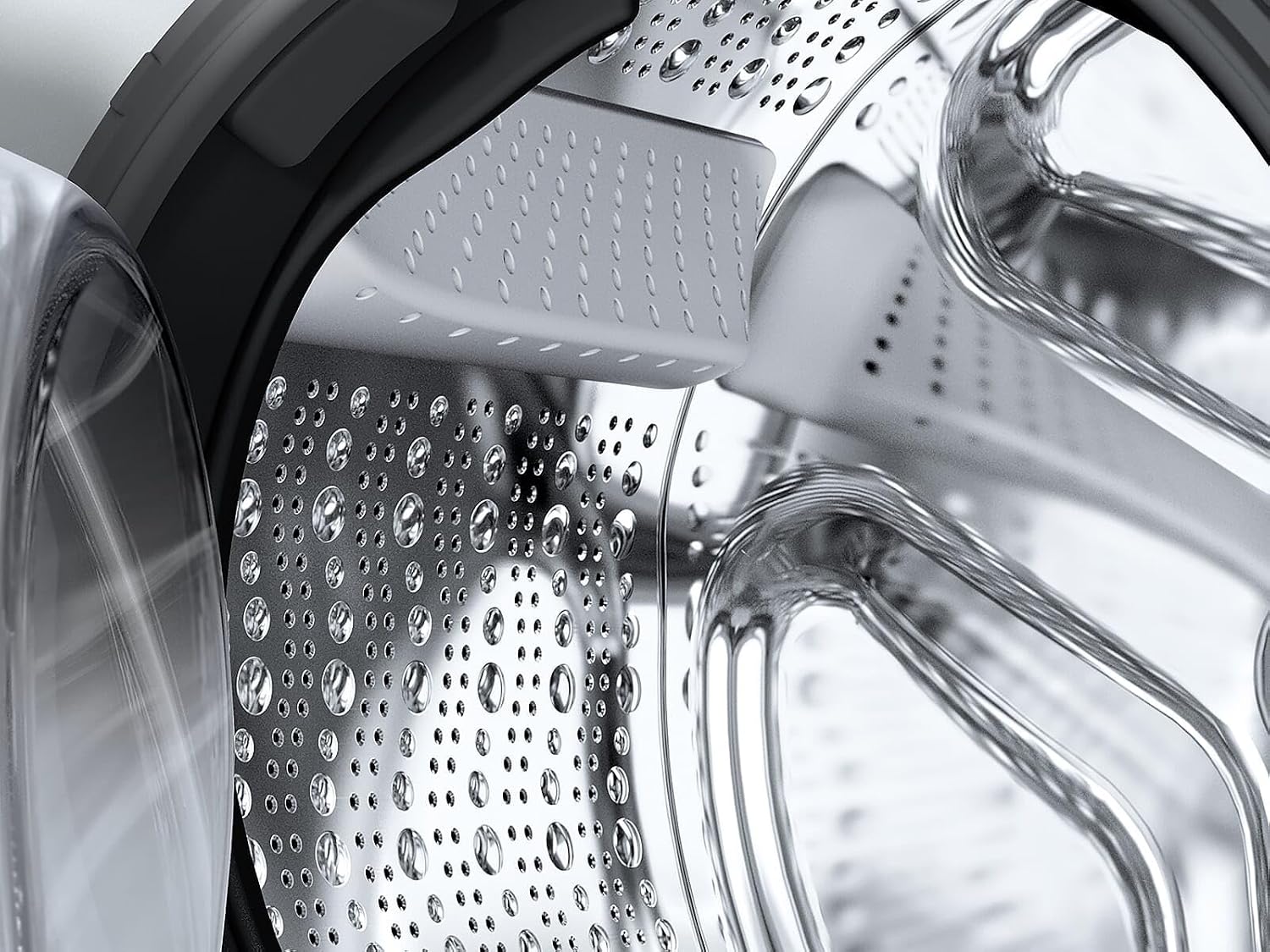
Image: Detailed view of the washing machine drum interior, highlighting its design for gentle fabric care.
4.2 Adding Detergent
Add appropriate detergent and fabric softener to the dispenser drawers. Refer to the detergent packaging for recommended dosages based on load size and water hardness.
4.3 Program Selection
Turn the program dial to select the desired wash program. The machine offers various standard programs, including:
- Cotton: For durable cotton items.
- Synthetics/Easy-Care: For synthetic or blended fabrics.
- Delicates/Silk: For delicate, washable silk and synthetic items.
- Wool: For hand-washable wool or wool blend items.
- Rinse/Spin/Drain: Separate cycles for rinsing, spinning, or draining water.
4.4 Special Functions and Technologies
Enhance your wash cycles with these integrated features:
- speedPack L: Accelerates wash programs for quick results. Includes Super30 and Super15 programs for fresh clothes in 30 or 15 minutes.
- AntiStain System: Effectively removes common stubborn stains like wine, grease, blood, and grass without pre-treatment. The machine optimizes temperature, drum movement, and soaking time.
- Outdoor Program: Provides gentle care for outdoor clothing, renewing water-repellent properties with wash-in impregnating agents and optimized drum movements.
- waterPerfect Plus: Advanced sensor technology precisely adjusts water consumption to the load size and fabric type, ensuring perfect wash results with minimal water usage.
- AquaStop: Provides protection against water damage.

Image: Graphic representation of the speedPack L feature, indicating faster wash times.

Image: Graphic showing the AntiStain system targeting specific stain types with optimized water and movement.

Image: Graphic depicting the Outdoor program, designed for gentle and effective cleaning of waterproof and breathable fabrics.

Image: Graphic showing water droplets and waves, representing the waterPerfect Plus system's efficient water management.

Image: A component of the AquaStop system, designed to prevent water leaks.
4.5 Starting a Cycle
Press the Start/Pause button to begin the selected wash cycle. The display will show the remaining time.
5. Maintenance
Regular maintenance ensures optimal performance and extends the lifespan of your washing machine.
5.1 Cleaning the Detergent Dispenser
Periodically remove and clean the detergent dispenser drawer to prevent residue buildup. Rinse it under running water.
5.2 Cleaning the Drum
Run a drum cleaning program (if available) or a hot wash cycle with no laundry and a small amount of detergent or a specialized washing machine cleaner to remove odors and residue.
5.3 Cleaning the Drain Pump Filter
Locate the drain pump filter at the bottom front of the machine. Open the cover, place a shallow container underneath to catch water, and carefully unscrew the filter. Clean any lint or debris and reinsert it securely.
5.4 Exterior Cleaning
Wipe the exterior surfaces with a soft, damp cloth. Do not use abrasive cleaners or solvents.
6. Troubleshooting
Before contacting customer service, try these common troubleshooting steps:
| Problem | Possible Cause | Solution |
|---|---|---|
| Machine does not start | No power, door not closed, program not selected. | Check power supply, ensure door is latched, select a program and press Start. |
| Water leakage | Loose hose connections, clogged drain filter. | Tighten hoses, clean drain pump filter. |
| Excessive vibration/noise | Transport bolts not removed, machine not level, uneven load. | Remove transport bolts, level the machine, redistribute laundry. |
| Detergent residue | Too much detergent, low water pressure. | Reduce detergent, check water supply. |
7. Specifications
- Manufacturer: SIEMENS
- Model Number: WG44G2140
- Capacity: 9 Kilograms
- Maximum Spin Speed: 1400 RPM
- Annual Energy Consumption: 49 Kilowatt-hours
- Airborne Acoustical Noise Emission: 70 dB
- Installation Type: Freestanding
- Control Type: Remote and Touchscreen
- Door Opening: Front-loader
- Voltage: 220 Volts
- Color: White
- Special Features: speedPack L, AntiStain System, Outdoor Program, waterPerfect Plus
- Item Weight: 67.87 Kilograms
- Product Dimensions (D x W x H): 59 x 59.8 x 84.8 cm
8. Warranty and Support
Siemens is committed to providing high-quality products and excellent customer service.
8.1 Siemens Spare Part Guarantee
Siemens offers a spare part guarantee, ensuring the availability of functional and storable spare parts for your appliance for up to 15 years from the date of manufacture (for appliances produced after January 1, 2023).
8.2 Customer Service
For further assistance, technical support, or to schedule a service appointment, please contact Siemens customer service. Refer to your purchase documentation or the official Siemens website for contact details specific to your region.
The Siemens customer service was recognized as a 'Service Champion' for the 13th consecutive time in 2024 for its first-class service in the entire home appliance industry.
Related Documents - WG44G2140
 |
Siemens iQ500 WU14UT69FR Washing Machine: 9kg, 1400 RPM Comprehensive details on the Siemens iQ500 WU14UT69FR front-load washing machine, featuring 9kg capacity, 1400 RPM spin, iQdrive motor, iSensoric technology, and various programs for efficient laundry care. |
 |
Siemens iQ500 WI14W302GB: 8kg Built-in Washing Machine with iQdrive Discover the Siemens iQ500 WI14W302GB, an 8kg fully integrated built-in washing machine featuring iQdrive technology, speedPack L for faster cycles, and sensor-controlled wash programs for efficient water usage. Explore its key features, technical specifications, and dimensions. |
 |
Siemens iQ500 WU14UT48IT: Lavatrice a Carica Frontale 8kg 1400rpm Scopri la lavatrice Siemens iQ500 WU14UT48IT con 8kg di capacità, 1400rpm, motore iQdrive, speedPack L e aquaStop. Ideale per installazione sottopiano, offre efficienza energetica A e programmi avanzati. |
 |
Siemens iQ300 WG44G00MFG Wasmachine - 9kg, 1400rpm Gedetailleerd overzicht van de Siemens iQ300 WG44G00MFG wasmachine, met 9kg capaciteit, 1400rpm toerental, speedPack L, varioSpeed en energieklasse A. |
 |
Siemens Desigo Room Automation Room Condition Monitor RPM Series Datasheet Comprehensive datasheet for the Siemens Desigo Room Automation Room Condition Monitor RPM Series. Details features, technical specifications, typical applications, installation, operation, and environmental data for precise room condition monitoring in healthcare, laboratories, and research facilities. |
 |
Siemens iQ500 WM14SE9DN Washing Machine Technical Specifications Detailed technical specifications and product parameters for the Siemens iQ500 WM14SE9DN washing machine, including energy efficiency, dimensions, capacity, and performance data. |
Ask a question about this manual
Ask about setup, troubleshooting, compatibility, parts, safety, or missing instructions. Manuals+ will review the question and use this page’s manual context to help answer it.