
Introduction
The Hyrax Thunder HCK61 is a compact 60% mechanical keyboard. It features Huano switches, an ABNT2 layout, and internal acoustic foam for noise reduction. The keyboard includes customizable RGB lighting and connects via a detachable USB-C cable. Its robust construction ensures durability.
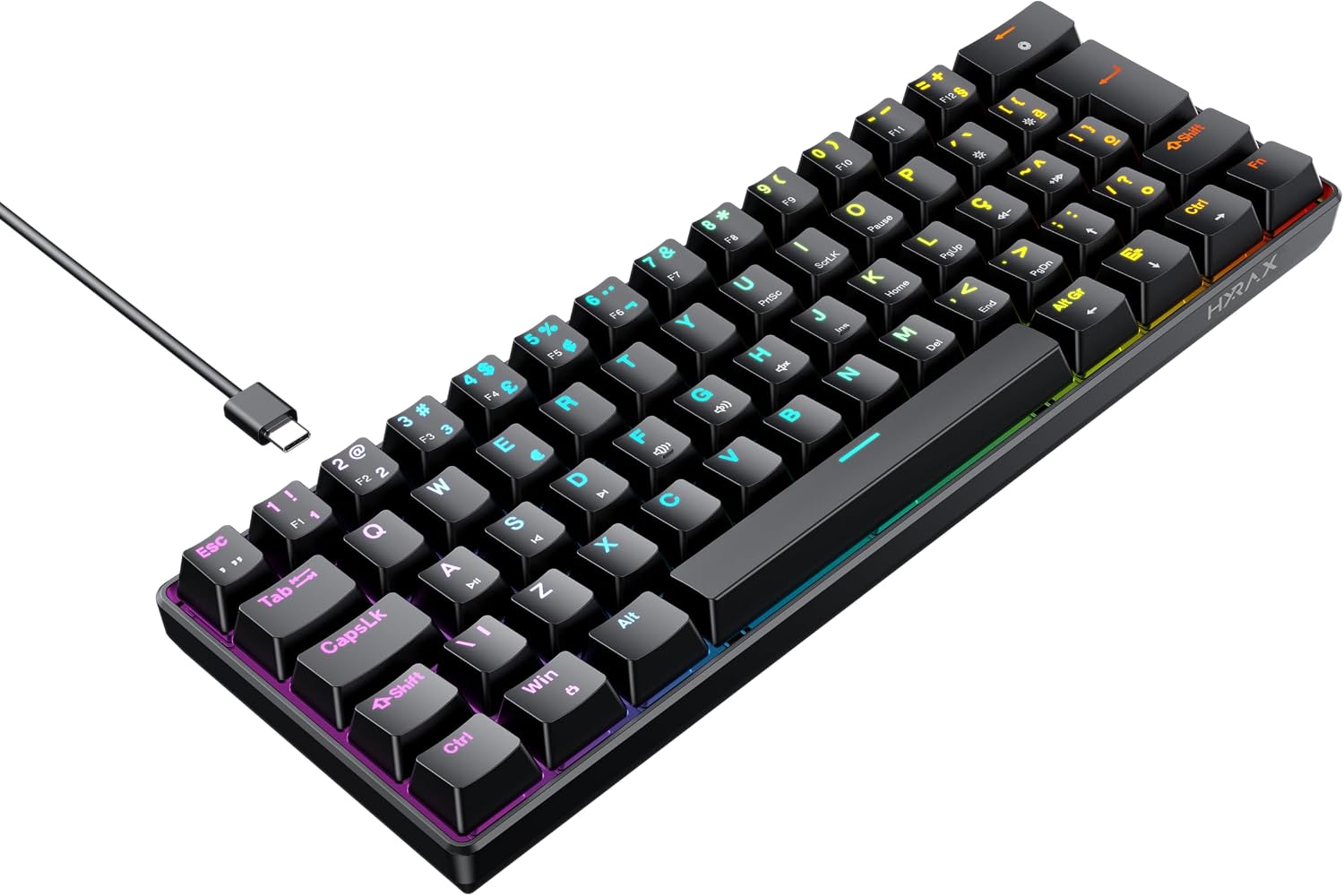
Image: Side view of the Hyrax Thunder HCK61 Mechanical Keyboard, showcasing its compact design and profile.
Package Contents
Please ensure all the following items are present in your package:
- Hyrax Thunder HCK61 Mechanical Keyboard
- Detachable USB-C Cable
- User Manual (this document)
Setup
Connecting the Keyboard
Follow these steps to connect your Hyrax Thunder HCK61 Mechanical Keyboard to your computer:
- Connect the USB-C end of the provided cable to the port located on the keyboard.
- Connect the USB-A end of the cable to an available USB port on your computer.
- The keyboard will be automatically recognized by your operating system. No additional drivers are typically required for basic functionality.

Image: Angled view of the Hyrax Thunder HCK61 Mechanical Keyboard, showing the detachable USB-C cable connected to the keyboard's port.
Operating Instructions
Key Layout and Functions
The Hyrax Thunder HCK61 features a compact 60% ABNT2 layout. Many functions, including multimedia controls and lighting adjustments, are accessed by pressing the Fn (Function) key in combination with other designated keys.

Image: Front view of the Hyrax Thunder HCK61 Mechanical Keyboard, displaying the ABNT2 key layout and RGB backlighting.
RGB Lighting Control
The keyboard features customizable RGB lighting. Use the following key combinations to adjust lighting effects:
- Fn + \|: Change lighting mode.
- Fn + [{: Decrease brightness.
- Fn + ]}: Increase brightness.
- Fn + ;:: Decrease lighting speed.
- Fn + '": Increase lighting speed.
- Fn + <,: Change lighting color (for static modes).
- Fn + >.: Change lighting direction (for dynamic modes).
Multimedia and Shortcut Keys
Access multimedia controls and other shortcuts by pressing the Fn key in combination with the designated keys:
- Fn + F1: My Computer
- Fn + F2: Search
- Fn + F3: Calculator
- Fn + F4: Media Player
- Fn + F5: Previous Track
- Fn + F6: Next Track
- Fn + F7: Play/Pause
- Fn + F8: Stop
- Fn + F9: Mute
- Fn + F10: Volume Down
- Fn + F11: Volume Up
- Fn + F12: Lock Keyboard
- Fn + Win: Lock/Unlock Windows Key
Maintenance
Cleaning the Keyboard
Regular cleaning helps maintain the keyboard's performance and appearance:
- Disconnect the keyboard from your computer before cleaning.
- Use a soft, dry cloth to wipe the keycaps and chassis.
- For deeper cleaning, use compressed air to remove dust and debris from between the keycaps.
- Avoid using liquid cleaners directly on the keyboard. If necessary, dampen a cloth slightly with water or a mild cleaning solution and wring it out thoroughly before wiping.
Storage
Store the keyboard in a cool, dry place away from direct sunlight and extreme temperatures when not in use for extended periods.
Troubleshooting
Keyboard Not Responding
- Ensure the USB-C cable is securely connected to both the keyboard and the computer.
- Try connecting the keyboard to a different USB port on your computer.
- Test the keyboard on another computer to determine if the issue is with the keyboard or the computer's port.
- Restart your computer.
RGB Lighting Not Working
- Ensure the keyboard is properly connected and powered.
- Try cycling through the lighting modes using Fn + \|.
- Adjust brightness using Fn + [{ and Fn + ]}.
Specific Keys Not Working
- Check for any physical obstructions under the keycap.
- Gently remove the keycap (if removable) and inspect the switch for damage or debris.
Specifications
General
- Brand: Hyrax
- Model: HCK61B-RED-RGB
- Keyboard Type: Mechanical
- Switch Type: Huano (Red Switch)
- Layout: ABNT2 (Brazilian Portuguese)
- Number of Keys: 61
- Connectivity: Wired, USB-C Detachable Cable
- Lighting: RGB LED
- Material: Metal, Plastic
- Color: Black
Dimensions and Weight
- Product Dimensions: 30 x 12 x 5 cm (Length x Width x Height)
- Product Weight: 660 g
Compatibility
- Compatible Devices: Gaming Console, PC, Laptop
- Operating Systems: Windows, macOS, Linux (basic functionality)
Additional Features
- Internal Acoustic Foam
- Detachable USB Type-C Cable
Warranty and Support
For warranty information and technical support, please refer to the official Hyrax website or contact your local retailer. Keep your proof of purchase for warranty claims.