
Introduction
The WIEZ GPS Wireless Dog Fence is an intelligent pet containment system designed to provide a safe and adjustable boundary for your dog without the need for physical wires. This system utilizes GPS technology to establish a circular containment area, offering flexibility and ease of use. This manual provides detailed instructions for setting up, operating, maintaining, and troubleshooting your device to ensure optimal performance and the safety of your pet.
How It Works
The WIEZ GPS Wireless Dog Fence operates by establishing a circular boundary around a central point using GPS satellite signals. The device, worn by your dog, continuously monitors its position relative to this set boundary. If your dog approaches or crosses the boundary, the system activates a series of warnings (beep, vibration, or static correction) to encourage your dog to return to the safe area. The control radius is adjustable from 98 feet (30 meters) to 3281 feet (1000 meters).

This diagram illustrates the operational principle of the WIEZ GPS Wireless Dog Fence. A central unit establishes an initial setup point, receiving standard GPS signals from satellites. Two dogs wearing GPS collar receivers are shown within a defined boundary, which is an adjustable control radius. The system creates a 'GPS Hidden Fence' to contain pets.
Setup Instructions
Follow these steps to set up your WIEZ GPS Wireless Dog Fence device:
- Attach Contact Probes: Screw the metal contact probes firmly onto the device. Ensure they are securely fastened for proper contact with your dog's skin.
- Power On and Position: Long press the 'P' button to power on the device. The device will then begin acquiring GPS signals to establish its initial position. Wait for the device to acquire a stable GPS signal.
- Set Distance: After positioning is complete, long press the 'M' button to enter the distance setting mode. Use the up/down buttons to adjust the desired radius of the containment area.
- Set Warning Mode: Once the distance is set, short press the 'M' button to cycle through and select your preferred warning mode (beep, vibration, or static correction).
- Test Intensity: Before placing on your dog, test the intensity of the selected warning mode. This allows you to ensure the level is appropriate and functional.
- Fit on Dog: Carefully place the device on your dog, ensuring the contact probes touch the skin. The collar should be snug but not too tight, allowing two fingers to fit comfortably under the strap.

This image provides a step-by-step visual guide for setting up the WIEZ GPS Wireless Dog Fence. It shows the process from screwing on the metal contact probes to placing the device on your dog, including how to adjust settings on the device's display.
Operating Principles
When your dog approaches or crosses the established GPS boundary, the device will initiate a warning sequence:
- Initial Warning: If no specific settings are configured, the device will default to a beep warning when the dog exits the safe zone.
- Vibration and Static Correction: If vibration and static correction modes are enabled, the device will beep, vibrate, and apply static correction for 16 seconds simultaneously when the dog is out of range.
- Warning Cycle: After 16 seconds of stimulation, the receiver will pause for 30 seconds. This cycle (16 seconds working, 30 seconds pause) will repeat three times.
- Sound-Only Warnings: After three complete working cycles of continuous sound warnings, the device will cease vibration and static correction, providing only sound warnings. This design aims to protect your dog from over-stimulation.

This image illustrates the sequence of warnings issued by the device when a dog moves outside the defined boundary. It details the initial beep, the combined vibration and static correction, the pause period, and the transition to sound-only warnings after repeated boundary breaches.
Adjustable Warning Levels
The WIEZ GPS Wireless Dog Fence allows you to adjust the intensity of both vibration and static correction to suit your dog's temperament and training needs. There are multiple levels, typically from low to strong, to ensure effective yet humane training.
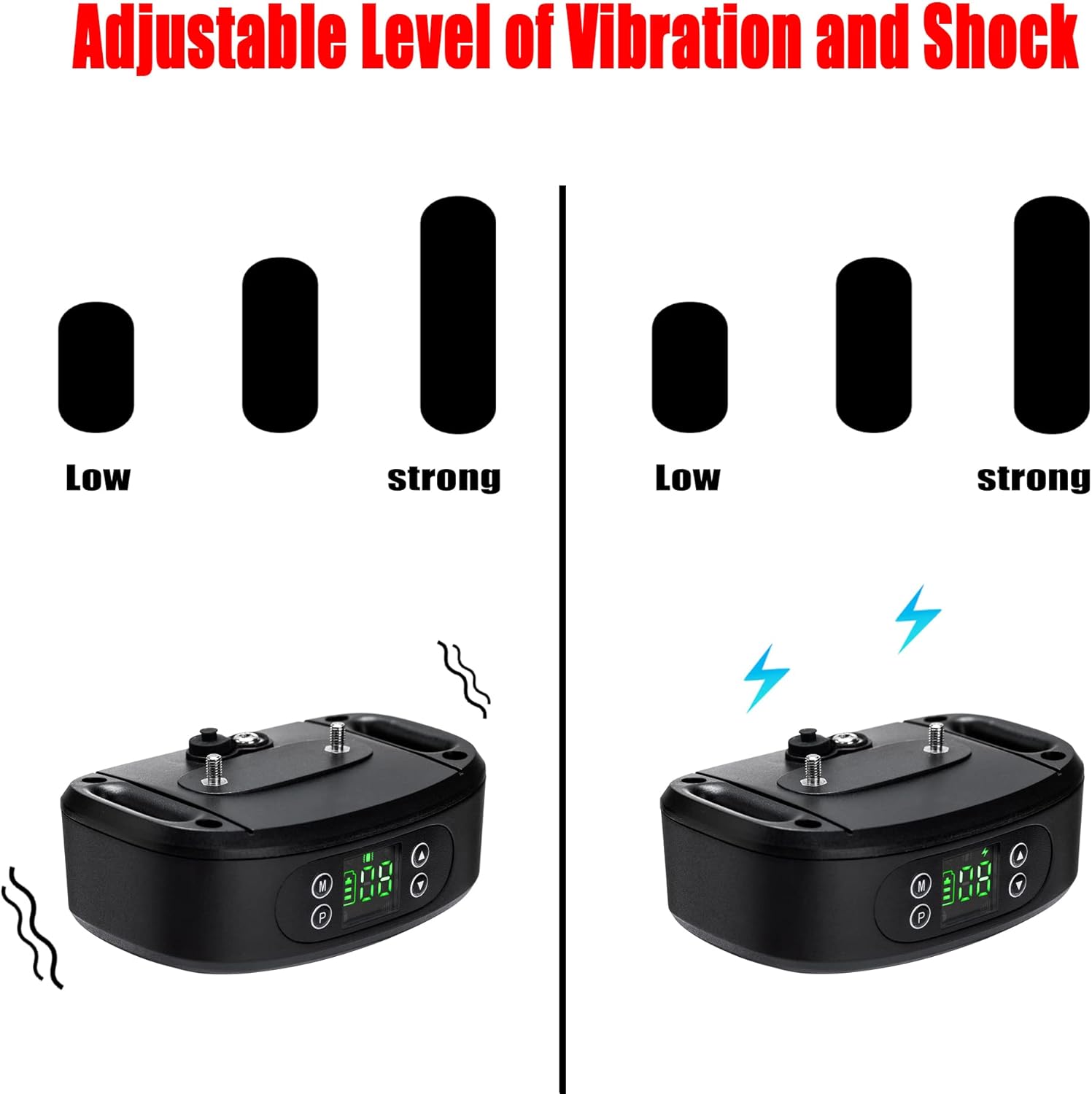
This image demonstrates the adjustable levels for both vibration and static correction. Users can select from various intensities, ranging from low to strong, to customize the training experience for their pet.
Durability and Water Resistance
The device is designed for outdoor use and features IP65 dust-proof and IPX5 waterproof ratings. This means it is protected against dust ingress and can withstand low-pressure water jets from any direction, making it suitable for various weather conditions and activities, including swimming.

This image shows a dog wearing the WIEZ GPS Wireless Dog Fence collar while playing in water, emphasizing the device's IPX5 waterproof capability, which allows it to be used in wet conditions.
Maintenance
Proper maintenance ensures the longevity and effectiveness of your WIEZ GPS Wireless Dog Fence:
- Charging: Recharge the device regularly using the provided charging cable. Ensure the charging port is clean and dry before charging.
- Cleaning: Periodically clean the device and contact probes with a soft, damp cloth. Remove any dirt or debris that may accumulate, especially around the contact points.
- Collar Inspection: Regularly inspect the collar strap for wear and tear. Replace if damaged to ensure a secure fit.
- Storage: When not in use for extended periods, store the device in a cool, dry place.
Troubleshooting
If you encounter issues with your WIEZ GPS Wireless Dog Fence, consider the following:
- Device Not Powering On: Ensure the device is fully charged. Connect it to the charger and wait for the charging indicator to confirm.
- No GPS Signal: The device requires an open sky view to acquire GPS signals. Operate the device in an open area away from tall buildings, dense tree cover, or other obstructions that may block satellite signals.
- Inconsistent Boundary: GPS accuracy can be affected by environmental factors. For best results, set the boundary in an open area. If the boundary seems inconsistent, try recalibrating the device by powering it off and on in the desired central location.
- No Warning/Correction: Check if the contact probes are making proper contact with your dog's skin. Ensure the collar is snug. Verify that the warning mode (vibration/static correction) is enabled and set to an appropriate level.
- Charging Port Damage: The rubber plug protecting the charging port is crucial for water resistance. If it is torn or damaged, contact customer support for assistance.
- Collar Not Holding Charge: Ensure the charging cable and adapter are functional. If the device still does not hold a charge, it may indicate a battery issue.
Specifications
| Feature | Detail |
|---|---|
| Brand Name | WIEZ |
| Model Number | B0CGZWDQ72 |
| Control Radius Range | 98 - 3281 feet (30 - 1000 meters) |
| Waterproof Rating | IPX5 |
| Dust-proof Rating | IP65 |
| Item Weight | 8.8 ounces |
| Package Dimensions | 5.16 x 3.94 x 2.05 inches |
Warranty and Support
For warranty information, technical support, or any inquiries regarding your WIEZ GPS Wireless Dog Fence, please refer to the contact information provided with your product packaging or visit the official WIEZ website. Keep your purchase receipt as proof of purchase for warranty claims.