
1. Introduction
The Razuvious Ra-B2 PRO Smart Lock offers advanced security and convenient access for your home or office. This 5-in-1 keyless entry system provides multiple unlocking methods including APP, Fingerprint, Password, Card, and Mechanical Key. It features a built-in camera for enhanced monitoring and remote interaction, along with Wi-Fi connectivity for seamless app control.

Image 1.1: The Razuvious Ra-B2 PRO Smart Lock, showcasing its sleek design and the accompanying mobile application interface.
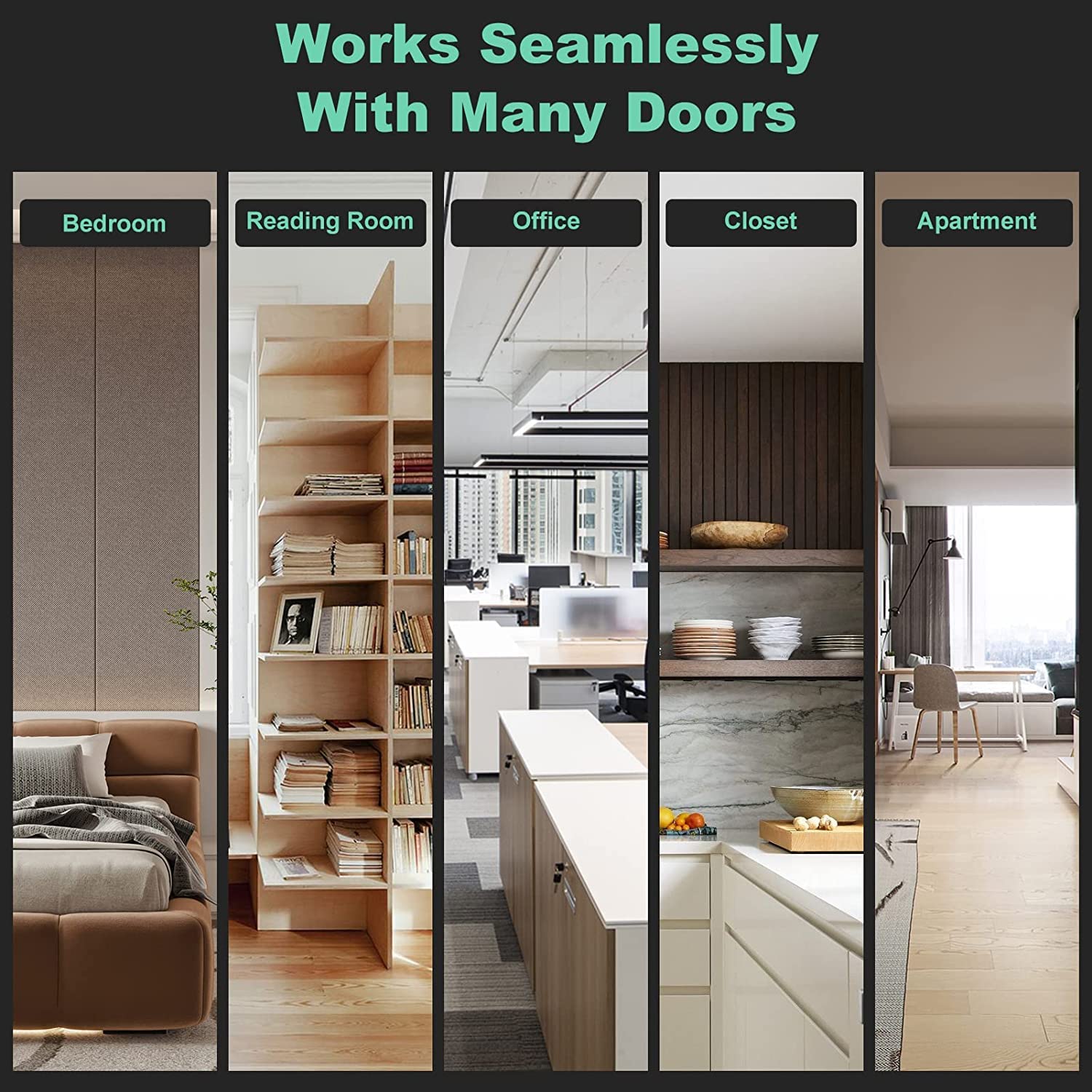
Image 1.2: The Razuvious Ra-B2 PRO Smart Lock is suitable for various door types, including bedroom, reading room, office, closet, and apartment doors.
2. Package Contents
Please verify that all components are present in your package:
- Razuvious Smart Lock Unit (Front and Rear Panels)
- 4585 Mortise
- Installation Hardware (Screws, Spindles, etc.)
- User Manual (This Document)
- Mechanical Keys
- Smart Cards (if included with your model)
3. Specifications

Image 3.1: Detailed diagram showing the dimensions and key operational parameters of the Razuvious Ra-B2 PRO Smart Lock.
| Parameter | Value |
|---|---|
| Brand | Razuvious |
| Model Number | Ra-B2 PRO |
| Special Feature | Keyless Entry, Built-in Camera, Wi-Fi Connectivity |
| Lock Type | Keypad, Fingerprint, Card, App, Mechanical Key |
| Dimensions (L x W x H) | 6.5 x 2 x 26 Centimeters |
| Material | Aluminium |
| Power Source | 8 AA batteries |
| Connectivity Protocol | Wi-Fi |
| Operating Temperature | -25°C to 55°C |
| Suitable Door Type | Wooden door |
| User Capacity | Up to 300 (Fingerprint, Password, Magnetic Card) |
4. Setup and Installation
Proper installation is crucial for the optimal performance of your Razuvious Smart Lock. It is recommended to consult a professional for installation if you are unsure.
4.1 Mortise Selection
Ensure you select the correct mortise for your door. The Razuvious Ra-B2 PRO Smart Lock is compatible with the 22*240 (45 85) mortise.
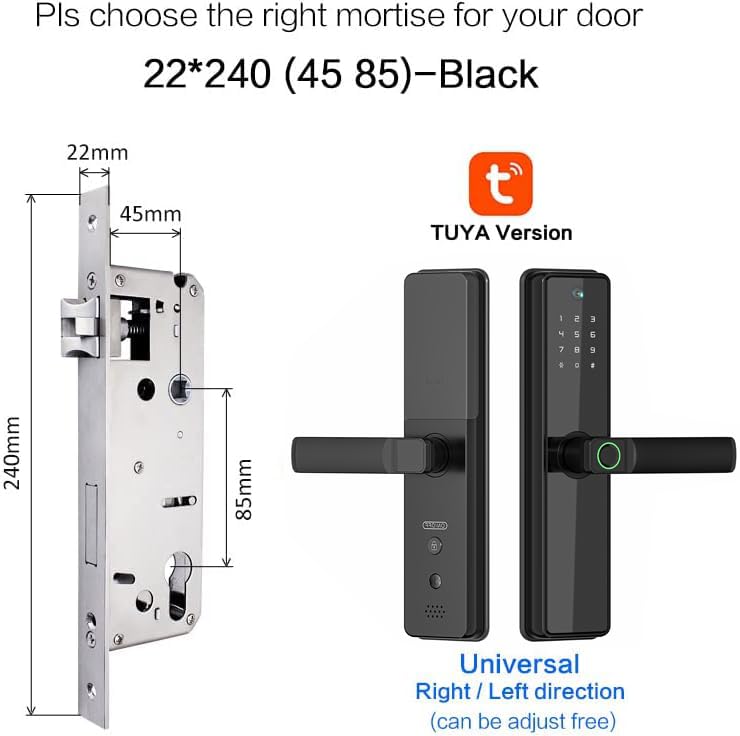
Image 4.1: Guide for selecting the appropriate mortise (22*240 (45 85)) and its dimensions for installation.
4.2 Handle Reversibility
The smart lock features a universal right/left direction handle, which can be adjusted to suit your door's opening direction during installation.
4.3 Power Supply
The lock operates on 8 AA batteries. Ensure fresh batteries are installed correctly according to the polarity markings inside the battery compartment.
5. Operating Instructions
5.1 Unlocking Methods
The Razuvious Ra-B2 PRO Smart Lock offers five ways to unlock your door:
- APP Unlock: Use the Tuya Smart or Smart Life app on your smartphone.
- Fingerprint Unlock: Place your registered fingerprint on the sensor.
- Password Unlock: Enter your registered passcode on the keypad.
- Card Unlock: Present a registered smart card to the designated area.
- Mechanical Key Unlock: Use the provided physical key as a backup.
5.2 App & Remote Control
Connect your smart lock to the Tuya Smart or Smart Life app via Wi-Fi for remote management and monitoring.
- Remote Unlock: Receive doorbell notifications and remotely unlock your door from anywhere via the app.
- Doorbell Function: When the doorbell button (9#) is pressed, the built-in camera automatically records pictures, and your phone receives an unlock request.
- Activity Logs: View unlocking records, operation logs, and photo capture records within the app.

Image 5.1: The mobile application displays detailed unlocking records, operation logs, and photo captures, allowing users to monitor door activity.
5.3 Built-in Camera and Digital Door Viewer
The integrated camera provides a digital door viewer function, allowing you to see visitors and interact remotely.
- Real-time Viewing: View who is at your door through the app.
- Night Vision: Enhanced night vision and a 120° wide-angle camera ensure clear visibility even in low light conditions.
- Automatic Recording: The camera automatically records images when the doorbell rings.
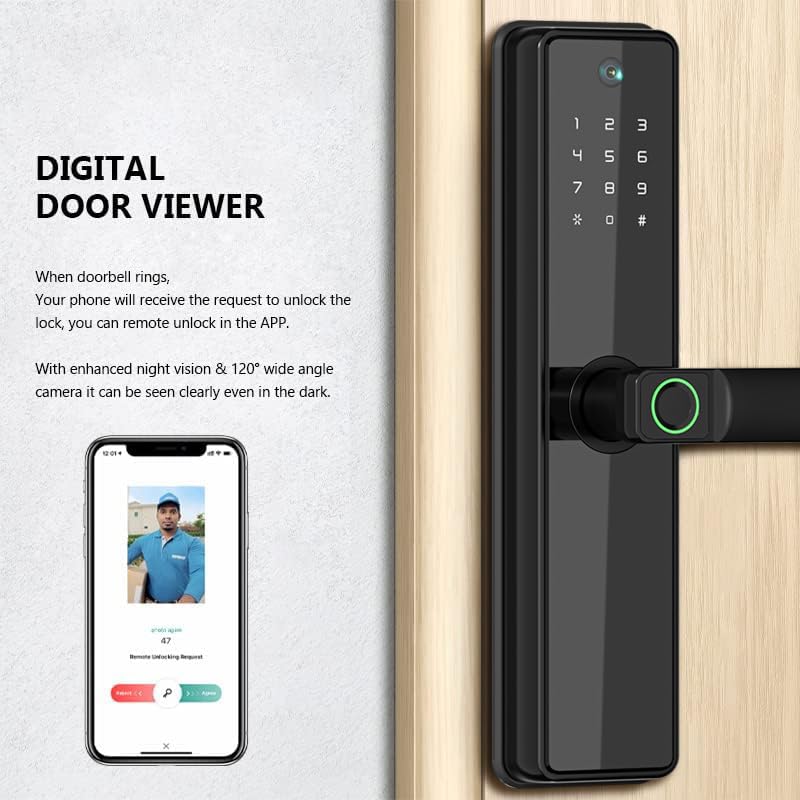
Image 5.2: Illustration of the digital door viewer, showing how the camera captures images and sends remote unlocking requests to your smartphone.
5.4 Generating One-Time Passcodes
You can generate temporary, one-time passcodes remotely through the app for guests or service providers.

Image 5.3: Example of generating and sharing a one-time passcode remotely using a smartphone for temporary access.
5.5 Language Settings
The lock supports multiple voice languages. To switch languages:
- Ensure the lock is under factory default settings with no users registered.
- To set English voice: Enter 333666991#.
- To set Arabic voice: Enter 333666992#.
6. Maintenance
To ensure the longevity and optimal performance of your smart lock, follow these maintenance guidelines:
- Cleaning: Wipe the lock's surface with a soft, dry cloth. Avoid abrasive cleaners or solvents that could damage the finish or electronic components.
- Battery Replacement: Replace all 8 AA batteries when the low battery indicator appears or when prompted by the app. Always use new, high-quality alkaline batteries. Do not mix old and new batteries.
- Sensor Care: Keep the fingerprint sensor and camera lens clean and free of dust or smudges for accurate operation.
- Mechanical Components: Periodically check that all screws are secure. Do not lubricate the lock cylinder with oil; use a graphite-based lubricant if necessary.
7. Troubleshooting
If you encounter issues with your Razuvious Smart Lock, refer to the following common solutions:
- Lock Not Responding: Check battery levels and replace if necessary. Ensure the battery compartment is properly closed.
- Fingerprint Not Recognized: Ensure your finger is clean and dry. Re-register your fingerprint if the issue persists.
- App Connectivity Issues: Verify your Wi-Fi network is active and the lock is within range. Restart your router and the lock if needed. Ensure the app is updated to the latest version.
- Incorrect Passcode Entry: Double-check the passcode. Ensure the keypad is clean and responsive.
- Remote Unlock Failure: Confirm your phone has an active internet connection. Check the lock's Wi-Fi connection status in the app.
- Doorbell Camera Not Activating: Ensure the lock has sufficient power. Check app settings for camera permissions and notifications.
- Factory Reset: If persistent issues occur, a factory reset may be necessary. Refer to the app or specific instructions for your model for the reset procedure. Note that a factory reset will erase all registered users and settings.
8. Warranty and Support
The Razuvious Ra-B2 PRO Smart Lock comes with a 1-year product warranty from the date of purchase. This warranty covers manufacturing defects and malfunctions under normal use.
For any product-related issues, technical assistance, or warranty claims, please contact Razuvious customer support through the retailer where the product was purchased or refer to the contact information provided in your product packaging.
The accompanying mobile application (Tuya Smart or Smart Life) can be used free of charge indefinitely.