
Introduction
This manual provides instructions for the installation, operation, and maintenance of your Generic phone case and tempered glass screen protector for the ZTE Blade V50 Design 5G. Please read these instructions carefully before use to ensure proper application and functionality.
The product includes a durable phone case designed for protection and enhanced usability, along with a tempered glass screen protector to safeguard your device's display.
What's in the Box
- 1 x Phone Case
- 1 x Tempered Glass Screen Protector
Setup and Installation
1. Installing the Tempered Glass Screen Protector
- Clean the Screen: Use the provided cleaning wipes (if included) or a microfiber cloth to thoroughly clean your phone's screen. Ensure there are no dust particles, smudges, or fingerprints.
- Align the Protector: Carefully peel off the protective film from the adhesive side of the tempered glass. Align the screen protector with your phone's screen, ensuring the cutouts for the camera and sensors match perfectly.
- Apply and Smooth: Once aligned, gently lower the screen protector onto the screen. It will adhere automatically. Use a clean cloth or your finger to gently press out any air bubbles towards the edges.

Image: Features of the tempered glass screen protector, highlighting its durability and clarity.

Image: A visual representation of the screen protector's scratch resistance, showing it withstands impact.
2. Installing the Phone Case
- Insert Phone: Gently place your ZTE Blade V50 Design 5G into the phone case, starting with one side and then pressing the other side in until the phone is securely seated.
- Check Fit: Ensure all edges of the phone are covered by the case and that all ports, buttons, and camera cutouts are properly aligned.
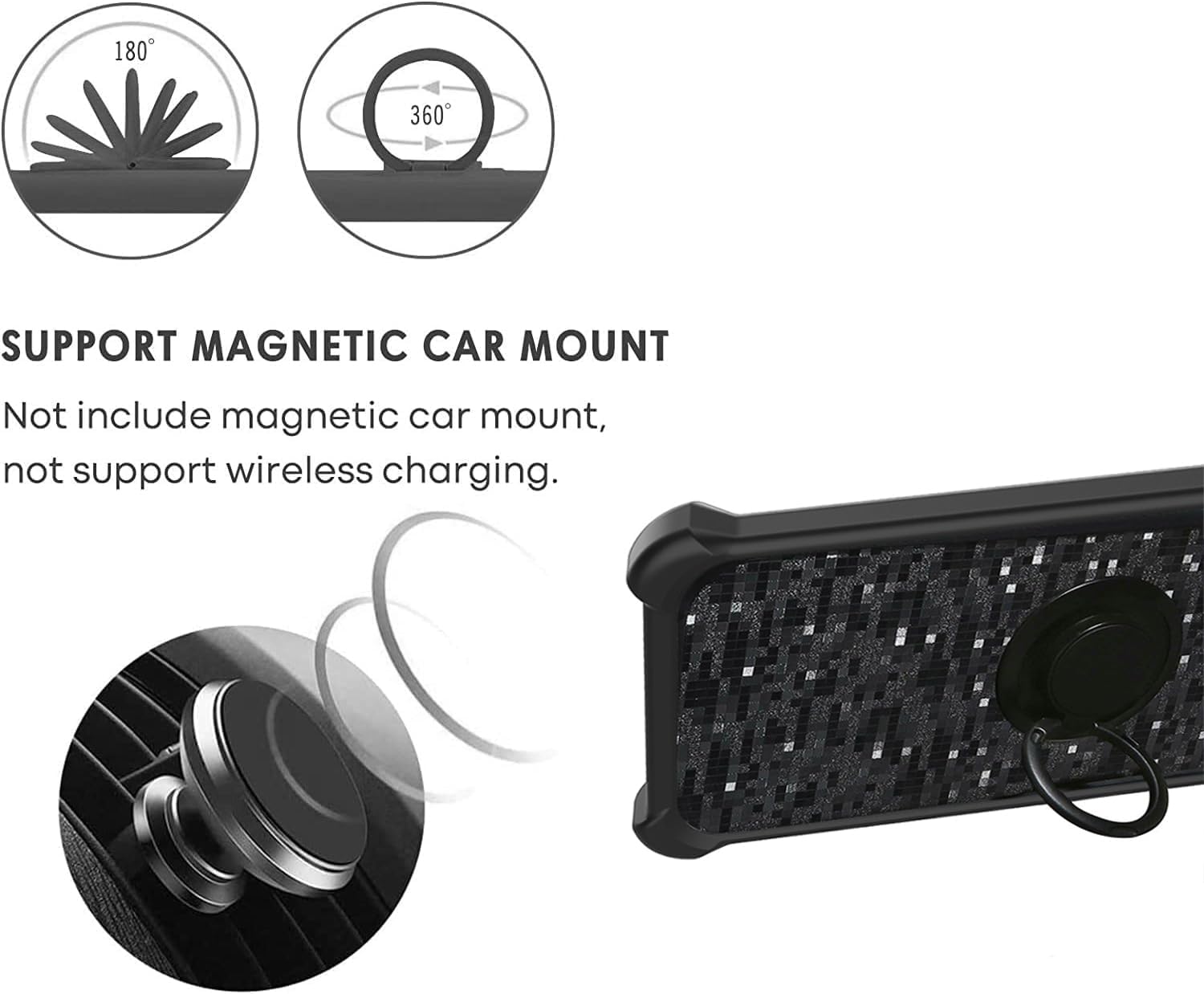
Image: Detail of the case's shockproof design, featuring reinforced corners and a multi-layer construction for impact absorption.
Operating Instructions
1. Using the 360-Degree Rotatable Ring Holder
The integrated ring holder on the back of the case provides multiple functionalities:
- Secure Grip: Insert your finger through the ring for a more secure hold on your phone, reducing the risk of accidental drops.
- Kickstand Function: Rotate the ring to a desired angle (up to 180 degrees) to prop up your phone for hands-free viewing of videos or video calls. The ring can rotate 360 degrees for optimal positioning.

Image: User demonstrating the secure grip provided by the rotatable ring holder.

Image: Illustration of the ring holder's rotational capabilities for various viewing angles and magnetic mounting.
2. Using the Magnetic Car Mount Function
The metal plate integrated into the ring holder allows for direct attachment to magnetic car mounts (not included). This feature enables convenient hands-free navigation or media consumption while driving.
- Attachment: Simply place the back of the phone case (where the ring holder is located) onto a compatible magnetic car mount. The strong magnetic connection will hold your phone securely.
- Note: This case does not support wireless charging due to the integrated metal plate for the magnetic car mount.

Image: The phone case securely mounted on a magnetic car holder, illustrating its hands-free functionality.
Maintenance
1. Cleaning the Phone Case
To clean your phone case, gently wipe it with a soft, damp cloth. For stubborn dirt, a mild soap solution can be used. Avoid harsh chemicals or abrasive materials, as these may damage the case's finish.
2. Caring for the Screen Protector
The tempered glass screen protector can be cleaned with a microfiber cloth to remove fingerprints and smudges. For deeper cleaning, a screen cleaner spray designed for electronics can be used. Avoid peeling or scratching the edges of the protector to maintain its adhesion and integrity.
Troubleshooting
- Screen Protector Bubbles: If small bubbles appear after installation, gently push them towards the nearest edge using a soft cloth or a credit card wrapped in cloth. For persistent bubbles, slightly lift the nearest edge of the protector and reapply.
- Ring Holder Stiffness: If the ring holder feels stiff, gently rotate it a few times to loosen the mechanism. Avoid forcing it beyond its intended range of motion.
- Magnetic Mount Adhesion Issues: Ensure your magnetic car mount is clean and free of debris. The case's magnetic plate should make full contact with the mount.
Specifications
| Brand | Generic |
| Compatible Phone Models | ZTE Blade V50 Design 5G |
| Material | Hard PC + Soft Silicone (Case), Tempered Glass (Screen Protector) |
| Additional Features | 360 Rotatable Ring Holder, Magnetic Car Mount Function, Shockproof Design |
| Form Factor | Basic Case |
Warranty and Support
This product is covered by the standard return policy of the retailer. For specific warranty details or support inquiries, please refer to your purchase documentation or contact the seller directly through the platform where the product was purchased.