
1. Introduction
The Fitonme Smartwatch S51 is a versatile wearable device designed for women, combining elegant aesthetics with advanced smart features. It features a 1.39-inch TFT color display with a high resolution of 360x360 pixels, an ultra-thin 10mm body, and comes with two interchangeable straps: a silver steel band and a comfortable white silicone band. This smartwatch supports Bluetooth calling, smart notifications, comprehensive health monitoring, and a wide range of sports modes, making it an ideal companion for daily life and fitness activities.
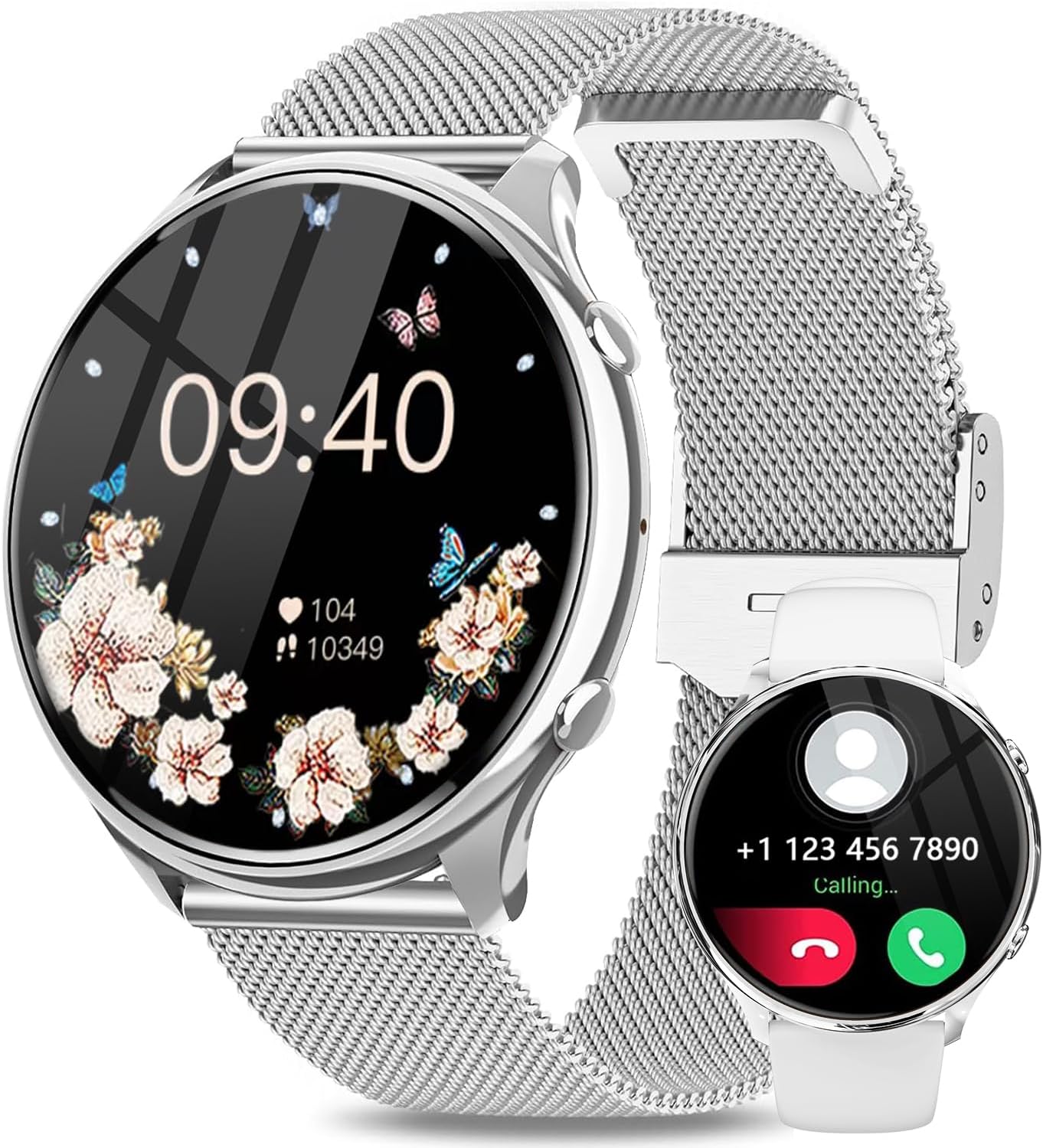
Figure 1.1: Fitonme Smartwatch S51, showcasing its elegant design and dual strap options.
2. Setup
2.1 Unboxing and Initial Charge
Upon unboxing your Fitonme Smartwatch S51, it is recommended to fully charge the device before its first use. Connect the magnetic charging cable to the charging points on the back of the watch and plug the USB end into a compatible power adapter (not included) or a computer USB port. A full charge typically takes approximately 2 to 2.5 hours.

Figure 2.1: The smartwatch connected to its magnetic charger, indicating charging status.
2.2 App Installation and Device Pairing
To unlock the full functionality of your smartwatch, download and install the FitCloudPro application on your smartphone. The app is compatible with iOS 9.0 and above, and Android 4.4 and above.
- Download App: Search for "FitCloudPro" in your smartphone's app store (App Store for iOS, Google Play Store for Android) and install it.
- Enable Bluetooth: Ensure Bluetooth is enabled on your smartphone.
- Open App: Launch the FitCloudPro app and follow the on-screen instructions to create an account or log in.
- Add Device: In the app, navigate to the "Device" or "My Device" section and select "Add Device" or "Bind Device". The app will search for nearby smartwatches.
- Select Your Watch: From the list of found devices, select "S51" or the device name corresponding to your Fitonme Smartwatch. Confirm the pairing request on both your phone and the watch if prompted.
- Sync Data: Once paired, the watch will synchronize data with the app, and you can begin customizing settings and tracking your activities.
3. Operating Instructions
3.1 Basic Navigation
- Touch Screen: Swipe left/right to navigate through main functions, swipe up/down for quick settings or notifications.
- Side Button: Press to wake the screen, return to the home screen, or access the app list.
- Always-On Display: The watch supports an Always-On Display feature, allowing the time to be visible at all times with minimal power consumption. This can be configured in the watch settings or via the FitCloudPro app.
3.2 Bluetooth Calling and Smart Notifications
Once paired with your smartphone, the Fitonme Smartwatch S51 allows you to make and receive calls directly from your wrist. You will also receive real-time notifications for SMS, social media apps (Facebook, WhatsApp, Instagram, etc.), and other alerts.
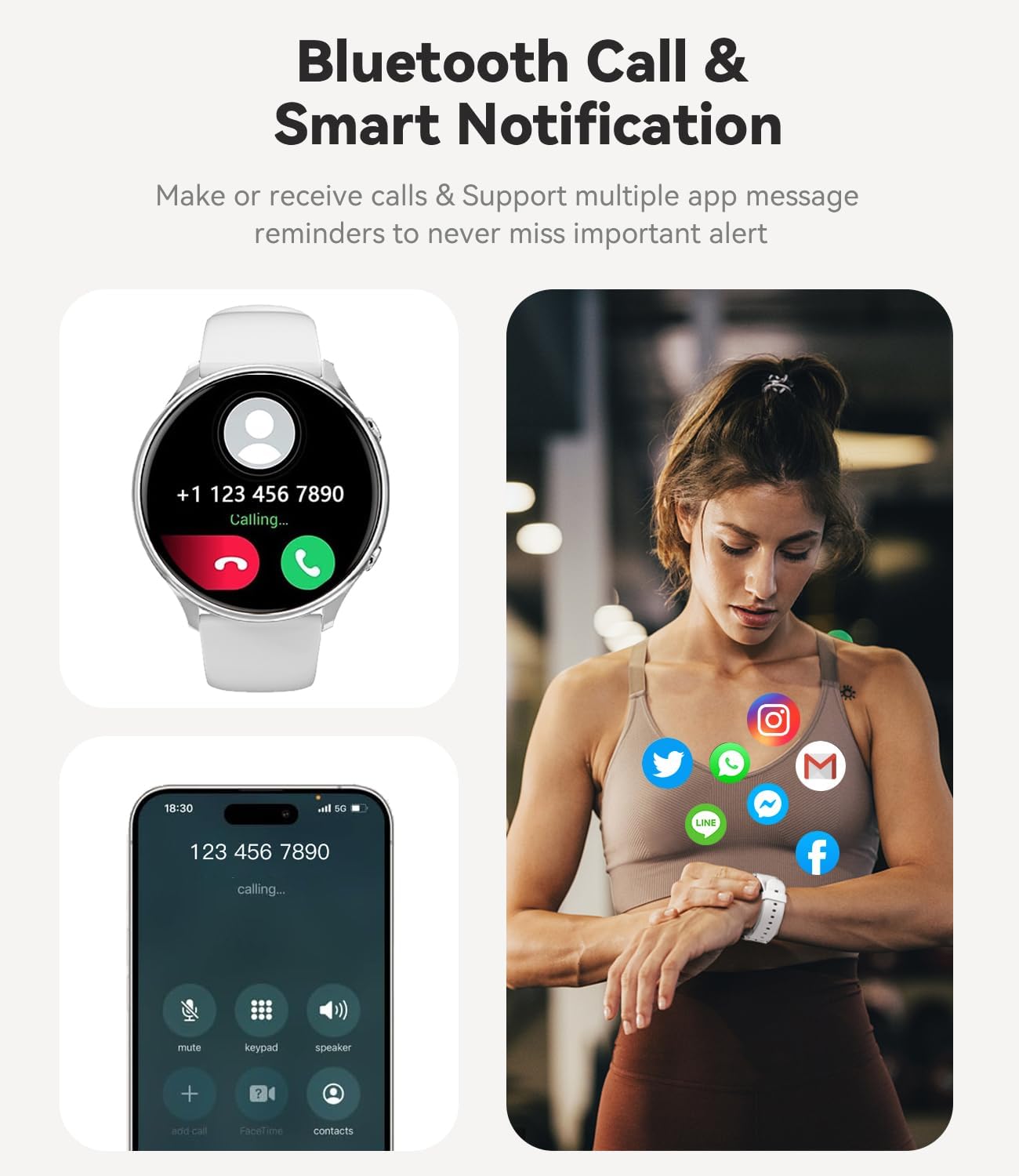
Figure 3.1: Smartwatch showing an incoming call, enabling hands-free communication.
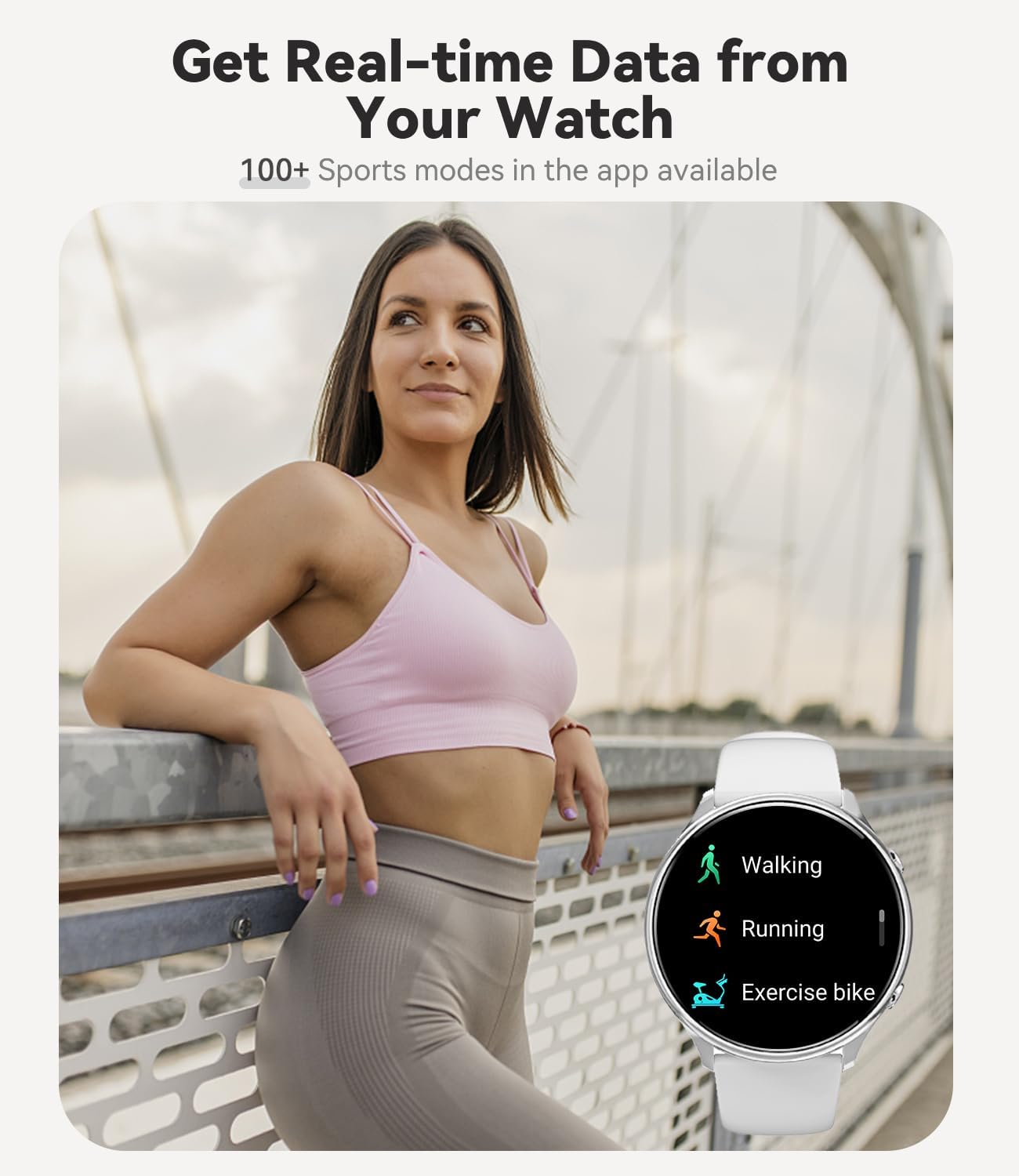
Figure 3.2: The smartwatch receiving notifications from various applications.
3.3 Health Monitoring
The smartwatch is equipped with advanced sensors to monitor various health metrics:
- Heart Rate Monitoring: Continuously tracks your heart rate throughout the day.
- Blood Oxygen (SpO2) Measurement: Measures your blood oxygen saturation levels.
- Sleep Tracking: Monitors your sleep patterns, including deep sleep, light sleep, and awake times, to help you understand and improve your sleep quality.
- Women's Health Tracking: Provides features for tracking menstrual cycles and predicting ovulation periods.
- Pedometer: Counts your daily steps, distance, and calories burned.

Figure 3.3: Health monitoring features including heart rate tracking during exercise and sleep analysis.
3.4 Sports Modes
The Fitonme Smartwatch S51 offers over 120 sports modes accessible through the FitCloudPro app. It tracks real-time data for your workouts, helping you achieve your fitness goals.
- Built-in Modes: Includes common activities like walking, running, and exercise biking.
- App-based Modes: Access a wider variety of sports modes via the FitCloudPro app to track specific activities.

Figure 3.4: The smartwatch displaying various sports tracking modes.
3.5 Additional Features
- Music Control: Control music playback on your smartphone directly from the watch.
- Camera Remote Control: Use the watch as a remote shutter for your phone's camera.
- Weather Forecast: Get real-time weather updates.
- Alarm Clock & Timer: Set alarms and use the timer function.
- Sedentary Reminder: Reminds you to move after periods of inactivity.
- Water Reminder: Prompts you to drink water regularly.
- Customizable Watch Faces: Choose from over 200 watch faces or use your own photos.

Figure 3.5: Music player controls accessible from the smartwatch.
4. Maintenance
4.1 Cleaning Your Smartwatch
Regular cleaning helps maintain the appearance and functionality of your smartwatch. Use a soft, lint-free cloth to wipe the screen and body. For stubborn smudges, slightly dampen the cloth with water. Avoid using harsh chemicals or abrasive materials.
4.2 Water Resistance (IP67)
The Fitonme Smartwatch S51 is rated IP67 waterproof, meaning it is resistant to dust and can withstand immersion in water up to 1 meter for 30 minutes. This makes it suitable for daily activities like hand washing or light rain.
Important Note: While IP67 rated, the watch is not suitable for swimming, showering with hot water, or sauna use. Exposure to steam, hot water, or prolonged immersion can damage the device and void the warranty. Always dry the watch thoroughly after it gets wet.
4.3 Battery Care
To prolong battery life, avoid extreme temperatures. Charge the watch using the provided magnetic charger. If the watch will not be used for an extended period, charge it to about 50% before storing it.
5. Troubleshooting
| Problem | Possible Solution |
|---|---|
| Watch not turning on or charging. | Ensure the charging cable is securely connected to both the watch and the power source. Try a different USB port or power adapter. Clean the charging contacts on the watch and cable. Allow the watch to charge for at least 10-15 minutes before attempting to turn it on. |
| Cannot pair with smartphone. | Make sure Bluetooth is enabled on your phone and the watch is within range. Restart both your phone and the watch. Forget the device in your phone's Bluetooth settings and try pairing again through the FitCloudPro app. Ensure the FitCloudPro app has necessary permissions (location, Bluetooth). |
| Notifications not received. | Check if the watch is properly connected to the app. Ensure notification permissions are enabled for the FitCloudPro app in your phone's settings. Verify that app notifications are enabled within the FitCloudPro app itself. Disable any power-saving modes on your phone that might restrict background app activity. |
| Inaccurate health data (HR, SpO2, Sleep). | Ensure the watch is worn snugly on your wrist, not too loose or too tight. Clean the sensor on the back of the watch. Avoid excessive movement during measurements. For sleep tracking, ensure you wear the watch throughout the night. |
| Short battery life. | Reduce screen brightness. Turn off Always-On Display if not needed. Limit continuous heart rate monitoring or set it to a longer interval. Close unnecessary background apps on the watch (if applicable). Frequent calls or heavy notification usage can drain the battery faster. |
If you encounter issues not listed here, please refer to the FitCloudPro app's help section or contact Fitonme customer support.
6. Specifications
| Feature | Detail |
|---|---|
| Brand | Fitonme |
| Model Number | S51 |
| Color | Silver/White |
| Screen Size | 1.39 Inches |
| Display Resolution | 360 x 360 pixels |
| Operating System Compatibility | iOS 9.0+, Android 4.4+ |
| Connectivity | Bluetooth |
| Special Features | Always-on display, 120+ sports modes, period tracking, heart rate monitor, SpO2 monitor, sleep monitor, pedometer, custom dial, Bluetooth calling, notifications, music control, camera remote, weather, alarm, timer, sedentary reminder, water reminder. |
| Battery Composition | Lithium-polymer |
| Charging Time | Approx. 2 - 2.5 hours |
| Usage Time | 5-7 days (typical usage) |
| Standby Time | Up to 30 days |
| Water Resistance | IP67 (Dust and water resistant up to 1 meter for 30 minutes. Not for swimming, hot showers, or saunas.) |
| Memory Storage Capacity | 128 MB |
| Shape | Round |
| Style | Modern |
7. Warranty and Support
For warranty information and customer support, please refer to the documentation included with your product or visit the official Fitonme website. You can also contact the seller directly through the platform where you purchased the product for assistance with returns or technical issues.
Return Policy: The product has a 30-day return/replacement policy from the date of purchase.
8. Product Videos
No official product videos from the seller were found for this item in the provided data.


