
W WINBRIDGE S208
W WINBRIDGE Voice Amplifier S208 User Manual
Model: S208
Introduction
Thank you for choosing the W WINBRIDGE S208 Portable Voice Amplifier. This device is designed to amplify your voice clearly and effectively, making it ideal for teachers, coaches, tour guides, and anyone needing to project their voice in various settings. Its compact size, powerful output, and versatile connectivity options ensure a comfortable and efficient user experience.
Product Overview
Package Contents
- 1 x W WINBRIDGE S208 Voice Amplifier
- 1 x Wired Headset Microphone
- 1 x Wired Lapel Microphone (gift)
- 1 x USB Charging Cable
- 1 x Waistband
- 1 x User Manual
Component Identification
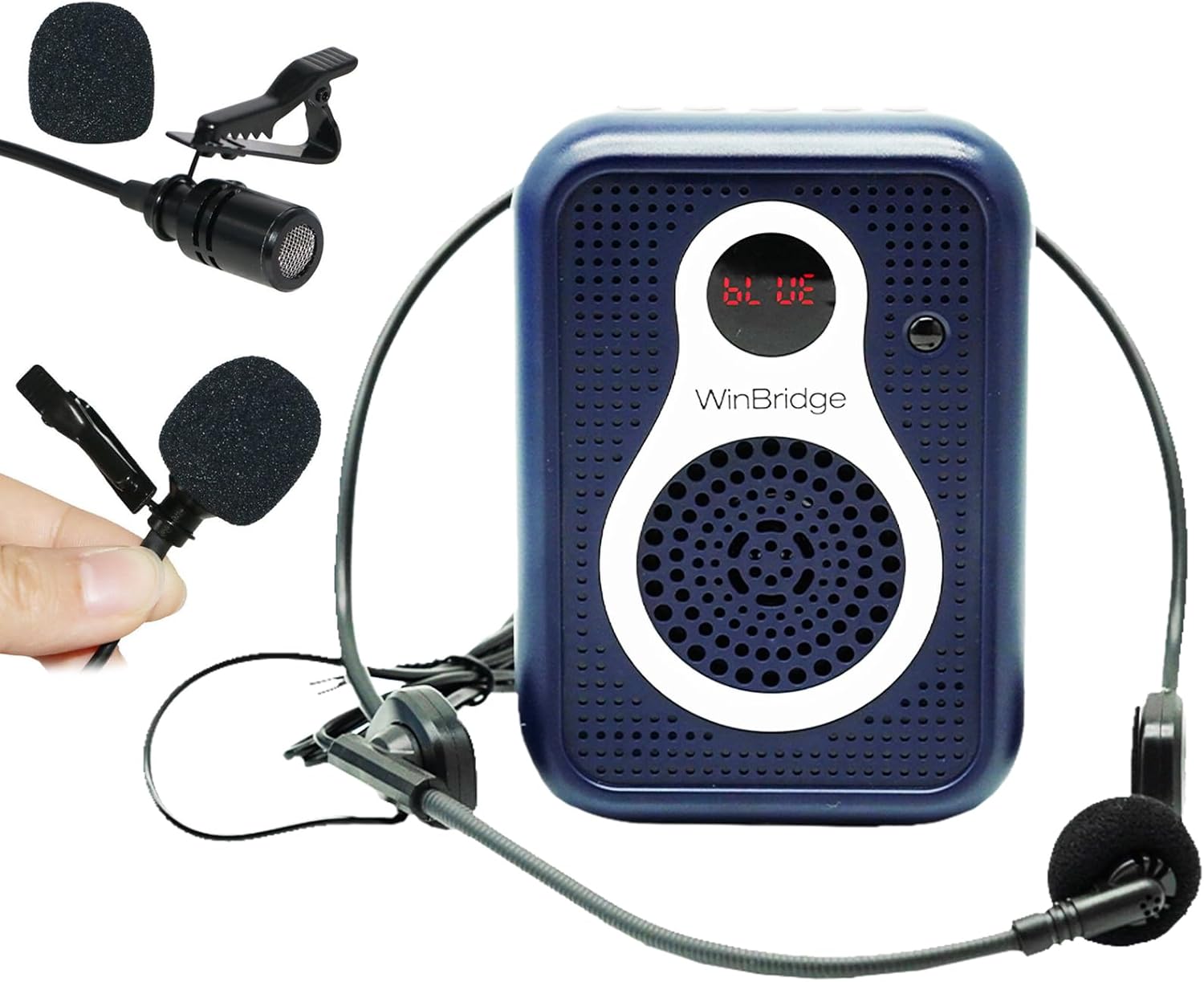
Figure 1: W WINBRIDGE S208 Voice Amplifier with included headset and lapel microphones. The main unit is blue with a white speaker grille, featuring an LED display and control buttons.

Figure 2: Detailed view of the S208 amplifier's controls and ports. Includes SD/TF Card Slot, USB Slot, Previous/Next/Pause/Play/Record buttons, Power Switch/Volume Control, Mic input, and AUX input.
- Power Switch/Volume Control: Rotary knob on the side to turn on/off and adjust volume.
- Microphone Input (MIC): 3.5mm jack for connecting the headset or lapel microphone.
- AUX Input: 3.5mm jack for connecting external audio devices.
- USB Port: For USB flash disk playback.
- TF Card Slot: For TF (Micro SD) card playback.
- LED Display: Shows mode (e.g., "BLUE" for Bluetooth).
- Control Buttons: Previous track, Play/Pause, Next track, Mode, Record.
Setup
Charging the Amplifier
Before first use, fully charge the amplifier. The device has a built-in 2000mAh Lithium Polymer battery.
- Connect the small end of the USB charging cable to the DC IN port on the amplifier.
- Connect the large end of the USB charging cable to a USB power adapter (not included) or a computer's USB port.
- The LED indicator will show charging status. Once fully charged, the indicator will change or turn off.

Figure 3: The S208 amplifier features a 2000mAh battery, providing approximately 8-10 hours of working time on a full charge.
Connecting the Microphone
The S208 comes with both a headset microphone and a lapel microphone.
- Insert the 3.5mm plug of your chosen microphone (headset or lapel) into the "MIC" input jack on the side of the amplifier.
- For optimal voice amplification, position the microphone approximately 1-2 cm from your mouth.
- Note: The lapel microphone is a supplementary accessory. For primary voice amplification, especially in noisy environments, the headset microphone is recommended for better clarity and to minimize feedback. If using the lapel mic, ensure it is held directly in front of your lips.

Figure 4: The S208 package includes both a headset microphone for hands-free use and a lapel microphone for discreet placement.
Operating Instructions
Power On/Off and Volume Control
- To turn on the amplifier, rotate the "ON/OFF/VOL" knob clockwise until you hear a click and the LED display lights up.
- Continue rotating the knob clockwise to increase the volume.
- Rotate the knob counter-clockwise to decrease the volume.
- To turn off the amplifier, rotate the knob counter-clockwise until it clicks off and the LED display turns off.
Mode Selection
Press the "M" (Mode) button to cycle through available modes: Bluetooth, AUX, USB, TF Card.
Bluetooth Pairing
- Turn on the amplifier.
- Press the "M" button until the LED display shows "BLUE", indicating Bluetooth mode.
- On your smartphone or Bluetooth-enabled device, search for "S208" in the Bluetooth settings.
- Select "S208" to pair. Once connected, the amplifier will indicate successful pairing.
- You can now play audio from your device through the amplifier.

Figure 5: The S208 amplifier supports Bluetooth 4.2 for wireless audio streaming from compatible devices.
AUX/USB/TF Card Playback
- AUX Mode: Connect an external audio device (e.g., MP3 player, phone) to the "AUX" input jack using a 3.5mm audio cable (not included). The amplifier will automatically switch to AUX mode or can be selected using the "M" button.
- USB Disk Mode: Insert a USB flash disk containing MP3 audio files into the USB port. The amplifier will automatically switch to USB mode or can be selected using the "M" button.
- TF Card Mode: Insert a TF (Micro SD) card containing MP3 audio files into the TF card slot. The amplifier will automatically switch to TF card mode or can be selected using the "M" button.
- Use the Previous (|<<), Play/Pause (>||), and Next (>>|) buttons to control playback.
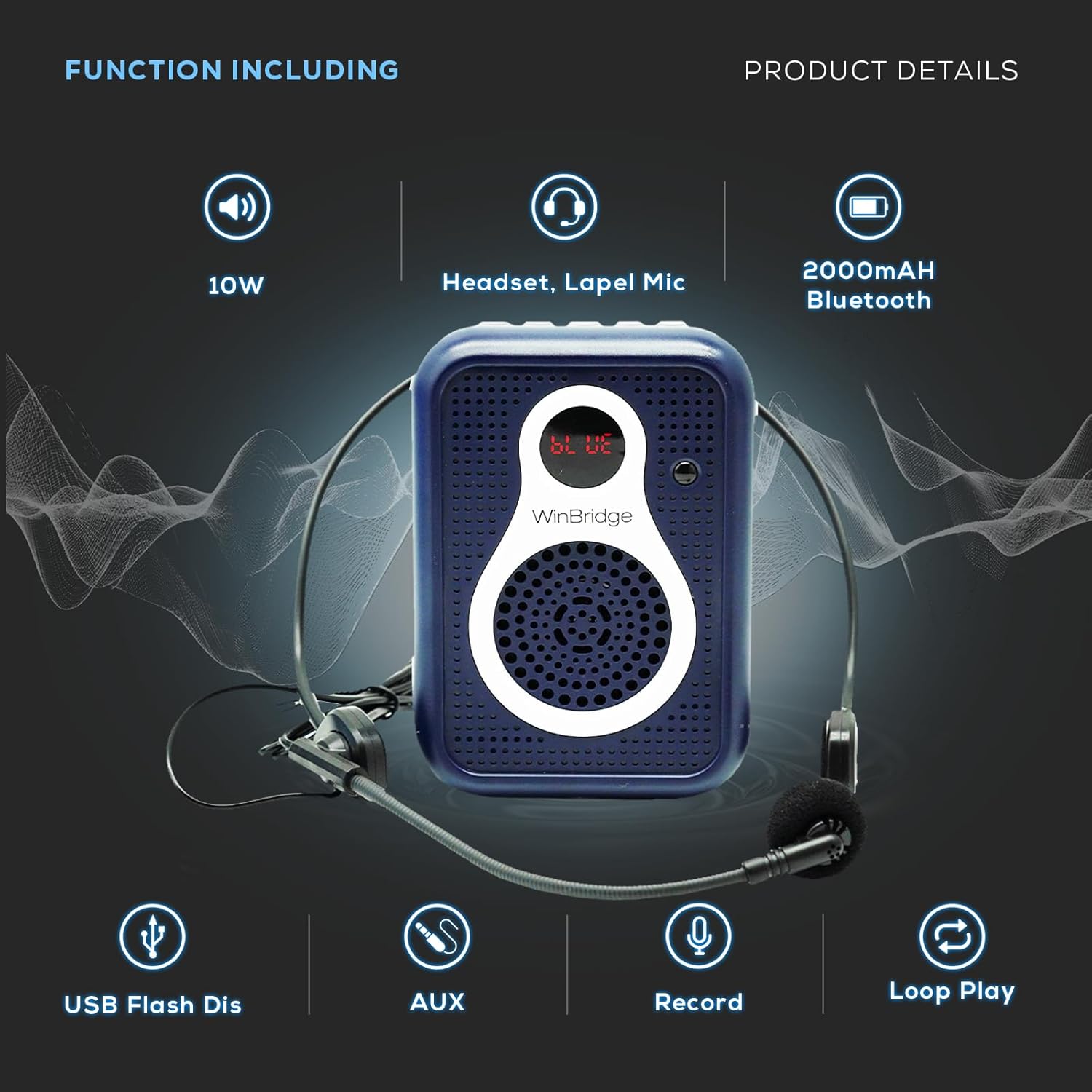
Figure 6: The S208 amplifier supports multiple media inputs including USB Flash Disk, AUX, Recording, and Loop Play, in addition to its 10W output, 2000mAh Bluetooth, and headset/lapel mic compatibility.
Recording Function
The amplifier supports recording audio to a USB flash disk or TF card.
- Ensure a USB flash disk or TF card is inserted.
- Press the "REC" button to start recording.
- Press the "REC" button again to stop recording.
- Recorded files will be saved on the inserted storage device.

Figure 7: The S208 amplifier includes a recording function and a convenient mute feature for audio output.
Mute Function
To instantly pause audio output, press the mute button (often integrated with Play/Pause or a dedicated button, refer to Figure 2 for exact button layout). Press again to resume.
Carrying Options
The S208 is designed for portability and can be carried in several ways:
- Back Clip: Use the integrated back clip to attach the amplifier to your belt or pocket.
- Waistbelt: Secure the amplifier around your waist using the provided adjustable waistband.
- Neck Strap: The waistband can also be used as a neck strap to hang the amplifier around your neck.

Figure 8: The S208 amplifier offers versatile carrying options including cross-body, hanging around the neck, or tied to the waist, facilitated by its included adjustable waistband and belt clip.
Maintenance
- Clean the amplifier and microphones with a soft, dry cloth. Do not use abrasive cleaners or solvents.
- Avoid exposing the device to extreme temperatures, direct sunlight, or high humidity.
- Store the amplifier in a cool, dry place when not in use.
- Do not attempt to disassemble or repair the device yourself. Refer to the troubleshooting section or contact customer support for assistance.
Troubleshooting
| Problem | Possible Cause | Solution |
|---|---|---|
| No sound from amplifier |
|
|
| Feedback/Whistling sound |
|
|
| Bluetooth not connecting |
|
|
| Short battery life |
|
|
Specifications
| Feature | Detail |
|---|---|
| Brand | W WINBRIDGE |
| Model | S208 |
| Output Wattage | 10 Watts |
| Power Source | Battery Powered (1 Lithium Polymer battery included) |
| Battery Capacity | 2000mAh (approx. 8-10 hours play time) |
| Connectivity Technology | Wired, USB, Auxiliary, Bluetooth 4.2 |
| Audio Input | Bluetooth, AUX, USB Flash Disk, TF card |
| Microphone Type | Wired Headset Microphone, Wired Lapel Microphone |
| Material | Plastic |
| Color | Blue |
| Item Weight | 0.43 lb (14 ounces) |
| Dimensions (L x W x H) | 3.1 x 1.2 x 4.5 inches |
| Recommended Uses | Teaching, Training, Singing, Coaching, Tour Guiding, Presentations, Outdoor Speeches |
Warranty and Support
W WINBRIDGE is committed to quality and customer satisfaction. For any issues or inquiries regarding your S208 Voice Amplifier, please contact our customer support team.
- Customer Service Hotline: +1(833)966-2881 (as per brand story FAQ)
- Manufacturer: WinBridge
- Transparency Verification: Each item has a unique code verified before shipping.
Your satisfaction is our priority. Please retain your purchase receipt for warranty purposes.
Related Documents - S208
 |
WinBridge M700 Voice Amplifier User Manual User manual for the WinBridge M700 Voice Amplifier, detailing its functions, operation, charging, and features like FM radio and Bluetooth connectivity. |
 |
WinBridge WB006 Voice Amplifier User Manual User manual for the WinBridge WB006 portable voice amplifier and wireless lapel microphone, detailing functions, setup, connectivity, and technical specifications. |
 |
WinBridge C006 Voice Amplifier User Manual User manual for the WinBridge C006 Voice Amplifier, detailing its functions, setup, operation, charging, and troubleshooting. |
 |
WinBridge Voice Amplifier User Manual and Technical Guide Comprehensive guide to operating and maintaining the WinBridge voice amplifier and lapel microphone, including setup, charging, troubleshooting, and technical specifications. |
 |
WinBridge A006 Voice Amplifier User Manual - Clear Audio & Bluetooth Connectivity Comprehensive user manual for the WinBridge A006 Voice Amplifier, detailing setup, operation, Bluetooth pairing, USB playback, charging, troubleshooting, and technical specifications. Enhance your voice with clear, amplified sound. |
 |
WinBridge S92 Pro Portable PA System User Manual User manual for the WinBridge S92 Pro Portable PA System, detailing its features, operation, pairing instructions for wireless microphones, music playback options, charging procedures, and troubleshooting. |
Ask a question about this manual
Ask about setup, troubleshooting, compatibility, parts, safety, or missing instructions. Manuals+ will review the question and use this page’s manual context to help answer it.