
1. Product Overview
The YOUULAR Armor Card Case is designed to provide robust protection and enhanced functionality for your Samsung Galaxy A34 5G. This case features a multi-layered construction, including hard PC and soft TPU materials, a built-in kickstand, and a hidden card holder, offering comprehensive protection against drops and daily wear.
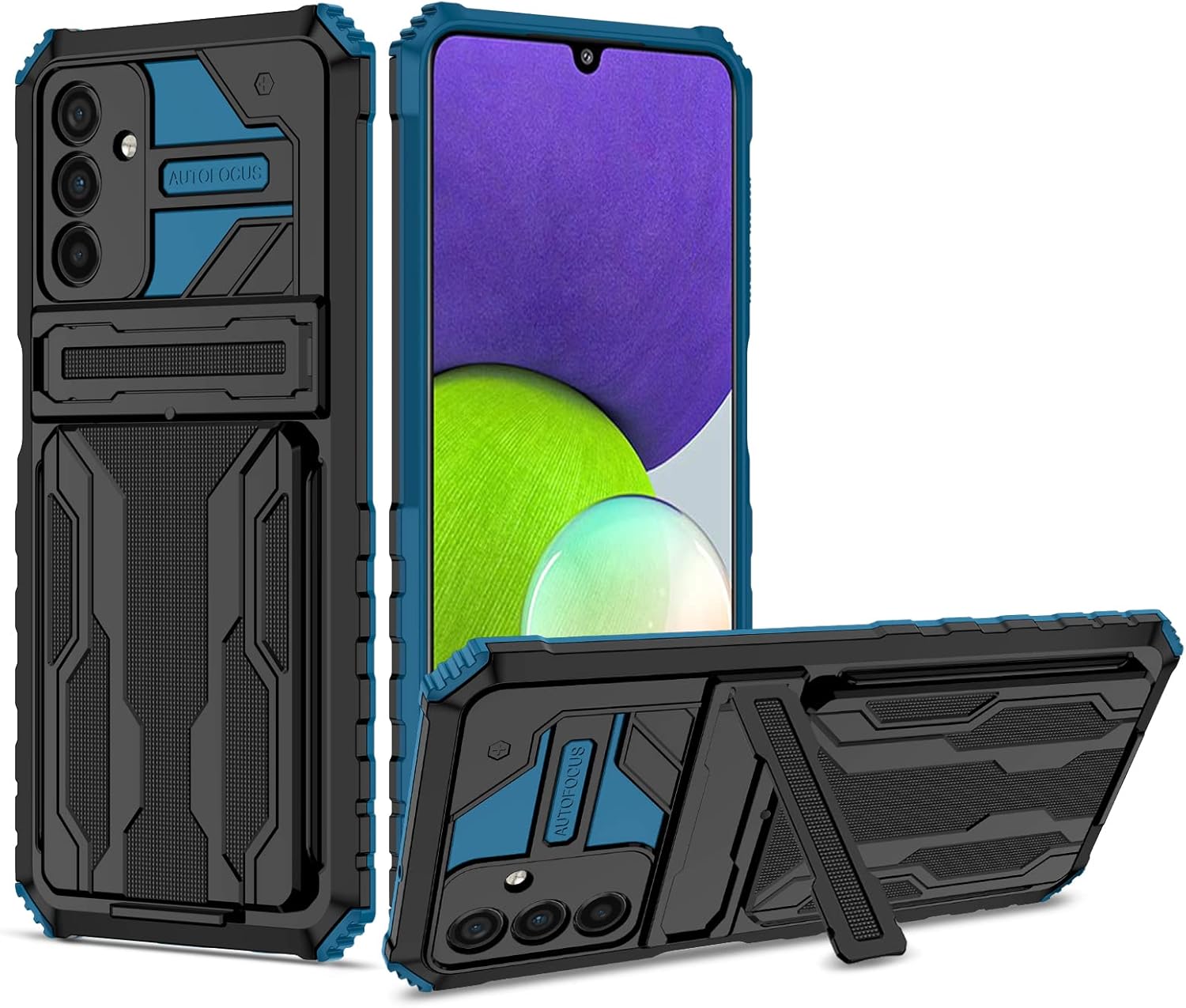
Figure 1: Front and back view of the YOUULAR Armor Card Case with kickstand.
2. Key Features
- Multifunctional Combination: Constructed from a combination of rigid PC (Polycarbonate) and flexible soft TPU (Thermoplastic Polyurethane) for anti-collision and drop resistance.
- Integrated Kickstand: Features a built-in hidden bracket that can be pulled out to prop up your phone for hands-free viewing in landscape mode.
- Hidden Card Holder: Designed to discreetly store up to 2 cards, such as ID cards or credit cards, in the back of the case.
- Enhanced Protection: Offers 360° all-inclusive protection with reinforced four corners for outstanding shock absorption. Raised edges protect the screen and camera from scratches when placed on flat surfaces.
- Anti-Fingerprint Surface: The special oily spray paint material effectively prevents fingerprint smudges, maintaining a clean appearance.
- Precise Cutouts: 1:1 size restoration ensures accurate hole positioning for all ports, buttons, and features, allowing for seamless use and charging without removing the case.
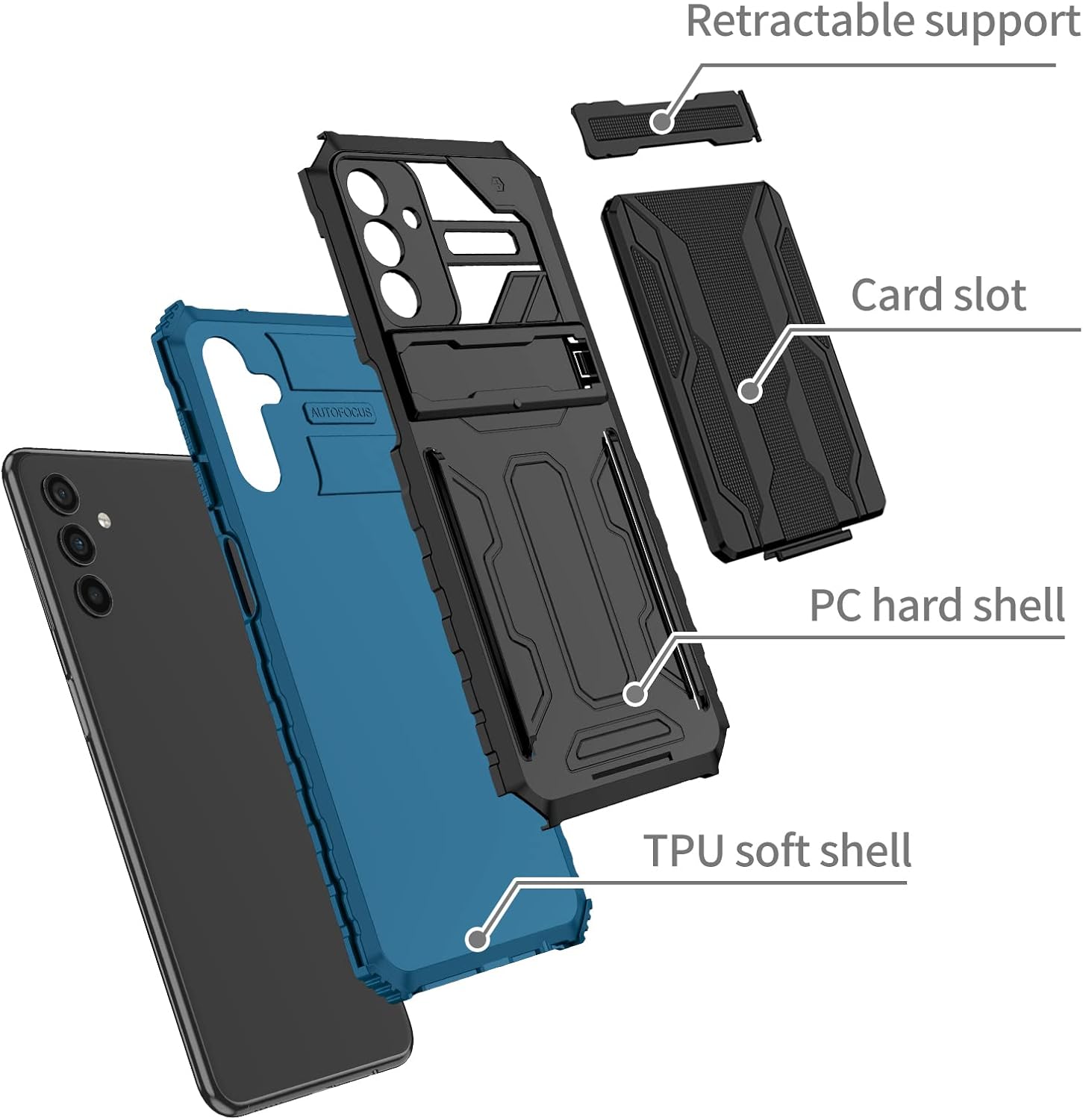
Figure 2: Exploded view showing the multi-layered design of the case.

Figure 3: Detail of screen and camera protection provided by raised lips.

Figure 4: Visual representation of the case's shock absorption capabilities.
3. Installation and Usage
3.1 Case Installation
To install the case, first ensure your Samsung Galaxy A34 5G is clean and free of dust. Gently place your phone into the soft TPU inner layer, ensuring all edges are properly seated. Then, align the PC hard shell outer layer over the TPU layer and snap it into place. The precise design ensures a snug and secure fit.
3.2 Using the Hidden Card Holder
The hidden card holder is located on the back of the case. To access it, gently lift the buckle upward and slide down the card slot. You can store up to two standard-sized cards. After inserting or removing cards, slide the slot back into place and ensure the buckle is securely closed.

Figure 5: Steps to access the hidden card slot.

Figure 6: Demonstrating card insertion into the hidden slot.
3.3 Utilizing the Built-in Kickstand
To use the kickstand, locate the retractable support on the back of the case. Gently pull it out until it locks into position. This allows you to prop your phone horizontally for comfortable media viewing or video calls. When not in use, simply push the kickstand back into its recessed position until it is flush with the case.

Figure 7: The kickstand in use for hands-free viewing.
3.4 Product in Action
Watch this video to see the YOUULAR Armor Card Case in real-life use, demonstrating its various functions and features.
Video 1: Real-life demonstration of the phone case features, including kickstand and card holder.
4. Maintenance
To maintain the appearance and functionality of your YOUULAR Armor Card Case, regularly wipe it with a soft, damp cloth to remove dust and smudges. Avoid using harsh chemicals or abrasive materials, as these may damage the case's finish. The anti-fingerprint coating helps keep the case looking clean with minimal effort.

Figure 8: The case's comfortable feel and effective anti-fingerprint surface.
5. Troubleshooting
5.1 Charging Issues with Case On
The YOUULAR Armor Card Case is designed with precise cutouts to ensure full access to all ports, including the charging port. If you experience difficulty charging your phone with the case on, please ensure the phone is correctly seated within the case and that no debris is obstructing the charging port. Verify that the charging cable is fully inserted into both the phone and the power source. If issues persist, try removing the case to confirm the problem is not with the phone or charger itself.
5.2 Signal or Volume Interference
The case is engineered to have no effect on the phone's signal reception or volume output. If you notice any degradation in signal strength or sound quality, ensure the case is properly installed and not misaligned. Check for any physical obstructions or damage to the case that might interfere with the phone's antennas or speakers.
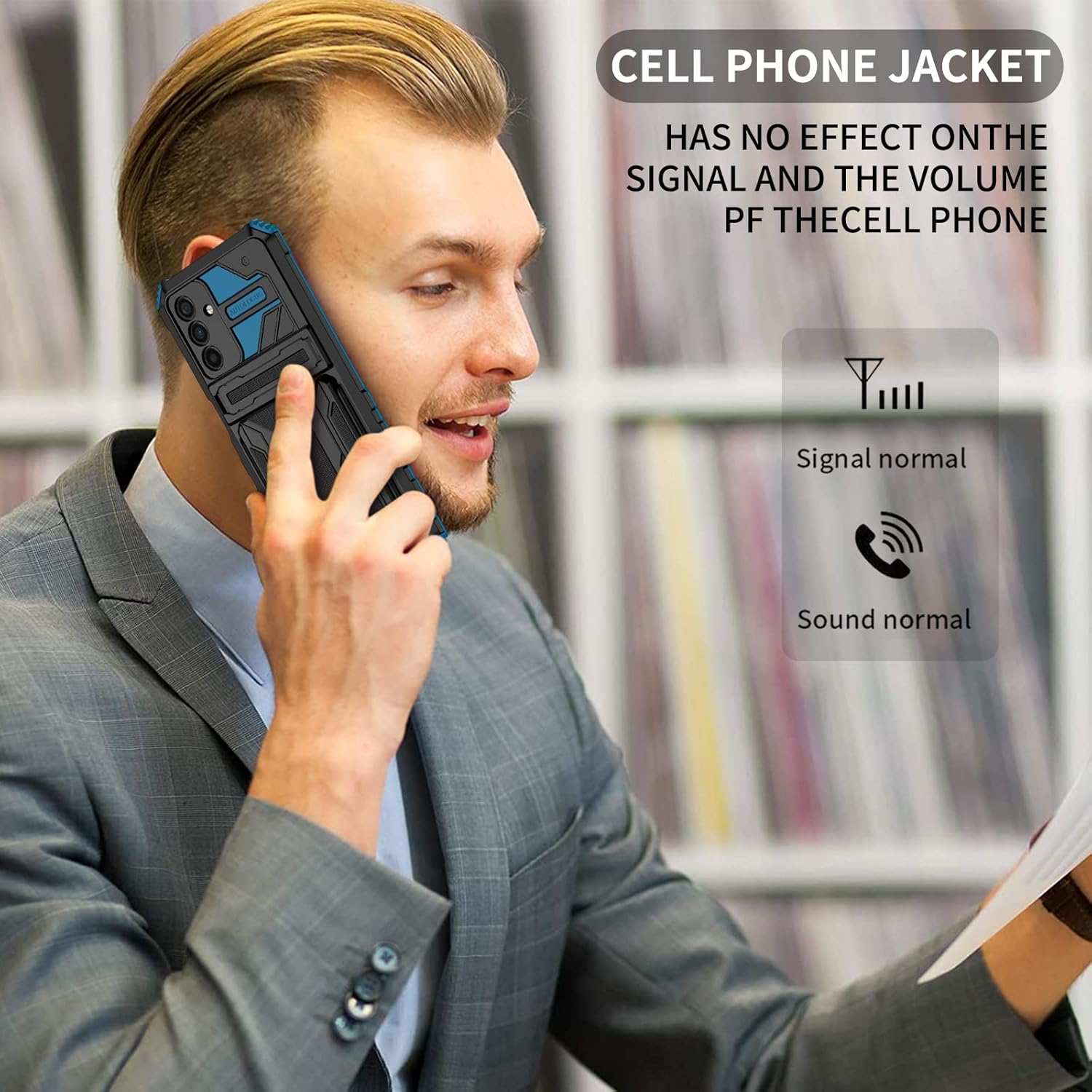
Figure 9: The case is designed not to interfere with phone signal or volume.
6. Product Specifications
| Attribute | Detail |
|---|---|
| Product Dimensions | 6.5 x 3.15 x 0.39 inches |
| Item Weight | 2.4 ounces |
| Compatible Phone Models | Samsung Galaxy A34 5G (SM-A3460, SM-A346B, SM-A346E, SM-A346M) |
| Material | Hard PC + Soft TPU |
| Color | Blue (as per current model) |
| Special Features | Heavy Duty Protection, Kickstand, Slim Fit, Card Holder |
| Manufacturer | YOUULAR |
7. Warranty and Support
This product is manufactured by YOUULAR. For any inquiries, technical support, or warranty information, please contact the YOUULAR Official Store through your purchase platform. Please retain your proof of purchase for any warranty claims.