
1. Introduction
Thank you for choosing the POGOLAB Mini Guitar Amp S3. This compact and versatile 5W electric guitar amplifier is designed for daily practice, offering dual channels (Clean and Drive), Bluetooth connectivity, and a rechargeable battery for portability. This manual provides essential information for setup, operation, and maintenance to ensure optimal performance.
2. Package Contents
Please check the package contents upon unboxing:
- POGOLAB Mini Guitar Amp S3
- USB Charging Cable
- Instruction Manual
3. Product Overview
Familiarize yourself with the amplifier's controls and features.

Image: POGOLAB Mini Guitar Amp Control Panel. This image displays the top and rear panels of the amplifier with numbered labels indicating various controls and ports.
Control Panel Features:
- BT Button: Activates/deactivates Bluetooth function.
- AUX VOL Knob: Adjusts the volume for auxiliary input.
- MASTER Knob: Controls the overall master volume of the amplifier.
- DRIVE VOL Knob: Adjusts the volume specifically for the Drive channel.
- TONE Knob: Adjusts the tonal characteristics (treble/bass balance).
- DRIVE Knob: Controls the amount of gain/distortion for the Drive channel.
- DR/CL Switch: Toggles between Clean (green LED) and Drive (red LED) channels.
- INPUT Jack: 6.35mm input for connecting your electric guitar.
- DC 5V Charging Port: USB-C port for charging the amplifier.
- Headphone Output: 3.5mm jack for connecting headphones.
- Power Switch: Turns the amplifier ON/OFF.
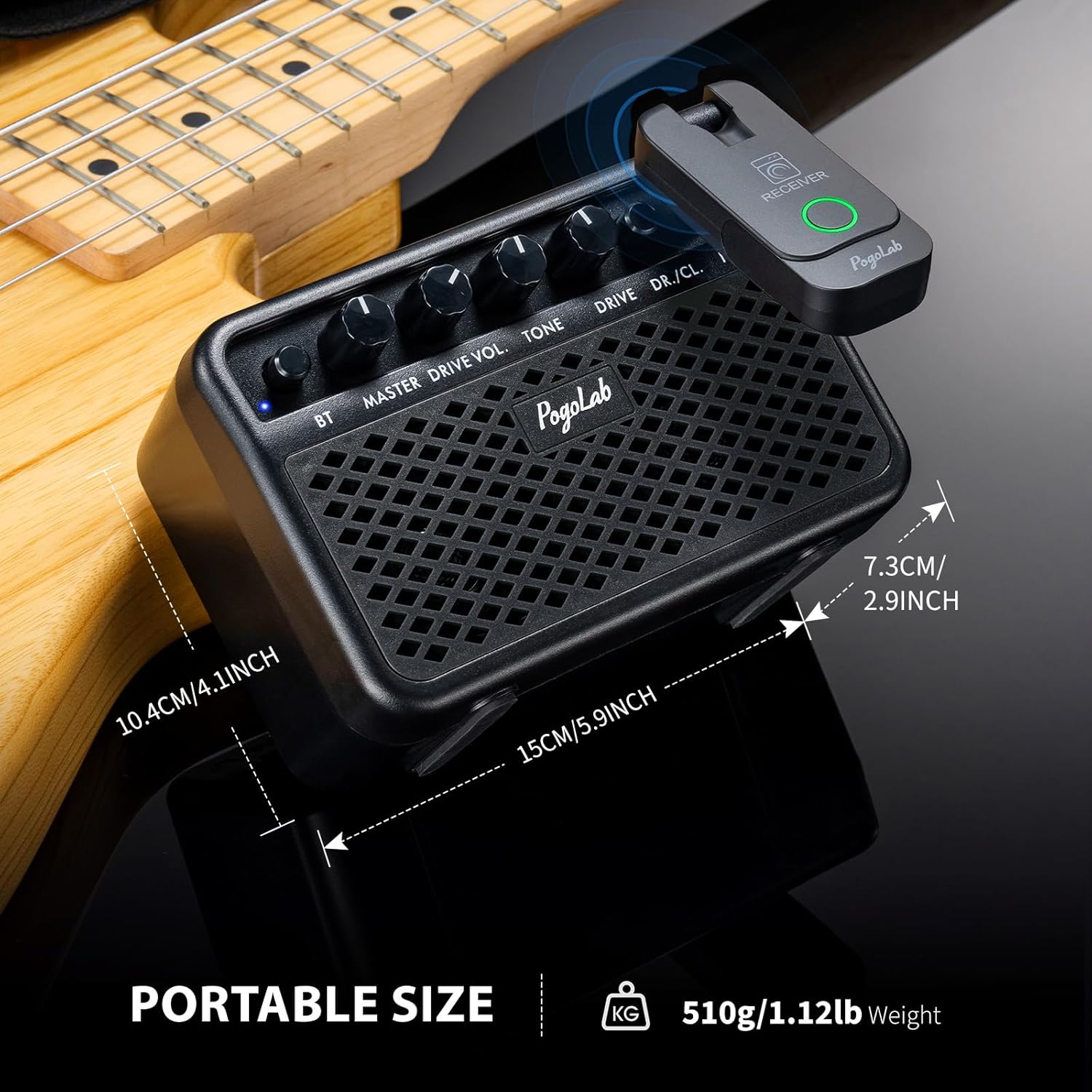
Image: POGOLAB Mini Guitar Amp highlighting its compact and portable dimensions.
4. Setup
4.1 Charging the Amplifier

Image: POGOLAB Mini Guitar Amp being charged via its USB-C port.
The amplifier has a built-in 2400mAh rechargeable lithium battery. Before first use, fully charge the device.
- Connect the provided USB charging cable to the DC 5V port on the amplifier.
- Plug the other end of the USB cable into a compatible USB power adapter (not included).
- A red indicator light will illuminate during charging. The light will turn off when fully charged.
- A full charge takes approximately 2 hours and provides up to 3 hours of playing time.
4.2 Powering On/Off
- To turn ON the amplifier, rotate the POWER switch clockwise. The MASTER LED will light up.
- To turn OFF the amplifier, rotate the POWER switch counter-clockwise until it clicks.
5. Operating Instructions
5.1 Connecting Your Guitar
- Ensure the amplifier is powered on.
- Connect your electric guitar to the INPUT jack (6.35mm) using a standard guitar cable.
5.2 Switching Channels (Clean/Drive)

Image: POGOLAB Mini Guitar Amp with indicators for Clean and Drive channels.
The amplifier features two distinct sound channels:
- Press the DR/CL switch to toggle between Clean and Drive modes.
- A green LED indicates the Clean channel is active.
- A red LED indicates the Drive channel is active.
- Adjust the DRIVE VOL and DRIVE knobs to fine-tune the sound of the Drive channel.
5.3 Bluetooth Connectivity

Image: POGOLAB Mini Guitar Amp demonstrating wireless Bluetooth connection with a smartphone.
Connect your smartphone or other Bluetooth-enabled device to play backing tracks or music.
- Press the BT button to activate Bluetooth mode. The BT LED indicator will blink.
- On your device, search for Bluetooth devices and select "S3" to pair.
- Once paired, the BT LED will remain solid.
- Adjust the AUX VOL knob to control the volume of the Bluetooth audio.
5.4 Headphone Use
For private practice, connect headphones to the 3.5mm Headphone Output jack.
- Plug your headphones into the dedicated headphone jack.
- The main speaker output will be muted automatically.
- Adjust the MASTER volume knob to control headphone volume.
5.5 Tone and Volume Adjustment
- Use the TONE knob to adjust the equalization of your guitar sound.
- The MASTER knob controls the overall output volume of the amplifier.
6. Maintenance
- Clean the amplifier with a soft, dry cloth. Do not use liquid cleaners.
- Avoid exposing the amplifier to extreme temperatures, direct sunlight, or high humidity.
- Do not attempt to disassemble or repair the unit yourself. Contact support for assistance.
7. Troubleshooting
| Problem | Possible Cause | Solution |
|---|---|---|
| No sound from guitar | Guitar cable not connected properly; Volume knobs too low; Amplifier not powered on. | Ensure cable is secure; Increase MASTER volume; Turn on amplifier. |
| Poor sound quality | TONE or DRIVE settings incorrect; Low battery. | Adjust TONE and DRIVE knobs; Recharge amplifier. |
| Bluetooth not connecting | Bluetooth not activated; Device not in pairing mode. | Press BT button (LED blinking); Ensure device is discoverable. |
| Amplifier not charging | USB cable or adapter faulty; Charging port damaged. | Try a different USB cable/adapter; Contact support. |
8. Specifications
- Model: S3
- Output Wattage: 5 Watts
- Battery: 2400mAh Lithium Ion (included)
- Charging Time: Approx. 2 hours
- Playing Time: Approx. 3 hours
- Connectivity: Bluetooth, 6.35mm Guitar Input, 3.5mm Headphone Output, AUX IN
- Material: Metal, Plastic
- Item Weight: 1.26 pounds
- Package Dimensions: 6.02 x 4.25 x 3.54 inches
9. Warranty and Support
For warranty information or technical support, please refer to the contact details provided with your purchase or visit the official POGOLAB website.
10. Product Videos
POGOLAB Mini Guitar Amp Sound Effect Display
Video: A demonstration of the various sound effects and tones achievable with the POGOLAB Mini Guitar Amp.
POGOLAB Mini Guitar Amp BT Wireless Function
Video: Illustrates how to connect and use the Bluetooth wireless function of the POGOLAB Mini Guitar Amp.
POGOLAB Mini Guitar Amplifier
Video: A general overview and demonstration of the POGOLAB Mini Guitar Amplifier.