
VLOXO VUSEC-013
VLOXO Cordless Electric Scissors Instruction Manual
Model: VUSEC-013
Product Overview
The VLOXO Cordless Electric Scissors are designed for effortless cutting of various materials, including cardboard, fabric, plastic, leather, carpet, and felt. With a powerful 10000 RPM motor and a 1/4-inch cutting capacity, these rechargeable scissors reduce hand strain and enhance efficiency for DIY projects and crafting. The ergonomic design ensures comfortable use for all adult hand sizes.
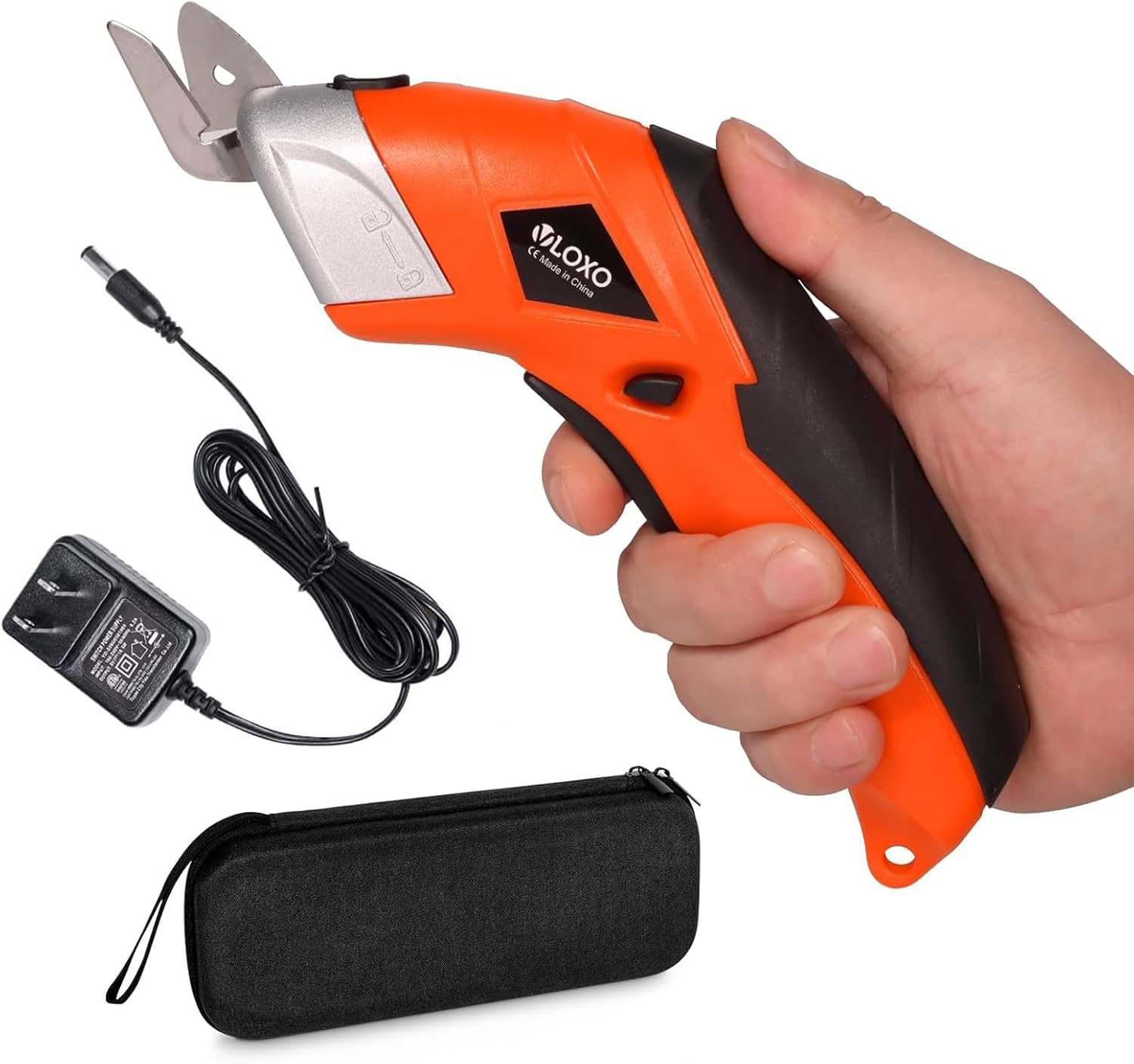
Figure 1: VLOXO Cordless Electric Scissors with accessories.
What's Included
Your VLOXO Cordless Electric Scissors set includes everything you need to get started and maintain your tool:
- 1 x 3.6V Electric Scissor Unit (Orange)
- 2 x Types of Blades (D-Blade for rigid materials, O-Blade for flexible materials)
- 1 x Fast Charger
- 1 x Storage Box

Figure 2: All components included in the VLOXO electric scissors set.
Setup
Charging the Device
Before first use, fully charge the electric scissors. Connect the provided fast charger to the charging port located at the rear of the scissor unit. A red light indicates charging. The light will turn off when fully charged. Avoid charging for more than 5 hours to prevent battery damage. Do not operate the scissors while charging.

Figure 3: Charging the VLOXO electric scissors.
Blade Installation/Replacement
The VLOXO electric scissors come with two interchangeable cutter heads: a D-Blade for rigid materials and an O-Blade for flexible materials. Always wear safety gloves when handling blades.
- To remove a blade, press the blade button (located on the side of the head) and pull out the current blade along its slot.
- To install a new blade, align it with the card slot and insert it until it clicks securely into place.
- Ensure the blade protective cover is in place when not in use for safety.

Figure 4: Steps for blade replacement.
Operating Instructions
Basic Operation
The VLOXO electric scissors feature a simple one-button operation. Once fully charged and the desired blade is installed:
- Remove the blade silicone cover.
- Press the power switch (trigger) with one key to begin cutting.

Figure 5: One-click operation of the electric scissors.
Cutting Various Materials
The VLOXO electric scissors are versatile and can cut a wide range of materials. Refer to the table below for recommended cutting capacities:
| Material | Recommended Thickness | Blade Type |
|---|---|---|
| Cloth | Up to 2.5mm | O-Blade |
| Corrugated Cardboard | Up to 5mm | D-Blade |
| Felt Fabric | Up to 6mm | O-Blade |
| Carpet Backing | Up to 3.5mm | O-Blade |
| Leather | Up to 3.5mm | O-Blade |
| Plastic Sheets | Up to 3.5mm | D-Blade |
| Tin Sheets | Up to 3.5mm | D-Blade |

Figure 6: Blade types and cutting capacities for different materials.

Figure 7: Key components of the VLOXO electric scissors.
Maintenance
Proper maintenance ensures the longevity and optimal performance of your VLOXO electric scissors:
- Cleaning: Keep the machine clean and dry. Regularly wipe down the unit and blades to remove any debris or material residue.
- Blade Care: Ensure blades are clean after each use. Replace blades when they become dull to maintain cutting efficiency. Always use the blade protective cover when the scissors are not in active use.
- Storage: Store the electric scissors and all accessories in the provided storage box in a cool, dry place, away from children.
- Battery: Do not use the scissors when charging. Follow charging guidelines to prolong battery life.
Troubleshooting
If you encounter any issues with your VLOXO Cordless Electric Scissors, refer to the following common troubleshooting steps:
| Issue | Possible Cause | Solution |
|---|---|---|
| Scissors not turning on | Low battery or no charge. | Ensure the device is fully charged. Refer to the 'Charging the Device' section. |
| Blade not cutting effectively | Dull or incorrect blade for the material. | Replace the blade with a sharp one. Ensure you are using the correct blade type (D-Blade or O-Blade) for the material. |
| No battery life indicator | The device does not have a continuous battery level indicator. | Monitor charging status via the red light on the charging port. The light turns off when fully charged. |
| Safety button not functioning as expected | The button above the trigger is not a safety lock. | The device operates by pressing the main trigger. Always handle with care and use the blade cover when not in use. |
Specifications
| Feature | Detail |
|---|---|
| Brand | VLOXO |
| Model Number | VUSEC-013 |
| Color | Orange |
| Item Weight | 1.08 pounds |
| Package Dimensions | 10 x 4.57 x 2.17 inches |
| Blade Material | High Carbon Steel |
| Blade Edge | Bevel |
| Handle Material | Leather |
| Hand Orientation | Ambidextrous |
| Battery Type | 1 Lithium Metal battery (included) |
| Continuous Cutting Time | 3-4 hours (when fully charged) |
| Speed | Up to 10000 RPM |
| Cutting Capacity | 1/4 inch (max) |
Warranty and Support
For warranty information, technical support, or any inquiries regarding your VLOXO Cordless Electric Scissors, please contact VLOXO directly through their official channels or visit the VLOXO Store on Amazon. Please retain your proof of purchase for warranty claims.
Ask a question about this manual
Ask about setup, troubleshooting, compatibility, parts, safety, or missing instructions. Manuals+ will review the question and use this page’s manual context to help answer it.