
1. Introduction
Thank you for choosing EtliN replacement filters. This manual provides essential information for the proper installation, maintenance, and care of your new filters, ensuring optimal performance of your AEG-Electrolux Ergoeasy ZTF 7620 2100W (EF75B) vacuum cleaner. These filters are designed for compatibility and effective dust collection.
Please read this manual carefully before installing or performing maintenance on the filters. Keep it for future reference.
2. Safety Information
- Always unplug the vacuum cleaner from the power outlet before attempting any installation, removal, or cleaning of the filters.
- Ensure your hands are dry when handling electrical appliances and their components.
- Do not operate the vacuum cleaner without a filter properly installed. This can damage the motor and reduce cleaning efficiency.
- Keep filters away from open flames or excessive heat sources.
- Dispose of old filters responsibly according to local regulations.
3. Package Contents
Your package includes the following items:
- 4 x EtliN Replacement Filters compatible with AEG-Electrolux Ergoeasy ZTF 7620 2100W (EF75B)

Image 3.1: Four EtliN replacement filters as included in the package.
4. Setup and Installation
Follow these steps to replace the filter in your vacuum cleaner:
- Power Off: Ensure the vacuum cleaner is turned off and unplugged from the power outlet.
- Locate Filter Compartment: Refer to your AEG-Electrolux Ergoeasy ZTF 7620 2100W (EF75B) vacuum cleaner's original user manual to locate the filter compartment. This is typically found near the dustbin or motor housing.
- Open Compartment: Open the filter compartment cover. This may involve pressing a latch or twisting a lock mechanism.
- Remove Old Filter: Carefully remove the old, dirty filter. It may be dusty, so consider doing this over a trash can.
- Insert New Filter: Take one new EtliN replacement filter. Align it correctly with the filter housing. Ensure it sits snugly and securely in place. Do not force it.
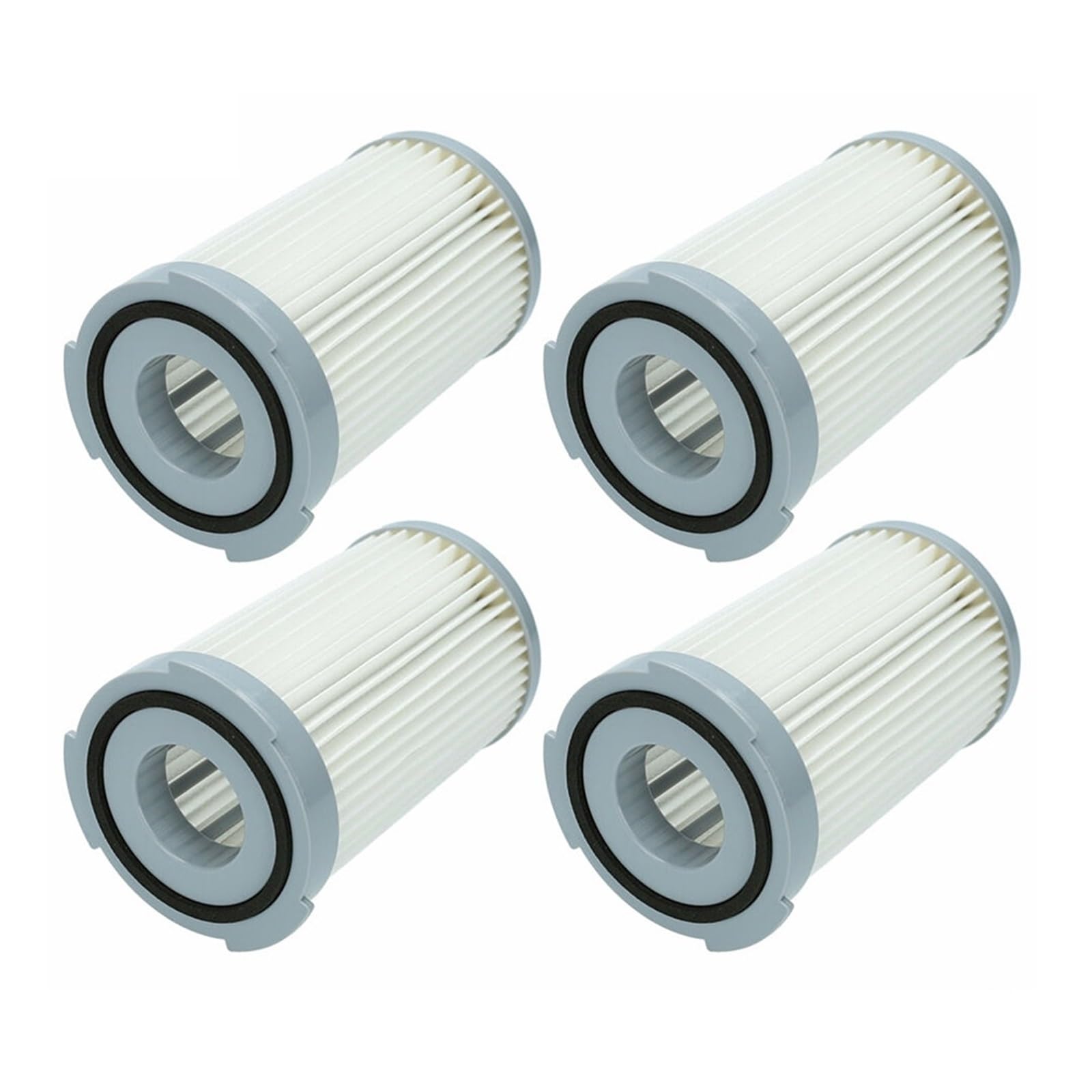
Image 4.1: A single EtliN replacement filter, showing the top view with the rubber seal.
- Close Compartment: Close the filter compartment cover until it clicks into place, ensuring it is sealed properly.
- Resume Operation: Plug in your vacuum cleaner and resume normal operation.
5. Operating
The EtliN replacement filters function as an integral part of your AEG-Electrolux Ergoeasy ZTF 7620 2100W (EF75B) vacuum cleaner's filtration system. Once installed, the filter will work automatically to capture dust and allergens as air passes through it during vacuuming. No specific operating steps are required for the filter itself beyond proper installation.
6. Maintenance
Regular maintenance of your filters is crucial for maintaining your vacuum cleaner's suction power and air quality. These filters are designed to be reusable.
- Cleaning Frequency: It is recommended to clean the filter every 2-4 weeks, depending on usage and the amount of debris collected.
- Cleaning Procedure:
- Remove the filter from the vacuum cleaner as described in the 'Setup and Installation' section.
- Tap the filter gently over a trash can to dislodge loose dust and debris.
- For a more thorough cleaning, rinse the filter under cool, running water. Ensure water flows through the pleated material.
- Do not use detergents or hot water, as this can damage the filter material.
- Allow the filter to air dry completely for at least 24 hours before reinserting it into the vacuum cleaner. Ensure it is completely dry to prevent mold growth and damage to the vacuum motor.
- Replacement: Even with regular cleaning, filters wear out over time. It is recommended to replace the filter every 3-6 months, or sooner if you notice a significant decrease in suction power, persistent odors, or visible damage to the filter material.

Image 6.1: Side view of an EtliN replacement filter, highlighting the pleated filtration material.
7. Troubleshooting
If you encounter issues related to your vacuum cleaner's performance after installing the new filter, consider the following:
- Reduced Suction:
- Check if the filter is clogged. Clean it thoroughly as per the maintenance instructions.
- Ensure the filter is installed correctly and the compartment cover is fully sealed.
- Verify that the dustbin is not full and there are no blockages in the vacuum's hose or brush roll.
- Unusual Odors:
- The filter may not have been completely dry before reinstallation, leading to mold or mildew. Remove, clean, and dry thoroughly.
- If odors persist, the filter may need replacement.
- Filter Does Not Fit:
- Double-check the model number of your vacuum cleaner against the compatibility information provided.
- Ensure the filter is oriented correctly during installation.
8. Specifications
| Feature | Specification |
|---|---|
| Product Type | Replacement Filter |
| Compatibility | AEG-Electrolux Ergoeasy ZTF 7620 2100W (EF75B) |
| Reusability | Reusable (washable) |
| Quantity per Pack | 4 Filters |
| Approximate Item Weight (per filter) | 50 Grams |
9. Warranty and Support
For any questions regarding the installation, performance, or compatibility of your EtliN replacement filters, please contact the seller or manufacturer directly through your purchase platform. Please retain your proof of purchase for any warranty claims or support inquiries.