
Introduction
The Viproud FC-IR209 No-Touch Infrared Thermometer is a versatile device designed for accurate and hygienic temperature measurement. It provides rapid readings for both body and object surfaces, making it suitable for all ages, including adults, children, and babies. This manual details the proper use, care, and maintenance of your thermometer to ensure optimal performance and longevity.
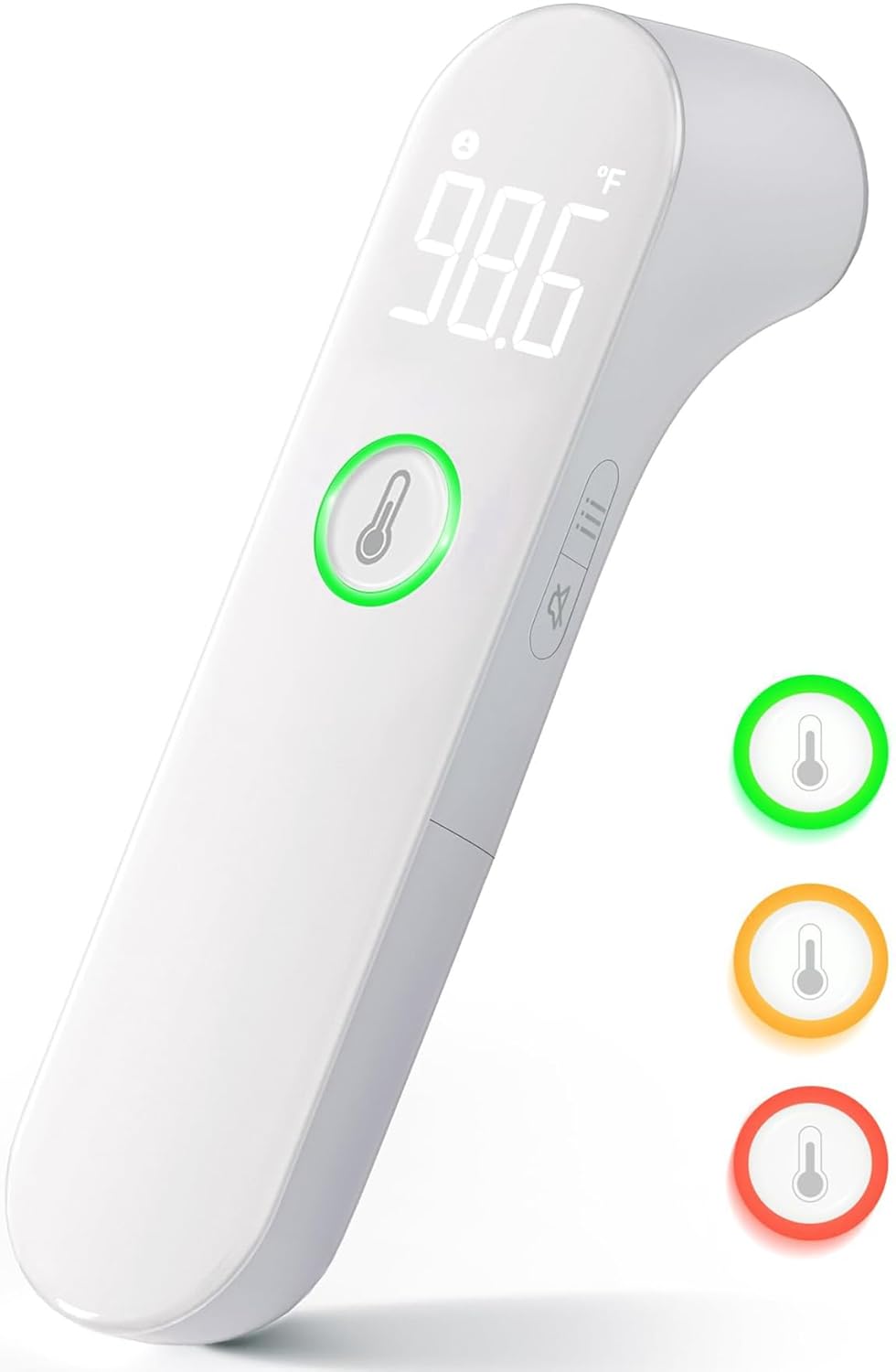
Image: The Viproud FC-IR209 No-Touch Infrared Thermometer, showcasing its sleek design and digital display.
Safety Information
For safe and effective use of your Viproud FC-IR209 thermometer, please observe the following precautions:
- Read all instructions thoroughly before first use.
- This device is intended for household use. Consult a medical professional for any health concerns.
- Keep the thermometer out of reach of children and pets.
- Do not immerse the device in water or other liquids.
- Avoid dropping the thermometer or subjecting it to strong impacts.
- Do not attempt to disassemble or modify the device.
- Ensure the measurement probe is clean before each use to maintain accuracy.
- Do not use the thermometer near strong electromagnetic fields.
- If fever persists or symptoms worsen, seek medical advice immediately.
Product Components
Your Viproud FC-IR209 No-Touch Infrared Thermometer package includes:
- 1 x Viproud FC-IR209 No-Touch Infrared Thermometer
- 2 x AAA Alkaline Batteries
- 1 x Storage Pouch
- 1 x Quick Start Guide
- 1 x User Manual (this document)
Setup
1. Battery Installation
The thermometer requires two AAA alkaline batteries. To install:
- Locate the battery compartment cover on the handle of the thermometer.
- Slide the cover open.
- Insert the two AAA batteries, ensuring the correct polarity (+ and -) as indicated inside the compartment.
- Close the battery compartment cover securely.
Before first use, please remove any protective film from the display or probe.
Operating Instructions
1. Powering On and Off
To power on the thermometer, press the measurement button (usually the large button on the front). The device will perform a self-check and display the last reading. The thermometer will automatically shut off after approximately 30 seconds of inactivity to conserve battery life.
2. Selecting Measurement Mode (Forehead/Object)
The Viproud FC-IR209 offers two measurement modes: Forehead mode for body temperature and Object mode for surface temperatures. To switch between modes, locate the mode button (often indicated by a person icon and a house/object icon) and press it. The selected mode will be displayed on the screen.

Image: The thermometer's display showing icons for forehead and object measurement modes, along with other features like mute and memory.
3. Taking a Temperature Measurement
For accurate readings:
- Ensure the thermometer is in the desired mode (Forehead for body temperature).
- Hold the thermometer approximately 0 to 1.5 inches (0-4 cm) from the center of the forehead or the object surface.
- Press and release the measurement button.
- The temperature reading will appear on the display within 1 second. A beep will sound (if mute mode is off) to indicate completion.

Image: The thermometer displaying a temperature reading, with an arrow indicating a 1-second measurement time.
4. Mute Mode
To avoid disturbing a sleeping individual, activate the mute mode:
- With the thermometer powered on, locate the mute/unmute button (often indicated by a speaker icon).
- Press the button to toggle between mute and unmute. An icon on the display will indicate if mute mode is active.

Image: A hand holding the thermometer near a sleeping baby, illustrating the use of mute mode for quiet temperature readings.
5. Fever Alarm and Color-Coded Display
The thermometer features a color-coded backlight display to quickly indicate temperature status:
- Green: Normal temperature (e.g., 89.6°F ≤ T ≤ 99.2°F)
- Orange: Slight fever (e.g., 99.3°F ≤ T ≤ 100.3°F)
- Red: High fever (e.g., 100.4°F ≤ T ≤ 109.2°F)

Image: A close-up of the thermometer's display showing the green, orange, and red light indicators for different temperature ranges.
6. Memory Function
The thermometer can store up to 35 sets of previous temperature readings. To access the memory:
- With the thermometer powered on, press the memory button (often indicated by an 'M' or a memory icon).
- Each subsequent press will cycle through the stored readings, from the most recent to the oldest.
7. Switching Temperature Units (°C/°F)
To switch between Celsius and Fahrenheit:
- Ensure the thermometer is powered off.
- Press and hold the measurement button for several seconds until the unit changes on the display. Release the button once the desired unit is shown.
Maintenance and Care
To ensure the longevity and accuracy of your Viproud FC-IR209 thermometer, follow these maintenance guidelines:
- Cleaning the Probe: Gently wipe the measurement probe with a cotton swab or soft cloth moistened with alcohol. Do not use abrasive cleaners or immerse the probe in liquid.
- Cleaning the Body: Clean the thermometer body with a soft, dry cloth.
- Storage: Store the thermometer in its provided pouch in a cool, dry place, away from direct sunlight, dust, and extreme temperatures.
- Battery Replacement: Replace batteries when the low battery indicator appears on the display. Dispose of used batteries according to local regulations.
- Avoid Impact: Protect the device from drops and strong impacts.
Troubleshooting
If you encounter issues with your Viproud FC-IR209 thermometer, refer to the following common problems and solutions:
| Problem | Possible Cause | Solution |
|---|---|---|
| Thermometer does not power on. | Dead or incorrectly installed batteries. | Check battery polarity. Replace with new AAA batteries. |
| Inaccurate readings. | Incorrect measurement distance; dirty probe; unstable environment (drafts, direct sunlight). | Ensure correct distance (0-1.5 inches). Clean the probe. Measure in a stable environment. Allow thermometer to acclimatize to room temperature for 30 minutes if moved from a different environment. |
| Display shows 'Lo' or 'Hi'. | Temperature is outside the measurable range. | Ensure you are measuring within the specified temperature range for body or object mode. |
| Display shows an error message (e.g., 'Err'). | Device malfunction or internal error. | Remove and reinsert batteries. If the error persists, contact customer support. |
Specifications
Product Specifications
| Brand | Viproud |
| Model | FC-IR209 |
| Measurement Type | Non-contact Infrared |
| Measurement Range | Forehead & Object |
| Measuring Distance | 0 ~ 1.5 inches (0-4 cm) |
| Response Time | 1 Second |
| Display | Large LED Backlit, Color-coded |
| Memory Capacity | 35 sets of readings |
| Temperature Units | Celsius (°C) / Fahrenheit (°F) |
| Power Source | 2 x AAA Alkaline Batteries (included) |
| Automatic Shut-off | Yes |
| Special Features | Fever Alarm, Mute Mode, Guidance Light |
| Dimensions (L x W x H) | 5.85 x 1.65 x 1.4 Inches |
| Weight | 72.6 g |
| Material | Plastic |
| Age Range | All Ages (Adult, Kid, Baby) |
| Certifications | FDA, CE, FSA, HSA |

Image: The thermometer illustrating its compact dimensions (5.85 x 1.4 x 1.65 inches) and light weight (0.17 lb).
Warranty and Support
Warranty Information
The Viproud FC-IR209 No-Touch Infrared Thermometer comes with a 12-month replacement guarantee from the date of purchase. This warranty covers manufacturing defects and ensures reliable performance of your device.
Customer Support
For any questions, concerns, or technical assistance, please contact Viproud customer service. Our dedicated 24/7 friendly customer service team is available to assist you.
Please refer to the contact information provided in your Quick Start Guide or on the official Viproud website for the most up-to-date support channels.