
WOOVIVS 5080
WOOVIVS Vanity Desk with Lights and Sliding Mirror User Manual
Model: 5080 | Brand: WOOVIVS
1. Product Overview
The WOOVIVS Vanity Desk is a versatile furniture piece designed for makeup application, personal grooming, and storage. It features integrated LED lighting with dynamic and static color modes, a convenient charging station, and a unique sliding mirror that conceals additional storage. This manual provides essential information for assembly, operation, and maintenance to ensure safe and effective use of your vanity desk.

Figure 1.1: The WOOVIVS Vanity Desk with its LED lights illuminated, showcasing its modern design and integrated features.
2. Safety Information
Please read all safety instructions carefully before assembly and use. Retain this manual for future reference.
- Assembly Safety: Always assemble the vanity desk on a soft, clean surface to prevent scratches. Ensure all hardware is securely tightened before use. It is recommended to have two people for assembly.
- Stability: Do not climb on or stand on the vanity desk or stool. Ensure the unit is placed on a flat, stable surface to prevent tipping.
- Electrical Safety: The integrated charging station and LED lights require electrical power. Use only the provided power adapter and ensure it is connected to a suitable power outlet. Do not expose electrical components to water or excessive moisture.
- Mirror Safety: The vanity mirror is designed with explosion-proof film to enhance safety. In the unlikely event of breakage, the film helps contain glass fragments.
- Weight Capacity: Do not overload shelves or drawers. Refer to the included assembly manual for specific weight limits if provided.
- Cleaning: Disconnect power before cleaning. Use a dry cloth for cleaning. Avoid abrasive cleaners or harsh chemicals.
3. Package Contents
Before beginning assembly, verify that all components listed in the included assembly manual are present and undamaged. While the exact list may vary, typical components include:
- Vanity Desk Panels (top, side, back, drawer components)
- Sliding Mirror Assembly with LED Lights
- Stool Components
- Charging Station Module (Wireless, USB, Type-C ports)
- LED Light Remote Control
- Assembly Hardware (screws, dowels, cam locks, drawer slides, etc.)
- Power Adapter for Lights and Charging Station
- Detailed Assembly Instructions Manual
4. Setup and Assembly
Assembly of the WOOVIVS Vanity Desk requires careful attention to the detailed instructions provided in the separate assembly manual included in your package. Please follow these general guidelines:
- Prepare Workspace: Clear a spacious area and lay out all components on a soft, protective surface to prevent damage.
- Identify Parts: Match all parts to the diagrams in the assembly manual. Components are typically labeled for easy identification.
- Follow Step-by-Step Instructions: Adhere strictly to the sequence of steps outlined in the manual. Do not skip steps.
- Secure Connections: Ensure all screws, cam locks, and other fasteners are tightened securely. Do not overtighten.
- Electrical Connections: Connect the LED lights and charging station wiring as indicated in the manual. Ensure all connections are firm before plugging into a power outlet.
- Final Placement: Once assembled, carefully move the vanity desk to its desired location, ensuring it is stable and level.

Figure 4.1: An illustrative diagram highlighting the multiple storage options and features of the vanity desk, including shelves, drawers, and hooks.
Note: The assembly process can be time-consuming. Patience and adherence to the provided manual are key for successful setup.
5. Operating Instructions
5.1. LED Lighting System
The vanity desk features integrated RGB LED lights with various dynamic and static modes, controllable via touch buttons on the mirror or the included remote control.
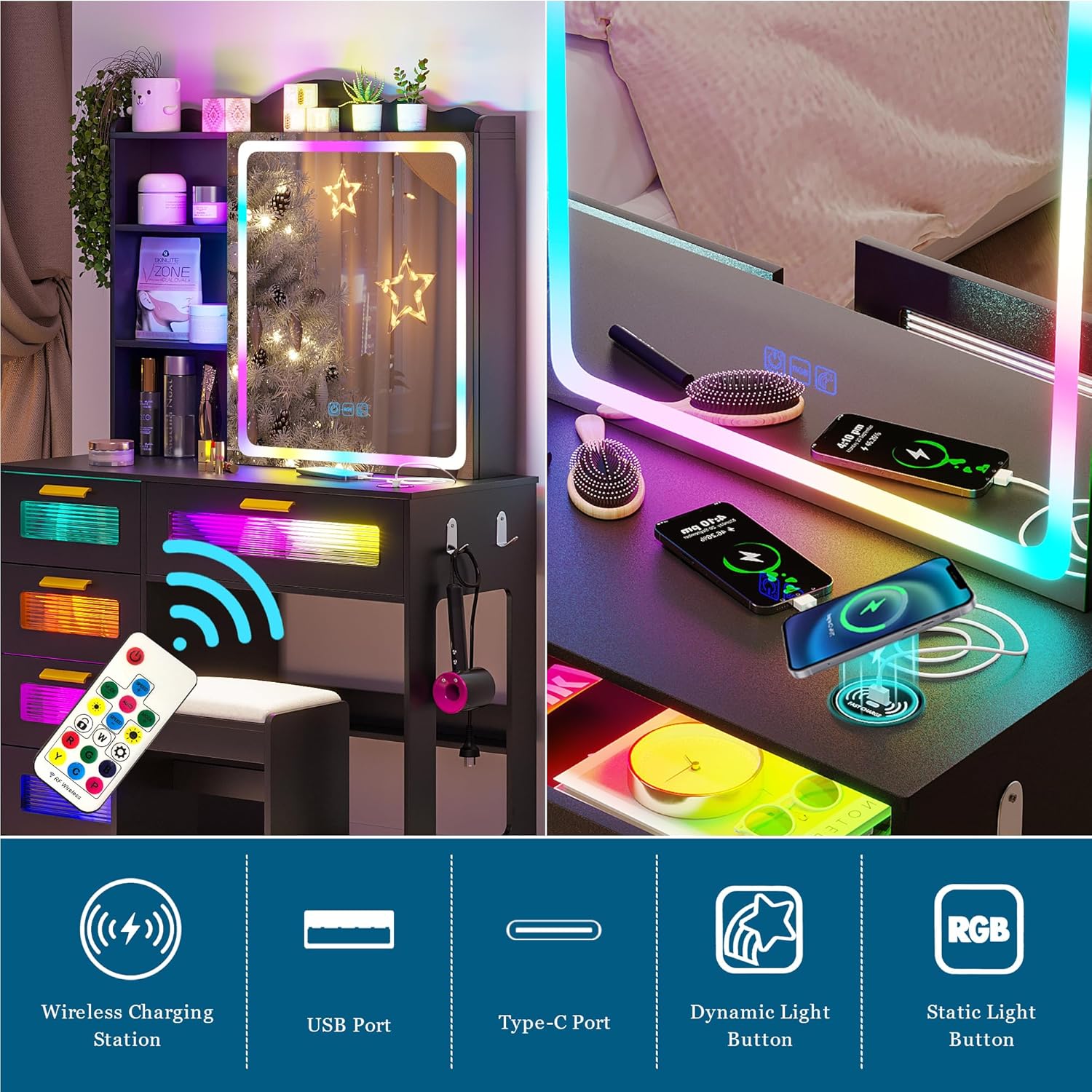
Figure 5.1: Visual representation of the 7 dynamic and 7 static RGB color modes available for the vanity desk lighting.
- Dynamic Mode:
- Short press the dynamic light button (or corresponding remote button) to change the light color.
- Long press the dynamic light button (or corresponding remote button) to adjust the speed of the dynamic effect.
- Static Mode:
- Short press the static light button (or corresponding remote button) to switch between static light colors.
- Long press the static light button (or corresponding remote button) to adjust the brightness of the static light.
- Remote Control: Use the provided remote control for convenient adjustment of light color, mode, speed, and brightness from a distance.
5.2. 3-in-1 Charging Station
The vanity desk is equipped with a versatile charging station, offering wireless, USB, and Type-C charging options.

Figure 5.2: Detailed view of the integrated charging station, showing the wireless charging pad, USB port, and Type-C port.
- Wireless Charging: Place your compatible device on the designated wireless charging pad. Ensure proper alignment for efficient charging.
- USB Charging: Connect your device's USB cable to the USB port for charging.
- Type-C Charging: Connect your device's Type-C cable to the Type-C port for charging.
5.3. Silent Slide Mirror
The mirror is designed to slide smoothly, revealing hidden storage shelves behind it.
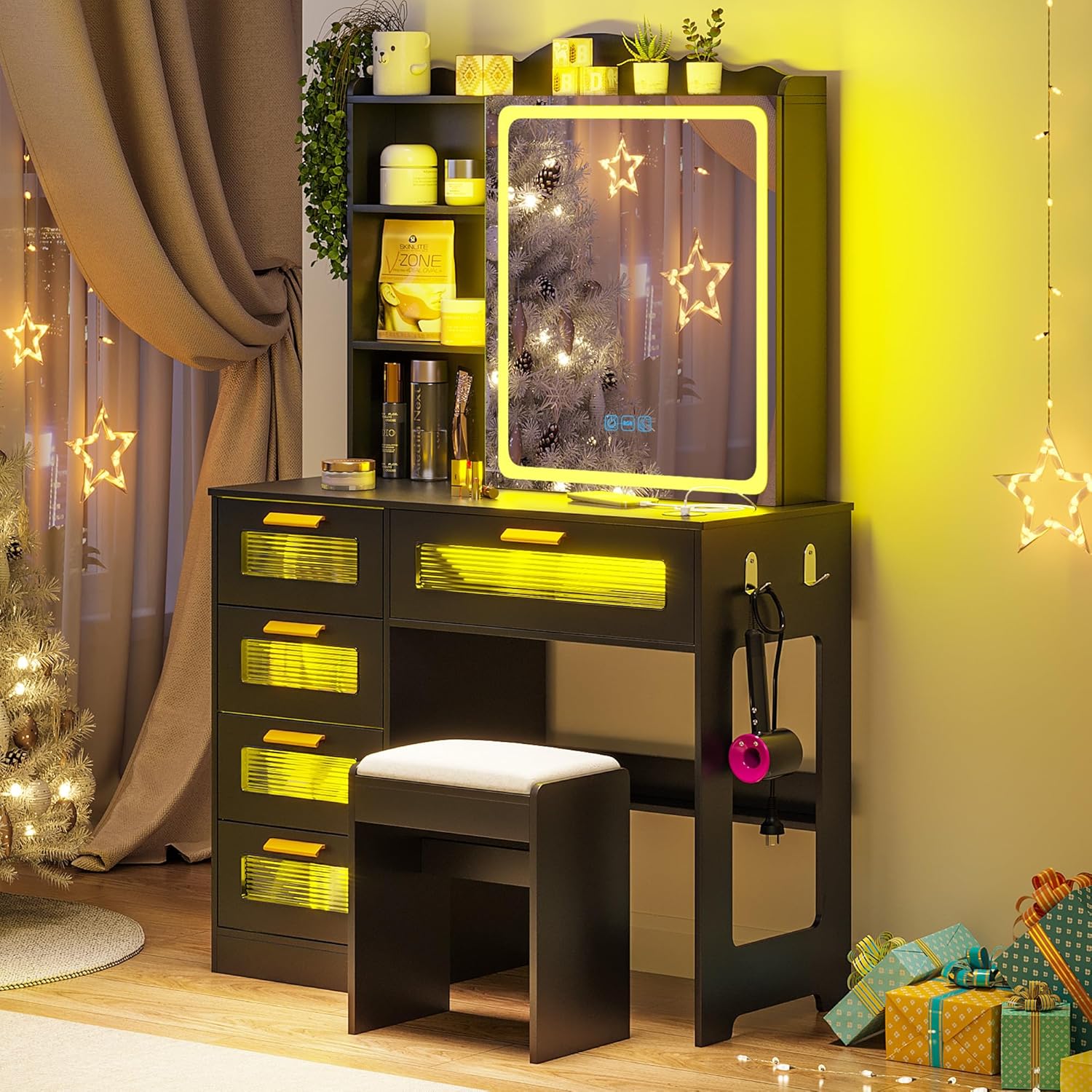
Figure 5.3: Illustration of the silent sliding mirror mechanism, demonstrating how it moves to access concealed storage.
- Gently push the mirror to the left or right to access the three layers of storage racks located behind it.
- Slide the mirror back to its central position to cover the storage and use it as a standard mirror.
6. Maintenance
Proper care will extend the life and appearance of your vanity desk.
- Cleaning: Wipe the surface with a dry, soft cloth. For stubborn marks, a slightly damp cloth can be used, followed immediately by a dry cloth. Avoid using harsh chemicals, abrasive cleaners, or polishes that may damage the finish.
- Dusting: Regularly dust the vanity desk, especially around the LED lights and charging ports, to prevent accumulation.
- Spills: Clean up spills immediately to prevent staining or damage to the engineered wood and MDF finish.
- Electrical Components: Ensure the power adapter and cables are not pinched or damaged. Do not attempt to repair electrical components yourself.
7. Troubleshooting
If you encounter issues with your vanity desk, refer to the following common problems and solutions:
| Problem | Possible Cause | Solution |
|---|---|---|
| LED lights do not turn on or only partially light up. | Power connection issue, loose wiring, remote control battery dead. | Ensure the power adapter is securely plugged into both the vanity and a working wall outlet. Check all internal wiring connections as per the assembly manual. Replace the remote control battery. |
| Charging station is not working. | Power connection issue, device incompatibility, incorrect placement for wireless charging. | Verify the vanity desk is powered on. Ensure your device is compatible with wireless charging and correctly positioned on the pad. Try a different USB/Type-C cable. |
| Mirror does not slide smoothly. | Obstruction in the sliding mechanism, dust/debris. | Check for any objects obstructing the mirror's path. Clean the sliding tracks with a dry cloth to remove dust or debris. |
| Drawers are difficult to open/close. | Overloaded drawer, misaligned drawer slides, loose hardware. | Reduce the weight in the drawer. Check if the drawer slides are properly aligned and securely attached. Refer to the assembly manual for re-alignment instructions. |
If the problem persists after attempting these solutions, please contact WOOVIVS customer support for further assistance.
8. Specifications
| Feature | Detail |
|---|---|
| Model Number | 5080 |
| Dimensions (D x W x H) | 16" x 37.4" x 53.5" (40.6 cm x 95 cm x 135.9 cm) |
| Frame Material | Engineered Wood |
| Furniture Finish | MDF |
| Color | A-black |
| Lighting Type | RGB LED (7 Dynamic, 7 Static Modes) |
| Charging Ports | Wireless, USB, Type-C |
| Manufacturer | WOOVIVS |

Figure 8.1: Key dimensions of the WOOVIVS Vanity Desk.
9. Warranty and Support
For warranty information and customer support, please refer to the documentation included with your product or contact WOOVIVS directly through their official channels. Ensure you have your model number (5080) and purchase details ready when contacting support.
Ask a question about this manual
Ask about setup, troubleshooting, compatibility, parts, safety, or missing instructions. Manuals+ will review the question and use this page’s manual context to help answer it.