
AMZCHEF CE-YL-20K100-SV
AMZCHEF Portable Induction Cooktop User Manual
Model: CE-YL-20K100-SV
Introduction
Thank you for choosing the AMZCHEF Portable Induction Cooktop. This appliance is designed for efficient and convenient cooking, featuring a slim design, electronic knob control, and multiple cooking modes. Please read this manual thoroughly before operation to ensure safe and optimal use of your new induction cooktop.

Image: The AMZCHEF Portable Induction Cooktop in use, showing a pan with salmon and cherry tomatoes, highlighting its sleek design and cooking capability.
Key Features:
- Ultra-Thin Design: With a thickness of only 45mm, this lightweight and portable induction cooktop is space-saving and versatile.
- Electronic Knob Control: Easy to use with a smooth feel, allowing precise adjustment of power and temperature.
- 5 Automatic Cooking Modes: Includes Boil, Steam, Fry, Fryer, and Hot Pot for quick meal preparation.
- 10 Power and Temperature Levels: Power adjustable from 200W to 2000W, and temperature from 60°C to 240°C.
- Integrated Timer: A 1 to 180-minute timer for automatic shut-off.
- Safety Features: High-temperature protection, automatic shut-off, and residual heat indicator.
- Durable Surface: Black crystal panel, resistant to high temperatures and easy to clean.
Important Safety Information
To prevent injury or damage to the appliance, please observe the following safety precautions:
- Do not touch the hot surface immediately after use. The "H" indicator will show residual heat.
- Ensure the cooktop is placed on a stable, flat, and heat-resistant surface.
- Do not immerse the appliance, cord, or plug in water or other liquids.
- Keep out of reach of children.
- Do not operate if the power cord or plug is damaged, or if the appliance malfunctions.
- Ensure proper ventilation around the cooktop during operation.
- Only use compatible magnetic cookware. Non-magnetic pots will not work.
- Do not place metallic objects such as knives, forks, spoons, or lids on the induction cooktop surface as they can get hot.
- The appliance features automatic shut-off and over-temperature protection for enhanced safety.

Image: Visual representation of the safety features including Over-Temperature Protection, Residual Heat Warning, Auto Shutdown, and Pan Detection, ensuring user safety.
Setup
- Unpacking: Carefully remove the induction cooktop and all accessories from the packaging. Retain packaging for future storage or transport.
- Placement: Place the cooktop on a dry, stable, flat, and heat-resistant surface. Ensure there is adequate space around the unit for ventilation (at least 10 cm from walls or other appliances). Do not place on metal surfaces.
- Power Connection: Plug the power cord into a standard 220V electrical outlet. Ensure the outlet is properly grounded.
- Initial Cleaning: Before first use, wipe the ceramic glass surface with a soft, damp cloth.

Image: The cooktop's ultra-thin profile (45mm) allows for easy storage, as shown by it being placed vertically in a cabinet, balancing aesthetics with storage needs.
Operating Instructions
Compatible Cookware:
The AMZCHEF Induction Cooktop requires cookware with a magnetic bottom. Compatible materials include:
- Iron
- Cast Iron
- Stainless Steel (magnetic grade)
- Enameled Cast Iron
Incompatible materials include resistant glass, aluminum, and copper. The recommended diameter for cookware bottoms is between 12 cm and 22 cm.

Image: A visual guide illustrating which types of pots and pans are compatible with the induction cooktop (magnetic materials like cast iron, stainless steel) and which are not (glass, aluminum, copper).
Basic Operation:
- Power On: Place compatible cookware with food on the center of the cooktop. Plug in the appliance. The display will light up.
- Select Cooking Mode: Use the electronic knob or touch buttons to select one of the 5 automatic cooking modes:
- Boil
- Steam
- Fry
- Fryer
- Hot Pot
- Adjust Power/Temperature: Rotate the electronic knob to adjust the power level (200W-2000W) or temperature (60°C-240°C). There are 10 levels of adjustment for precise control.
- Set Timer: Press the "Timer" button. Rotate the knob to set the desired cooking time from 1 to 180 minutes. The cooktop will automatically shut off once the timer expires.
- Power Off: To turn off the cooktop, press the power button or remove the cookware. The unit will enter standby mode. Unplug the appliance from the wall socket when not in use.
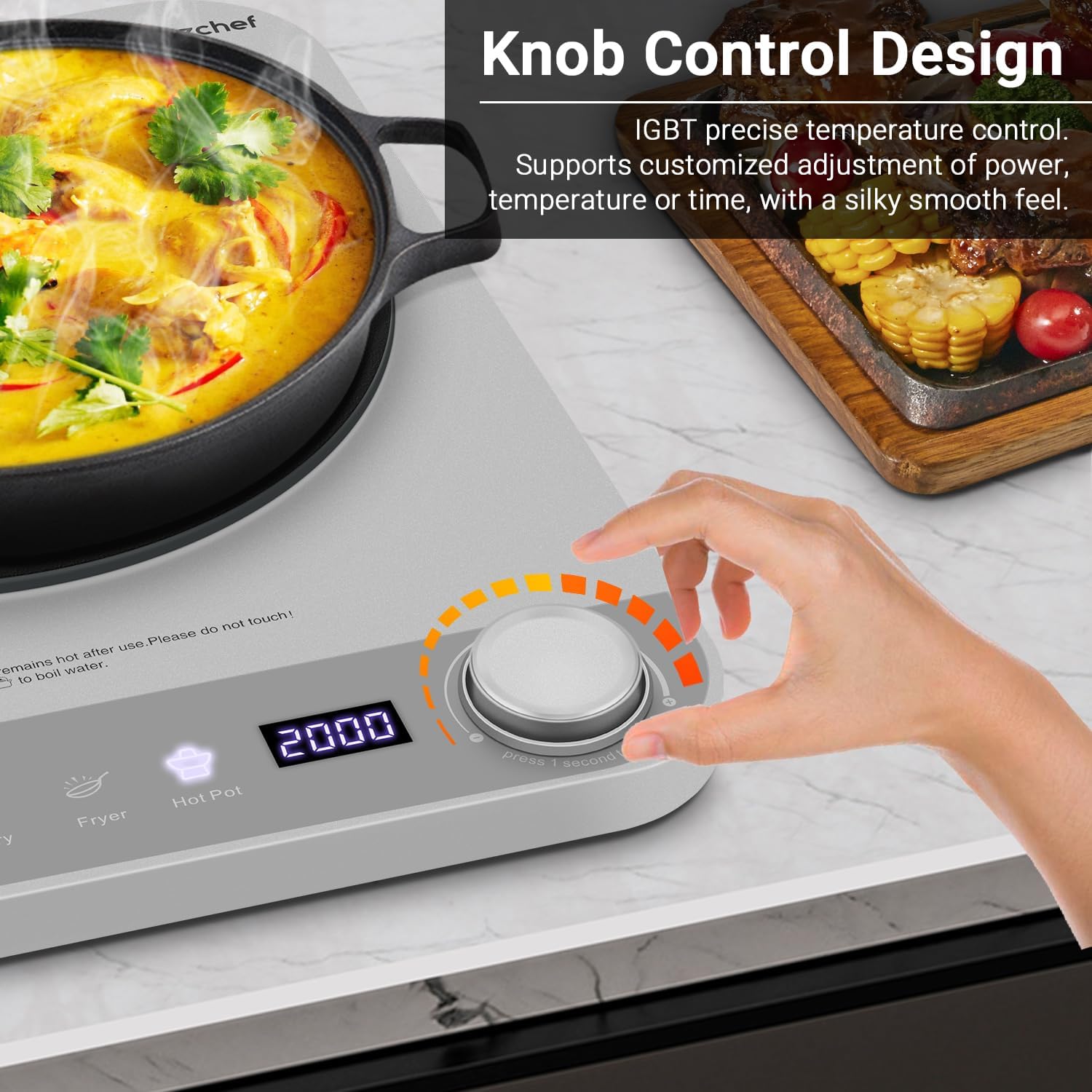
Image: Close-up of a hand operating the electronic knob control, demonstrating its smooth feel and precision for adjusting settings.
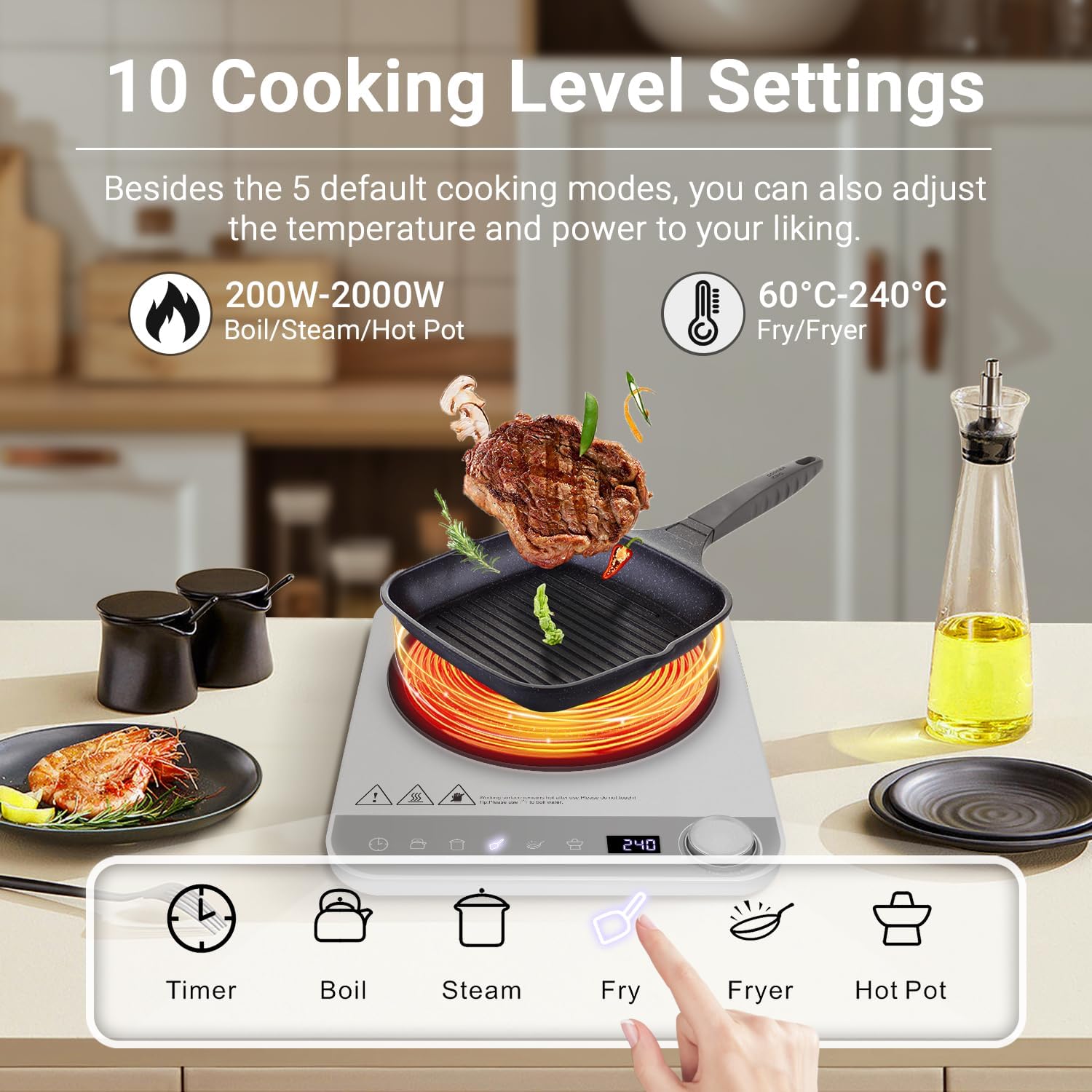
Image: An illustration of the 10 cooking level settings, ranging from 200W to 2000W and 60°C to 240°C, suitable for various dishes like soup, pasta, steak, and more.
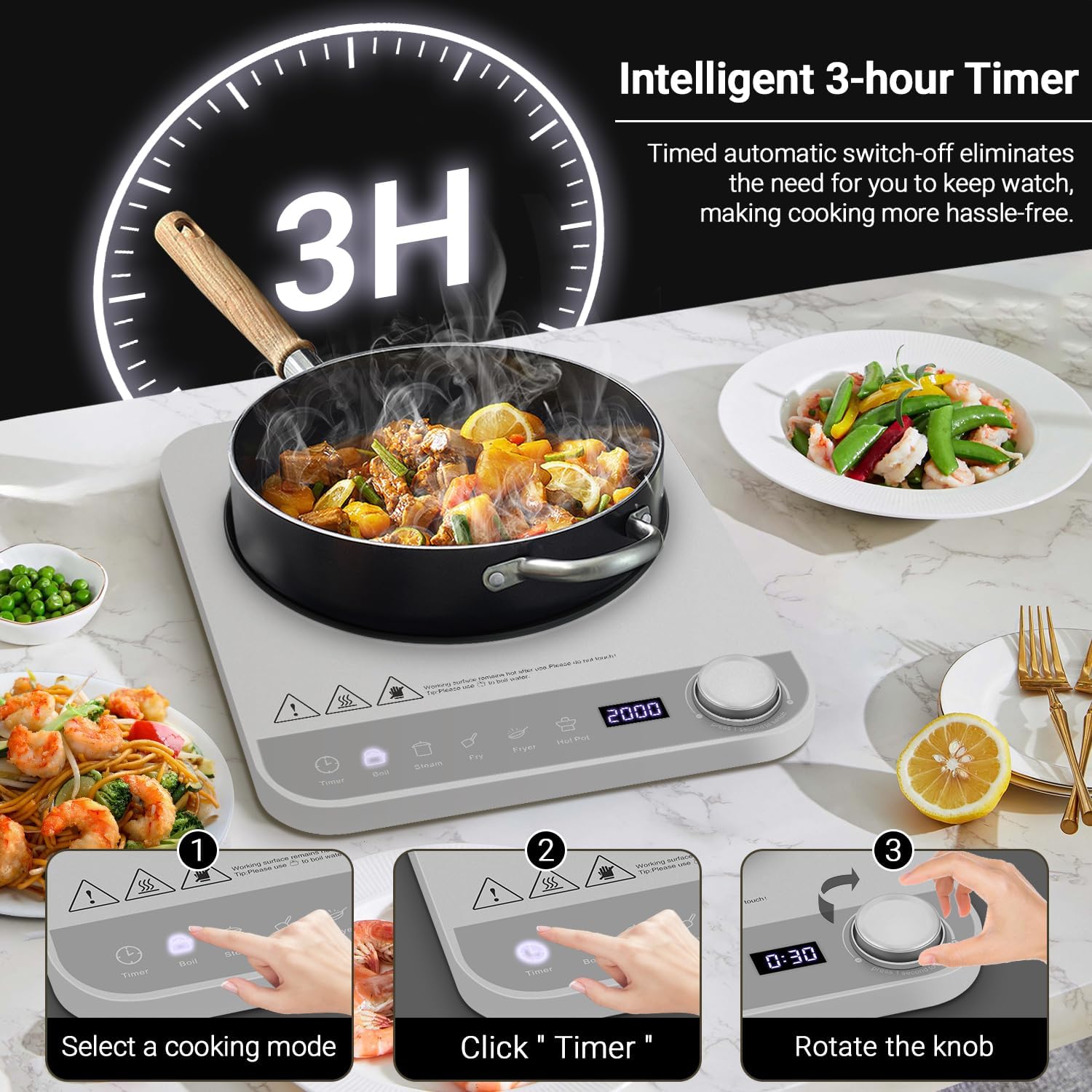
Image: A visual guide on how to use the intelligent 3-hour timer, showing the steps to select a cooking mode, click the timer button, and rotate the knob to set the time.
Maintenance and Cleaning
Regular cleaning and maintenance will ensure the longevity and optimal performance of your induction cooktop.
- Cleaning the Surface: After each use, allow the cooktop to cool down completely. Wipe the black crystal glass surface with a soft, damp cloth and mild detergent. For stubborn stains, a non-abrasive cleaner specifically designed for ceramic glass cooktops can be used.
- Do Not Use Abrasives: Avoid using abrasive sponges, scouring pads, or harsh chemical cleaners, as these can scratch or damage the surface.
- Ventilation Openings: Keep the ventilation openings on the sides and bottom of the cooktop clear of dust and debris to ensure proper airflow.
- Storage: When not in use, store the cooktop in a dry place. Its slim design allows for convenient storage.
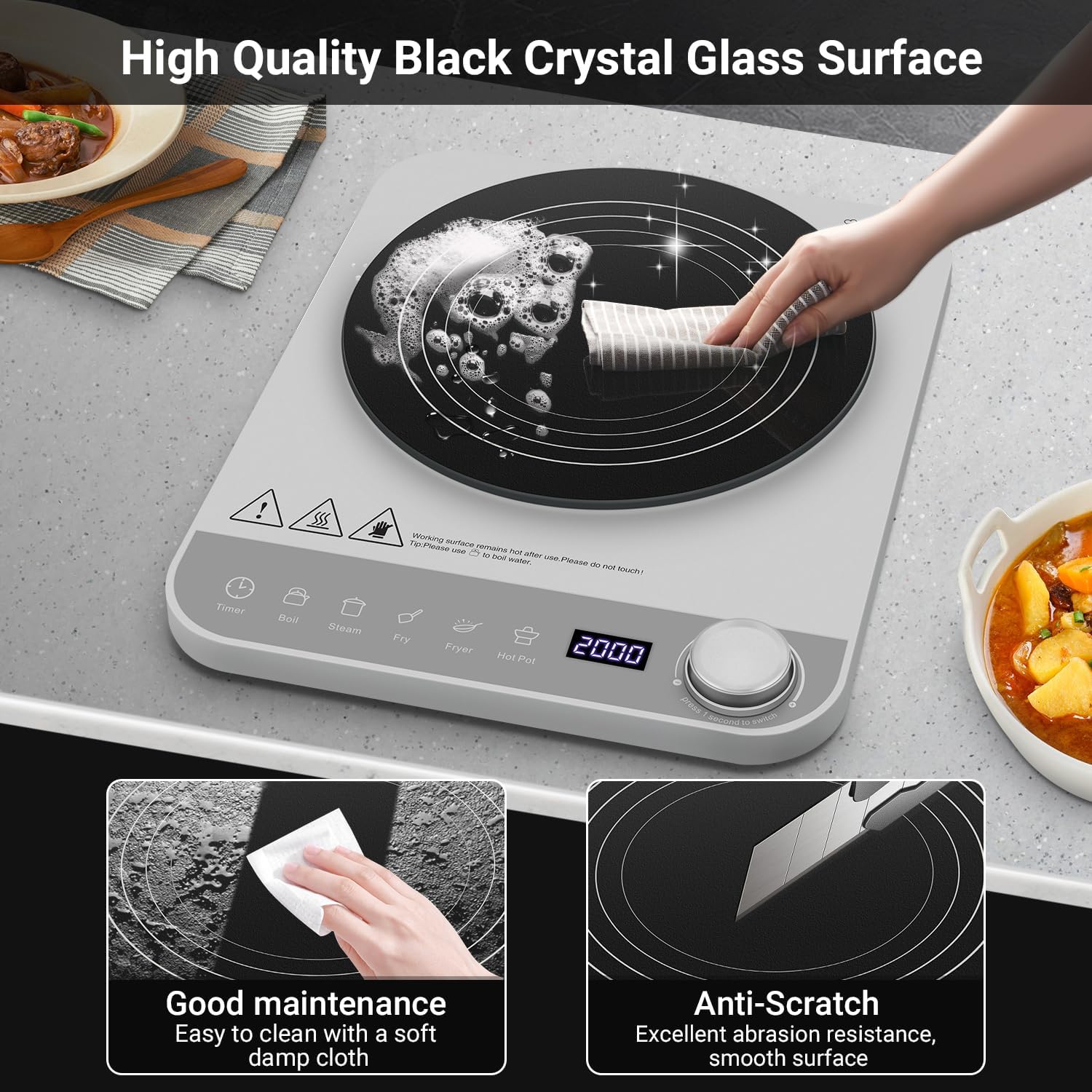
Image: The high-quality black crystal glass surface is easy to clean with a soft damp cloth and features excellent abrasion resistance, making it anti-scratch.
Troubleshooting
If you encounter any issues with your AMZCHEF Portable Induction Cooktop, please refer to the following common problems and solutions:
| Problem | Possible Cause | Solution |
|---|---|---|
| Cooktop does not turn on. | Not plugged in; power outage; faulty outlet. | Check power cord connection; verify power supply; try a different outlet. |
| "H" indicator displayed. | Residual heat on the surface. | This is normal. Wait for the surface to cool down before touching. |
| Cooktop not heating, error code displayed (e.g., "E0"). | Incompatible cookware; no cookware detected; cookware not centered. | Use compatible magnetic cookware; ensure cookware is placed centrally on the heating zone. |
| Cooktop shuts off unexpectedly. | Overheating protection activated; timer expired; pan removed. | Allow unit to cool; check timer settings; ensure cookware is on the surface. |
If the problem persists after trying these solutions, please contact customer support.
Specifications
| Feature | Detail |
|---|---|
| Brand | AMZCHEF |
| Model Number | CE-YL-20K100-SV |
| Color | Silver Grey |
| Product Dimensions (L x W x H) | 27 x 33 x 4.5 cm |
| Weight | 2.16 Kilograms |
| Power | 2000 Watts |
| Voltage | 220 Volts |
| Material | Ceramic Glass |
| Automatic Shut-off Function | Yes |
| Control Type | Knob |
| Heating Elements | 1 |
| Burner Type | Induction |

Image: Detailed product dimensions, illustrating the compact and lightweight design for easy portability and storage.
Warranty and Support
AMZCHEF is committed to providing high-quality products and excellent customer service.
- Warranty: This product comes with a two-year warranty from the date of purchase. Please retain your proof of purchase for warranty claims.
- Technical Support: AMZCHEF offers lifetime technical support for all its products.
- Premium Service: Enjoy 24-hour premium service for any inquiries or assistance you may need.
- Contact Us: If you have any questions, concerns, or require assistance, please do not hesitate to contact AMZCHEF customer support through the retailer's platform or the official AMZCHEF website.
Ask a question about this manual
Ask about setup, troubleshooting, compatibility, parts, safety, or missing instructions. Manuals+ will review the question and use this page’s manual context to help answer it.