
MOESAPU FS5000
MOESAPU Geiger Counter Nuclear Radiation Detector User Manual
Model: FS5000
Your comprehensive guide to operating and maintaining your MOESAPU radiation detector.
1. Introduction
The MOESAPU FS5000 Geiger Counter Nuclear Radiation Detector is a portable, handheld device designed for accurate detection of Gamma (γ), Beta (β), and X-rays. It features a clear LCD display, multiple alarm modes, and data logging capabilities, making it suitable for various applications from home use to industrial environments.

Figure 1: MOESAPU FS5000 Geiger Counter Nuclear Radiation Detector.
2. Safety Information
Always handle the device with care. While designed for radiation detection, it does not provide protection against radiation exposure. Follow all local safety guidelines when dealing with potentially radioactive materials. Do not attempt to disassemble or modify the device beyond what is described in this manual, as this may compromise its functionality and safety.

Figure 2: General information regarding nuclear radiation hazards.
3. Setup
3.1. Package Contents
Verify that all items are present in the package:
- MOESAPU FS5000 Radiation Detector
- USB Type-C Charging Cable (Charger not included)
- User Manual (This document)

Figure 3: Contents of the product package, including the detector and accessories.
3.2. Charging the Battery
The device is equipped with a 3.7V, 1800mAh rechargeable lithium battery. Before first use, fully charge the device.
- Connect the provided Type-C USB cable to the charging port on the device.
- Connect the other end of the cable to a standard USB power adapter (not included) or a computer USB port.
- The charging indicator on the device will show charging status. A full charge provides approximately 5 days of battery life in standard mode, or up to 30 days in long endurance mode.

Figure 4: Connecting the Type-C cable for charging the device's internal battery.
3.3. Initial Power On
Press and hold the power button (usually the central 'OK' button) until the LCD screen illuminates. The device will perform a self-test and then display the main measurement interface.
4. Operating Instructions
4.1. Understanding the Display
The LCD display provides real-time radiation data. The main interface typically shows:
- Real-time Dose Rate: Current radiation level (e.g., μSv/h).
- Average Dose Rate: Average radiation level over a period.
- Total Dose: Cumulative radiation dose received.
- Count Rate: Number of radiation particles detected per unit time (CPM/CPS).
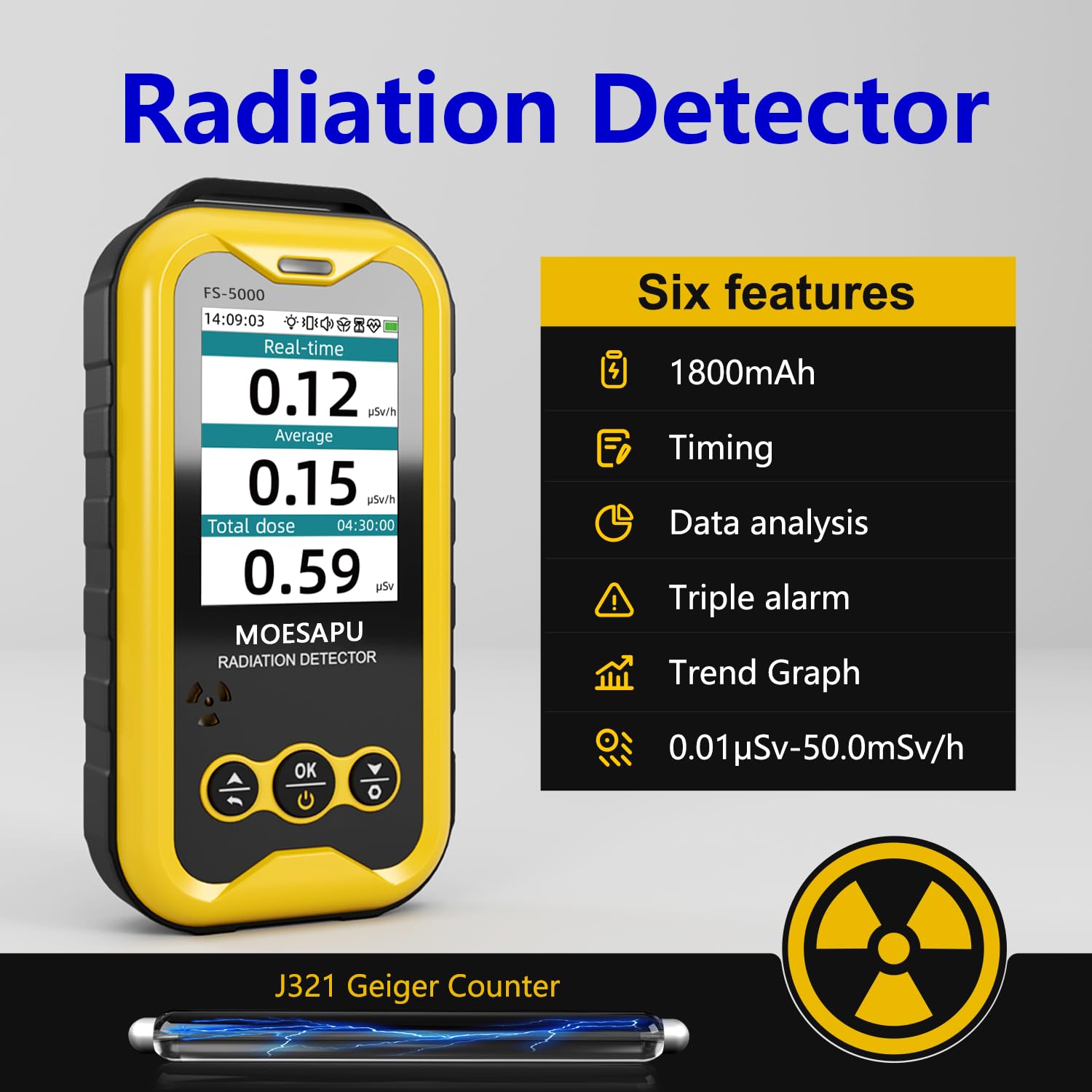
Figure 5: Overview of the device's display and key features, including real-time, average, and total dose readings.

Figure 6: The device supports multiple display interfaces, including a simple style and a curve interface for dose rate trends.
4.2. Alarm Functions
The FS5000 features three combined alarm modes: Light, Vibration, and Audible. You can set alarm thresholds for both current dose rate and accumulated dose.
- If the detected radiation dose exceeds the set threshold, the device will automatically trigger the configured alarms.
- The particle counting sound provides an auditory indication of radiation presence, which can be toggled on or off in settings.

Figure 7: The three alarm methods: Vibration, Sound, and Light, indicating radiation detection.

Figure 8: The device features a clear particle counting sound and dual alarm indicators for dose and dose rate.
4.3. Adjusting Settings
Navigate through the device's menu using the control buttons to access various settings:
- Threshold: Set alarm values for current dose rate and accumulated dose.
- Data: Access recorded data and historical trends.
- Timed Dose: Configure timed measurement periods.
- Alarm: Enable/disable specific alarm types (light, vibration, sound).
- Language: Switch between multiple language options.
- Time: Adjust calendar clock settings.
- Backlight: Adjust screen backlight time and brightness.
- Mode: Switch between different display styles (simple/compact).

Figure 9: The main interface allows free switching between various settings and display modes.

Figure 10: Detailed view of the setting interface, curve display interface, and threshold setting interface.

Figure 11: Further function pages including timed dose settings, backlight adjustments, and device information.
4.4. Connecting to PC
The device can be connected to a PC via its Type-C USB port to download historical radiation data and manage settings using the dedicated "Personal Radiation Dose Management System" software.

Figure 12: The device connected to a PC for data download and management.
4.5. Product Applications
The MOESAPU FS5000 is versatile and can be used in various scenarios:
- Nuclear wastewater testing
- Water pollution detection
- Industrial nuclear radiation monitoring
- Japanese snack and seafood radiation detection
- Uranium glass radiation detection from antique collections
- General environmental monitoring in homes, nuclear power plants, hospitals, and during home decoration projects.
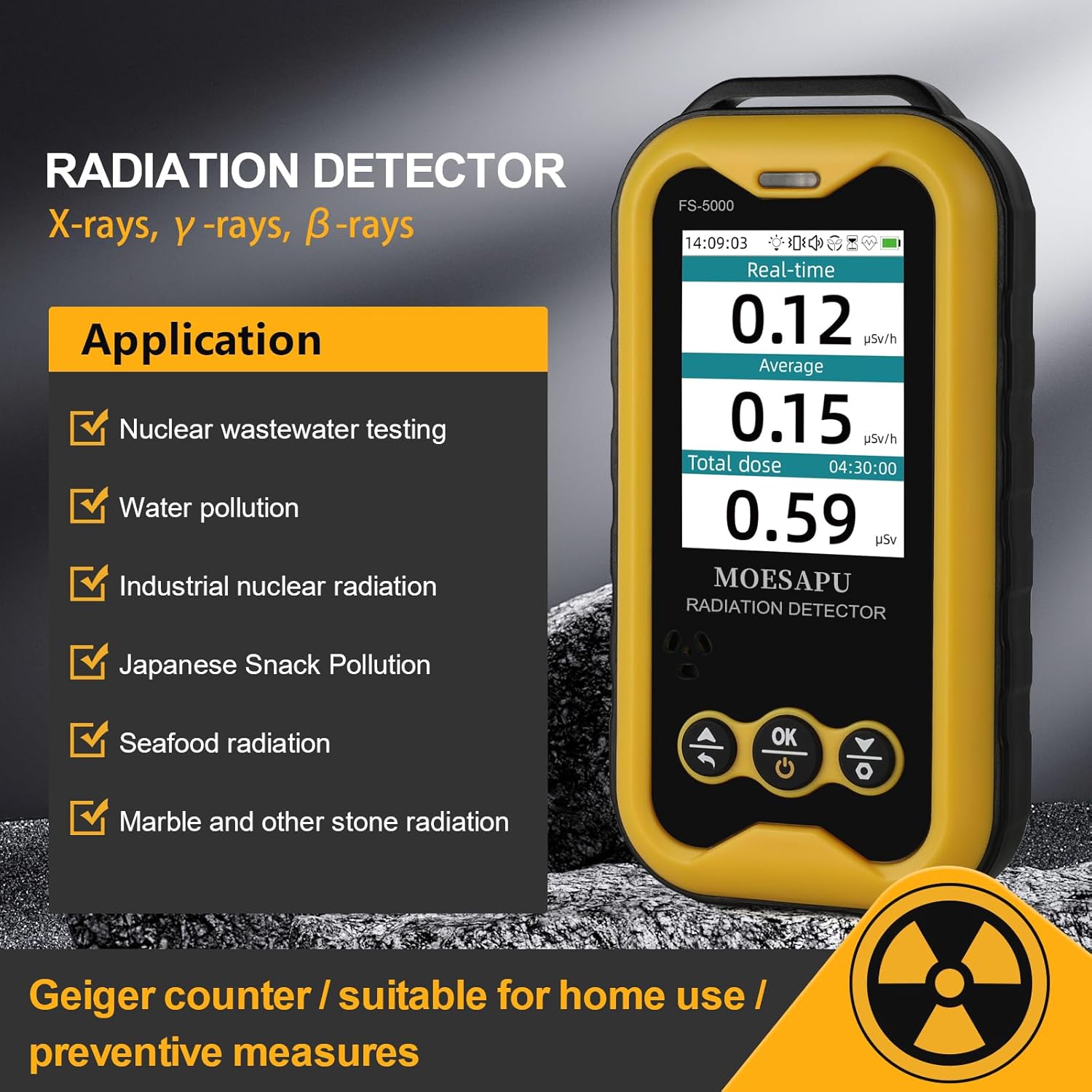
Figure 13: Various application areas for the MOESAPU FS5000 radiation detector.

Figure 14: Examples of potential radiation sources where the detector can be used.
5. Maintenance
5.1. Cleaning
Wipe the device with a soft, dry cloth. Do not use abrasive cleaners or solvents, as they may damage the casing or screen.
5.2. Storage
Store the device in a cool, dry place away from direct sunlight and extreme temperatures. If storing for extended periods, ensure the battery is partially charged (around 50%) to prolong its lifespan.
5.3. Battery Care
To maximize battery life, avoid fully discharging the battery frequently. Recharge the device when the battery indicator is low.
6. Troubleshooting
| Problem | Possible Cause | Solution |
|---|---|---|
| Device does not power on. | Low battery; device malfunction. | Charge the device fully. If issue persists, contact support. |
| Inaccurate readings. | Environmental interference; device not calibrated. | Move to an area with known background radiation levels to verify. Ensure no strong electromagnetic fields are nearby. |
| Alarms not working. | Alarm settings disabled; threshold too high. | Check alarm settings in the menu. Adjust alarm thresholds as needed. |
| Cannot connect to PC. | Incorrect cable; driver issue; software not installed. | Ensure correct Type-C cable is used. Install the "Personal Radiation Dose Management System" software and necessary drivers. |
7. Specifications
| Feature | Detail |
|---|---|
| Sensor | Glass Geiger Counter (J321) |
| LCD Screen | 2.4-inch TFT LCD |
| Measurement Range (Dose Rate) | 0.01 μSv/h ~ 50 mSv/h |
| Dose Measurement Range | 0 μSv ~ 1000 Sv |
| Sensitivity | >1 CPS/μSv/h (relative to Co-60) |
| Energy Response | 48 KeV ~ 1.5 MeV |
| Relative Error | <10% (1 mSv/h) |
| Power Supply | 3.7V rechargeable lithium battery, 1800 mAh |
| Power Consumption | <15 mW (long endurance mode: >30 days) |
| Temperature | -10°C ~ +45°C |
| Dimensions | 127 x 65 x 27 mm (5 x 2.5 x 1.1 inches) |
| Weight | 160g (including battery) |

Figure 15: Details of the J321 Geiger tube and key product parameters.
Figure 16: A table summarizing the technical specifications of the MOESAPU FS5000.
8. Official Product Videos
8.1. Product Disassembly Introduction
Video 1: This video provides an introduction to the disassembly of the MOESAPU FS5000, showcasing its internal components and build quality. It highlights the use of standard machine screws and brass threaded inserts, indicating a design focused on repairability and durability.
8.2. Geiger Counter Nuclear Radiation Detector Overview
Video 2: This video offers a general overview of the Geiger Counter Nuclear Radiation Detector, demonstrating its features and basic operation. It covers aspects such as the display, alarm functions, and the types of radiation it can detect.
9. Warranty and Support
For warranty information and technical support, please contact the manufacturer, BOSEAN Electronic. Refer to the product packaging or the official MOESAPU website for the most current contact details.
Ask a question about this manual
Ask about setup, troubleshooting, compatibility, parts, safety, or missing instructions. Manuals+ will review the question and use this page’s manual context to help answer it.