
1. Product Overview
The phonetone P20 Home Cell Phone Signal Booster is designed to enhance 4G LTE and 5G cellular signals within your home or office, specifically supporting Band 4 and Band 5 frequencies. This system aims to reduce dropped calls, improve voice quality, and increase data speeds for all cellular devices within its coverage area. It is ISED approved for use in Canada.

The phonetone P20 booster provides an ideal solution for weak signal areas, leading to fewer dropped calls, better voice quality, and faster data speeds.
2. Key Features
- 5G and 4G LTE Compatibility: Boosts signals for all cellular devices operating on Band 4 and Band 5. Note: Supports 5G bands largely deployed in current Band 4 and 5 via Dynamic Spectrum Sharing (DSS).
- Enhanced Communication: Significantly improves 4G LTE speeds for quick downloads and smooth streaming, while also enhancing call quality and reducing dropped calls.
- Wide Coverage: Provides indoor coverage up to 4,500 sq ft, supporting multiple users simultaneously. This is achieved with a high-gain directional Yagi antenna and a panel antenna.
- Automatic Gain Control (AGC): Intelligently detects existing signal strength and adjusts performance for optimal results.
- LED Indicators: Reflect the booster's working condition for easy monitoring.
- ISED Approved: Certified for use in Canada, ensuring compliance with regulatory standards.

The phonetone P20 is compatible with Band 4 and Band 5, boosting various signals including 5G.

The booster provides coverage up to 4,500 sq ft, with stronger outdoor signal leading to wider indoor coverage.
3. Package Contents
Please verify that all components are present in your package:
- 1 x Cell Phone Booster (P20 unit)
- 1 x Outdoor Directional Antenna (Yagi antenna)
- 1 x Indoor Panel Antenna
- 1 x Window Entry Cable
- 3 x Low Loss Coaxial Cables (various lengths for connection)
- 1 x Power Supply Adapter

All accessories required for installation are included in the package list.
4. Setup Guide
4.1 Pre-Installation Check: Confirming Your Frequency Band
Before installation, it is crucial to confirm that your phone's frequency band operates on Band 4 or Band 5, as this booster supports these specific bands. If your band number shows 4 or 5, this booster is suitable for you.
- For iPhone Users:
- Dial *3001#12345#* and press the call button.
- Choose 'All Metrics'.
- Click 'Serving Cell Info'.
- Check 'Band Info'.
- For Android Users:
- Download the APP: "Network Cell Info Lite" (available on app stores).
- Choose 'Guide'.
- Check 'Band' number.

Instructions for checking your phone's frequency band before purchasing the booster.
4.2 Installation Steps
Follow these steps for a successful installation:
- Mount the Outdoor Antenna: Install the directional outdoor antenna in an elevated location (e.g., roof, pole) where the existing outdoor signal is strongest. Point it towards the nearest cell tower. Ensure there is at least 1 bar of available signal outside for the system to function.
- Connect to Booster: Run a low-loss coaxial cable from the outdoor antenna to the 'OUTDOOR' port on the phonetone P20 booster unit.
- Place the Booster: Position the booster unit indoors in a central location, away from direct sunlight and moisture.
- Connect Indoor Antenna: Connect the indoor panel antenna to the 'INDOOR' port on the booster unit using another low-loss coaxial cable. Ensure adequate vertical and horizontal separation (at least 20 feet) between the outdoor and indoor antennas to prevent oscillation.
- Power On: Connect the power supply to the booster unit and plug it into an electrical outlet. The LED indicators on the booster will illuminate, indicating its operational status.

The installation involves three main components: the outdoor antenna, the booster unit, and the indoor antenna.
4.3 Important Installation Considerations
- Antenna Separation: Maintain maximum possible separation between the outdoor and indoor antennas. This is critical to prevent feedback (oscillation) and ensure optimal performance.
- Cable Management: Use the provided flat window cable for drill-free entry of cables through window frames. Utilize cable organizers to keep installations tidy.
- Connector Protection: Ensure all cable connections are tight and weatherproofed, especially for outdoor components, to protect against rain and environmental elements.

Details like flat window cables, connector protection, and cable organizers contribute to a clean and durable installation.
5. Operating Instructions
Once properly installed and powered on, the phonetone P20 booster operates automatically. The Automatic Gain Control (AGC) function continuously monitors the incoming signal and adjusts the booster's output for optimal performance, preventing overload and interference.
5.1 LED Indicators
The booster unit features LED indicators that provide visual feedback on its operational status. Refer to the product's specific LED guide (if provided separately) for detailed interpretations of light patterns and colors, which typically indicate power, signal strength, and potential issues.

The system works by receiving an outdoor signal, amplifying it, and then broadcasting the enhanced signal indoors. It requires at least 2 bars of outdoor signal to function normally.
6. Maintenance
The phonetone P20 signal booster requires minimal maintenance. Keep the unit clean and free from dust. Ensure all cable connections remain secure and weatherproofed, especially for the outdoor antenna. Periodically check the outdoor antenna for any obstructions or damage.
7. Troubleshooting
If you experience issues with your signal booster, consider the following common troubleshooting steps:
- No Signal Improvement:
- Ensure adequate separation between the outdoor and indoor antennas (minimum 20 feet vertical or horizontal).
- Verify the outdoor antenna is pointed towards the strongest signal source (nearest cell tower).
- Check all cable connections to ensure they are secure and properly connected to the correct ports.
- Confirm there is at least 1-2 bars of existing outdoor signal. The booster cannot create a signal where none exists.
- Fluctuating Signal / Oscillation:
- Increase the separation distance between the outdoor and indoor antennas.
- Adjust the angle of the outdoor antenna slightly to reduce feedback.
- LED Indicators Not On:
- Check the power supply connection to the booster and the wall outlet.
- Ensure the power outlet is functional.

The stronger the outdoor signal, the larger the indoor coverage area. If outdoor signal is 0 bars, the booster will not work.
8. Specifications
| Specification | Detail |
|---|---|
| Model Number | P20 |
| Supported Frequency Bands | Band 4, Band 5 |
| Max Gain | 65dB |
| Coverage Area | Up to 4,500 sq ft (dependent on outdoor signal strength) |
| Compatible Devices | Smartphones, Tablets, and other cellular devices |
| Power Source | AC Power Adapter (Included) |
| Item Weight | 2.16 Kilograms |
| Dimensions (Booster Unit) | Approx. 37.29 x 21.6 x 13.4 cm (Parcel Dimensions) |
| Regulatory Approval | ISED Approved (IC: 23915-CA6501) |
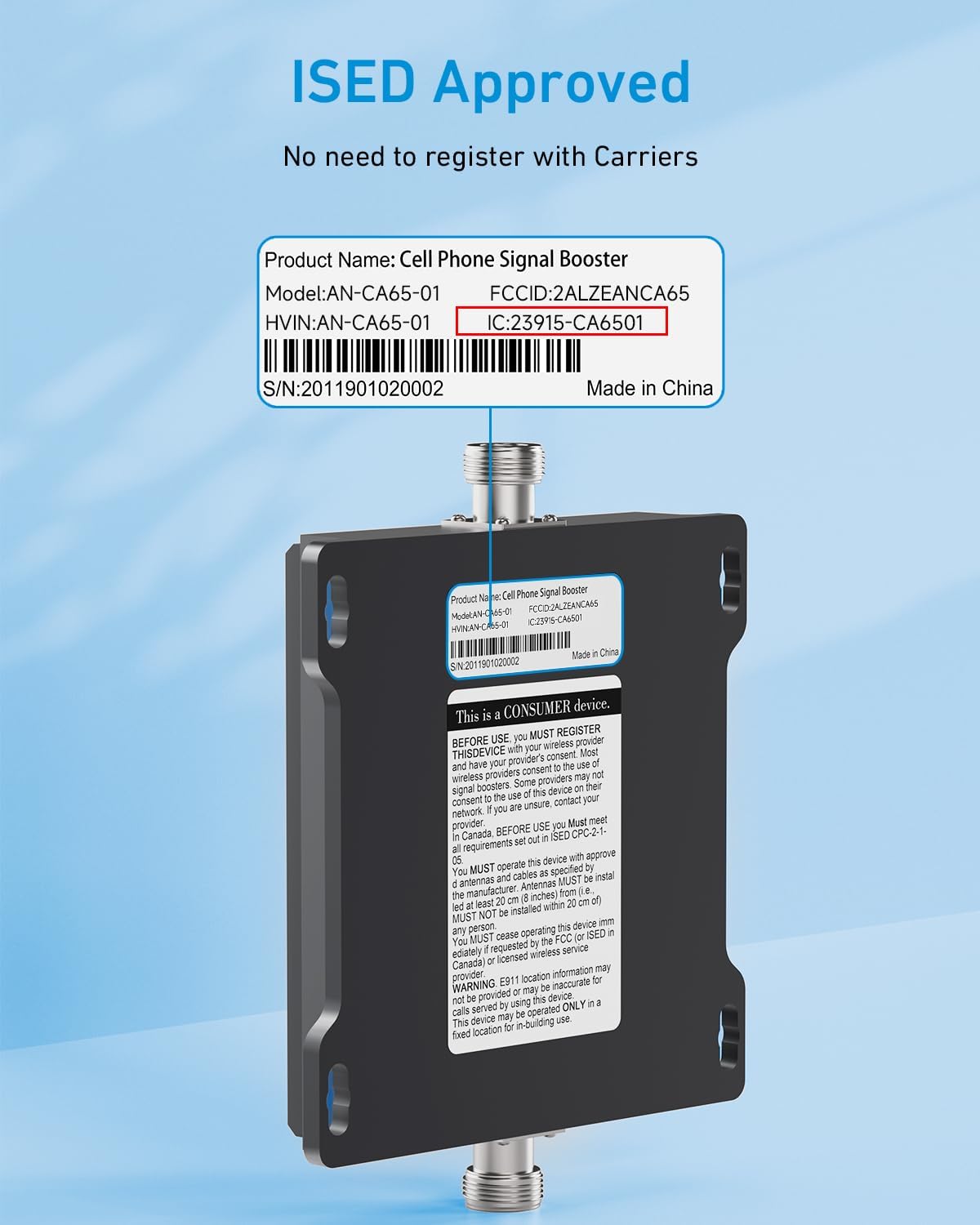
The phonetone P20 is ISED Approved, meaning no registration is needed with carriers in Canada.

The phonetone P20 is FCC Approved, meaning no registration is needed with carriers like AT&T, Verizon, or T-Mobile.
9. Warranty and Support
The phonetone P20 Home Cell Phone Signal Booster comes with a comprehensive service guarantee:
- 30-Day Money-Back Guarantee: If you are not satisfied with the product, you may return it within 30 days for a full refund.
- 3-Month Replacement: In case of defects or malfunctions, a replacement unit will be provided within 3 months of purchase.
- 2-Year Warranty: The product is covered by a 2-year warranty against manufacturing defects.
- Lifetime Professional Technical Support: Access to professional technical assistance for the lifetime of the product.
For technical support or warranty claims, please contact phonetone customer service through the retailer's platform or the official phonetone website.