1. Introduction
Thank you for choosing the EZTAT2 Caster S Wireless Rotary Tattoo Machine. This manual provides essential information for the safe and effective operation, setup, and maintenance of your device. Please read it thoroughly before first use to ensure optimal performance and longevity of your machine.

Image 1: The EZTAT2 Caster S Wireless Rotary Tattoo Machine, showcasing its sleek design.
2. Key Features
- Powerful Brushless Motor: Equipped with a custom-made super torque brushless motor (12V 10000RPM) for efficient and consistent performance across various cartridge configurations.
- Wireless Operation: Integrated 1500mAh battery provides 3-5 hours of working time on a 2-hour charge, offering freedom of movement.
- Ergonomic Design: Lightweight and designed for comfort, featuring a non-slip grip to reduce hand fatigue during extended sessions.
- Memory Function: Stores your last used voltage setting, allowing for quick recall upon restart. Features 5 distinct memory modes.
- Adjustable Stroke Length: Fixed at 3.5MM, suitable for a wide range of tattooing styles.
- Type-C Charging: Modern and convenient charging interface for faster and safer power replenishment.

Image 2: Overview of the Caster S machine highlighting motor speed, stroke length, and working voltage.

Image 3: Internal view illustrating the custom coreless motor, emphasizing its power.
3. Safety Information
Always prioritize safety when operating tattoo equipment. This device is intended for professional use by trained individuals. Improper use can lead to injury or damage to the machine.
- Ensure the machine is clean and sterilized according to industry standards before each use.
- Use only compatible and sterile tattoo cartridges.
- Avoid dropping the machine, as this can damage internal components.
- Do not expose the machine to excessive moisture or immerse it in liquids. While water-resistant, it is not waterproof.
- Keep out of reach of children.
- Disconnect power before cleaning or performing any maintenance.
4. Setup
4.1 Charging the Device
Before initial use, fully charge the machine's internal 1500mAh lithium-ion battery.
- Locate the Type-C charging port on the device.
- Connect the provided Type-C charging cable to the machine and a suitable USB power adapter (not included).
- The display will indicate charging status. A full charge typically takes approximately 2 hours.
- Once fully charged, disconnect the cable. The machine provides 3-5 hours of working time depending on usage.
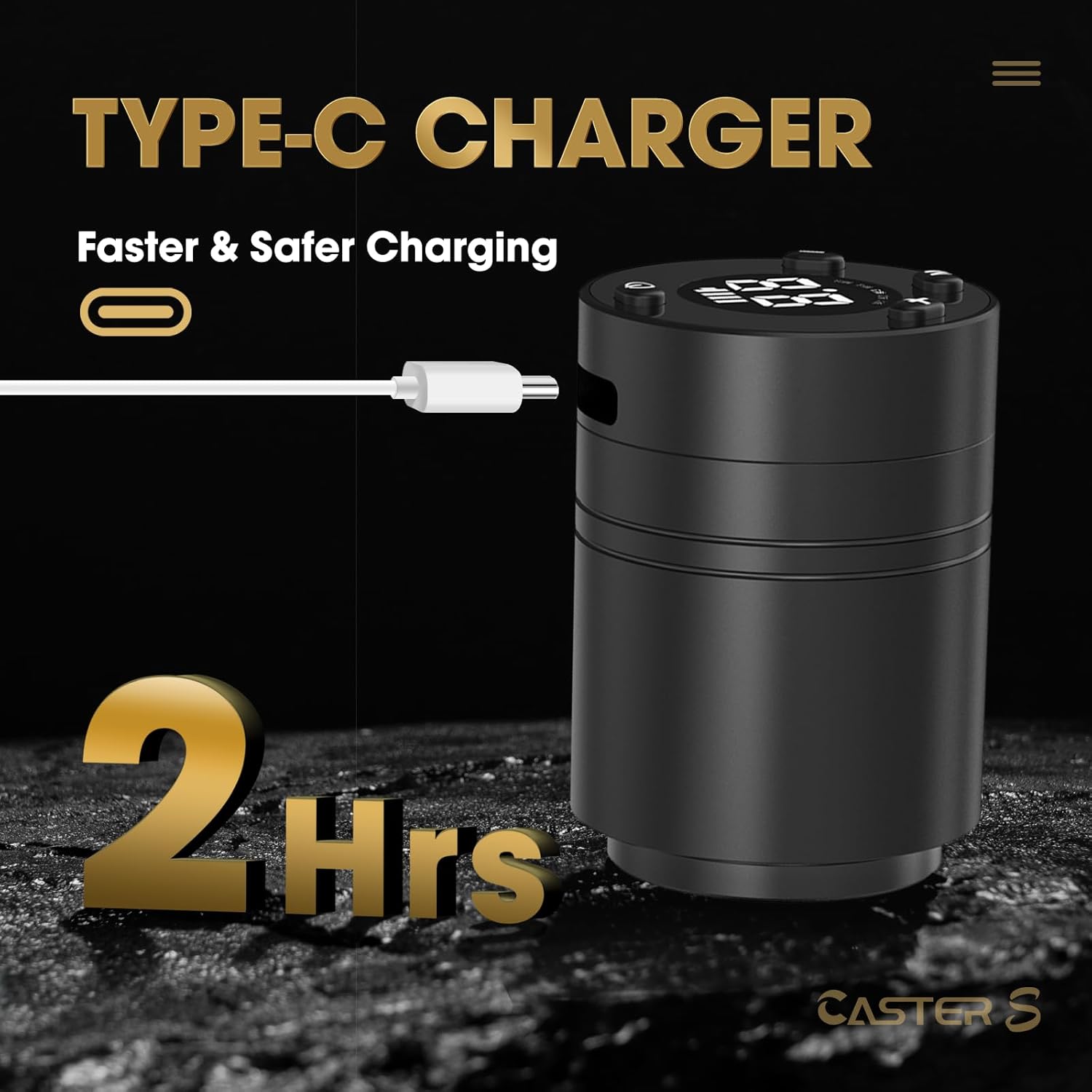
Image 4: Illustrates the Type-C charging port and cable connection for efficient charging.

Image 5: Details on recharging time, battery capacity, and working time.
4.2 Attaching a Cartridge Needle
The Caster S machine is compatible with all standard tattoo cartridge needles.
- Ensure the machine is turned off.
- Carefully insert the cartridge needle into the machine's front opening, twisting slightly until it clicks securely into place.
- Verify that the needle is firmly seated and aligned.

Image 6: The Caster S machine shown with various needle cartridges, demonstrating compatibility.
5. Operating Instructions
5.1 Power On/Off
- To turn the machine ON: Press and hold the power button (usually the central button) for a few seconds until the display illuminates.
- To turn the machine OFF: Press and hold the power button again for a few seconds until the display turns off.
5.2 Voltage Adjustment
The operating voltage range is 5-12V.
- Use the '+' button to increase the voltage.
- Use the '-' button to decrease the voltage.
- The current voltage will be displayed on the screen.
5.3 Memory Function
The Caster S features a memory function that saves your last used voltage setting.
- The machine will automatically recall the voltage setting from its last shutdown when powered on.
- It supports 5 memory modes, allowing you to quickly switch between preferred voltage presets. Refer to the display for memory mode indicators.

Image 7: Close-up of the machine's display, illustrating the memory function with 5 modes.

Image 8: Detailed view of the control panel, showing voltage adjustment and memory function buttons.
5.4 Needle Depth Adjustment
The needle depth can be adjusted by rotating the front section of the machine.
- Gently twist the grip section of the machine clockwise or counter-clockwise to extend or retract the needle.
- Each slight twist will typically click into place, allowing for precise depth control.
5.5 Pause/Resume Function
- During operation, a short press of the power button will pause the needle movement.
- Another short press will resume operation at the last set voltage.
6. Maintenance
Proper maintenance ensures the longevity and hygienic operation of your tattoo machine.
- Cleaning: After each use, wipe down the exterior of the machine with a suitable disinfectant wipe. Do not spray liquids directly onto the machine or immerse it.
- Sterilization: Ensure all components that come into contact with skin or ink (e.g., needle cartridges) are single-use and properly disposed of, or sterilized according to professional guidelines.
- Storage: Store the machine in a clean, dry place away from direct sunlight and extreme temperatures.
- Battery Care: For optimal battery life, avoid fully discharging the battery frequently. Charge the machine regularly, even if not in use for extended periods.
7. Troubleshooting
If you encounter issues with your EZTAT2 Caster S machine, refer to the following common problems and solutions:
| Problem | Possible Cause | Solution |
|---|---|---|
| Machine does not turn on | Low battery; Power button not pressed correctly | Charge the machine fully. Ensure the power button is pressed and held for the required duration. |
| Inconsistent power/stuttering | Low battery; Loose cartridge; Motor issue | Recharge the battery. Ensure the cartridge is securely attached. If the problem persists, contact support. |
| Battery not charging | Faulty cable/adapter; Damaged charging port | Try a different Type-C cable and USB adapter. Inspect the charging port for damage. Contact support if issues continue. |
| Needle depth not adjusting | Grip mechanism jammed or damaged | Ensure no debris is obstructing the twisting mechanism. Do not force adjustment. Contact support if it remains stuck. |
For issues not listed here or if troubleshooting steps do not resolve the problem, please contact EZTAT2 customer support.
8. Specifications
| Feature | Detail |
|---|---|
| Model Number | CASTER-S-Machine |
| Brand | EZTAT2 |
| Motor | Custom Coreless Brushless Motor |
| Motor Speed | 12V 10000RPM |
| Stroke Length | 3.5MM |
| Operating Voltage | 5-12V |
| Switch Frequency | 60 - 160 Hz |
| Start Voltage | 5V |
| Battery Capacity | 1500mAh Lithium Ion |
| Charging Time | Approx. 2 hours |
| Working Time | 3-5 hours (depending on usage) |
| Charging Port | Type-C |
| Package Dimensions | 5.91 x 2.72 x 2.09 inches |
| Weight | 8.78 ounces |
| Water Resistance Level | Water Resistant |
9. Warranty and Support
9.1 Warranty Information
The EZTAT2 Caster S Wireless Rotary Tattoo Machine comes with a One Year Warranty from the date of purchase. This warranty covers manufacturing defects under normal use. It does not cover damage caused by misuse, accidents, unauthorized modifications, or normal wear and tear.
9.2 Customer Support
Should you have any questions, concerns, or require assistance with your EZTAT2 Caster S machine, please do not hesitate to contact our customer service team. We are committed to providing prompt support and will endeavor to resolve your issues within 24 hours.
For support, please visit the official EZTAT2 website or refer to your purchase documentation for contact details.