
Product Overview
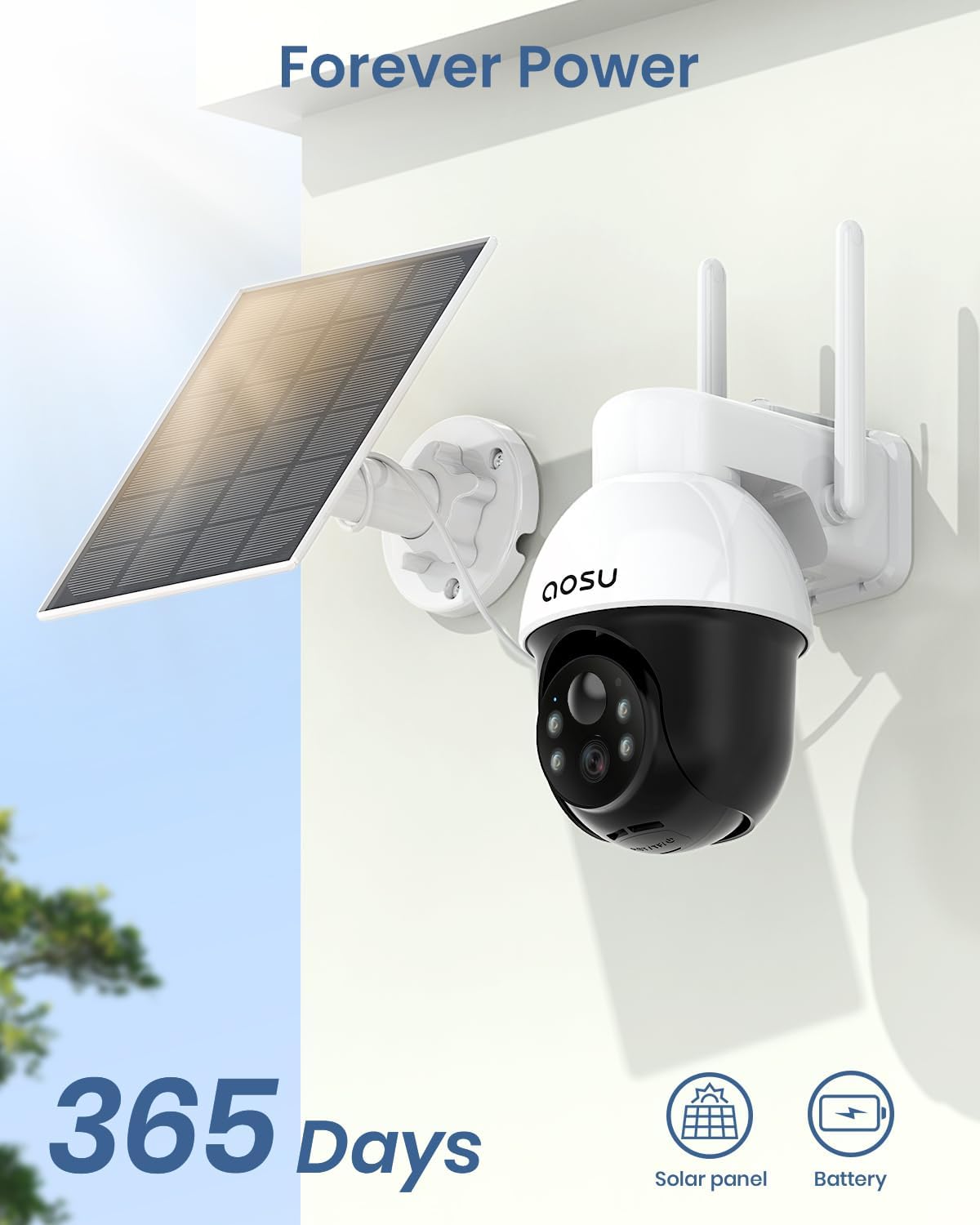
The AOSU Solar Camera Security Outdoor offers advanced surveillance features including a 360-degree panoramic view, 2K crisp image quality, automatic human tracking, and smart alerts. Designed for outdoor use, it is 100% wireless and solar-powered for continuous operation.

What's in the Box
Upon unboxing your AOSU Solar Camera Security Outdoor, you will find the following components:
- AOSU Solar Camera Unit
- Solar Panel (integrated)
- Mounting Bracket(s)
- USB-C Charging Cable
- Mounting Screws and Wall Plugs
- Mounting Template Sticker
- Quick Start Guide
Setup Guide
1. Charging the Camera
Before initial use, fully charge the camera battery using the provided USB-C cable. Connect the cable to the camera's USB-C port and a compatible power adapter (not included).
2. App Installation and Account Creation
Download the AOSU Smart app from your device's app store. Follow the on-screen prompts to create an account and log in.
3. Connecting the Camera to Wi-Fi
In the app, select 'Add Device' and follow the instructions to connect your camera to your 2.4GHz Wi-Fi network. The camera will provide voice prompts during the connection process.
4. Mounting the Camera
Choose an outdoor location with good Wi-Fi signal and direct sunlight exposure for the solar panel. Use the provided mounting template to mark drill holes. Secure the mounting bracket to the wall using the screws and wall plugs. Attach the camera to the bracket.

Operating Instructions
1. Live View and Pan/Tilt Control
Open the AOSU Smart app and select your camera to access the live view. Use the on-screen controls to pan (horizontal) and tilt (vertical) the camera for a full 360-degree view of your property.

2. Automatic Human Tracking
Enable the 'Automatic Human Tracking' feature in the app settings. The camera will automatically detect and follow human motion, ensuring detailed recording of events.
3. Smart Alerts and Two-Way Talk
Receive instant notifications on your smartphone when motion is detected. Utilize the two-way talk feature to communicate with visitors or deter intruders. You can also activate a motion-activated light and sound alarm.

4. 2K Night Vision
The camera features 2K resolution for crisp details day and night. It supports color night vision for enhanced clarity in low-light conditions.

5. Smart Home Integration
The AOSU camera is compatible with Amazon Alexa and Google Assistant, allowing for voice-activated control and live viewing on compatible smart displays.
Maintenance
1. Power Management
The integrated solar panel provides continuous power. Ensure the solar panel receives daily direct sunlight for optimal charging. Regular battery changes are not required.
2. Weather Resistance
The camera is IP65 waterproof, designed to withstand various weather conditions including rain and dust. Periodically clean the lens and solar panel to ensure optimal performance.

Troubleshooting
1. Connection Issues
If the camera fails to connect, ensure your Wi-Fi network is 2.4GHz. Reset the camera by pressing the reset button (usually located under a rubber flap) and attempt to reconnect through the app.
2. Motion Detection Sensitivity
Adjust the motion detection sensitivity in the app settings to reduce false alarms or improve detection range. You can set it to detect human motion only.
3. Night Vision Clarity
Ensure the camera lens is clean and free from obstructions. Check app settings for white-light-aided illumination or infrared light options to optimize night vision.
Specifications
| Feature | Detail |
|---|---|
| Model Number | C9L |
| Indoor/Outdoor Usage | Outdoor |
| Video Capture Resolution | 2K |
| Viewing Angle | 360 Degrees |
| Power Source | Solar Powered |
| Connectivity Protocol | Bluetooth, Wi-Fi (2.4GHz ONLY) |
| Controller Type | Amazon Alexa, Google Assistant |
| International Protection Rating | IP65 |
| Item Dimensions (L x W x H) | 8.66 x 6.3 x 5.12 inches |
| Item Weight | 4.33 pounds |
| Batteries Required | Yes (1 Lithium Ion battery included) |
| Special Feature | Waterproof |
Warranty and Support
AOSU is dedicated to providing high-quality products and excellent customer service. We offer lifetime technical support with local phone service and a 1-year replacement warranty.
For technical assistance or warranty claims, please contact AOSU customer support through the app or visit our official website.