
LMRC LM19-A
LMRC LM19-A Drone User Manual
Model: LM19-A | Brand: LMRC
1. Introduction
Welcome to the user manual for your LMRC LM19-A Drone. This drone is designed for both beginners and experienced users, offering a stable flight experience with advanced features like a 1080P HD camera, WiFi FPV real-time transmission, and a unique ground mode. Please read this manual carefully before operating your drone to ensure safe and optimal performance.

Image: The LM19-A Drone, showcasing its design and included components.
2. What's in the Box
Your LMRC LM19-A Drone package includes the following components:
- LM19-A Drone with HD Camera
- Remote Controller
- 2 x Modular Lithium Polymer Batteries
- USB Charging Cable
- Propellers (spare set included)
- Screwdriver
- Display Base
- Mobile Phone Holder
- User Manual

Image: A visual representation of all items included in the product packaging.
3. Setup Guide
3.1 Battery Charging
Before first use, fully charge both modular batteries using the provided USB charging cable. Connect the cable to a USB power adapter (not included). The indicator light on the battery will change when charging is complete.
3.2 Propeller Installation
Ensure propellers are securely attached to the drone. Match the propellers to their corresponding motor arms as indicated in the diagram (usually A/B markings). Use the provided screwdriver if necessary.
3.3 Remote Controller Setup
Install 3 AAA batteries (not included) into the remote controller. Attach the mobile phone holder to the remote controller if you plan to use the FPV feature.
3.4 App Installation (for FPV)
Download the official LMRC drone app from your mobile device's app store. Search for "LMRC Drone" or scan the QR code provided in the quick start guide (if applicable). Enable Wi-Fi on your device and connect to the drone's Wi-Fi network (usually named "LMRC-XXXXXX").
4. Operating Instructions
4.1 Power On and Pairing
- Insert a charged battery into the drone and press the power button to turn it on.
- Turn on the remote controller.
- Push the left joystick up then down to pair the remote with the drone. The drone's lights will become solid when paired.
4.2 Basic Flight Controls
Familiarize yourself with the remote controller's joysticks:
- Left Joystick (Throttle/Yaw): Up/Down for altitude, Left/Right for rotation.
- Right Joystick (Direction): Up/Down for forward/backward, Left/Right for left/right movement.

Image: Visual guide to user-friendly features like One Key Start/Landing, Headless Mode, and Altitude Hold.
4.3 One Key Start/Landing
Press the One Key Start/Landing button on the remote controller to automatically take off or land the drone. This feature simplifies initial flight and safe descent.

Image: Illustration of the One Key Start/Landing function, showing the drone ascending or descending.
4.4 Altitude Hold
The drone features an Altitude Hold function, allowing it to maintain a stable height automatically. This makes controlling the drone easier, especially for beginners, as you only need to focus on horizontal movement.

Image: The drone demonstrating its Altitude Hold capability, maintaining a steady height.
4.5 Headless Mode
In Headless Mode, the drone's orientation is relative to the pilot, regardless of the drone's actual front. This simplifies control, as you don't need to worry about which way the drone is facing.

Image: An illustration of Headless Mode, showing how the drone's direction is relative to the controller.
4.6 1080P HD Camera & FPV Real-Time Transmission
The drone is equipped with a 1080P HD camera for capturing high-quality photos and videos. Through the Wi-Fi FPV (First Person View) feature, you can stream live video directly to your connected mobile device via the LMRC app.
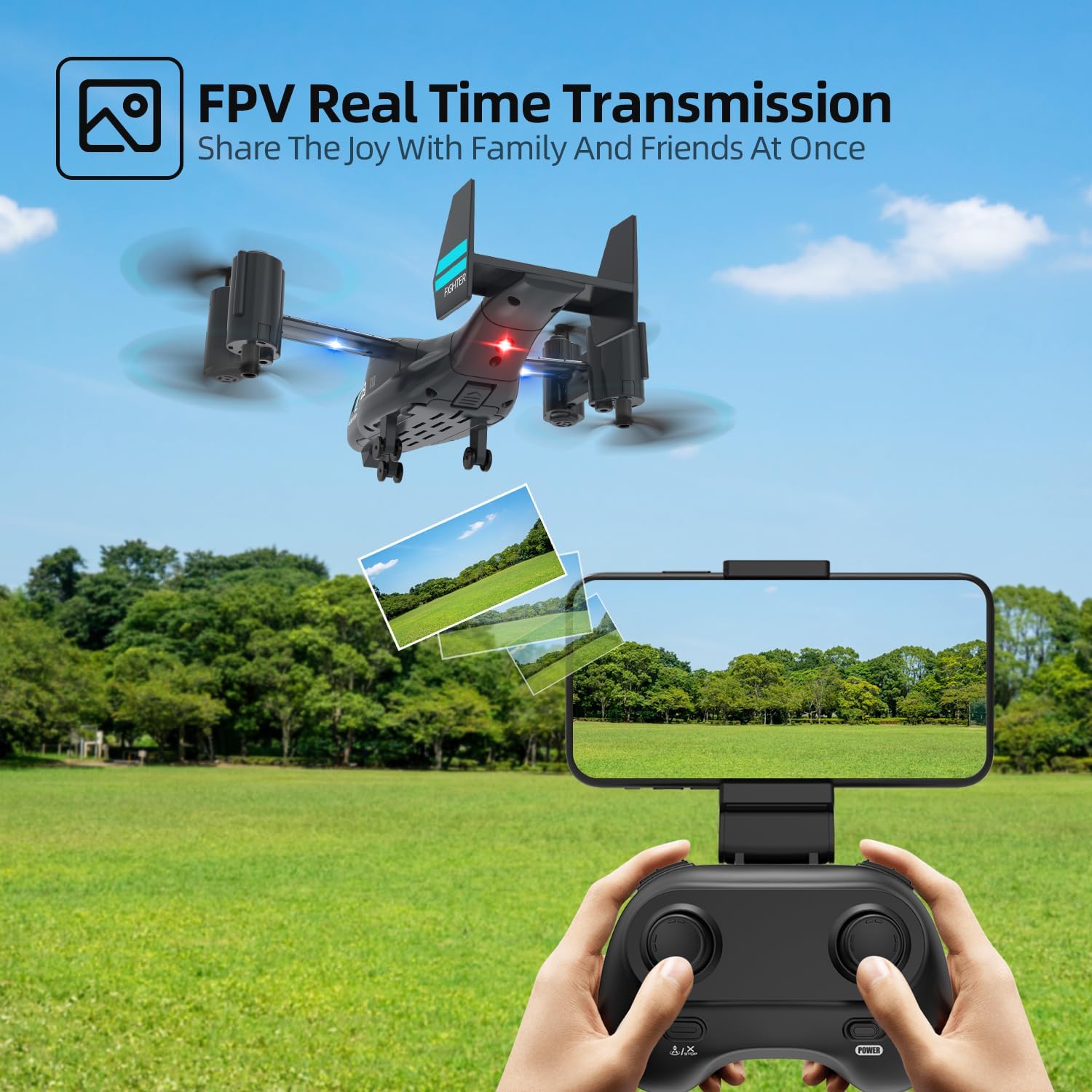
Image: Demonstrates the FPV Real-Time Transmission feature, showing the drone's camera view on a smartphone.
4.7 Ground Mode
The LM19-A drone can also operate in ground mode, allowing it to slide on smooth surfaces. This provides a different remote control experience and can be activated via a switch on the remote or app.

Image: The drone in Land Glide Mode, demonstrating its ability to move on flat surfaces.
4.8 Speed Modes
The drone offers 2-level flight speed options (Fast and Slow Mode) to accommodate different skill levels and flying environments. Adjust the speed via the dedicated button on the remote controller.

Image: Depiction of the drone's two speed modes, Fast and Slow, for varied flight experiences.
5. Maintenance
5.1 Battery Care
- Always use the original charging cable.
- Do not overcharge or over-discharge batteries.
- Store batteries in a cool, dry place away from direct sunlight and extreme temperatures.
- If not used for a long period, charge batteries to about 50% capacity every 3 months.
5.2 Propeller Inspection and Replacement
Regularly check propellers for any damage (cracks, bends). Damaged propellers can affect flight stability and safety. Replace them with spare propellers as needed, ensuring correct orientation.
5.3 Cleaning
Use a soft, dry cloth to clean the drone body. Avoid using water or harsh chemicals. Gently clean the camera lens with a microfiber cloth.
6. Troubleshooting
- Drone not responding to remote: Ensure both drone and remote are powered on and properly paired. Check remote control battery levels.
- Drone unstable during flight: Check for damaged propellers and replace if necessary. Perform a calibration if available (refer to quick start guide for specific steps).
- Poor FPV video feed: Ensure your mobile device is connected to the drone's Wi-Fi network. Reduce interference by flying in an open area.
- Short flight time: Ensure batteries are fully charged. Flight time can vary based on flight style, wind conditions, and use of features like FPV.
- Drone not taking off: Ensure propellers are installed correctly and not obstructed. Check battery charge.
7. Specifications
| Feature | Detail |
|---|---|
| Brand | LMRC |
| Model Name | LM19 A |
| Special Features | Display Stand, Ground Mode, One Key Landing, Speed Adjustment, WiFi Live Video |
| Age Range (Description) | Adult (suitable for beginners and kids 8-12) |
| Color | Black |
| Video Capture Resolution | 1080p |
| Connectivity Technology | Wi-Fi |
| Skill Level | Beginner and professional |
| Video Capture Format | MP4 |
| Remote Control Technology | Wi-Fi |
| Control Type | Remote Control |
| Media Type | SD (for storage, if applicable) |
| Material | Plastic |
| Battery Cell Composition | Lithium Polymer |
| Batteries Included | Yes (2 required) |
| Supported Image Format | JPEG |
| Video Output Resolution | 1280x720 Pixels |
| Product Dimensions | 7.72"L x 5.71"W x 2.4"H |
| Item Weight | 14.4 ounces |
8. Warranty and Support
Your LMRC LM19-A Drone comes with FCC certification, ensuring compliance with relevant standards. For any technical assistance, questions regarding operation, maintenance, or repair, please contact LMRC customer support. You can typically reach us via the platform where you purchased the product, for example, through the 'My Orders - Contact Seller' option on Amazon.
We are committed to providing professional technical guidance to resolve any flight-related issues you may encounter.
Ask a question about this manual
Ask about setup, troubleshooting, compatibility, parts, safety, or missing instructions. Manuals+ will review the question and use this page’s manual context to help answer it.