
Introduction
The VABIRA VBR-DLLM Dental Curing Light Meter is designed to accurately measure the irradiance intensity of dental UV LED curing lights. This device helps ensure optimal curing light performance, which is crucial for effective dental procedures. This manual provides essential information for the proper setup, operation, and maintenance of your VBR-DLLM meter.

Image: The VABIRA VBR-DLLM Dental Curing Light Meter, a compact black square device, shown next to a smartphone displaying a measurement of 2000 mW/cm². This illustrates the device's primary function of measuring and displaying curing light intensity.
Product Overview
The VBR-DLLM meter offers several key features for precise dental curing light measurement:
- Measures irradiance intensity of dental UV LED curing lights up to 9999 mW/cm².
- Utilizes a high-accuracy sensor IC from a Japanese semiconductor company.
- Allows data viewing on a smartphone via a dedicated application, minimizing direct exposure to strong UV light.
- Features a specialized hole to securely fix the curing light head, ensuring consistent and accurate measurements.
- Capable of recording and storing test data for analysis and record-keeping.
Package Contents
Verify that all items are present in the package:
- VABIRA VBR-DLLM Dental Curing Light Meter
- USB Charging Cable
- AAA Batteries (2 included)
- User Manual (this document)

Image: The VBR-DLLM meter is displayed with its battery compartment open, revealing slots for two AAA batteries. Two AAA batteries are shown separately, indicating they are included. The product packaging box is also visible, confirming the contents.
Setup
- Install Batteries: Open the battery compartment on the back of the VBR-DLLM meter and insert the two AAA batteries, ensuring correct polarity.
- Power On: Press the side button to power on the device. A small LED on the front will illuminate.
- Install Application: Scan the QR code provided in the packaging or search for "VSensor" in your smartphone's app store (iOS compatible) to download and install the companion application.
- Pair with Smartphone:
- Ensure Bluetooth is enabled on your smartphone.
- Open the "VSensor" application.
- The app will scan for available devices. Select the VBR-DLLM meter to establish a Bluetooth connection.
Operating Instructions
Follow these steps to measure the intensity of your dental curing light:
- Prepare the Meter: Ensure the VBR-DLLM meter is powered on and successfully connected to the "VSensor" app on your smartphone.
- Position the Curing Light: Insert the head of the dental curing light into the designated hole on the VBR-DLLM meter. This ensures the light source is accurately aligned with the sensor for consistent readings.
- Initiate Measurement: Activate your dental curing light. The "VSensor" app on your smartphone will display the real-time irradiance intensity in mW/cm².
- Record Data (Optional): The "VSensor" app allows you to record and save measurement data. Refer to the app's interface for specific instructions on data recording and management.
- Power Off: After use, disconnect the smartphone from the device. The VBR-DLLM meter will automatically power off after a short period of inactivity to conserve battery life.

Image: A diagram illustrating how the head of a dental curing light is inserted into the circular opening on the VBR-DLLM meter. This precise placement is critical for accurate measurement of light intensity.
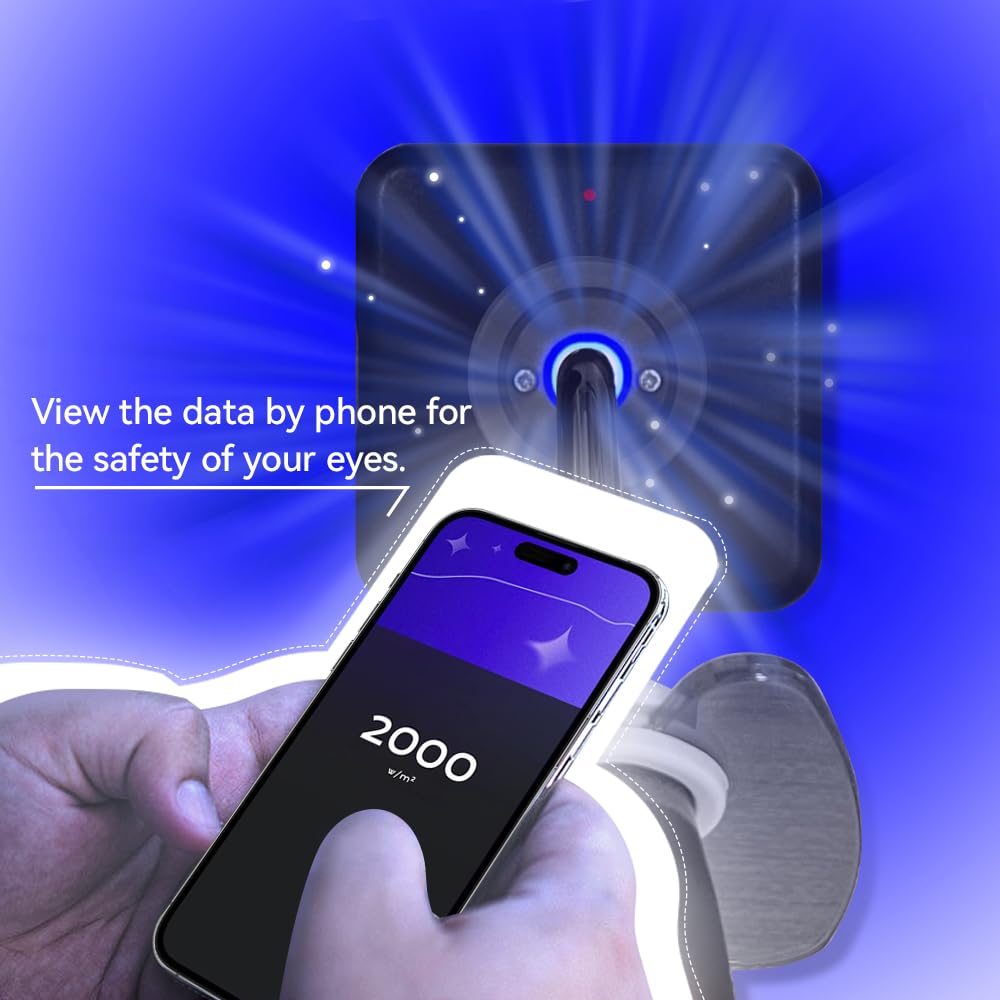
Image: A user's hand holds a smartphone displaying "2000 w/m²" (likely mW/cm²), indicating the measured light intensity. In the background, the VBR-DLLM meter is shown actively measuring a dental curing light, emphasizing the remote viewing feature for eye safety.
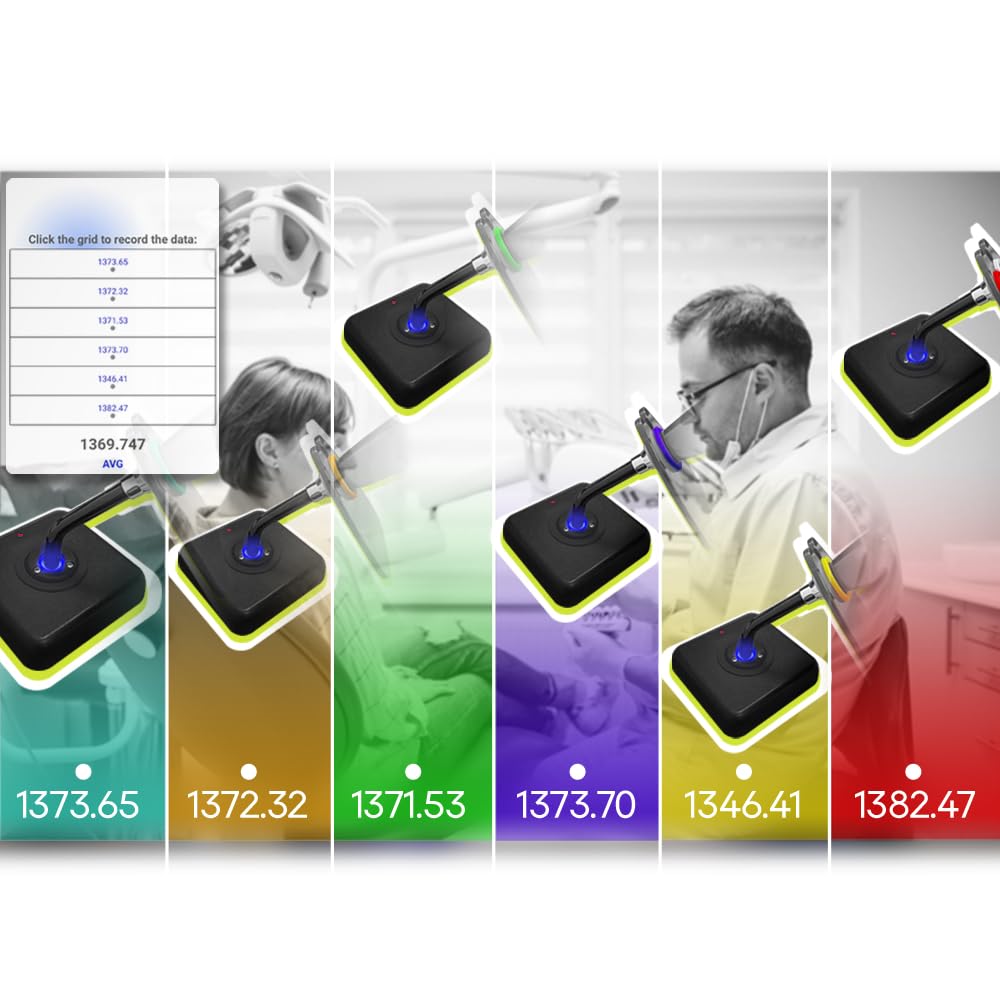
Image: A composite image showing several VBR-DLLM meters in use, each measuring a dental curing light. A digital interface is overlaid, demonstrating the ability to record and display multiple data points (e.g., 1373.65, 1372.32, 1371.53 mW/cm²) and an average, highlighting the data logging feature.
Important Note: The VBR-DLLM is a measurement device only and is not a dental curing light itself.
Maintenance
- Cleaning: Wipe the device with a soft, dry cloth. Do not use abrasive cleaners or solvents.
- Storage: Store the meter in a cool, dry place away from direct sunlight and extreme temperatures.
- Battery Replacement: Replace AAA batteries when the low battery indicator appears or if the device does not power on.
- Sensor Care: Keep the sensor area clean and free from dust or debris to ensure accurate readings.
Troubleshooting
- Device does not power on: Check if batteries are correctly inserted and charged. Replace with new AAA batteries if necessary.
- Cannot connect to smartphone:
- Ensure Bluetooth is enabled on your smartphone.
- Make sure the VBR-DLLM meter is powered on.
- Restart both the meter and the smartphone application.
- Inaccurate readings:
- Ensure the curing light head is properly seated in the meter's hole.
- Check for any obstructions or dirt on the sensor.
- Verify that the curing light itself is functioning correctly.
Specifications
| Model | VBR-DLLM |
| Brand | VABIRA |
| Measurement Range | Up to 9999 mW/cm² |
| Connectivity | Bluetooth (for smartphone app) |
| Power Source | 2 x AAA Batteries |
| Parcel Dimensions | 10.21 x 8.79 x 3.4 cm |
| Weight | 91 g |
| Manufacturer | De-Power |
| Country of Origin | China |
Warranty and Support
For warranty information or technical support, please contact the manufacturer or your point of purchase. The manufacturer details are as follows:
- Manufacturer: De-Power Lighting & Electric Equipment Co., Ltd.
- Model: VBR-DLLM
- Address: F4, LZY Ind. Park, Yongxingbei Rd. No.1, (Hengdong), Henglan, Zhongshan City, Guangdong, China
- Importer: Zhongshan Hongyuandianziyidianxiangongsi
- Importer Address: haotoudadao35hao3lou, zhongshanshi, huojukafagu, Guangdong, 582437, CN
- Contact Person (EC REP): Pmeria
- EC REP Address: Bucuresti sector 2. Strada RADOVANU Nr. 7 Bloc 42. scara 1. Etaj 5 Ap29
- EC REP Zip Code: 022883
- EC REP Tel/Fax: 0040768511765
- EC REP Email: pmeriadagutagss@gmail.com
Please retain your purchase receipt as proof of purchase for warranty claims.