
LICIBY Gard Pro Ultra
Gard Pro Ultra Smart Watch User Manual
Model: Gard Pro Ultra | Brand: LICIBY
Introduction
Welcome to the user manual for your new LICIBY Gard Pro Ultra Smart Watch. This rugged and versatile device is designed to enhance your daily life with features such as Bluetooth calling, comprehensive fitness tracking, and health monitoring. This manual provides essential information on setting up, operating, maintaining, and troubleshooting your smartwatch to ensure optimal performance and longevity.
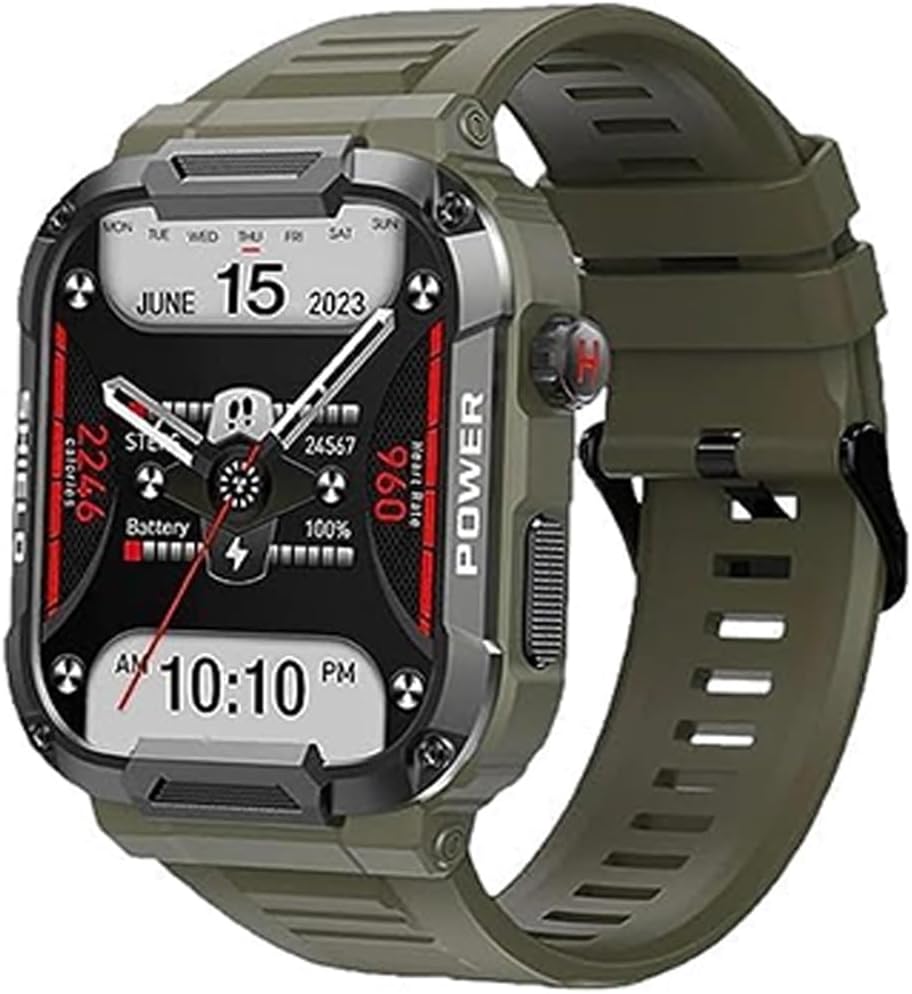
Image: Front view of the Gard Pro Ultra Smart Watch, displaying time, date, and various health metrics on its screen.
Setup Guide
1. Charging the Smart Watch
Before first use, fully charge your Gard Pro Ultra Smart Watch. The watch features magnetic charging for convenience.
- Connect the magnetic charging cable to a USB power adapter (not included) or a computer's USB port.
- Align the magnetic end of the cable with the charging contacts on the back of the watch. The magnets will snap it into place.
- The watch screen will indicate charging status. A full charge typically takes approximately 2 hours.
2. Pairing with Your Smartphone
To unlock all features, pair your watch with the companion application on your smartphone. The watch supports iOS 8 and Android 4.4 or later.
- Scan the QR code in the watch's settings or manual to download the official companion app, or search for it in your phone's app store.
- Ensure Bluetooth is enabled on your smartphone.
- Open the companion app and follow the on-screen instructions to create an account or log in.
- In the app, navigate to the device pairing section and select your Gard Pro Ultra Smart Watch from the list of available devices.
- Confirm the pairing request on both your phone and the watch if prompted.
- Once paired, the watch will synchronize time and data with your phone.
Operating Instructions
Basic Navigation
- Touchscreen: Swipe left/right, up/down, and tap to navigate menus and select options.
- Side Button(s): Typically used for power on/off, returning to the home screen, or accessing the app list.
- Rotary Encoder: The watch features a rotary encoder for quick application scrolling and interface conversion. Rotate the crown to scroll through lists or adjust settings.

Image: Depicts the Gard Pro Ultra Smart Watch highlighting its rotary encoder for navigation and AI voice assistant capabilities.
Key Features
Bluetooth Call Functionality
Make and receive calls directly from your wrist using the watch's high-fidelity AAC waterproof speaker. Ensure your watch is connected to your smartphone via Bluetooth.
- To answer a call: Tap the green phone icon on the watch screen.
- To make a call: Access the dial pad or contacts list on the watch.

Image: Shows the smartwatch's interface for Bluetooth calls, including keypad and call logs, alongside a selection of icons representing over 110 sports modes.
Health Monitoring
The Gard Pro Ultra provides comprehensive health data, including heart rate, SpO2 (blood oxygen), blood pressure, and sleep monitoring. Data is synchronized with the companion app for detailed analysis.
- Heart Rate Monitor: Continuously tracks your heart rate throughout the day.
- SpO2 Monitoring: Measures your blood oxygen saturation levels.
- Sleep Tracking: Monitors your sleep patterns, including deep sleep, light sleep, and awake times.
- Blood Pressure: Provides estimates of blood pressure readings.
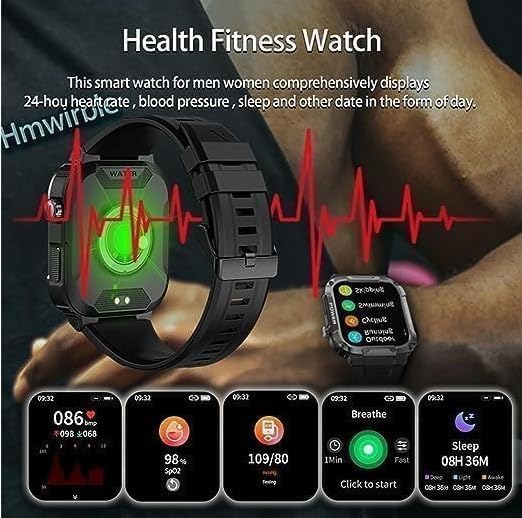
Image: Illustrates the smartwatch's health fitness features, showing screens for heart rate, blood pressure, SpO2, breathing exercises, and sleep duration.
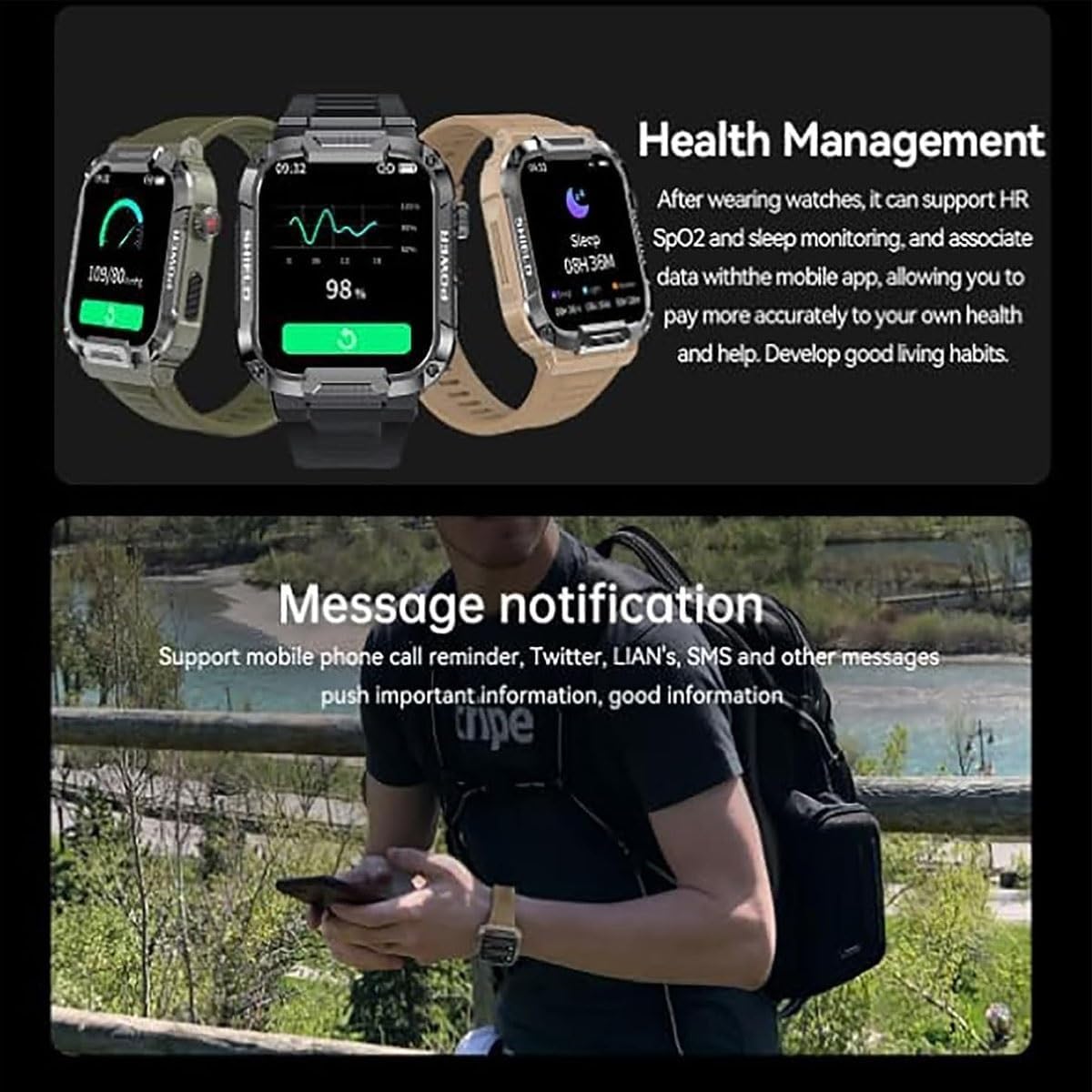
Image: Displays the watch's health management interface with heart rate and SpO2 readings, and a separate section for message notifications from various apps.
Fitness Tracking & Sports Modes
The Gard Pro Ultra supports over 110 sports modes, providing professional sports algorithms to track steps, distances, calories, and other relevant data for each exercise. It includes a distance tracker.
- Select your desired sport mode from the watch's menu before starting an activity.
- The watch will record relevant metrics, which can be reviewed in the companion app.

Image: Features the smartwatch's IP68 swimming-grade waterproof capability and its professional sports algorithm for data analysis during activities.
Notifications
Receive mobile phone call reminders, messages from social media apps (e.g., Twitter, LINE, SMS), and other push notifications directly on your watch. Ensure notification permissions are enabled in your phone's settings and the companion app.
Maintenance and Care
Proper care ensures the longevity and performance of your Gard Pro Ultra Smart Watch.
- Cleaning: Wipe the watch screen and strap regularly with a soft, damp cloth. Avoid using harsh chemicals or abrasive materials.
- Water Resistance: The watch is IP68 swimming-grade waterproof. It can withstand immersion in water up to 1.5 meters for 30 minutes. However, it is not recommended for hot showers, saunas, or deep-sea diving. After exposure to water, especially saltwater, rinse with fresh water and dry thoroughly.
- Durability: The Gard Pro Ultra features a tough appearance and strict craftsmanship, designed to be mud-proof and resistant to high and low temperatures.
- Storage: When not in use for extended periods, store the watch in a cool, dry place.
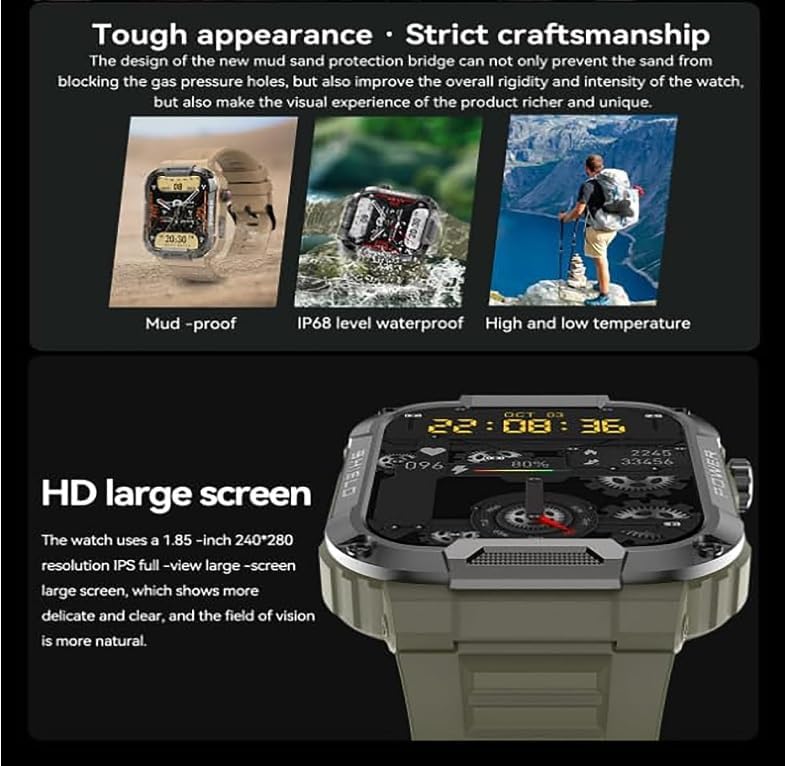
Image: Illustrates the rugged design of the Gard Pro Ultra Smart Watch, emphasizing its mud-proof, IP68 waterproof, and high/low temperature resistance features, along with its HD large screen.
Troubleshooting
If you encounter issues with your Gard Pro Ultra Smart Watch, refer to the following common solutions:
| Problem | Possible Solution |
|---|---|
| Watch does not turn on | Ensure the watch is fully charged. Connect it to the magnetic charger and wait a few minutes before attempting to power on. |
| Cannot pair with smartphone |
|
| Notifications not received |
|
| Inaccurate health data |
|
Specifications
| Feature | Detail |
|---|---|
| Brand | LICIBY |
| Model Name | Gard Pro Ultra |
| Operating System | iOS 8, Android 4.4 and above |
| Compatible Devices | Smartphone |
| Display | 1.85-inch HD large screen, 240x280 resolution IPS full-view |
| Special Features | Distance Tracker, Notification, Heart Rate Monitor, SpO2, Blood Pressure, Sleep Tracking, Bluetooth Call, AI Voice Assistant, Rotary Encoder, 110+ Sports Modes |
| Battery Capacity | 400 Milliamp Hours |
| Wireless Connectivity | Bluetooth |
| Human Interface Input | Touchscreen |
| Water Resistance | IP68 Swimming-grade Waterproof |
| Durability | Rugged, Mud-proof, High/Low Temperature Resistance |
| ASIN | B0CGF3GPCL |
Warranty and Support
For warranty information and customer support, please refer to the documentation included with your purchase or contact LICIBY customer service through their official website. Keep your purchase receipt as proof of purchase for any warranty claims.
For further assistance, please visit the product page on Amazon.com.au.
no relevant documents
Ask a question about this manual
Ask about setup, troubleshooting, compatibility, parts, safety, or missing instructions. Manuals+ will review the question and use this page’s manual context to help answer it.