
1. Important Safety Information
Please read all instructions carefully before using the treadmill. Keep this manual for future reference.
- Always place the treadmill on a flat, stable surface.
- Ensure there is adequate clear space (at least 2 meters) behind the treadmill and 0.6 meters on each side.
- Keep children and pets away from the treadmill during operation.
- Always attach the safety key clip to your clothing before starting the treadmill. In case of an emergency, the safety key will stop the machine.
- Do not exceed the maximum user weight of 120 kg (265 lbs).
- Wear appropriate athletic footwear and clothing.
- Consult a physician before starting any new exercise program.
- Do not use the treadmill if it is damaged or malfunctioning.
2. Product Overview
The Tvdugim S500 is a versatile 2-in-1 folding treadmill designed for home use, offering both walking and running modes. It features a powerful 2.5 HP motor, an enlarged running belt, and a clear LED display.
Key Features:
- 2-in-1 Design: Functions as an under-desk walking pad (handrail folded) and a traditional running treadmill (handrail raised).
- Powerful Motor: Equipped with a 2.5 HP motor for smooth and quiet operation.
- Adjustable Speed: Walking mode (1-6 km/h), Running mode (1-12 km/h).
- LED Display: Shows time, speed, distance, and calories burned.
- Remote Control: Conveniently adjust speed in walking mode.
- Spacious Running Belt: 43 cm (16.9 inches) wide for comfortable exercise.
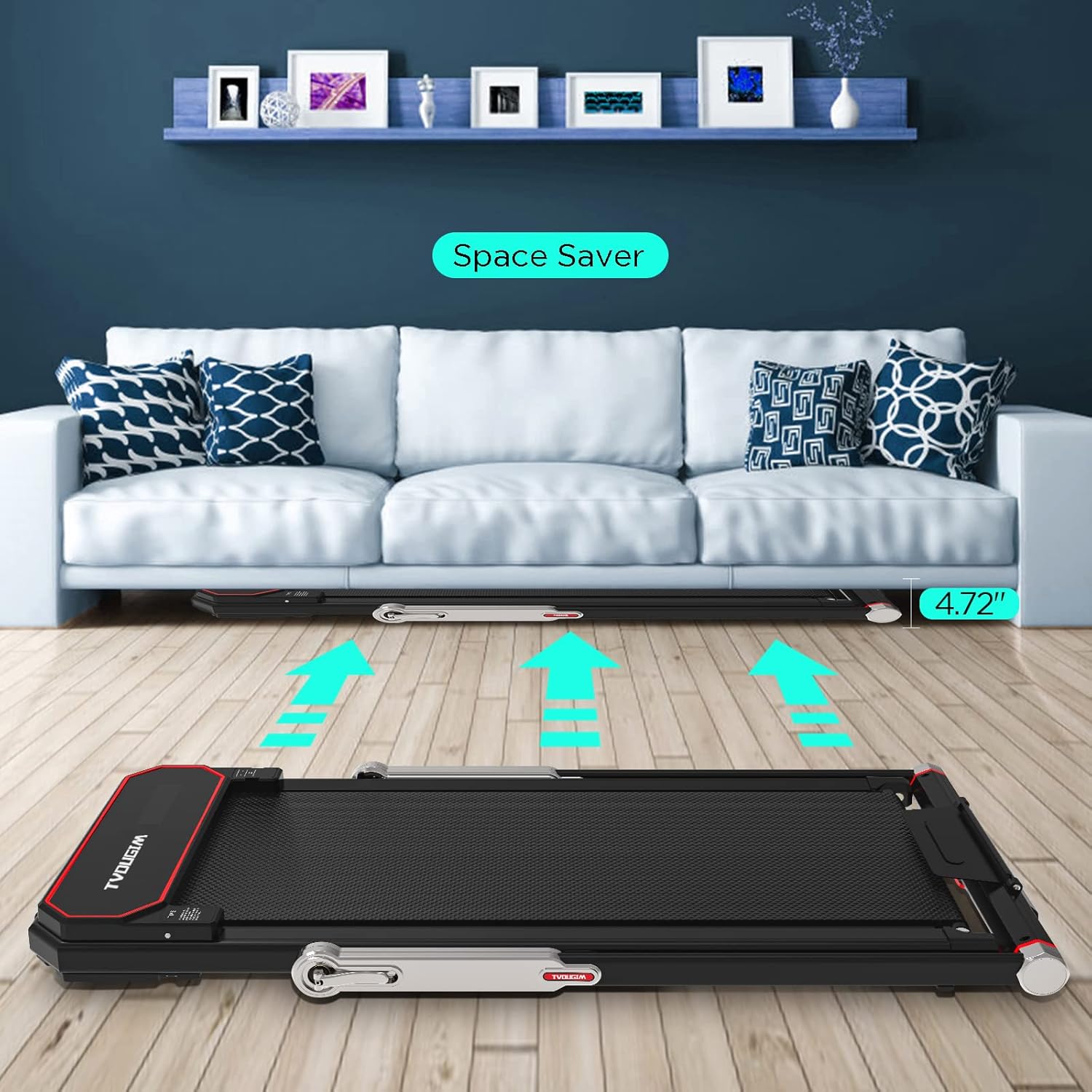
- Foldable Design: Easily folds for compact storage under furniture.
- Transportation Wheels: Integrated wheels for effortless movement.
- Safety Key: Ensures immediate stop in emergencies.
Package Contents:
- Tvdugim S500 Folding Treadmill
- Safety Key
- Power Cord
- Tool Kit
- User Manual (this document)
- Remote Control
3. Setup Instructions
The Tvdugim S500 treadmill comes largely pre-assembled. Follow these steps to prepare it for use.
3.1 Unpacking and Placement
- Carefully remove the treadmill from its packaging.
- Place the treadmill on a firm, level surface, ensuring sufficient clear space around it.
3.2 Unfolding the Treadmill
To transition from walking mode (handrail down) to running mode (handrail up):
- Gently lift the handrail until it locks into the upright position. Ensure both locking mechanisms are securely engaged.
- Connect the power cord to the treadmill and then to a grounded electrical outlet.

3.3 Folding for Storage
To fold the treadmill for storage:
- Ensure the treadmill is powered off and unplugged.
- Release the handrail locking mechanisms and carefully lower the handrail until it is flat against the deck.
- The treadmill can then be stored in a compact space, such as under a sofa or bed.
3.4 Moving the Treadmill
The treadmill is equipped with transportation wheels for easy movement.
- Ensure the treadmill is folded and powered off.
- Slightly tilt the treadmill to engage the transportation wheels.
- Carefully roll the treadmill to its desired location.

4. Operating Instructions
4.1 Powering On/Off
- To power on, ensure the treadmill is plugged in and press the power button on the console.
- To power off, press the power button again or unplug the unit.
4.2 Using the Safety Key
The safety key is a critical safety feature. Always attach the clip of the safety key to your clothing before starting your workout. If the safety key is detached from the console, the treadmill will stop immediately.
4.3 Walking Mode (Handrail Down)
When the handrail is folded down, the treadmill operates in walking mode.
- Speed range: 1-6 km/h.
- Speed adjustment: Use the remote control to increase or decrease speed. The console buttons may also be used.
4.4 Running Mode (Handrail Up)
When the handrail is in the upright position, the treadmill operates in running mode.
- Speed range: 1-12 km/h.
- Speed adjustment: Use the control panel buttons on the handrail to increase or decrease speed. The remote control may not function in this mode.
4.5 LED Display and Remote Control
The LED display provides real-time workout data. The remote control offers convenient speed adjustments, primarily for walking mode.

5. Maintenance
Regular maintenance ensures the longevity and optimal performance of your treadmill.
5.1 Cleaning
- After each use, wipe down the console and other surfaces with a damp cloth. Do not use abrasive cleaners or solvents.
- Keep the area around the treadmill clean and free of dust and debris.
5.2 Running Belt Maintenance
The running belt is designed with multiple layers for durability and shock absorption.

- Lubrication: The running belt may require periodic lubrication to reduce friction. Refer to the included tool kit for any specific lubricant or instructions. Generally, apply silicone lubricant under the belt every few months, depending on usage.
- Tension and Alignment: If the running belt feels loose or drifts to one side, it may need adjustment. Use the provided tool kit to adjust the tension bolts at the rear of the treadmill. Adjust in small increments (quarter turns) and test.
6. Troubleshooting
If you encounter issues with your treadmill, refer to the following common problems and solutions.
| Problem | Possible Cause | Solution |
|---|---|---|
| Treadmill does not power on | Power cord not connected; Power switch off; Outlet malfunction | Ensure power cord is securely plugged in; Turn on power switch; Test outlet with another device |
| Running belt stops abruptly | Safety key detached; Overload; Motor overheating | Re-attach safety key; Ensure user weight is within limits; Allow treadmill to cool down |
| Belt slips or hesitates | Belt too loose; Lack of lubrication | Adjust belt tension (refer to maintenance); Lubricate belt (refer to maintenance) |
| Unusual noise during operation | Loose components; Belt friction; Motor issue | Check and tighten all visible bolts; Lubricate belt; If noise persists, contact customer support |
If the problem persists after attempting these solutions, please contact customer support.
7. Specifications
Technical specifications for the Tvdugim S500 Folding Treadmill.
| Feature | Specification |
|---|---|
| Model Number | S500 |
| Brand | Tvdugim |
| Motor Horsepower | 2.5 HP |
| Speed Range (Walking Mode) | 1-6 km/h |
| Speed Range (Running Mode) | 1-12 km/h |
| Maximum User Weight | 120 kg (265 lbs) |
| Running Belt Width | 43 cm (16.9 inches) |
| Unfolded Dimensions (L x W x H) | 138 x 60 x 31 cm (54.3 x 23.6 x 12.2 inches) |
| Folded Height | 11.9 cm (4.7 inches) |
| Net Weight | 24 kg (52.9 lbs) |
| Display Type | LED |
| Material | Acrylonitrile Butadiene Styrene (ABS), Alloy Steel Frame |
| Power Source | Electric Cable |
| Special Features | Foldable, Transportation Wheels, Safety Key |

8. Warranty and Support
The manufacturer ensures that this treadmill is made with high-quality materials. In the event of any issues under normal use, please do not hesitate to contact us. We are responsible for the warranty and will provide support.
For warranty claims, technical assistance, or any questions regarding your Tvdugim S500 treadmill, please refer to the contact information provided with your purchase documentation or visit the official Tvdugim website.