
Ltinist BX29
Ltinist BX29 Wireless Earbuds User Manual
Model: BX29 | Brand: Ltinist
Introduction
Welcome to the user manual for your Ltinist BX29 Wireless Earbuds. These earbuds are engineered for an exceptional audio experience, combining advanced Bluetooth 5.3 technology with a durable, waterproof design perfect for sports and daily use. This manual provides detailed instructions on setup, operation, maintenance, and troubleshooting to ensure you get the most out of your new earbuds.
What's in the Box
Please check the contents of your package:
- 2x Wireless Earbuds (Left/Right)
- 1x Type-C Charging Cable
- 1x Charging Case
- 3x Eartips (Sizes: Small, Medium, Large)
- 1x User Manual
Setup
Initial Charging
Before first use, ensure the earbuds and charging case are fully charged.
- Place both earbuds into the charging case.
- Connect the Type-C charging cable to the charging port on the case and plug the other end into a USB power source.
- The LED digital display on the charging case will show the current battery level. Allow the case and earbuds to charge until the display indicates 100%.

Image: The Ltinist BX29 Wireless Earbuds securely placed within their charging case, featuring a clear LED digital display indicating battery levels.
Pairing
The earbuds feature one-step auto-connect for convenience.
- Open the charging case. The earbuds will automatically power on and enter pairing mode.
- On your device (smartphone, tablet, etc.), enable Bluetooth.
- Search for Bluetooth devices and select "BX29" from the list.
- Once connected, you will hear an audible confirmation. The earbuds will automatically reconnect to the last paired device when removed from the case for future use.

Image: A smartphone displaying the "BX29" Bluetooth device in its pairing list, illustrating the one-step auto-pairing process with the earbuds and charging case.
Video: An official product video showcasing the Ltinist BX29 Wireless Bluetooth Earbuds in Rose Gold, highlighting their design and features relevant to initial setup and use.
Operating the Earbuds
Button Controls
The multi-function buttons on the earbuds allow for easy control of your audio and calls.

Image: A detailed diagram illustrating the various button controls on the earbud, including functions for volume, track control, play/pause, call management, and voice assistant activation.
| Function | Action |
|---|---|
| Play/Pause | Click once on either earbud. |
| Volume Up | Click once on the Right earbud. |
| Volume Down | Click once on the Left earbud. |
| Next Track | Hold for 2 seconds on the Right earbud. |
| Previous Track | Hold for 2 seconds on the Left earbud. |
| Answer/End Call | Click once on either earbud. |
| Reject Call | Hold for 2 seconds on either earbud. |
| Activate Voice Assistant | Double-click on either earbud. |
| Power On/Off | Hold for 5 seconds on either earbud. |
Key Features
Bluetooth 5.3 Technology
Equipped with the latest Bluetooth 5.3 chip, these earbuds provide a faster transfer speed (2X faster than previous generations), more stable transmission, lower power consumption, and an ultra-low latency listening experience. Enjoy seamless connectivity and reliable performance.
IP7 Waterproof Design
Designed for active lifestyles, the earbuds are rated at IP7 waterproof level. This means they are resistant to sweat and water splashes, making them ideal for workouts, running, hiking, and use in various weather conditions without concern for damage.

Image: The Ltinist BX29 earbuds are shown with water droplets, demonstrating their IP7 waterproof capability, suitable for use during workouts or in wet conditions.
Extended Playtime and LED Digital Display
The BX29 earbuds offer an impressive total listening time of up to 75 hours with the included charging case. Each earbud provides 15 hours of playtime on a single charge, and the case can provide an additional 4 full charges. The charging case features an LED digital display that accurately shows the remaining power for both the earbuds and the case, ensuring you are always aware of your battery status.
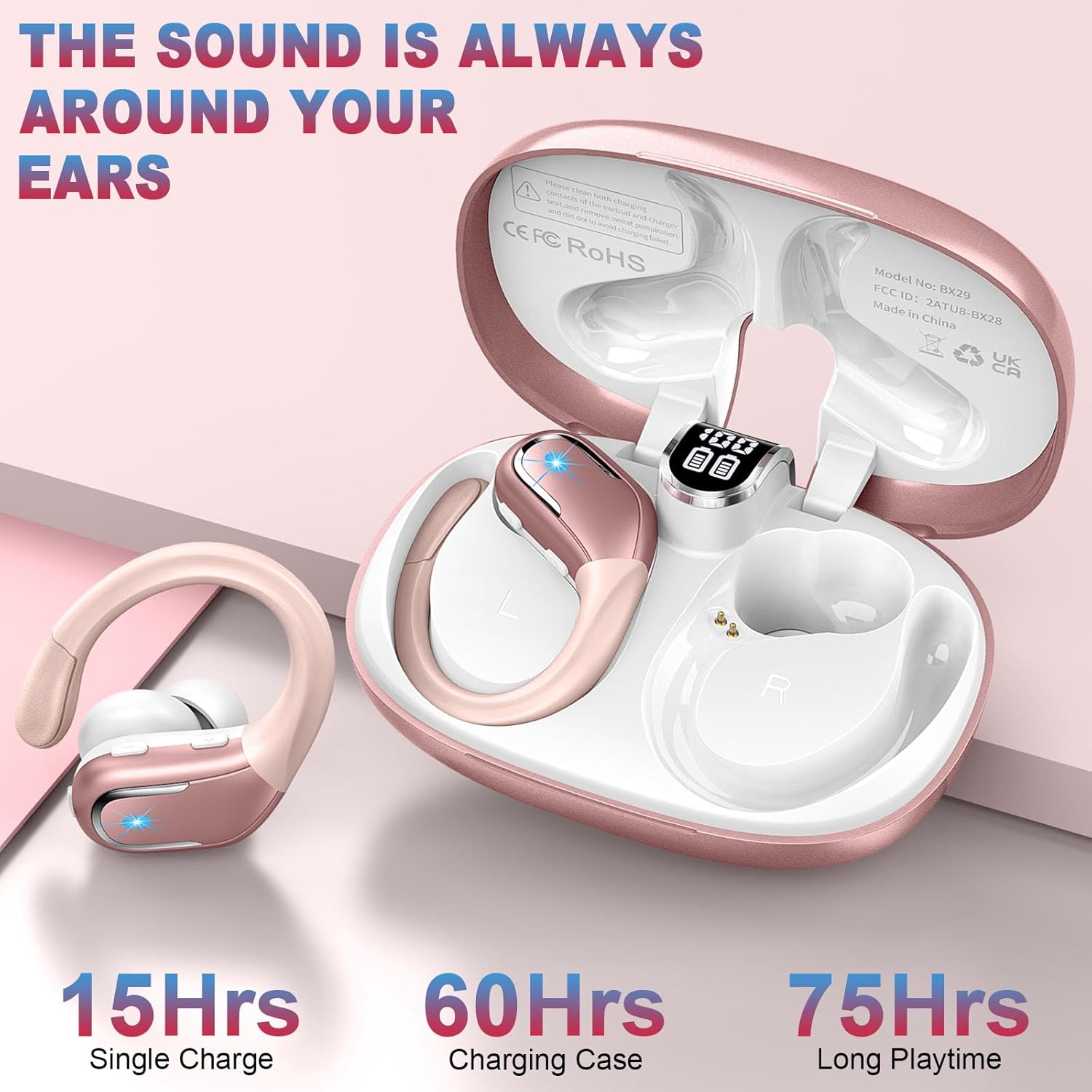
Image: The earbuds and charging case are depicted with text indicating their long battery life: 15 hours on a single charge, 60 hours from the charging case, totaling 75 hours of playtime.
Superior Sound Quality and Clear Calls
Experience rich audio with strong 14.2mm speaker driving units and an in-ear acoustic structure that delivers powerful bass, clear mid-range, and bright treble. The noise-cancelling microphone effectively reduces background noise, providing a stable and clearer calling environment for face-to-face communication quality.

Image: An exploded view diagram of the earbud's internal components, highlighting the 14.2mm dynamic driver responsible for punchy bass and HiFi stereo sound, alongside an indication of ENC Noise Cancelling.
Ergonomic Design with Flexible Earhooks
The earbuds feature soft, flexible, and secure-fit earhooks that gently conform to the contours of your ears. This ergonomic design ensures the headphones stay comfortably and firmly in place, even during intense activities like running, hiking, or jogging.
Maintenance
To ensure the longevity and optimal performance of your Ltinist BX29 Wireless Earbuds, follow these maintenance guidelines:
- Cleaning: Regularly clean the earbuds, especially the eartips and charging contacts, with a soft, dry, lint-free cloth. For stubborn dirt, slightly dampen the cloth with water. Do not use harsh chemicals or abrasive materials.
- Storage: When not in use, always store the earbuds in their charging case to protect them from dust, dirt, and physical damage. Store the case in a cool, dry place away from direct sunlight and extreme temperatures.
- Charging: Use only the provided Type-C charging cable or a certified equivalent. Avoid overcharging by disconnecting the charger once the battery is full.
- Water Exposure: While IP7 waterproof, avoid prolonged submersion in water. After exposure to sweat or water, ensure the earbuds are completely dry before placing them back in the charging case to prevent corrosion of charging points.
Troubleshooting
If you encounter any issues with your earbuds, refer to the following common problems and solutions:
| Problem | Possible Solution |
|---|---|
| Earbuds not pairing/connecting | Ensure earbuds are charged. Turn off and on Bluetooth on your device. Forget "BX29" from your device's Bluetooth list and re-pair. Ensure earbuds are within 10 meters of your device. |
| No sound or low volume | Check volume levels on both earbuds and your device. Ensure earbuds are properly seated in your ears. Try a different audio source. |
| One earbud not working | Place both earbuds back in the charging case, close the lid, wait a few seconds, then open and try again. Ensure both earbuds are charged. |
| Charging case not charging | Check the Type-C cable connection and the power source. Try a different cable or USB port. |
| Poor call quality | Ensure the microphone is not obstructed. Move closer to your connected device. Reduce background noise if possible. |
| Earbuds falling out | Try different sized eartips (S/M/L) for a more secure fit. Adjust the earhooks to contour properly to your ear. |
Specifications
| Feature | Detail |
|---|---|
| Model Name | BX29 |
| Brand | Ltinist |
| Connectivity Technology | Wireless (Bluetooth 5.3) |
| Bluetooth Range | 10 Meters |
| Ear Placement | In Ear |
| Form Factor | Over Ear (with earhooks) |
| Water Resistance Level | IP7 Waterproof |
| Battery Life (Single Charge) | 15 Hours |
| Total Playtime (with Charging Case) | 75 Hours |
| Audio Driver Size | 14.2 Millimeters |
| Noise Control | Active Noise Cancellation (for calls) |
| Control Type | Button Control |
| Material | Plastic |
| Item Weight | 50 Grams (1.76 ounces) |
| Color | Rose Gold |
Warranty and Support
Your Ltinist BX29 Wireless Earbuds come with a standard manufacturer's warranty. For specific warranty details, please refer to the warranty card included in your product packaging or contact Ltinist customer support directly.
If you require further assistance or have questions not covered in this manual, please contact our customer support team:
- Email: [Insert Manufacturer Support Email Here]
- Phone: [Insert Manufacturer Support Phone Number Here]
- Website: Visit the Ltinist Store on Amazon
Please have your product model number (BX29) and purchase information ready when contacting support.
Ask a question about this manual
Ask about setup, troubleshooting, compatibility, parts, safety, or missing instructions. Manuals+ will review the question and use this page’s manual context to help answer it.