
1. Introduction
This instruction manual provides important information regarding the AUTO-GETHER Rear Left Wheel Hub Unit, part number 42460-0C010. It is designed to assist qualified technicians and individuals with appropriate automotive repair experience in the proper handling, installation, and maintenance of this component. Please read this manual thoroughly before proceeding with any installation or service.
The wheel hub unit is a critical component of your vehicle's suspension and braking system, ensuring proper wheel rotation and supporting the vehicle's weight. Correct installation and maintenance are essential for vehicle safety and performance.
2. Product Overview
The AUTO-GETHER Rear Left Wheel Hub Unit (OE NO.: 42460-0C010) is a direct replacement part designed for specific vehicle applications. It includes the wheel bearing and hub assembly, ready for installation.

Figure 2.1: Top view of the AUTO-GETHER Rear Left Wheel Hub Unit. This image shows the bearing assembly from above, highlighting the central bore and mounting points.
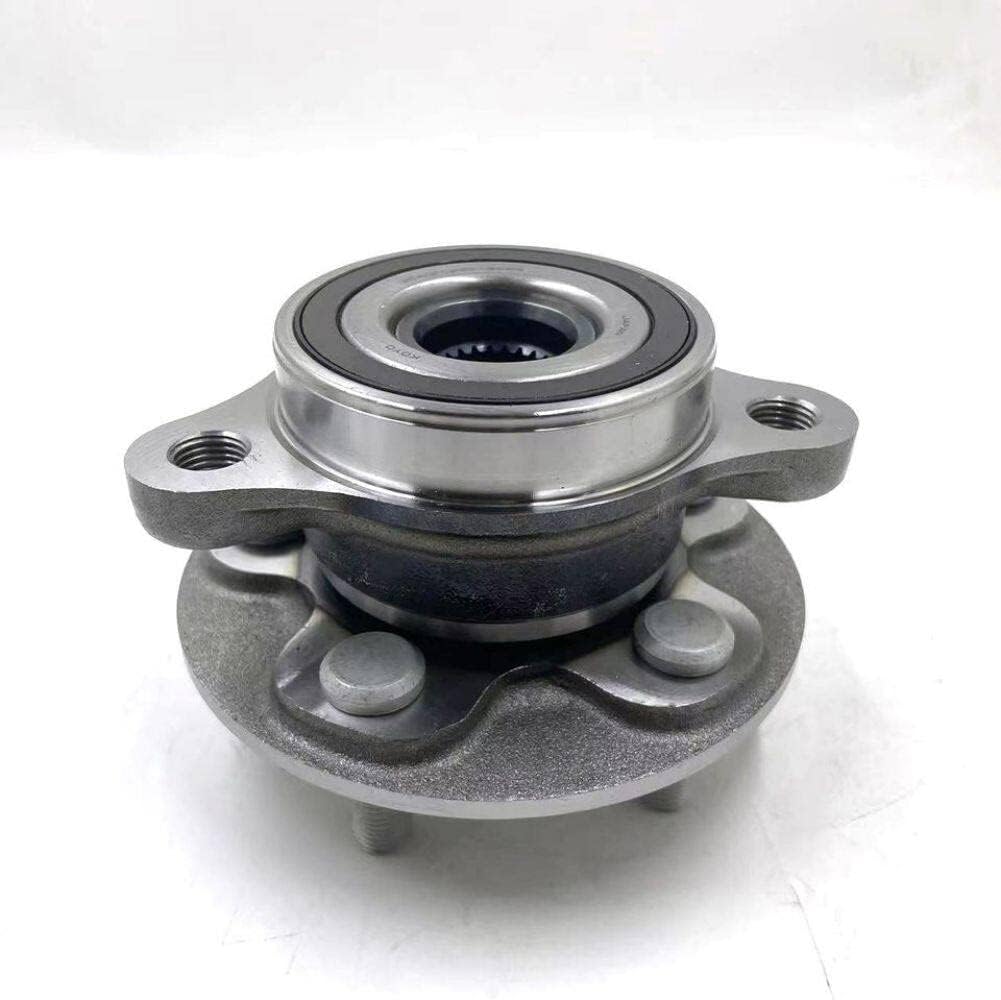
Figure 2.2: Side view of the AUTO-GETHER Rear Left Wheel Hub Unit. This perspective displays the wheel studs and the overall assembly, indicating its readiness for wheel mounting.

Figure 2.3: Angled view of the AUTO-GETHER Rear Left Wheel Hub Unit. This image provides a detailed look at the mounting flange and the integrated bearing, showing the robust construction.
3. Specifications
| Feature | Detail |
|---|---|
| Part Type | Wheel Hub Unit |
| Position | Rear Left |
| OEM Part Number | 42460-0C010, 424600C010 |
| Brand | AUTO-GETHER |
| Exterior Finish | Smooth |
| Package Contents | 1 pc (set) Wheel Hub Unit Rear Left |
4. Installation Guidelines
Warning: Installation of automotive components requires specialized tools, knowledge, and safety precautions. Improper installation can lead to vehicle damage, personal injury, or death. It is highly recommended that this part be installed by a certified automotive technician.
While specific vehicle installation steps vary, the general procedure for replacing a rear wheel hub unit typically involves:
- Safety First: Park the vehicle on a level surface, engage the parking brake, and use wheel chocks. Lift the vehicle safely using a jack and secure it with jack stands.
- Wheel Removal: Remove the lug nuts and the wheel from the affected side.
- Brake System Disassembly: Carefully remove the brake caliper and rotor. Do not let the caliper hang by the brake hose; support it with a wire or bungee cord.
- Hub Unit Removal: Disconnect any ABS sensor wiring if present. Remove the bolts securing the old wheel hub unit to the suspension assembly. You may need a puller tool to separate the hub from the axle or knuckle.
- Surface Preparation: Clean the mounting surface on the vehicle's knuckle or axle to ensure a flush fit for the new hub unit.
- New Hub Unit Installation: Install the new AUTO-GETHER wheel hub unit, ensuring proper alignment. Torque the mounting bolts to the vehicle manufacturer's specifications. Reconnect the ABS sensor if applicable.
- Reassembly: Reinstall the brake rotor, caliper, and wheel. Torque all fasteners to manufacturer specifications.
- Final Checks: Lower the vehicle, remove jack stands and chocks. Test drive the vehicle at low speeds to ensure proper function and listen for any unusual noises. Check for proper brake operation.
Always refer to your specific vehicle's service manual for detailed, model-specific instructions and torque specifications.
5. Maintenance
Wheel hub units are generally sealed and designed to be maintenance-free throughout their lifespan. However, regular inspection of surrounding components can help identify potential issues early.
- Periodic Inspection: During routine vehicle maintenance (e.g., tire rotations, brake inspections), check for signs of wear or damage to the wheel hub unit. Look for excessive play in the wheel, unusual noises (grinding, humming, growling), or leaks around the bearing seal.
- Cleanliness: Keep the area around the wheel hub unit free from excessive dirt and debris, which can compromise seals over time.
- Avoid Impact: Severe impacts (e.g., hitting large potholes, curb strikes) can damage wheel bearings and hub units. If such an event occurs, inspect the component for damage.
If any signs of wear or damage are detected, consult a qualified technician for diagnosis and potential replacement.
6. Troubleshooting
If you experience issues that may be related to the wheel hub unit, consider the following common symptoms:
- Humming, Grinding, or Growling Noise: Often indicates a worn or damaged wheel bearing. The noise may change with vehicle speed or when turning.
- Loose Steering or Excessive Play in Wheel: Can be a symptom of a worn wheel bearing or hub assembly. This can be checked by rocking the wheel when the vehicle is lifted.
- Vibration: While vibrations can stem from many sources (e.g., unbalanced tires), a damaged hub unit can also contribute to vehicle vibration, especially at certain speeds.
- ABS Light Illumination: If the wheel hub unit includes an integrated ABS sensor, damage to the sensor or its wiring can trigger the ABS warning light.
If you encounter any of these symptoms, it is crucial to have your vehicle inspected by a professional technician immediately to prevent further damage or safety hazards.
7. Warranty and Support
For specific warranty information regarding your AUTO-GETHER Wheel Hub Unit, please refer to the documentation provided at the time of purchase or contact AUTO-GETHER customer support directly. Warranty terms typically cover manufacturing defects.
If you have any questions about the product, installation, or require technical assistance, please contact AUTO-GETHER customer service. Contact details can usually be found on the product packaging or the official AUTO-GETHER website.
Contact Information: Please refer to your purchase documentation or the AUTO-GETHER official website for the most current support contact details.