
1. Introduction
The Relybo A05 LED Ultra Powerful Rechargeable Flashlight is designed for various applications, including outdoor activities, emergency situations, and professional use. It features an XHM88 LED chip, providing exceptional light density and stability. This flashlight is capable of illuminating large areas up to 240 square meters or focusing on objects up to 1525 meters away. The kit also includes a compact 365 nm UV flashlight for specialized detection tasks.
The main flashlight is built with high-quality aluminum, offering resistance to shocks and surface scratches, and is equipped with an adjustable clip for convenient portability.
2. Setup
2.1 Main Flashlight Battery Installation & Charging
The main flashlight uses a rechargeable battery. Ensure the battery is correctly inserted according to the polarity markings. Before first use, fully charge the flashlight.
- Connect the provided USB-C cable to the flashlight's USB-C input port.
- Connect the other end of the cable to a compatible USB power source (e.g., wall adapter, power bank, computer, or car charger).
- The integrated LCD digital display will show the charging progress. A full charge typically takes approximately 4.5 hours.

Image: Charging the Relybo A05 LED flashlight via USB-C from various power sources.
2.2 Mini UV Flashlight Battery Installation
The mini UV flashlight requires one AA battery (included). Open the battery compartment, insert the AA battery with the correct polarity, and securely close the compartment.

Image: Illustrating battery insertion into the flashlight.
3. Operating Instructions
3.1 Main Flashlight Operation
- Power On/Off: Press the power button once to turn the flashlight on. Press and hold for 3 seconds to turn it off from any mode.
- Mode Selection: With the flashlight on, press the power button repeatedly to cycle through the 5 modes: High, Medium, Low, Strobe, and SOS.
- Adjustable Focus: Extend or retract the flashlight head to adjust the beam from a wide floodlight for broad area illumination (e.g., 240 m²) to a concentrated spotlight for long-distance viewing (e.g., 1525 m).

Image: Visual representation of the flashlight's five modes and beam adjustment.

Image: Illustrating the adjustable focal distance for floodlight and spotlight beams.
3.2 Mini UV Flashlight Operation
Press the button on the mini UV flashlight to turn it on or off. This 365 nm UV light is suitable for detecting pet urine, scorpions, and other specific applications.

Image: The mini UV flashlight and its applications.
3.3 Portability
The main flashlight includes an adjustable and removable clip, allowing it to be securely attached to a belt, pocket, workwear, or backpack for easy carrying.

Image: Examples of using the flashlight's belt clip for carrying.
4. Maintenance
4.1 Charging and Battery Care
Regularly charge the main flashlight to maintain optimal battery performance. The LCD display provides real-time battery level indication. The flashlight can also function as a power bank to charge other USB-compatible devices in emergencies.

Image: The flashlight's LCD screen showing battery percentage.

Image: The flashlight charging a smartphone, demonstrating its power bank capability.
4.2 Cleaning and Durability
Wipe the flashlight with a soft, damp cloth to remove dirt. Avoid using abrasive cleaners. The flashlight has an IPX5 waterproof rating, making it resistant to splashes and light rain. It is also designed for shock resistance and includes a safety hammer feature.
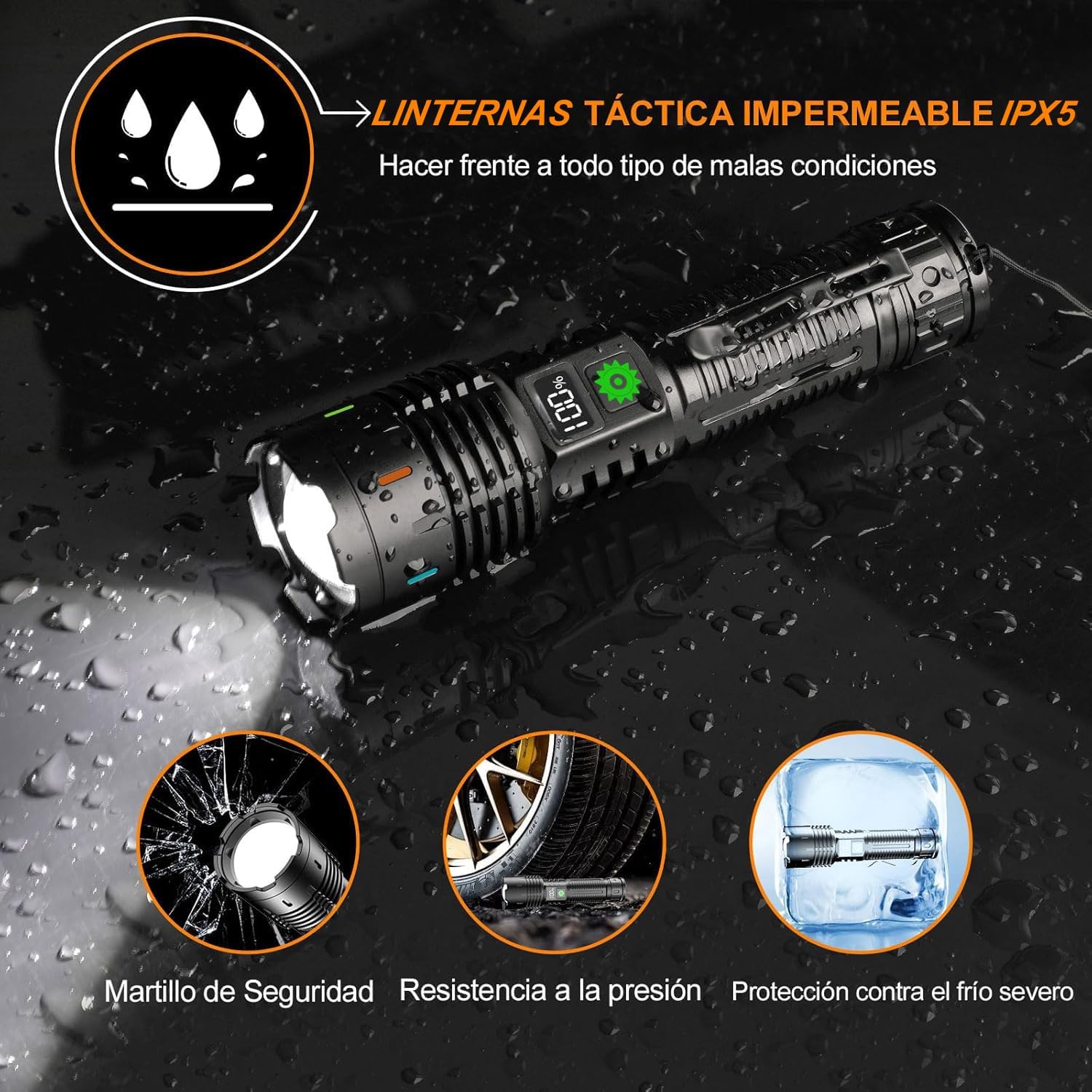
Image: Features highlighting the flashlight's durability and waterproof design.
5. Troubleshooting
- Flashlight not turning on:
Ensure the battery is fully charged. Check that the battery is inserted with the correct polarity. - Charging issues:
Verify that the USB-C cable is securely connected to both the flashlight and the power source. Try a different USB cable or power adapter. - Dim light output:
The battery level may be low; recharge the flashlight. Ensure the lens is clean and free from obstructions.
6. Specifications
| Feature | Specification |
|---|---|
| Model Number | Relybo-A05-ES |
| Light Source Type | LED (XHM88 chip) |
| Max Luminous Flux | 10000 Lumens |
| Beam Distance | Up to 1525 meters |
| Power Source | Battery Powered |
| Battery Type (Main) | Rechargeable (1 included) |
| Battery Type (Mini UV) | 1 x AA (included) |
| Voltage | 4.2 Volts |
| Wattage | 30 Watts |
| Run Time | Up to 10 hours |
| Material | Aluminum |
| Color | Brown |
| Water Resistance | IPX5 (Waterproof) |
| Dimensions (L x W x H) | 163 x 43 x 34 mm |
| Weight | 195 Grams |
| Special Features | Adjustable Focus, High Power, Rechargeable, Power Bank Function, Safety Hammer, Belt Clip |
| Included Components | 1* Relybo A05 LED Flashlight, 1* Rechargeable Battery, 1* USB-C Cable, 1* mini UV flashlight, 1* AA Battery for mini UV flashlight, 3* AAA Batteries, 1* AAA Battery Holder and Tube, 1* Belt Clip, 1* Detailed Manual, 1* Gift Box |
7. Warranty and Support
For warranty information, technical support, or any inquiries regarding your Relybo A05 LED Ultra Powerful Rechargeable Flashlight, please refer to the detailed manual included in the package or contact Relybo customer service directly through their official channels.