
1. Introduction
Thank you for choosing the Smiling Shark Smart Wake-Up Light. This device combines a multi-functional ambient light, a Bluetooth speaker, a wireless fast charger, and an alarm clock, all controllable via a dedicated application. This manual provides detailed instructions to help you understand and operate your new device effectively.

Image 1.1: Smiling Shark Smart Wake-Up Light with Bluetooth Speaker and Wireless Charger.
2. Safety Information
- Read all instructions before use and retain for future reference.
- Do not expose the device to water or excessive moisture.
- Avoid placing the device near heat sources or in direct sunlight.
- Use only the provided power cable and adapter.
- Do not attempt to disassemble or repair the device yourself. Contact customer support if service is required.
- Keep out of reach of children.
3. Package Contents
Verify that all items are present in the package:
- Wake-Up Light *1
- Type-C Power Cable *1
- User Manual *1
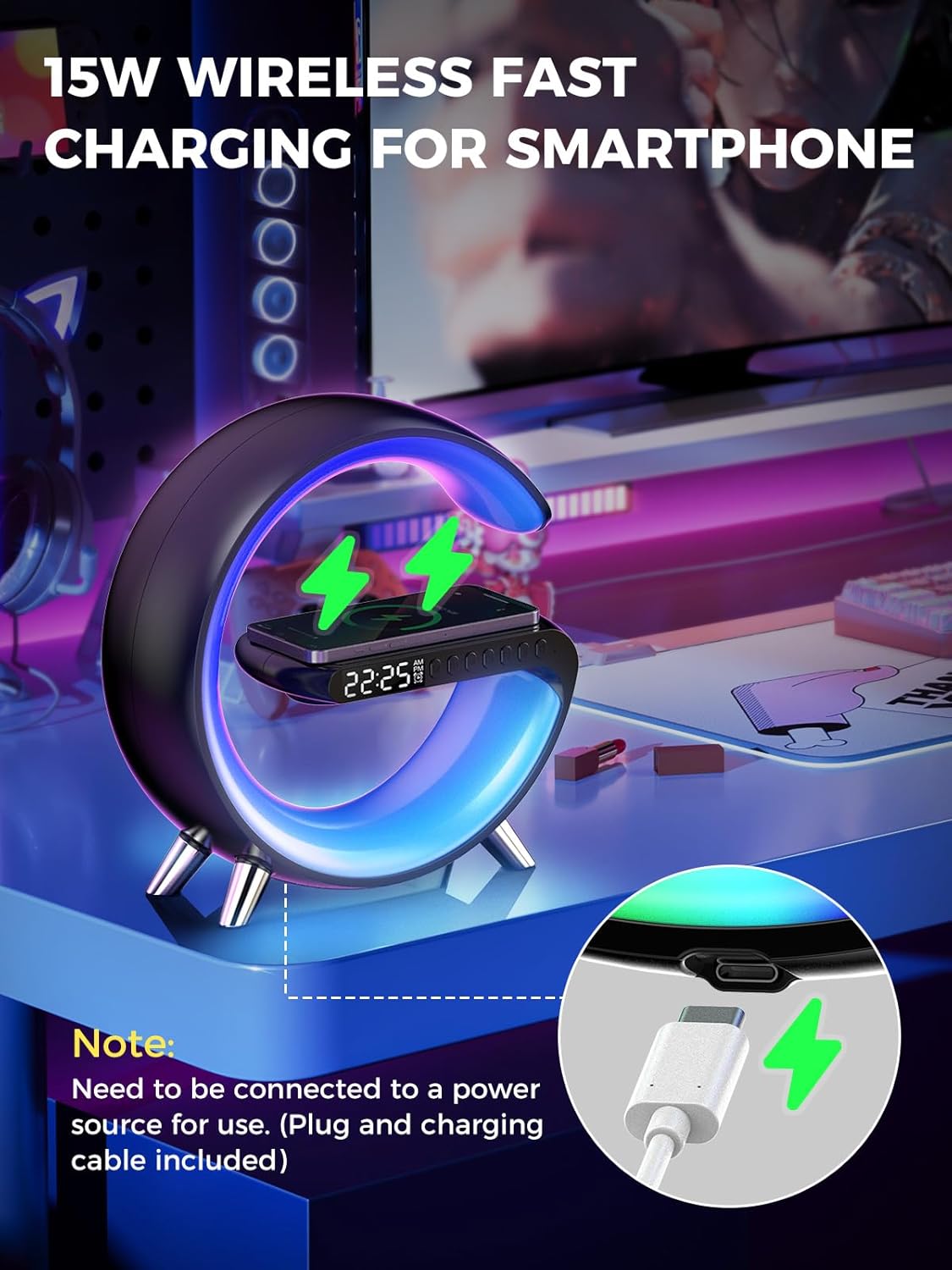
Image 3.1: Visual representation of the package contents, including the wake-up light, Type-C power cable, and user manual.
4. Product Overview
The Smiling Shark Smart Wake-Up Light integrates several key functionalities into a single device:
- Intelligent Wake-Up Light: Features 16 million colors and 256 light modes, dimmable, with sunrise simulation.
- Alarm Clock: Programmable alarm functions.
- Bluetooth Speaker: For audio playback from connected devices.
- Wireless Fast Charging: 15W charging for compatible smartphones.
- App Control: Full control over light settings, alarms, and other features via a smartphone application.
- Sleep Aid Function: Gentle sounds and lighting to promote relaxation.

Image 4.1: Diagram illustrating the key features of the Smart Wake-Up Light, including dimmable light, alarm clock, Bluetooth speaker, app control, sleep aid, and wireless charging.
5. Setup
- Power Connection: Connect the provided Type-C power cable to the device and plug the adapter into a power outlet. The device will power on automatically.
- Initial Time Setting: The device may require manual time adjustment upon first use. Refer to the app control section for detailed instructions on setting the time via the application.
- App Download: Scan the QR code provided in the user manual or on the product packaging to download the dedicated control application for your smartphone.
- App Pairing: Open the application and follow the on-screen instructions to pair your smartphone with the Smart Wake-Up Light via Bluetooth.
6. Operating Instructions
6.1. App Control and Light Modes
The application allows comprehensive control over the device's lighting features. You can adjust light intensity, choose from 16 million colors, and select from 256 flash modes to create a personalized ambiance.
- Open the app and navigate to the lighting section.
- Use the color picker to select your desired hue.
- Adjust the brightness slider to set the light intensity.
- Explore various preset light modes for dynamic effects.

Image 6.1: A smartphone displaying the control application interface, showing color selection and various light modes for the device.
6.2. Bluetooth Speaker Function
The integrated Bluetooth speaker allows you to stream audio wirelessly from your smartphone or other Bluetooth-enabled devices.
- Ensure the device is powered on and paired with your smartphone via Bluetooth.
- On your smartphone, select the Smart Wake-Up Light from the list of available Bluetooth devices.
- Play your desired music, podcasts, or audiobooks. The lights may flash in rhythm with the audio.

Image 6.2: The Smart Wake-Up Light playing music through its Bluetooth speaker, with ambient lights synchronizing to the rhythm.
6.3. Sleep Aid Functions
Utilize the sleep aid features to create a relaxing environment conducive to better sleep.
- Access the sleep aid section within the control application.
- Select from a variety of soothing sounds.
- Choose a soft light setting to gradually dim as you fall asleep.
6.4. Wireless Fast Charging
The device features a 15W wireless fast charging pad for compatible smartphones.
- Ensure the Smart Wake-Up Light is connected to a power source.
- Place your compatible smartphone directly onto the designated charging area on top of the device.
- The charging indicator on your phone or the device will confirm that charging has begun.
- Note: Some phone cases may interfere with wireless charging. Remove the case if charging issues occur.

Image 6.3: A smartphone being wirelessly charged on the top surface of the Smart Wake-Up Light, with a visual indicator of charging.
6.5. Alarm Clock Mode (Sunrise Simulation)
The alarm clock features a sunrise simulation to gently wake you up.
- Set your desired alarm time through the control application.
- Enable the sunrise simulation feature in the app.
- The light will gradually increase in brightness before your set alarm time, mimicking a natural sunrise.
- You can set different alarms for weekdays and weekends.

Image 6.4: The Smart Wake-Up Light displaying the time, with an illustration of its sunrise alarm clock mode gently waking a user.
7. Specifications
| Feature | Detail |
|---|---|
| Brand | Smiling Shark |
| Model Number | WK-G-L-BK01 |
| Product Dimensions (L x W x H) | 22.48 x 3.81 x 22 cm |
| Weight | 223 grams |
| Battery | 1 Lithium-ion (included) |
| Material | Plastic or Wood |
| Color | Black |
| Style | Modern |
| Special Feature | Dimmable |
| Power Source | Battery Powered |
| Display Type | Digital |
| Indoor/Outdoor Use | Indoor |
8. Maintenance
- Cleaning: Wipe the device with a soft, dry cloth. Do not use abrasive cleaners or solvents.
- Storage: Store the device in a cool, dry place when not in use for extended periods.
- Battery Care: If the device has a rechargeable battery, ensure it is charged periodically to maintain battery health.
9. Troubleshooting
- Device not powering on: Ensure the power cable is securely connected and the power outlet is functional.
- Bluetooth connection issues: Make sure Bluetooth is enabled on your smartphone and the device is within range. Try restarting both the device and your phone.
- Wireless charging not working: Verify your smartphone is compatible with wireless charging and is placed correctly on the charging pad. Remove any thick phone cases. Ensure the device is powered.
- App not responding: Close and reopen the application. Ensure your device's operating system is up to date.
- Light not changing colors: Check app settings to ensure a color or mode is selected.
10. Warranty and Support
For warranty information or technical support, please refer to the contact details provided on the product packaging or the official Smiling Shark website. Keep your purchase receipt as proof of purchase.