1. Important Safety Information
Please read and understand all safety instructions before using this product. Keep this manual for future reference.
- Power Source: Use only the specified power adapter or batteries. Ensure the voltage is compatible before plugging in.
- Water and Moisture: Do not expose the radio to rain, moisture, or immerse it in water.
- Heat: Keep the radio away from heat sources such as radiators, heat registers, stoves, or other apparatus (including amplifiers) that produce heat.
- Ventilation: Do not block any ventilation openings. Ensure proper airflow around the device.
- Cleaning: Unplug the radio from the power outlet before cleaning. Use a dry cloth only.
- Servicing: Do not attempt to service this product yourself. Refer all servicing to qualified service personnel.
- Batteries: When using batteries, ensure correct polarity. Do not mix old and new batteries, or different types of batteries. Remove batteries if the radio will not be used for an extended period.
2. Product Overview
The Audiocrazy Portable AM FM Radio with Bluetooth (Model AC-BT2210) is a versatile audio device designed for clear reception and convenient playback. It features traditional AM/FM radio tuning, Bluetooth 5.0 connectivity for wireless streaming, and an AUX input for wired connections. The radio can be powered via an AC cord or 4 AA batteries, offering flexibility for both indoor and outdoor use.

Image 2.1: Front view of the Audiocrazy Portable AM FM Radio, showcasing its retro design and main controls.
Key Features:
- AM/FM Tuner: Wide frequency range (FM 87-108MHz, AM 520-1710KHz) for easy station capture.
- Bluetooth 5.0: Seamless wireless connection to smart devices for audio streaming.
- 3-Watt Speaker: Delivers clear and vivid sound quality.
- Headphone/AUX-in Jack: For private listening or connecting external audio sources.
- Dual Power Modes: Operates with AC power cord (included) or 4 AA batteries (not included).
- Portable Design: Lightweight and compact with an integrated handle for easy transport.
3. Package Contents
Please check the box for the following items:
- Audiocrazy Portable AM FM Radio with Bluetooth (Model AC-BT2210)
- AC Power Cord
- Instruction Manual (this document)

Image 3.1: The included AC power cord for operating the radio.
4. Controls and Functions
Familiarize yourself with the radio's controls:
- Tuning Dial: Located on the front, used to select AM or FM radio frequencies.
- Volume Knob: Located on the front, controls the audio output level. Also functions as the power ON/OFF switch.
- Mode Switch: Typically on the side or front, allows switching between AM, FM, and Bluetooth modes.
- Headphone Jack: 3.5mm port for connecting headphones for private listening.
- AUX-in Jack: 3.5mm port for connecting external audio devices via an AUX cable.
- AC Power Input: Port for connecting the AC power cord.
- Battery Compartment: Located on the back, holds 4 AA batteries.
- Telescopic Antenna: Extendable antenna for improved FM reception.

Image 4.1: Detail of the large tuning dial and volume knob for easy operation.
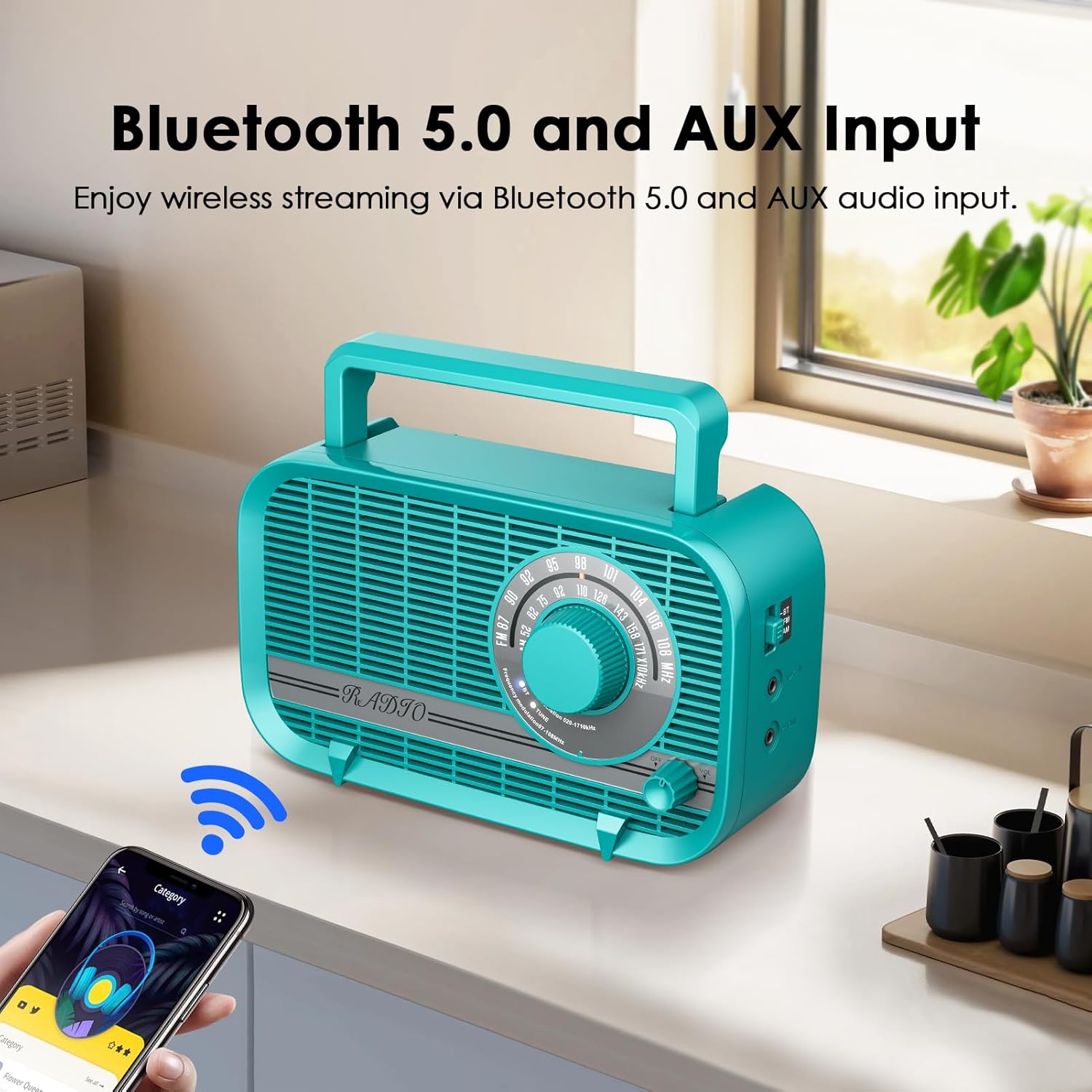
Image 4.2: Side view illustrating the Bluetooth mode switch, headphone jack, and AUX-in port.
5. Setup
5.1 Powering the Radio
Your radio can be powered by two methods:
- AC Power:
- Insert the included AC power cord into the AC power input jack on the back of the radio.
- Plug the other end of the power cord into a standard wall outlet (120V AC, 60Hz).
- Battery Power:
- Open the battery compartment cover located on the back of the radio.
- Insert 4 new AA batteries (not included) into the compartment, ensuring correct polarity (+/-).
- Close the battery compartment cover securely.
Note: When the AC power cord is connected, the radio will automatically draw power from the AC source, even if batteries are installed. Remove batteries if not using for extended periods to prevent leakage.

Image 5.1: Illustration of the two power supply modes: AC powered and battery operated.
5.2 Antenna Adjustment
For optimal FM reception, fully extend the telescopic antenna. For AM reception, the radio has a built-in ferrite bar antenna, so antenna adjustment is generally not required, but rotating the radio itself may improve reception.

Image 5.2: The radio with its telescopic antenna extended, indicating improved signal reception.
6. Operating Instructions
6.1 Power On/Off and Volume Control
- To turn the radio ON, rotate the Volume knob clockwise until you hear a click and the radio powers on.
- To adjust the volume, continue rotating the Volume knob clockwise to increase volume, or counter-clockwise to decrease volume.
- To turn the radio OFF, rotate the Volume knob counter-clockwise until you hear a click and the radio powers off.
6.2 AM/FM Radio Operation
- Turn on the radio using the Volume knob.
- Set the Mode switch to either FM or AM.
- Rotate the Tuning Dial to scan for radio stations. The frequency scale will indicate the current station.
- Adjust the telescopic antenna for FM or reposition the radio for AM to achieve the best reception.
6.3 Bluetooth Operation
- Turn on the radio.
- Set the Mode switch to BT (Bluetooth). The radio will enter pairing mode, indicated by an audible prompt or flashing indicator light (if available).
- On your Bluetooth-enabled device (e.g., smartphone, tablet), enable Bluetooth and search for available devices.
- Select "AC-BT2210" (or similar name) from the list of devices to pair.
- Once paired, you will hear a confirmation sound, and you can now play audio from your device through the radio.
Note: The effective Bluetooth range is approximately 10 meters (33 feet) without obstacles.

Image 6.1: The radio wirelessly connected to a smartphone via Bluetooth, illustrating the streaming capability.
6.4 AUX Input Usage
- Turn on the radio.
- Connect one end of a 3.5mm audio cable (not included) to the AUX-in jack on the radio.
- Connect the other end of the audio cable to the headphone jack or audio output of your external device (e.g., MP3 player, CD player).
- Play audio from your external device. The sound will be routed through the radio's speaker.
6.5 Headphone Usage
- Connect a pair of 3.5mm headphones (not included) to the Headphone Jack on the radio.
- The radio's main speaker will automatically mute, and audio will be directed to your headphones.
- Adjust the volume using the Volume knob on the radio.
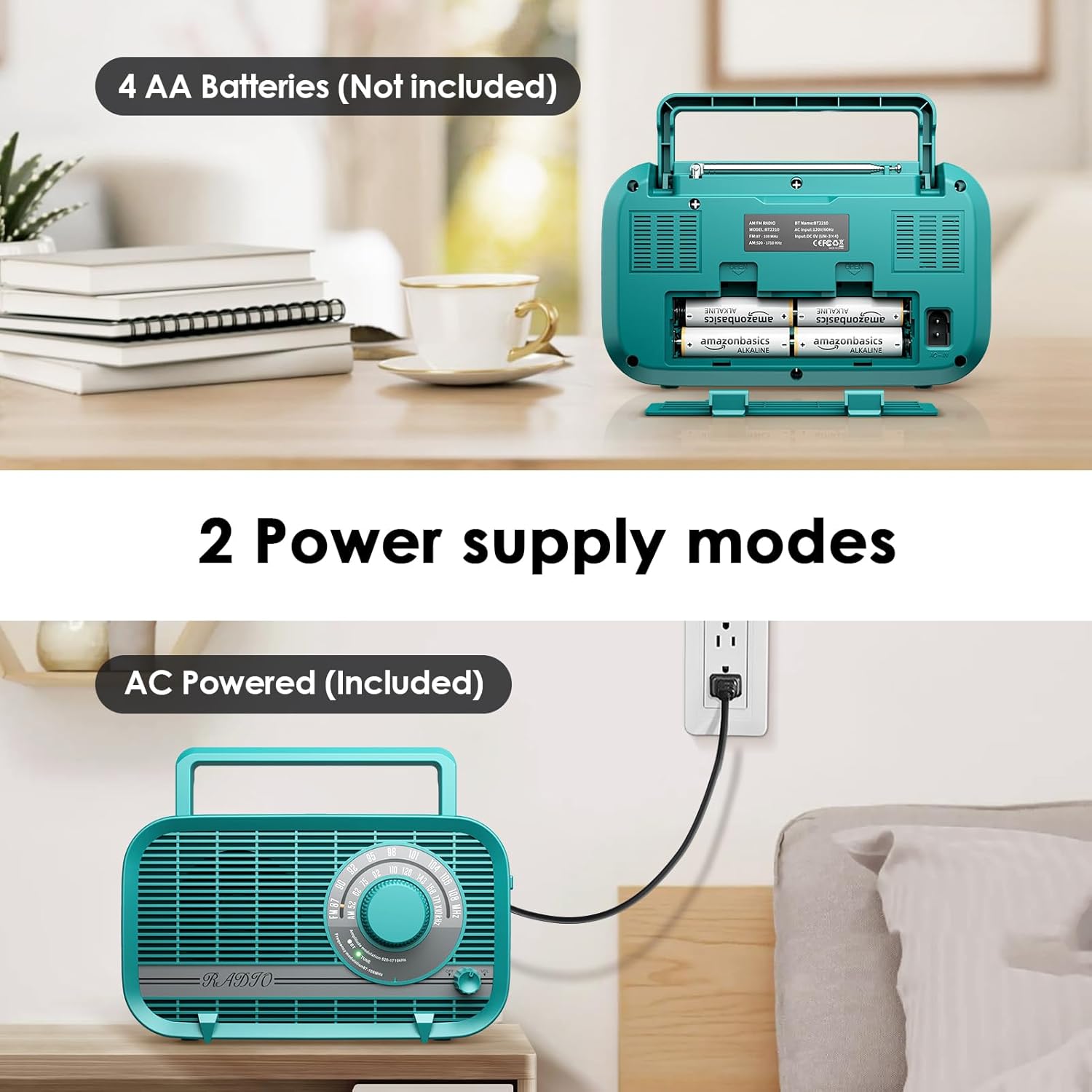
Image 6.2: A user enjoying private listening with headphones connected to the radio's headphone jack.
7. Maintenance
- Cleaning: Wipe the radio with a soft, dry cloth. Do not use abrasive cleaners, waxes, or solvents.
- Storage: If storing the radio for an extended period, remove the batteries to prevent leakage. Store in a cool, dry place away from direct sunlight and extreme temperatures.
- Antenna Care: Handle the telescopic antenna gently to avoid bending or breaking.
8. Troubleshooting
| Problem | Possible Cause | Solution |
|---|---|---|
| Radio does not power on. | No power source; batteries depleted or incorrectly inserted; AC cord not properly connected. | Ensure AC cord is securely plugged in or replace batteries with new ones, checking polarity. |
| Poor radio reception (static/weak signal). | Antenna not extended (FM); radio position (AM); interference from other electronics. | Fully extend the telescopic antenna for FM. Rotate the radio for AM. Move the radio away from other electronic devices. |
| No sound from speaker. | Volume too low; headphones connected; incorrect mode selected. | Increase volume. Disconnect headphones. Ensure correct mode (AM/FM/BT) is selected. |
| Bluetooth device cannot pair. | Radio not in BT mode; device too far; Bluetooth not enabled on external device. | Set radio to BT mode. Ensure external device's Bluetooth is on and within range. Forget device on external device and try pairing again. |
| AUX input not working. | AUX cable not connected properly; external device volume too low. | Ensure AUX cable is fully inserted into both the radio and the external device. Increase volume on both the radio and the external device. |
9. Specifications
| Feature | Specification |
|---|---|
| Model Number | AC-BT2210 |
| Product Dimensions | 8.66"L x 3"W x 5"H (220x75x128 mm) |
| Item Weight | 1.96 pounds (0.89 kg) |
| Tuner Technology | AM/FM |
| Radio Bands Supported | AM (520-1710KHz), FM (87-108MHz) |
| Connectivity Technology | Bluetooth 5.0, AUX-in |
| Speaker Output | 3 Watts |
| Power Source | AC Powered (Power Cord Included), 4 x AA Batteries (Not Included) |
| Included Components | Power Cord |
| Manufacturer | Audiocrazy |
10. Warranty and Support
Audiocrazy products are designed and manufactured to the highest quality standards. For specific warranty information and customer support, please refer to the warranty card included with your purchase or visit the official Audiocrazy website. If you encounter any issues not covered in this manual, please contact Audiocrazy customer service for assistance.


